
Where Flight Simulation Enthusiasts Gather from Around the World!
AVSIM Library - Search Results

| Category: Flight Simulator 2004 - Scenery | |
| 8AK7 - Bullen Point - Alaska North Slope 7 |

|
Images related to this file:
File Description:
The town of Barrow is in the far north of Alaska, and these are coastal villages or radar installations to the west, south, and now east of Barrow. There will be further additions. Bullen Point is a DEW station Air Force base 240 miles east of Barrow and 75 miles east of Oliktok. The runway is just under 4,000 feet of gravel and aligned 05-23; this is approximately at right angles to the default FS9 alignment and how that came about is something I doubt Bill Gates could explain. Most of the DEW buildings have now been removed (including the large hangar, which is unusual) but as I had a layout I made the whole site as it was originally, way back in the days when the north slope was still a wilderness. The AI is one day a C-130, on another a Cessna, and on a third a DC3. When I started this North Slope series it was my intention to create the full monty and make all the oil and gas installations and Deadhorse airport etc. I have come to realise that the oil side is impossible to make. There is so much of it and each bit is as time consuming as Heathrow while the actual airfields are more like Rockcliffe CYRO, so a lot of effort for what is just background to an adjoining airfield. But at the same time, if I make the new airstrips it is impossible NOT to make the oil installations as they are the dominating feature. So no new airstrips, and this is going to be just the 1960's or 1970's, when the oil business was only exploratory and the airfields were for villages or DEW stations, and Harmon Helmerick had his dirt strip on the Colville River estuary and was guiding hunters and fishermen and had just started to help out Sinclair Oil with oil exploration in 1966. Read his book. Download my previous post of his field.
| Filename: | 8AK7__Bullen_Point__Alaska_North_Slope_7.zip |
| License: | Freeware, limited distribution |
| Added: | 15th July 2016, 17:46:54 |
| Downloads: | 280 |
| Author: | Roger Wensley |
| Size: | 2.5 MB |
| Category: Flight Simulator 2004 - Scenery | |
| Bethel area airfields in southwest Alaska close to the Yukon River |
|
Images related to this file:
File Description:
This presumes you have already installed my post of Bethel PABE. In the Yukon River area of Alaska there are a lot of small villages close together, which is unusual for Alaska. Almost all of them are on the coast or a river bank, and the local economies depend on fishing. Some are larger than others and have a fish processing plant, such as in Emmonak. This is the largest such plant and it exports prepared fish by cargo planes which fly in on a daily basis, using an extended runway. This post includes airfields to the south and west of PABE, 17 of them; some of them already included and now modified. There will be more airfields to the north and northwest of Bethel in a future post. There are revisions to Bethel to include parking spaces for Yute Air (newly included here) and extra spaces for Ryan Air. Both of these flew Cessna 205 planes into the smaller village strips from Bethel (past tense as Yute Air recently went bankrupt). The northwest area is served both from Bethel and also from St Mary's PASM, which is in the northwest and at a more economical range to the local airfields (100 miles closer than Bethel). These smaller airfields have few airfield buildings or any other creature comforts; featuring heavily are a new standard blue garage building (sometimes not yet installed) and a small and old terminal shed (that has sometimes collapsed and been removed). Go to "http://vfrmap.com/" for free vfr maps of the area, There is a pic of the local chart area included here. The screenshots are a random sample. Kipnuk PAKI is the one that appears to have a second and long grass runway; what it actually has is the ground prepared for a new and long gravel runway but which hasn't been started yet as it has taken 10 years just to prepare the ground. I have no idea why.
| Filename: | Bethel_area_airfields_in_southwest_Alaska_close_to.zip |
| License: | Freeware, limited distribution |
| Added: | 16th April 2019, 22:47:47 |
| Downloads: | 156 |
| Author: | Roger Wensley |
| Size: | 5.93 MB |
| Category: Flight Simulator 2004 - Aircraft Repaints, Textures and Modifications | |
| NHL "Pittsburgh Penguins" Beechcraft Twin Bonanza" |
|
File Description:
Simmers,and Hockey fans,
This aircraft includes my NEW Twin Bonanza Panel_ V3, and for you FSX users it also includes "Camera Definitions" so ***BE SURE YOU COPY aircraft.cfg file to your main Twinstar_ Twin_ Bonanza folder.NOTE!(Camera Definitions will have no effect in FS9)***These 1951 D Model Beechcraft Twin Bonanzas are pristine,no dirt,grease or oil leaks on these babies!Just fresh out of the paint booth, these are the 24th repaint of my in progress NHL collection.All repaints are of "Eric Dantes" Beechcraft Twin Bonanza. All NHL teams will be represented.These repaints are not layered so each one has to be redrawn in its official colors.All repaints will have two liveries,one with team logos and one without logos.All NHL team names were put in two hats, Eastern Conference and Western Conference, they are drawn one from each hat at random.The next repaint will be the San Jose Sharks.(Look for it soon. :)I hope you have as much fun collecting all 30 liveries as I will have painting them!
This file includes the texture.Penguins"(The Pittsburgh Penguins Edition)",texture.NHL Pittsburgh,
"(The NHL Pittsburgh Edition....NOLOGOS)",panel.Penguins and the panel.NHL Pittsburgh folders and the aircraft.cfg file.It also includes two files to correct the knee board,they are the beech_baron_58_check.htm and the beech_baron_58_ref.htm,just copy these two files to your main Twinstar_ Twin_ Bonanza folder.
The following additional file is required.--------------twinstar__twin__bonanza.zip--------------
This file can be downloaded @ http://www.avsim.com/
Go to the file library and just use the Quick Search: type: Chris Tuinstra and you should see the twinstar__twin__bonanza.zip,along with my other NHL and NFL repaints.Again I thank each of you for your downloads.
This file includes a complete matching interior for both liveries".
| Filename: | NHL_Pittsburgh_Penguins_Beechcraft_Twin_Bonanza.zip |
| License: | Freeware |
| Added: | 11th May 2008, 12:37:49 |
| Downloads: | 261 |
| Author: | Chris Tuinstra |
| Size: | 10.38 MB |
| Category: Flight Simulator 2004 - Aircraft Repaints, Textures and Modifications | |
| NHL "Chicago Blackhawks" Beechcraft Twin Bonanza" |
|
File Description:
Simmers,and Hockey fans,
This aircraft includes my Twin Bonanza Panel_ V3, and for you FSX users it also includes "Camera Definitions" so ***BE SURE YOU COPY aircraft.cfg file to your main Twinstar_ Twin_ Bonanza folder.NOTE!(Camera Definitions will have no effect in FS9)***These 1951 D Model Beechcraft Twin Bonanzas are pristine,no dirt,grease or oil leaks on these babies!Just fresh out of the paint booth, these are the 27th repaint of my in progress NHL collection.All repaints are of "Eric Dantes" Beechcraft Twin Bonanza. All NHL teams will be represented.These repaints are not layered so each one has to be redrawn in its offical colors.All repaints will have two liveries,one with team logos and one without logos.All NHL team names were put in two hats, Eastern Conference and Western Conference, they are drawn one from each hat at random.The next repaint will be the Washington Capitals .(Look for it soon. :)I hope you have as much fun collecting all 30 liveries as I will have painting them!
This file includes the texture.Blackhawks"(The Chicago Blackhawks Edition)",texture.NHL Chicago,
"(The NHL Chicago Edition....NOLOGOS)",panel.Blackhawks and the panel.NHL Chicago folders and the aircraft.cfg file.It also includes two files to correct the kneeboard,they are the beech_baron_58_check.htm and the beech_baron_58_ref.htm,just copy these two files to your main Twinstar_ Twin_ Bonanza folder.
The following additional file is required.--------------twinstar__twin__bonanza.zip--------------
This file can be downloaded @ http://www.avsim.com/
Go to the file library and just use the Quick Search: type: Chris Tuinstra and you should see the twinstar__twin__bonanza.zip,along with my other NHL and NFL repaints.Again I thank each of you for your downloads.
This file includes a complete matching interior for both liveries".
| Filename: | NHL_Chicago_Blackhawks_Beechcraft_Twin_Bonanza.zip |
| License: | Freeware |
| Added: | 15th June 2008, 14:52:59 |
| Downloads: | 246 |
| Author: | Chris Tuinstra |
| Size: | 6.75 MB |
| Category: Flight Simulator 2004 - Scenery | |
| Dallas Ft. Worth KDFW / DFW, version 3.2 |
|
Images related to this file:
File Description:

Thank you for downloading this scenery. This is an extensive upgrade to the default Dallas/Ft. Worth International airport. The brand new Terminal D is added and in use now at DFW. FRF's rendition of this terminal is in no way photoreal or exact as it is in real life. The basic shape and dimensions are correct,but due to the limitations of the building blocks available to me at the time, We were not able to design the curved roof and some other architectural details of the actual building. The gates are generally accurate and I have seen no parking problems so far. The original main terminals remain with new, more accurate jetways. The overhead tramway which circles the entire terminal area has been added. It is not perfectly correct or photoreal, but it is a good basic representation.
An AFCAD is included with accurate parking per the DFW website and AA.com. There is a substantial frame rate hit with full AI traffic and weather enabled, but it is not a slideshow.
Update from v3:
The afcad file for KDFW is all new, made with AFX, and reflects recent updates to the taxiway layout. The new afcad file is no longer "all runways active" due to the incorrect behavior of AI aircraft overflying the main runways when using the 13/31's. The new end-around taxiway at the end of Rwys 17R/C is now in place. The runway 18R/17C extensions are reflected as well as associated new taxiways and signage. Parking changes are now reflected per the DFW website. Visual changes include the midfield hangar change from Delta to American titles, courtesy of Joe Degregorio.
| Filename: | Dallas_Ft_Worth_KDFW__DFW_version_32.zip |
| License: | Freeware |
| Added: | 30th May 2010, 10:39:01 |
| Downloads: | 23,470 |
| Author: | William Morgan, FRFSTUDIO.NET |
| Size: | 10.12 MB |
| Category: Flight Simulator X - Aircraft Repaints, Textures and Modifications | |
| Southwest Airlines Boeing 737-700 v2.2 Final Package |
|
File Description:
**** THIS FILE SUPERCEEDS MY ORIGINAL FILE b737_700_southwest_v21.zip **** v2.2 - REPORTED BUGS HAVE BEEN CORRECTED. The 737 was born out of Boeing's need to field a competitor in the short-range, small capacity jetliner market which had been opened up by the BAC 1-11 and the Douglas DC-9. Boeing was badly behind however when the 737 program was initiated in 1964, as both of these rivals were already into their flight certification programmes. The 737 was cheaper and quicker to design, featuring six-abreast seating compared to the 1-11 and DC-9's five-abreast layout.By the 1990s, the 737 had lost ground technologically to the newer Airbus A320. In 1993, Boeing initiated the 737-X or Next Generation (NG) program. The Next-Generation 737 encompasses the -600, -700, -800 and -900, and amounted to a complete redesign of the 30-year old airliner. The 737NG is an entirely new aircraft, sharing very little with previous 737s, other than fuselage frames. New wings, new avionics and revised engines were the biggest engineering changes. The 737 was given a glass cockpit with CRT screens (except the -900, which had newer and higher tech LCD screens) and digital systems inspired by the ones that were used on the 777. The parts count is down by about 33%, reducing weight and simplifying maintenance. Additional changes since its introduction include a new interior and performance enhancing winglets which reduce fuel consumption and improve take-off and climb performance. All textures have been modified in DXT-3 format for crisp visuals without comprimising frame rates. Includes the default FS-X Boeing 737 panel. Sounds have been defaulted to the FS-X 737-800, however I recommend the excellent 737 CFM56 "the real deal" version 2 soundpack (file name:737_cfm56__the_real_deal_version_2.zip located at AVSIM.com) for this aircraft series. Additionally, this aircraft series has no Virtual Cockpit (VC), therefore you must fly them using the 2-D default panel view only! This package includes Southwest Airlines liveries (Canyon Blue, Maryland One, Nevada One, Old Color & Shamu).
| Filename: | Southwest_Airlines_Boeing_737700__v22_Final_Packag.zip |
| License: | Freeware |
| Added: | 9th December 2006, 20:24:49 |
| Downloads: | 11,832 |
| Author: | Brian C. Selb |
| Size: | 13.59 MB |
| Category: Flight Simulator 2004 - Scenery | |
| PAEN, PAEX, 3AK4, 30AK, 52AK - Alaska, USA |
|
Images related to this file:
File Description:
The town of Kenai is on the east coast of Cook Inlet, 60 miles southwest of Anchorage. The airport is in the northern part of the town, with a runway aligned 1-19, 7,550 feet long and 150 feet wide (with an ILS on 19). A second runway is gravel, 2,000 feet long and for winter use by ski planes. There is also a water runway, and all three are aligned the same and called "1 left-19 right" (the main runway) "1 right-19 left" (gravel) and "1 water-19 water". The taxiways are extensive and designed for a far larger traffic than the airport has today, though even now the airport is fairly busy. In FS9 a water runway for AI cannot work with an ATC control tower; the water part of PAEN has therefore been separated into another call sign PAEX which has ONLY the water runway; the tower will therefore direct the plane that makes contact to use the water runway. The PAEN airport runway has taxiway connections at each end and also two intermediates; at the northern end there are in fact two so a total of 5; B, C, D, E, and F; there is an airport diagram included. GA traffic goes to one of two parking aprons, both at the southern end, and at the far southern end there is the hangar for the Civil Air Patrol. The AI includes aircraft from my previous Alaska posts, as Kenai is where I sent them when they departed from, for instance, Palmer. Airlines and cargo companies that operate from and to Kenai are included in the AI: ERA (which has recently changed it's name), Grant Aviation, Air North, Wings of Alaska, North Star Air, and a small local company Air Supply Alaska, along with Fedex, UPS, Everts, and Northern Air Cargo. There is also GA and float AI. Nearby smaller airfields are included, partly because one of them was dramatically misaligned in FS9.
| Filename: | PAEN_PAEX_3AK4_30AK_52AK___Alaska_USA.zip |
| License: | Freeware, limited distribution |
| Added: | 26th December 2015, 15:33:19 |
| Downloads: | 485 |
| Author: | Roger Wensley |
| Size: | 23.08 MB |
| Category: Miscellaneous Files - General Utilities | |
| Random Airport Generator |
|
Images related to this file:
File Description:
I can be contacted at [email protected] for any help required or different drive versions needed.
[ABOUT THE PROGRAM]
This program will read a text file from the route of your hard drive depending on the version you run, and select a random line and display that line. The file must be a text file named "Airports.txt". This program was designed with ease of use in mind for selecting a random airport for the Flight Sim community, though can be used for any purpose with any text file called "Airports.txt". The program will display the airport ICAO code then co-ordinates.
[ABOUT ME]
I am a 16 year old aviation enthusiast that loves flying and ATC, but hate having to choose an airport to depart from and arrive at, or to controll. This program has now removed this to make my flight more random with less decisions to make. I also like to explore areas I haven't been before, again this selects a random airport, from thousands of different ones, so exploring is inevitable.
[INSTALLATION]
The only installation required is to copy the Airports.txt file to the route of your hard drive C: or D: (for more drives e-mail me as above), then run the respective program for that drive from any folder you wish.
[ABOUT THE AIRPORTS.TXT FILE]
This file was collected from my FS2004 and contains every airport in it. Currently the program selects a line at random and displays it, whether a large international airport or small grass field. You could edit the file just to contain your favourite airports and it will NOT affect the running of the program as long as the file remains as Airports.txt. I am hoping in future versions to allow you to select a type of airfield, i.e. large, medium or small or select from runway length, though this will take a while to produce, if ever.
For now i hope everyone enjoys the program and happy flying :)
| Filename: | Random_Airport_Generator.zip |
| License: | Freeware |
| Added: | 9th June 2010, 02:41:14 |
| Downloads: | 212 |
| Author: | Alexander Aschacher |
| Size: | 254.45 KB |
| Category: Flight Simulator X - Scenery | |
| Carnes Farm |
|
Images related to this file:
File Description:
These are the files that I talked about in the Prepar3d forums. I created these objects for Fs9, then upgraded them to the scenery SDK for FSX. They were created 10 years ago in GMAX, and I have used them successfully ever since in Prepared 1.4 as well.
For some reason the individual farmhouse and other objects that I created are not showing up in Prepar3d version 2.0.
That's where you guys come in! These files are free to use in anyway you want as long as proper attribution is given, but, I would like you guys who have both Prepar3d 1.4 and 2.0 to try them out in both and report back to me as to whether you have the same problems that I do. That's your only fee. And I'd like you guys to give it a shot in both, or all four( I am not sure that they will work in FS9 anymore, but try it out. Unfortunately I can't recompile my FSX SDK Files back to FS9 if it doesn't work).
What's included:
1. Photo real scenery of Barbourville, 10 miles to the north west of stinking Creek where we live, and;
2. Photo real scenery of the farm area and stinking Creek, upon which I have placed my GMAX objects;
A. The farm house.Carnes Farm From the Bridge at 500 AGL.jpg
B. The barn, shed and the RV in back of the farmhouse.
C. A two-story long structure the top of which is an apartment but the bottom of which is a re-creation of Mama Carne's store, along with all the real wood floors shelves and original contents.. It is also o n Google earth in 3-D as it is here with further description .
... A little note on Gmax.. Mama Carne's store was one the first structures that I built in Gmax. It was just a box. Later, I added the true architectural features that you see including the steps and rails which took about as long to create as it would have to Saw and fit and hammer the real rails, risers and steps.
D. K-6, my little 2300 foot strip for runways 03 and 21. It has VOR - (117.55), ILS(110.1), and NDB(222).
E. Gerald Bingham's house, 1/4 mile up Warriors Path North from us.( mostly dirt road with gravel topping).
F. Dewitt Baptist Church.
Off property Knox county
G.Escoe's Store and Post Office complete with great prices for gas at the included pumps.
Escoes.jpg
H. Rex allen's killer corner...sheds and farm equipment on the sharpest bend on Stinking Creek...my son went off it with a flat tire, unscathed, but more than several have lost their lives on that curve... there may be several iterations of the sheds...just delete or rename the wrong ones...I was experimenting with ModelConverterX, Arno Gerretsen's wonderful model and object scenery tool.
I. sitting on top of the Barbourville Photo real scenery Barbourville PhotoReal over the shopping center.jpg is the Barbourville P3D Shopping Center2.jpg shopping center all the stores and all the storefronts ... it's on 25 E. as you head into Barbourville.
Recreated, is the entire shopping center with the now outmoded Wal-Mart sign. Probably my magnum opus.
note on the Gmax scenes.
All of the scenery was either directly measured and if not practical for a such a long measuring device, walked off, as in the Stinking Creek Bridge and shopping center. All of the objects were then photographed, in 360° where possible and saved as texture for inclusion in the Gmax model.
Enjoy!
...oh... how do you get there? Wellllll.... situate yourself at Middlesboro (1a6), and tune your Nav radio to K-69's VOR, 117.55, take off and climb to 3500 feet...grinnnnn
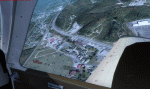
Welcome to Knox County Kentucky!
| Filename: | Carnes_Farm.zip |
| License: | Freeware |
| Added: | 2nd December 2013, 05:34:20 |
| Downloads: | 454 |
| Author: | Chas Honce |
| Size: | 91.13 MB |
| Category: Flight Simulator X - AFCAD Files | |
| Parker Airport (70NJ), NJ |
|
File Description:
Located 02 miles S of Asbury, New Jersey on 13 acres of land, Parker Airport is a private turf strip located on residential property. This airport is challenging in many ways. For one, when approaching from the southeast the airport is located immediately after a tall ridge, so when topping this ridge at altitude you may not even see the airport over the nose of your aircraft before you overfly it. The runway for this airport is 1600' feet long but it is curved and slightly sloped perpendicular to your roll, so significant rudder will be needed to stay aligned - be careful when operating with any crosswind component! It is highly recommended that you only depart via Runway 25 and arrive via Runway 07 to avoid having to clear significant obstacles prior to landing or after taking off. This airport has no hard-surfaced runway and there is a very noticeable "bump" in the terrain halfway down the runway that will literally bounce your aircraft into the air - I tried my best to smooth it over but could not get rid of it entirely. When taking off make sure you have back pressure applied so your main gear only bounce you high enough to remain within ground effect - hitting your nose wheel can cause an extreme pitch up leading to a stall. Trees close in tight to the runway at the end of Runway 07 or the start of Runway 25, however collision has been disabled with the trees nearest the runway so you can scrape some branches if needed on the takeoff/landing rolls. The author has successfully departed and arrived on both runways in the default Cessna 172 under moderate crosswind from the northeast. This field may definitely require some practice but it is usable!! This airport has no edge lighting, so daytime VFR operations only are recommended.
Scenery constructed with use of satellite images/streetview/aerial photos - the author has not been there in person.
This scenery is meant to be used in conjunction with MegaScenery Earth New York 007. It is not required, but apron use is minimized to allow satellite scenery to show through as much as possible, and objects are placed based on the MSE textures - lack of it may make scenery look out of place.
| Filename: | Parker_Airport_70NJ_NJ.zip |
| License: | Freeware |
| Added: | 10th February 2011, 05:04:30 |
| Downloads: | 215 |
| Author: | Drew Sikora |
| Size: | 559.02 KB |


© 2001-2026 AVSIM Online
All Rights Reserved
Privacy Policy |