
Where Flight Simulation Enthusiasts Gather from Around the World!
AVSIM Library - Search Results

| Category: Flight Simulator X - Aircraft Repaints, Textures and Modifications | |
| air algerie livery of wilco a340-300 |

|
File Description:
air algerie leased an a340-300 from hifly
The Airbus A340 is a long-range, wide-body passenger airliner that was developed and produced by Airbus. In the mid-1970s, Airbus conceived several derivatives of the A300, its first airliner, and developed the A340 quadjet in parallel with the A330 twinjet. In June 1987, Airbus launched both designs with their first orders and the A340-300 took its maiden flight on 25 October 1991. It was certified along with the A340-200 on 22 December 1992 and both versions entered service in March 1993 with launch customers Lufthansa and Air France. The larger A340-500/600 were launched on 8 December 1997; the A340-600 flew for the first time on 23 April 2001 and entered service on 1 August 2002.
Keeping the eight-abreast economy cross-section of the A300, the early A340-200/300 has a similar airframe to the A330. Differences include four 151 kN (34,000 lbf) CFM56s instead of two high-thrust turbofans to bypass ETOPS restrictions on trans-oceanic routes, and a three-leg main landing gear instead of two for a heavier 276 t (608,000 lb) MTOW. Both airliners have fly-by-wire controls, which was first introduced on the A320, as well as a similar glass cockpit. The later A340-500/600 have a larger wing and are powered by 275 kN (62,000 lbf) Rolls-Royce Trent 500 for a heavier 380 t (840,000 lb) MTOW.
The shortest A340-200 measured 59.4 m (195 ft), and could cover 12,400 km / 6,700 nmi with 210–250 seats in 3-class. The most common A340-300 reached 63.7 m (209 ft) to accommodate 250–290 passengers and had a 13,500 km / 7,300 nmi range. The A340-500 was 67.9 m (223 ft) long to seat 270–310 over 16,670 km / 9,000 nmi, the longest-range airliner at the time. The longest A340-600 was stretched to 75.4 m (247 ft), then the longest airliner, to accommodate 320–370 passengers over 14,450 km / 7,800 nmi.
As improving engine reliability allowed ETOPS operations for almost all routes, more economical twinjets have replaced quadjets on many routes. On 10 November 2011, Airbus announced that the production reached its end, after 380 orders had been placed and 377 delivered from Toulouse, France. By the end of 2021, the global A340 fleet had completed more than 2.5 million flights over 20 million block hours and carried over 600 million passengers with no fatalities. The A350 is its successor; the McDonnell Douglas MD-11 and the Boeing 777 were its main competitors. Lufthansa is the largest operator and the largest customer with 34 A340 aircraft in its fleet.
| Filename: | air_algerie_livery_of_wilco_a340300.zip |
| License: | Freeware |
| Added: | 29th May 2022, 17:02:17 |
| Downloads: | 165 |
| Author: | moussa cherif baya |
| Size: | 10.55 MB |
| Category: Flight Simulator X - Original Aircraft | |
| FedEx McDonnell Douglas MD-11F (N604FE) |
|
Images related to this file:
File Description:
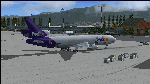
The Boeing MD-11F aircraft, N604FE, named "Hollis" is based out of Memphis, TN and can fly both Domestic and International Routes. The MD-11F (53 built) are the Freight transport aircraft version and were the second variant on offer at launch in 1986, and was the last and longest (1988-2000) manufactured version. 22 MD-11F's were delivered between 1991 and 2001 to FedEx. According to Flight Aware, she flies mainly domestic routes daily. The aircraft is almost identical to the DC-10F, although BOEING modernized their model with a longer fuselage and more powerful engines, giving her a longer range and higher service ceiling. Most flights are at full payload, and those disclude the center long-range fuel tanks, and involve flights ranging between 2,000 and 4,500 nm. I've been dealing with several versions of this aircraft for many years, actually since the first offered on CompuServe for FS98 in the '90s, and through time have found many aerodynamic details that were required in order to make her fly realistically. The Internet slowly added the details I needed, and then came the testing. Needless to say, I've flown many versions, including this one, for way too many hours, and added and corrected things along the way. This version is the best I've ever done, and I've worked on her for about a year before this upload. Everything is aerodynamically correct, and the engines (and their placement) are beyond anything ever presented by anyone with anything like this previously. I even fixed the gear to be 100% authentic in placement and use. I tried to fix the lights, but the textures are from FS2004, so I did the best I could. I chose this aircraft because it is actually in service today, and because the painter did a great job in making her look authentic. She now flies in FSX just as she does in reality, but you are better advised to study this on your own, rather than take my word. Aircraft ratings by manufacturers are based on simple standards, and very conservative. FSX is a virtual “WIND TUNNEL†when realistic aerodynamics are employed, so we can see what aircraft are capable of if we do it all right. Sorry to say, no one ever builds a free aircraft for upload with the correct engine/aerodynamics employed. In fact, I don't think anyone, other than myself, has ever put that much effort into it. So, keep this in mind. What you have now is real. It is Free. Now learn from it. READ THE MD11Readme.txt document before any operation after unzipping this. Tri-Engine Sound by B.G. Hany; Textures by Bradley McCoy; Panel by Marco Spada; Real World Engine/Aerodynamics by Douglas E. Trapp, [email protected], June 2018. This aircraft is designed for educational use protected under the Fair Use Doctrine: (http://www.expertlaw.com/library/intellectual_property/fair_use.html) ... It cannot be sold or bundled for sale, and such will never be approved by me or the original authors. FREEWARE DISTRIBUTION ONLY!!!
| Filename: | FedEx_McDonnell_Douglas_MD11F_N604FE.zip |
| License: | Freeware |
| Added: | 1st July 2018, 02:41:02 |
| Downloads: | 1,475 |
| Author: | Douglas E. Trapp |
| Size: | 121.26 MB |
| Category: Flight Simulator 2004 - Miscellaneous Files | |
| The Steamer PATRIA, pearl on VFR of Lario - Como Lake, Italy |
|
Images related to this file:
File Description:
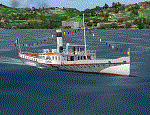
Steamship sailing, GMax model with photo real textures and panel with exterior views.
The History: Born with the name of "Savoia" this steamer was placed in the yard June 7, 1926 by the Odero's workers at the construction site of Dervio, and in a very short time, triumphantly launched July 31, 1926 first in the waters of Dervio , to start shipping in the Como Lake.
Soon after this launch, the site was put on the twin " October 28 ", which later became the "Concordia". In December 1926, the " Savoia " incorporates a major change : the distribution system of the machine new one "Caprotti" type that has excellent results and is , up to date, the only example in the world (reduction of rolling steam). In May 1927, the " Savoia " has the honor to welcome on board the King of Italy Vittorio Emanuele III , escorted by the steamers " October 28" and " Plinio". During World War II , following the fall of the fascist regime , July 25, 1943 , is required to change the name of the steamer. Even public opinion is mobilized and decide to rename the steamer by the name of "PATRIA". At the same time the twin " October 28 " is renamed "Concordia". Back after a break in service , January 10, 1945 is attacked and strafed while browsing the center of the lake . At the end of was counted 5 victims and 17 injured of which one will die as a result. At the height of the bridge spread of a fire, for piercing and incendiary bullets used by the Anglo-Americans, but soon subdued by the crew. In June 1951, the PATRIA is back in service with some modifications. The smokestack is shortened to about 3 mts and boilers and burners are converted from coal to oil. In August 1952, the boat service on the lake shift from "Lariana " to Government Management, which taken the steamer. In 1973 the interior of the " Patria" is restored according to the original scheme: the magnificent ship back into service June 10, 1973.
Great new features are the stained glass windows in the inner surface that allow you to see the paddle wheels in motion. In the 80s the PATRIA is used mainly for special cruises and rentals, limiting the use of the line. The summer of 1990 is the last one that sees the "PATRIA" in service. In the fall it is stopped at the construction site of Tavernola, later transferred to Dervio where it remains moored for years waiting to know his fate ... between demolition or renovation (this strongly desired by the Lariana population). Finally in 2003, the Province of Como takes the field by engaging in the recovery of the steamer, with PATRIA's historic "friends" of "Famiglia Comasca"; February 27, 2004 the remains of the steamer is formally sold to the Province of Como in the symbolic figure of " 1 Euro". After a series of bureaucratic delays, in August 2008 is finally contracted the first batch of works and the renovation starts. On 8 May 2013, PATRIA comes to Dervio for a short cruise, and for testing stability on the lake, and received a "Certificate of Class" that officially renames it as a ship. After 23 years it is the first time that the PATRIA sails again, since 1990, the year of its disarmament. The inauguration takes place July 19, 2013, at Villa Olmo in Como present authorities, proponents of the huge recovery and many other enthusiasts ... as me. Enjoy.
Check video available here: http://youtu.be/KALgHsGiPu8
| Filename: | The_Steamer_PATRIA_pearl_on_VFR_of_Lario__Como_Lak.zip |
| License: | Freeware |
| Added: | 22nd February 2014, 01:25:28 |
| Downloads: | 590 |
| Author: | Aldo Della vedova, Daniele Lanfranchi, Gian Mario Verga |
| Size: | 10.5 MB |
| Category: Prepar3D V1-4 - Utilities | |
| Flightplan Visualizer 1.10 |
|
Images related to this file:
File Description:
Flightplan Visualizer (FV) version 1.10.0. Copyright 2018-2019 by Pelle F. S. Liljendal ([email protected]), all rights reserved.
FV comes with 300 Commercial-, and +380 BizJet AI pre-imported flightplans which the creators of those flightplans have gracefully allowed me to include with the installer, however you are able to import additional (AI) flightplans if you want to. Once imported these (AI) flightplans can be visualized on a map-view, and the user will be able to search accross all these. Hence you can use the program as inspiration as to which routes to fly. E.g. you can search across all imported flightplans to find all flights in an A321 flying into/out from LDDU, or simply to look for all flights in a Boeing 747-8F.
Simply run the included installer to install the software. The program will be installed into "C:\Program Files (x86)\Flightplan Visualizer" and all datafiles will be installed into: "C:\Users\[UserName]\AppData\Roaming\FlightplanVisualizer". The program comes with a full manual explaining everything, and a 3 page quick manual to get you started. The first 3 times you run the program the quick manual will automatically open. The forum is hosted here: https://forum.aerosoft.com/index.php?/forum/919-flightplan-visualizer/
Version 1.10 Contains the following changes: In the flightplan combo-box at the bottom of the main-form, "Active Search" have been renamed into "Last Search". Picking "Last Search" from the flightplan combo-box, will re-execute the last performed search, and populate the map accordingly. A new entry called "None", have been added flightplan combo-box (at the top of the list). Chosing this item will "deselect" the otherwise current search or selected flightplan, and clear the map of routes. A form have been added to assist enabling/disabling flightplans. Gate-letters/numbers are now by default written using a (5x7) Matrix-"font". If you want to revert to the segment-"font", used in previous versions, simply set the value of the "UseMatrixGateChars" tag in the settings-file to false. changed how the Gate-letters/numbers are written in the round gate-markers on the map. Previously all "chars" had the same width. Now the width is dependant on which sub-elements are in use by each "char" (e.g. a "1" is not as wide as an "8"), as a result the gate letter/number are more easy to read. Zulu- and local-time added to the "Selected airport" group-box in the upper/right corner of the main form. If no airport is selected, or no time-zone is registred for the selected airport, only zulu-time will be displayed. Selections of favorite aircraft can now be saved and loaded.⦠This selection of aircraft can be loaded as a selection of aircraft in the "Search leg" form. Video tutorials can now be accessed from the "Help" menu. These are simply "links" to the actual videos on YouTube, hence will launch the default browser. If you hold SHIFT the url will in stead be copied to the clipboard (e.g. in case you want to upen the link in another browser). In the same manner the "Help" menu now contains a link to the forum. The form with decoded METAR/TAF-messages now shows: name, city, and country/state for the selected station in the caption. This text will also be embedded when copying the content to the clipboard. Likewise UTC/Local-time is also embedded when copying the content to the clipboard as it can be used to show the "age" of the report and convert between UTC and Local -times (based on the difference of UTC- and local-time). The info presented when pressing the "Show Scenery Gates" button on the Airport Info form, can now be copied to the clipboard. Various minor "behind the scenes" changes and optimizations. Added support for additional aircraft: Airbus A220-100 (CS100), Airbus A220-300 (CS300), Boeing 777-8 and Boeing 777-9. Listviews containing both (aircraft) IATA and ICAO-codes now all list them in the following order: IATA, ICAO (both individual sortable). Hovering the mouse over gate-markers the hint window will no show the radius both in meters and feet. Editing gate-info you will now see more info for the gate being edited: Type, Size (meters and feet) and if applicable: airlines. Fixed: Minor bug in relation to how the airport size was calculated. Fixed: IATA/ICAO columns were swapped when choosing Favorite Aircraft. Fixed: Typo on the METAR/TAF-decoder form.
| Filename: | Flightplan_Visualizer_110.zip |
| License: | Freeware, limited distribution |
| Added: | 5th June 2019, 21:20:51 |
| Downloads: | 319 |
| Author: | Pelle Liljendal |
| Size: | 24.81 MB |
| Category: Prepar3D V1-4 - Utilities | |
| Flightplan Visualizer 1.12 |
|
Images related to this file:
File Description:
Flightplan Visualizer (FV) version 1.12.0. Copyright 2018-2019 by Pelle F. S. Liljendal ([email protected]), all rights reserved.
FV comes with 540 pre-imported Commercial AI flightplans (+380 BizJet flightplans are available as a separate download). However you are able to import additional (AI) flightplans yourself. Once imported these (AI) flightplans can be visualized on a map-view, and the user will be able to search accross all these. Hence you can use the program as inspiration as to which routes to fly. E.g. you can search across all imported flightplans to find all flights in an A321 flying into/out from LDDU, or simply to look for all flights in a Boeing 747-8F.
Simply run the included installer to install the software. The program will be installed into "C:\Program Files (x86)\Flightplan Visualizer" and all datafiles will be installed into: "C:\Users\[UserName]\AppData\Roaming\FlightplanVisualizer". The program comes with a full manual explaining everything, and a 3 page quick manual to get you started. The first 3 times you run the program the quick manual will automatically open. The forum is hosted here: https://forum.aerosoft.com/index.php?/forum/919-flightplan-visualizer/
Version 1.12 Contains the following changes: ⦠Ability to automatically check for available program-updates. The actual download of the new installer is still a manual process, but the program will at least list the download-URL. However You cannot see this feature in action until the next version will be released ;-) Updated the flightplan file-format to accommodate changes in the latest versions of (AI) flightplans. The program remains backward compatible and can still read older flightplans, however these might “miss†some (at this time) non-essential information. As a result all “Wi18-19†and “Su19†(and a few “Su18) flightplans have been re-imported and have been bundled with the version 1.12 installer, using the new file-format. Added new "Generate redirection report" button to the redirection edit form. Pressing this button will generate- and display a report of all active pseudo airports and redirections per flightplan. Added new menu-item to re-process all flightplans, according to specified airport-redirections. The "UserAirportRedirect.xml" file bundled with the installer have been updated, based on output from the new "Generate redirection report". These updated airport-redirections have been used to re-process/update all flightplans bundled with the installer. Buttons have been added to the "Leg Info" which allows you to transfer data for a particular leg/flight from FV to SimBrief in order to kick-start your "paper work" for a flight to fly. The "Leg Info" form also got buttons to show decoded METAR/TAF, and the raw METAR/TAF is also embedded in the text copied to the clipboard (when pressing the appropriate button). In settings you can now speficy the path of the folder holding the files that MakeRunway generates (if not specified it will use the UserData folder). Once set to the folder where MakeRunway generates its files (e.g. the P3D folder), you only have to run MakeRunway, you no longer have to copy the 3 files to the UserData folder. A few new traffic-charts were added to the "Airport Info" form (traffic per: region, sub-region and country), and a combo-box was added to switch between inbound- and outbound-traffic. The "Nearby Airport" form that can be opened from the "Flightplan Import" form now have an extra comment-column with information about the non-pseudo/pseudo airports. The comment column on the airport tab-sheet of the "Flightplan Import" form now also contains more info about non-pseudo/pseudo airports. The Generic Randomizer form got a new button called "Pick random flight", which will display info for a flight, randomly picked from all flights for the selected flightplan, or last search. In the "Search legs" form, you can now enter multiple ICAO-codes (separated by comma) to search for flights to/from these (e.g. search for all flights to/from EBLG or ELLX, by entering "EBLG,ELLX"). If you press SHIFT while clicking the airport browser button, the selected airport will be added to the comma separated list. If you do not hold SHIFT, the list will only contain the newly selected airport. Added support for using FS Global Real Weather (FSGRW) as a Weather provider for METAR-messages (FSGRW does not support TAF-messages). To use FSGRW you must go to settings and specify a full path (including filename) of the file generated by FSGRW. When editing a flightplan the user will be warned if trying to close the form, if changes were made. The menu-item to generate report with all defuct-/obsolete flightplans have been removed from the main-menu, but can now be generated using a button on the "Enable/disable flightplans" form. Now all applicable authors are shown when hoovering the mouse over the flightplan combo-box when a search is active. In previous versions the "Edit" buttons next the flightplan combo-box (on the main form) was only active when a flightplan was selected. Now its also active when "[Last Search]" is selected. However it will instead launch the "Search Legs" form, where you can then edit the criteria of the search. A few airports and airlines have been added/updated in the data-files bundled with the updated installer to accommodate the additional bundled flightplans. The Beluga XL Freighter was added as well as many of the other aircraft were updated with various changes. Added support for a bunch of military aircraft: A6/AE6, A10, C5, C17, E2, E3, EF2000, F14, F15, F16, F18, F22, F35, F111, F117, JAS39, KC10, KC135, MiG 21/23/25/27/29/31, Mirage III/5/2000, Rafale, SU 17/20/22/24/25/27/30/32/34, V22. New "Exclude military aircraft" setting have been added (defaults to true). When true military aircraft will not be shown (can be changed in the settings form). Added new menu-item to load/display current log-file. FV tend to be somewhat memory-hungry while (re)loading all active flightplans, and you might see a peek in memory consumption. But from this release and forward it will try to free up most of the memory once all flightplans have been loaded. Minor changes to the "Enable/disable flightplans" form, to make it more responsive, and added a progressbar that is visible while flightplans are being moved, copied or deleted. Fixed: issue when trying to import a flightplan zip-file containing multiple "Flightplan_XXX" files. If the same zip contains multiple sets of matching files (Flightplan, Aircraft and Airport) the user will now be presented with a combo-box from where the user can pick which set of files to import (only the flightplan-file will be shown). Fixed: The file "f5.csv" was missing from previous installers. Fixed: issue with pseudo-airports when using the "Nearby airports" tab-sheet in the Airport Info form. Fixed: Saving a flightplan that was edited, it would try to save it in the (flightplan) [ROOT] folder even if it was loaded from a sub-folder. Now it will always try to save it in the same location with the same filename. If you want it saved elsewhere/with another filename use the "Save As" button in stead. Imported flightplans will still be saved to the [ROOT] flightplan folder. Fixed: Pressing ENTER in the Flightplan import/edit-form while the comments-field had focus, would close the form (saving the flightplan). Fixed: Result-viewer will no longer display with all text selected. Fixed: METAR/TAF decoder will no longer display with raw-message selected. Fixed: In some cases the program needed to be restarted if changes were made to the weather-provided data in the settings-form. Installer: Comes with +30 new pre-imported (Summer 2019) flightplans of which some are replacements of obsolete flightplans (from previous installers), and 2 of the "old" flightplans have been marked as defunct.
Pelle
| Filename: | Flightplan_Visualizer_112.zip |
| License: | Freeware, limited distribution |
| Added: | 23rd August 2019, 17:15:13 |
| Downloads: | 195 |
| Author: | Pelle Liljendal |
| Size: | 30 MB |
| Category: Prepar3D V1-4 - Utilities | |
| Flightplan Visualizer 1.15 |
|
Images related to this file:
File Description:
Flightplan Visualizer (FV) version 1.15.0. Copyright 2018-2020 by Pelle F. S. Liljendal ([email protected]), all rights reserved.
FV comes with 738 pre-imported Commercial AI flightplans (+380 BizJet flightplans are available as a separate download). However you are able to import additional (AI) flightplans yourself. Once imported these (AI) flightplans can be visualized on a map-view, and the user will be able to search accross all these. Hence you can use the program as inspiration as to which routes to fly. E.g. you can search across all imported flightplans to find all flights in an A321 flying into/out from LDDU, or simply to look for all flights in a Boeing 747-8F.
Simply run the included installer to install the software. The program will be installed into "C:\Program Files (x86)\Flightplan Visualizer" and all datafiles will be installed into: "C:\Users\[UserName]\AppData\Roaming\FlightplanVisualizer". The program comes with a full manual explaining everything, and a 3 page quick manual to get you started. The first 3 times you run the program the quick manual will automatically open. The forum is hosted here: https://forum.aerosoft.com/index.php?/forum/919-flightplan-visualizer/
Version 1.15 Contains the following changes:
- As a first, you can now import flightplans even if one or more aircraft-types cannot be automatically detected during import. These will instead be assigned to a dummy-type during import, however you need to manually assign substitute aircraft-type(s) before being able to save the imported flightplan. If/when the program gets support for the aircraft-type(s) that were missing during import, the substitute aircraft-types can either be re-detected manually or by using the "Re-process aircraft/airport-redirects" menu-item.
- Added a combo-box that can be used to filter the flightplans that are shown in the flightplan combo-box on the main-form (e.g. enter "west" to see only flightplans containing "west" in the name). Hovering the mouse over this new filter combo-box will show examples of the more complex filters (e.g. filter by provider, author, season, year, and so on).
- In version 1.14 user-airlines were added, and these could be accessed via a menu-item on the main-form. However in version 1.15 you can now also add user-airlines from the import-flightplan form, so you don't have to abort a pending import, and go to the main form in case you find you are missing a user-airline.
- Added MRU-lists (Most Recent Used) to the browser-forms used to search for: Airport, Aircraft and Airline. The text-edit in the top of these forms have been replaced by a combo-box holding up to 20 items (in chronological order, with the most recent at the top).
- Added a new chart to the Airport Info form showing: "Daily flights per international/domestic/same state".
- Added Utilization-pct to the fleet report (both total for the entire fleet, and per aircraft). The Utilization-pct is also visible for the displayed schedule (for a single aircraft) in the Leg-Info form. This value tells the pct of time the aircraft spends servicing the schedule (the remaining time the aircraft "sits at the gate", including the time spend loading/unloading passenger and cargo, loading fuel, being serviced by ground-crew and what not).
- On the main-form, renamed menu-item "Re-process airport-redirects" into "Re-process flightplans".
- Distance from selected airport to mouse-position on main-map moved from the bottom of the form to the upper/right-corner of the form (where info of selected airport is listed).
- Using the (right-click) context-menu on the main-form airports can now be toggled (on/off) as being favorites.
- A few minor changes were made to the default leg search criteria. If you have saved your own default, you should go to the leg search form, press-and-hold SHIFT while clicking the "Reset" button (to reset to "factory default"), then set the criteria to your perferences, and finally press the "Save Reset" button to re-save your preferences.
- Added MRU-list (Most Recent Used) to fuel-density combo-box on Unit Conversion form. If empty, the list will be preloaded with the values 0.7850 (old default), 0.8040 (often used as a standard for Jet-A), 0.8200 (often used as a standard for Jet-A1). The user is still able to enter another value.
- The values used in the unit-conversion form are saved with the settings file, so each time you open the form will contain the values entered last time you used the form.
- Tweaked the method for calculated flight-time. In previous version the same parameters were used for calculating flight-time for all flights. Now these parameters are dependant on distance, resulting in calculated flight times that are closer to those used in the flight-plans (based on statistic-data from +700.000 AI flights).
- Some of the aircraft have been marked as "Retro", and in settings you can choose to exclude the "Retro" (they are enabled by default).
- Improved (Boeing) aircraft-type detection when importing flightplans using non-standard naming, such as "B744F" in stead of "747-400F" or "B736" in stead of "737-600".
- Updated all libraries in use to the latest versions, and addressed some minor issues with the map.
- Fixed: Newer versions of MyRwy are outputting airport elevation as a floating point value (e.g. "629.92") whereas older versions were outputting it as an integer value (e.g. "630"). In previous versions of FV the floating point value "629.92" was wrongly read as an elevation of 62992 ft. The program can now both handle floating point and integer values, hence can be used with both old- and new versions of MkRwy.
- Fixed: When adding new user-airlines in version 1.14, callsign was being set to the name of the airline, in stead of the entered callsign. If you added any user-airlines in version 1.14, you should edit these with version 1.15, and set the callsigns again.
- Fixed: If a Leg search was active (combo-box in bottom of main-form showing "[Last Search]") and all flightplans were disabled in "Enable/Disable -flightplans" the program would shut-down with an exception.
- Fixed: The list of the airline-codes (gate-tab on Airline-Info form) started with a comma, however comma should only be used to separate the items when multiple airline-codes were associated with the same gate (3rd party scenery only).
- Fixed: In some cases the cruise-speed was not shown correctly in the Aircraft search form.
- Fixed: Some of the menu-items for launching the (YouTube) tutorial-videos were missing the tool-tip text ("Hold SHIFT to copy url to clipboard").
- Fixed: About-box can now be closed with ESC, like most other forms.
- Fixed: potential issue reading xml-data, perhaps with a the benefit of a slightly better performance.
- Data: Added support for flightplans using "retro" aircraft types such as: Aerospatiale SE-210 Caravelle, British Aerosapce ATP/BAC One Eleven, Concorde, DC-3, DC-4, DC-6, DC-8, De Havilland Comet, Fokker F28, Hawker Siddeley HS 121 Trident, Ilyushin Il-18/20/22/24/86, Lockheed Constellation/L-188 Electra, Shorts SC-5, Tupolev TU-134, Vickers VC10/Viscount, and thanks to user Aucery Lockheed 1011.
- Data: Support for additional aircraft-types added as well: BN-2A Trislander, CASA C-212/C-235, CubCrafters XCub, DHC-2 Beaver/Turbo-Beaver, DHC-3 Otter, DHC-5 Buffalo, Diamond DA-42/62, Extra EA-300, Honda HA-420, ICON A5, NAMC YS-11, Mooney, Mudry CAP 10, Pilatus PC-6/PC-24, Piper Cub/Super Cub, Robin DR-300/400, Shorts SC-7, Tecnam P2012/P2006T
- Data: Some of the aircraft-types, for which multiple ICAO/IATA-codes exists, were split into two (one for Pax and one for Freight), e.g. Convair 580, DC-9-10/30/40, and Il-96. As a result you should execute "Re-process flightplans" (found in the "Flightplan" menu), and "Re-detect all" aircraft.
- Data: A few missing aircraft IATA/ICAO codes were added, and some "behind the screen" data for multiple aircraft were updated as well.
- Data: A few Airlines were added/updated (a big THANK YOU to Bruce Nicholson for the assistance keeping these data up-to-date).
- Flightplans: The good people over at AIG (Alpha India Group) have once again been VERY busy since the last release, hence the installer comes with 298 new/updated pre-imported flightplans, bringing the total of flightplans bundled with the installer to 738.
- Flightplans: A few flightplans were bundled with the program in duplicates (2 slightly different names, or 2 different seasons). These duplicates have been marked as obsolete, and have been removed from the installer. Using the "Select all obsolete flightplans" menu-item in "Enable/disable-flightplans" you can mark these flightplans and move them to the "Disabled" folder, from where they can be deleted.
Pelle
| Filename: | Flightplan_Visualizer_115.zip |
| License: | Freeware, limited distribution |
| Added: | 20th March 2020, 17:08:52 |
| Downloads: | 378 |
| Author: | Pelle Liljendal |
| Size: | 28.9 MB |


© 2001-2026 AVSIM Online
All Rights Reserved
Privacy Policy |