
Where Flight Simulation Enthusiasts Gather from Around the World!
AVSIM Library - Search Results

| Category: Flight Simulator 2004 - Scenery | |
| Juneau, Alaska |

|
File Description:
A complete redesign of the airport for Juneau, Alaska (JNU, PAJN).
Version 1.0
This is a GPS position accurate layout of the runways (land and water), taxiways and signs, ramp, roads, buildings and nearby navaids.
The buildings are very close to accurate scale with close to accurate color.
There's parking spaces for small, medium and large general aviation aircraft, military cargo aircraft (Coast Guard C-130's and AK-NG aircraft park here), parking at the terminal for 737 and MD80 size aircraft and helicopter landing pads.
Also included is a terrain BGL for the immediate area. This is by far the largest file in the download, but is critical to accurately depict the surrounding terrain (see EORold and EORnew for a comparison).
Many details are yet to be added, but this is a good starting point.
| Filename: | Juneau_Alaska.zip |
| License: | Freeware, limited distribution |
| Added: | 17th August 2006, 13:48:08 |
| Downloads: | 6,035 |
| Author: | Russ Pagenkopf |
| Size: | 2.98 MB |
| Category: Flight Simulator 2004 - AI Flight Plans | |
| Sioux Falls Aviation Spring 2010 |
|
File Description:
Sioux Falls Aviation (Daedalus Inc) operates out of the Encore FBO at Sioux Falls - Joe Foss Field in South Dakota to destinations throughout South Dakota, North Dakota, Nebraska, Wisconsin, and Minnesota as a feeder service for both DHL and UPS. They operate 22 aircraft including 10 Fairchild Metroliners, 8 Cessna 402Bs, 2 Cessna 414As, one Cessna 404, and one C90. Flights taken from FlightAware for the week of 11-17 April, 2010. DHL flights are NOT included as they are included in the AIG DHL package. Note: If you are using either the Ultimate GA Cessna 402 or World of AI Cessna 402 package, you must decompile the bgl file and remove the flightplans for N1048, N402BP (Sold as salvage on 3-31-10 after crash), N780MB, N3796C, N402SS, N3813, N3729C, N624CA, & N76MD. These aircraft are depicted using "Generic" liveries in the UGA and WoAI packages.
| Filename: | Sioux_Falls_Aviation_Spring_2010.zip |
| License: | Freeware |
| Added: | 13th May 2010, 21:07:38 |
| Downloads: | 537 |
| Author: | Steve Lewis |
| Size: | 3.56 KB |
| Category: Prepar3D V5 - AFCAD Files | |
| KRYY - Cobb County International Airport (McCollum Field) - Atlanta, Georgia |
|
Images related to this file:
File Description:
This is a modification of the stock Cobb County International Airport AFCAD/BGL in Prepar3d v5.4. All parking has been redone to match closer to what is shown in Navigraph Charts. Several buildings have been removed which do not exist in real life and a few added using library objects and generic building files in Prepar3d.
The ramp on the North side of the airport has been redesigned in its entirety to reflect what is shown in Google Maps and Navigraph Charts. Random parking has been placed on the North and South ramp areas around the FBO and flight schools that populate the airport. Buildings have been deleted added to reflect the current layout of the field. All taxiway signage are correct and correctly positioned.
Aircraft tower and windsocks have been placed in the appropriate positions on the field and all taxiway signage is correct and correctly placed.
| Filename: | KRYY__Cobb_County_International_Airport_McCollum_F.zip |
| License: | Freeware |
| Added: | 17th December 2023, 20:02:03 |
| Downloads: | 27 |
| Author: | Michael Johnson |
| Size: | 173.69 KB |
| Category: Flight Simulator 2004 - Scenery | |
| CD GlattonFS9 |
|
Images related to this file:
File Description:
The airfield was opened in 1943 and was first used by the United States Army Air Force Eighth Air Force 457th Bombardment Group (Heavy), arriving from Wendover AAF, Utah on 21 January 1944. The 457th was assigned to the 94th Combat Bombardment Wing of the 1st Bombardment Division. Its tail code was Triangle-U.
The Group flew its last combat mission on 20 April 1945. The unit had carried out 237 missions. Total number of sorties was 7.086 with nearly 17.000 tons of bombs and 142 tons of leaflets being dropped.
The 457th was inactivated on 18 August 1945.
Included in the download is an AI traffic BGL file that makes this base come to life. To get this file working, you must download and install the 457th bomb group repaints for the Wings of Power B-17G by Chuck Lawsen.
Enjoy!
Cees Donker
| Filename: | CD_GlattonFS9.zip |
| License: | Freeware |
| Added: | 10th May 2010, 05:27:16 |
| Downloads: | 593 |
| Author: | Cees Donker |
| Size: | 1.09 MB |
| Category: Flight Simulator 2004 - Scenery Design | |
| Texture Finder Version 0.1b2 |
|
File Description:
This program is for scenery designers only. If you use api or asd macros then the program can help to ensure that all the necessary textures are available. Many scenery design programs such as Airport for Windows and FSSC have the facility to transfer required textures into the scenery folder. Other tools do not. Even the tools that do sometimes miss textures. Texture Finder decompiles a scenery bgl (using scdis.exe from Takuya Murakami - available separately) and then identifies the textures used. It can then idenfity and move missing files into the appropriate folder. Identify needed textures which are missing from you systems and also those which are not used.
It works only for SCASM based bgls and cannot identify textures for objects from libraries. It requires the latest version of dotNET from Microsoft (version 2). Please read the included pdf file for details.
Support is available from www.scruffyduck.plus.com
| Filename: | Texture_Finder_Version_01b2.zip |
| License: | Freeware, limited distribution |
| Added: | 2nd December 2005, 17:47:06 |
| Downloads: | 1,484 |
| Author: | Jon Masterson |
| Size: | 354.99 KB |
| Category: Flight Simulator 2004 - Utilities | |
| RPP_FPGen Flightplans Generator v1.0 |
|
File Description:
RPP_FPGen is MS Excel based FS utility that ... will generate those nasty AI flightplans for you!
This is THE generator, where you can design both military and GA traffic plans but all tedious job is done by the software itself. You just choose a home base, set a destination list and AI aircraft list ... and run macro. You get three txt files, which you manually compile using Lee Swordy’s Traffic Tools (for FS9). Then you get a traffic BGL file, just where you need this.
RPP_FPGen runs on a random probability, taking into account Probability Profiles, defining flight probability for each hour of a day in a week. Almost every decision made is random but your concepts are respected.
RPP_FPGen can generate flightplans for FS2004, as well as for FSX.
Special thanks to Barry Taylor for thorough testing, ideas and a quick guide.
See User's Manual for details.
| Filename: | RPP_FPGen_Flightplans_Generator_v10.zip |
| License: | Freeware, limited distribution |
| Added: | 18th April 2008, 21:39:13 |
| Downloads: | 6,774 |
| Author: | Rysiek Winawer |
| Size: | 1.45 MB |
| Category: Prepar3D V1-4 - Scenery | |
| Cuneo Levaldigi Airport 2018 |
|
Images related to this file:
File Description:
As for all additional Prepar3D airports, install it by creating the Addon Scenery folder where Levaldigi 2018 should be copied. It is then necessary to activate it from the appropriate library. In addition, the files in the Effects folder must be copied (if not already present) in the simulator one. I would like to thank VicDabor and FG91X of the FSX Blog for their precious collaboration in realizing the transparency of the windows and the trees that surround the hangar area. For those who use it with the default background in the Photoreal folder is the file Area_Lp0_SnapLOD13.bgl that eliminates the annoying autogen of houses and trees that sprout on the squares and in the surrounding meadows. In the Static folder there are a 737 Ryanair and an AB139 of the 118 that weight the frame rate and are recommended only for performing PCs.
| Filename: | Cuneo_Levaldigi_Airport_2018.zip |
| License: | Freeware |
| Added: | 5th May 2018, 04:57:36 |
| Downloads: | 301 |
| Author: | Guido Porro |
| Size: | 59.31 MB |
| Category: Flight Simulator 2004 - Flight Plans | |
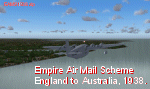
| Empire Air Mail Scheme (EAMS) England to Australia 1938 |
|
Images related to this file:
File Description:
For FS2004 and FSX.
In 1938 Imperial Airways (IA) and Qantas Empire Airlines (QEA) operated the extended Empire Air Mail Scheme (EAMS) between England and Australia using Short S.23 'C' Class "Empire" flying-boats. (Up to 1938 the EAMS service effectively terminated at Singapore).
This flight gives you the information needed to operate the time-tabled route together with the variations that often applied between Southampton and Alexandria.
"EAMS 1938" is an update to the original London to Sydney Flight created and uploaded in 2005.
This new version has been made possible by additional route details discovered in Brian Cassidy's book "Flying Empires" (1996) and provides for a more accurate representation than did the original. The package contains PDF files for the documented info, some JPG files = one quite rare (the plan for the Groote Eylandt base) - and the BGL files for all the stopping locations.
| Filename: | Empire_Air_Mail_Scheme_EAMS_England_to_Australia_1.zip |
| License: | Freeware |
| Added: | 21st February 2012, 21:14:22 |
| Downloads: | 282 |
| Author: | Bruce Kennewell |
| Size: | 1.22 MB |
| Category: Flight Simulator 2004 - Aircraft Repaints, Textures and Modifications | |
| W91 Smith Mountain Lake Airport in Virginia |
|
File Description:
W91 Smith Mountain Lake Airport near Lynchburg, Virginia (MY soon to be NEW HOME)
This project is nearly ALL RWY12 ... I did use the Lago Scenery enhancer for the
trees.. so if you have LAgo.. the .SE2 is included, but you really don't need it.
But you will need RWY12 with all the latest additions... all freeware and all
available here at avsim.
Instructions... best to unzip to a temp directory... then do the following..
if you use Lago's Scenery Enhancer... place the .SE2 file in (Your flightsim main
folder)\LAGO\FSE\Data. Unziping will create a folder titled "Smith Mountain Lake" .. in that folder is one titled "scenery" Simply place Smith Mountain Lake in (your flightsim main folder)\Addon scenery\ folder then start the simulator.. go to settings, the library.. and - well most all know the drill .... add the folder Spring Mountain Lake then exit.. and restart.. and blamo... it is there... (Hopefully- LOL) ALSO in the scenery folder are two exclude .bgl.. this got rid of the default buildings and an AFCAD .bgl... this modified the airport properity a bit.. just leave all the .bgls where they are in the scenery folder.. all should work well.
oh.. for those who use RWY12 for scenery making... I have included the .XML file.. so you are welcome to add..subtract or change anything you find at Smith Mountain Lake.
if you have any questions or comments.. PLEASE do drop me a line.
Oh.. since I have your attention... a question for YOU... whether you download this
scenery or not.... How in the world does one get rid of that idiot "Flying Tips"
translucant window that appears.. telling you among other things .. your engines are not started... hit control E ... you ever notice how it ONLY appears when you have set up a screen shot and are ready to shoot?????? Write me and PLEASE tell me how to get rid of it.. I remember reading how somewhere, but for the life of me ..can't remember where.
| Filename: | W91_Smith_Mountain_Lake_Airport_in_Virginia.zip |
| License: | Freeware |
| Added: | 18th March 2005, 22:37:05 |
| Downloads: | 330 |
| Author: | Dale Caruso |
| Size: | 563.31 KB |
| Category: Flight Simulator X - Scenery | |
| 2B3 Parlin Field, Newport, New Hampshire Airport |
|
Images related to this file:
File Description:
This airport was originally released as part of an FSX airport scenery package containing 21 airports, located in New Hampshire and Vermont. The link to the original 21 New Hampshire & Vermont Airport package is shown below. This file is not required, but allows you to download 21 related airports.
The 2B3 Parlin Field airport in the original 21 airport package was missing a required scenery file which corrects the airport altitude (from 784 ft. to 794 ft.) due to the mis-location of the stock FSX airport. This download provides all three of the required .bgl scenery files.
related download:
http://library.avsim.net/search.php?SearchTerm=new+hampshire+%26+Vermont+airports&CatID=root&Go=Search
This FSX scenery package contains the 2B3 Parlin Field airport in Newport, New Hampshire. This airport is intended to be used with FSX and the free addon - TileProxy. TileProxy provides real-time photorealistic satellite imagery in place of the stock auto generated FSX scenery or any other scenery package.
| Filename: | 2B3_Parlin_Field_Newport_New_Hampshire_Airport.zip |
| License: | Freeware |
| Added: | 2nd December 2013, 05:36:38 |
| Downloads: | 531 |
| Author: | John Greenwood |
| Size: | 631.59 KB |


© 2001-2026 AVSIM Online
All Rights Reserved
Privacy Policy |