
Where Flight Simulation Enthusiasts Gather from Around the World!
AVSIM Library - Search Results

| Category: Flight Simulator X - Scenery | |
| Taiwan Wan An Airport (RCWA) |

|
Images related to this file:
File Description:
Taiwan Wan An Airport scenery for FSX.
| Filename: | Taiwan_Wan_An_Airport_RCWA.zip |
| License: | Freeware |
| Added: | 6th September 2011, 00:39:06 |
| Downloads: | 1,386 |
| Author: | Rudolf Liu |
| Size: | 212.24 KB |
| Category: X-Plane - Scenery | |
| BR ES SBVT - Goiabeiras Vitoria v1.0.0 |
|
Images related to this file:
File Description:

This is an X-Plane 11 and X-Plane 10 scenery package for Eurico de Aguiar Salles Airport (IATA: VIX, ICAO: SBVT), formerly called Goiabeiras Airport after the neighborhood where it is located, which is the airport serving Vitoria metro area, in Brazil. It includes corrected aprons, ramps, gates, taxiways, lighting system, renovation work construction of new runway and new terminal building, the city skyline buildings and (XP11 only) airport ground services (like push back). Located 10 km (6 mi) from downtown Vitória, the airport handles domestic flights only, and has the capacity to receive medium-sized aircraft such as the Boeing 737 and the Airbus 320. It is considered one of the worst among the main airports in Brazil due to lack of renovations. Delayed renovation works have started at the airport, with the construction of a second runway, and a brand new terminal building. This scenery was tested and is operational (as of February 25, 2017) in "X-Plane 11 Public Beta #12 64 bit", Windows 10 Home. It was also tested and is also operational (as of February 25, 2017) in "X-Plane 10.51 64 bit", Windows 10 Home. Only the default X-Plane 11 libraries, by Laminar Research, are needed. No third party libraries are used.
| Filename: | BR_ES_SBVT__Goiabeiras_Vitoria_v100.zip |
| License: | Freeware |
| Added: | 26th February 2017, 08:06:44 |
| Downloads: | 113 |
| Author: | Rui Mesquita |
| Size: | 9.58 MB |
| Category: Flight Simulator 2004 - Scenery | |
| WIKD/WIOD Tanjung Pandan/Buluh Tumbang/H.A.S. Hanandjoeddin, Indonesia |
|
File Description:
Googly scenery for WIKD/WIOD Tanjung Pandan/Buluh Tumbang/H.A.S. Hanandjoeddin,
Indonesia, based on Google Earth satellite data. It is a small domestic airport
serving the island of Belitung, located about 17 miles from the main town of the
island - Tandjungpandan. The island produces mainly tin and pepper but there are
some beaches that are generating tourist traffic too.
Flight Simulator 2004 has made no provision for any traffic at this airport and
this scenery seeks to redress the situation. The airport sees daily scheduled
traffic operated by Batavia Air and Sriwijaya Air.
The scenery does not purport to be ultra-accurate. Based on poor quality
satellite imagery from Google Earth, the layout is proportionally correct but the
added airport features, such as buildings, are built from default Microsoft objects
and add-on libraries so will not look exactly like the real thing.
You are not obliged to download and install any additional scenery libraries,
but to enjoy this scenery in its entirety, you may wish to. It will work fine,
with or without.
The ICAO code for this airport has recently changed from WIKD to WIOD. The included
files allow you to either retain the old code or optionally change the airport to
use the new one.
| Filename: | WIKDWIOD_Tanjung_PandanBuluh_TumbangHAS_Hanandjoed.zip |
| License: | Freeware |
| Added: | 22nd February 2008, 09:19:27 |
| Downloads: | 1,774 |
| Author: | John Hinson |
| Size: | 64.96 KB |
| Category: Flight Simulator X - Scenery | |
| SBSN - Santarem, Brazil Photo Real |
|
File Description:
The International Airport of Santarem - Maestro Wilson Fonseca ( IATA : STS , ICAO : SBSN ) is the airport serving the city of Santarem and region . Its name is a tribute to the great poet , musician and composer Santareno , Wilson Dias da Fonseca . Currently , it is the fifth busiest airport in the northern region of Brazil . Has great important role in strengthening the bonds of Brazil with the world , due to its geographical location, between Belem and Manaus and is an alternative for international flights . It is located 15 km away from the city center and has easy access by Highway Fernando Guilhon . In its surroundings , a special landscape ornamentation shows markedly the gateway to the region , known as " The Pearl of the Tapajos ." It opened in March 1977 under the administration of the Air Force Command 31 and transferred to the administration Infraero on March 31, 1980.
The airport is currently undergoing reform and the first step is already completed , which is the construction of a new building to house the airport administration . The reform provides for doubling the airport arrivals hall , doubling the departure lounge , increase parking capacity and the overall revitalization of the electrical system and cooling . For all the changes should be needed about £ 2.700.000,00.2
| Filename: | SBSN__Santarem_Brazil__Photo_Real.zip |
| License: | Freeware |
| Added: | 5th February 2014, 09:45:35 |
| Downloads: | 2,623 |
| Author: | Alexandre Lima |
| Size: | 20.16 MB |
| Category: Flight Simulator X - Utilities | |
| FSTramp v8.84 for MSFS, FSX(-SE), Prepart3D, X-Plane (Win) |
|
Images related to this file:
File Description:
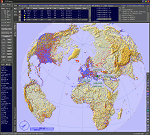
This add-on is an EXE application for Microsoft Flight Simulator and a DLL module for all other simulators. The DLL variant is activated via hotkeys or the simulator menu add-ons or plugins. Window size and layout are configurable for one or more screens. To avoid dazzling, the brightness of the entire application is customizable. Primarily it is a flight management system (FMS) with automatic control from start to landing. This also includes the observance of SID, STAR and Approaches in unmatched quality. The flight plan required for the FMS can be created manually or automatically, interactive changes and additions during the flight are possible. The basis of the flight planner is the 3D world map and the search function for airfields and navigation aids. The FMS by FSTramp relies on the autopilot of the aircraft. In case of incompatibility, the autopilot integrated in FSTramp will be used. This allows FSTramp to control almost all aircraft from airport to airport. The altitude profile of the flight plan, SID, STAR and approach is taken into account. This means that FSTramp extends the often incomplete airport procedures to and from the runway so that they can be flown completely automatically. During the fully automatic flight, the autopilot values ​​for HDG, ALT, VSPEED, SPD and MACH can be manually overridden. This is e.g. useful for being able to react to the instructions of the tower in the final approach without completely stopping the automatic flight. The rotating or north pointing 3D world map with numeric display of the terrain elevation under the mouse arrow is another special feature. It does not need an internet but is synthesized from included height profiles of the globe. The Data of continents, mountains and rivers are included in the setup. Airspaces, Airways, Waypoints and SID, STAR and Approaches are also included in the setup, but can be updated by installing additional AIRAC cycles. Airfields and navigation stations are taken from the simulator. NVIDIA: If the frame rate of the simulator drops sharply about 20 seconds after FSTramp's visibility, the power management of the GPU slows down prematurely. In the NVIDIA Control Panel, change the 'Manage 3D settings - Power management mode' option to 'Adaptive'.
| Filename: | FSTramp_v884_for_MSFS_FSXSE_Prepart3D_XPlane_Win.zip |
| License: | Shareware, time limited |
| Added: | 7th July 2023, 04:35:43 |
| Downloads: | 130 |
| Author: | Helge Schroeder |
| Size: | 358.21 MB |
| Category: Prepar3D V5 - Utilities | |
| FSTramp v8.84 for Prepart3D 2-6, MSFS, FSX(-SE), X-Plane (Win) |
|
Images related to this file:
File Description:
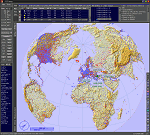
This add-on is an EXE application for Microsoft Flight Simulator and a DLL module for all other simulators. The DLL variant is activated via hotkeys or the simulator menu add-ons or plugins. Window size and layout are configurable for one or more screens. To avoid dazzling, the brightness of the entire application is customizable. Primarily it is a flight management system (FMS) with automatic control from start to landing. This also includes the observance of SID, STAR and Approaches in unmatched quality. The flight plan required for the FMS can be created manually or automatically, interactive changes and additions during the flight are possible. The basis of the flight planner is the 3D world map and the search function for airfields and navigation aids. The FMS by FSTramp relies on the autopilot of the aircraft. In case of incompatibility, the autopilot integrated in FSTramp will be used. This allows FSTramp to control almost all aircraft from airport to airport. The altitude profile of the flight plan, SID, STAR and approach is taken into account. This means that FSTramp extends the often incomplete airport procedures to and from the runway so that they can be flown completely automatically. During the fully automatic flight, the autopilot values ​​for HDG, ALT, VSPEED, SPD and MACH can be manually overridden. This is e.g. useful for being able to react to the instructions of the tower in the final approach without completely stopping the automatic flight. The rotating or north pointing 3D world map with numeric display of the terrain elevation under the mouse arrow is another special feature. It does not need an internet but is synthesized from included height profiles of the globe. The Data of continents, mountains and rivers are included in the setup. Airspaces, Airways, Waypoints and SID, STAR and Approaches are also included in the setup, but can be updated by installing additional AIRAC cycles. Airfields and navigation stations are taken from the simulator. NVIDIA: If the frame rate of the simulator drops sharply about 20 seconds after FSTramp's visibility, the power management of the GPU slows down prematurely. In the NVIDIA Control Panel, change the 'Manage 3D settings - Power management mode' option to 'Adaptive'.
| Filename: | FSTramp_v884_for_Prepart3D_26_MSFS_FSXSE_XPlane_Wi.zip |
| License: | Shareware, time limited |
| Added: | 7th July 2023, 04:35:26 |
| Downloads: | 42 |
| Author: | Helge Schroeder |
| Size: | 358.21 MB |
| Category: Microsoft Flight Simulator (2020) - Utilities | |
| FSTramp v8.84 for MSFS, FSX(-SE), Prepart3D, X-Plane (Win) |
|
Images related to this file:
File Description:

This add-on is an EXE application for Microsoft Flight Simulator and a DLL module for all other simulators. The DLL variant is activated via hotkeys or the simulator menu add-ons or plugins. Window size and layout are configurable for one or more screens. To avoid dazzling, the brightness of the entire application is customizable. Primarily it is a flight management system (FMS) with automatic control from start to landing. This also includes the observance of SID, STAR and Approaches in unmatched quality. The flight plan required for the FMS can be created manually or automatically, interactive changes and additions during the flight are possible. The basis of the flight planner is the 3D world map and the search function for airfields and navigation aids. The FMS by FSTramp relies on the autopilot of the aircraft. In case of incompatibility, the autopilot integrated in FSTramp will be used. This allows FSTramp to control almost all aircraft from airport to airport. The altitude profile of the flight plan, SID, STAR and approach is taken into account. This means that FSTramp extends the often incomplete airport procedures to and from the runway so that they can be flown completely automatically. During the fully automatic flight, the autopilot values ​​for HDG, ALT, VSPEED, SPD and MACH can be manually overridden. This is e.g. useful for being able to react to the instructions of the tower in the final approach without completely stopping the automatic flight. The rotating or north pointing 3D world map with numeric display of the terrain elevation under the mouse arrow is another special feature. It does not need an internet but is synthesized from included height profiles of the globe. The Data of continents, mountains and rivers are included in the setup. Airspaces, Airways, Waypoints and SID, STAR and Approaches are also included in the setup, but can be updated by installing additional AIRAC cycles. Airfields and navigation stations are taken from the simulator. NVIDIA: If the frame rate of the simulator drops sharply about 20 seconds after FSTramp's visibility, the power management of the GPU slows down prematurely. In the NVIDIA Control Panel, change the 'Manage 3D settings - Power management mode' option to 'Adaptive'.
| Filename: | FSTramp_v884_for_MSFS_FSXSE_Prepart3D_XPlane_Win.zip |
| License: | Shareware, time limited |
| Added: | 7th July 2023, 04:35:12 |
| Downloads: | 111 |
| Author: | Helge Schroeder |
| Size: | 358.21 MB |
| Category: Flight Simulator X - Aircraft Repaints, Textures and Modifications | |
| RAF Gloster Meteor F.8 (WH364) No. 85 Sqn |
|
Images related to this file:
File Description:

Meteor F.8 WH364/U, 85 Sqn RAF Binbrook, 1968. WH364 was retired in 1971 and became a gate guard at RAF Kemble. The jet is now on display at the Gloucestershire Airport Jet Age Museum. For the Just Flight Meteor only, painted with the JF paintkit.
| Filename: | RAF_Gloster_Meteor_F8_WH364_No_85_Sqn.zip |
| License: | Freeware |
| Added: | 2nd November 2016, 20:14:01 |
| Downloads: | 126 |
| Author: | Henk Schuitemaker / Just Flight |
| Size: | 13.03 MB |
| Category: Flight Simulator 2004 - Sounds | |
| Aeroflot CrewPack, Airports: ULLI for FS Announcement Panel v3.1: AUTOMATIC |
|
Images related to this file:
File Description:
This update adds a landing announcement at the Pulkovo International Airport (IATA: LED, ICAO: ULLI), St. Petersburg, FS Announcement Panel v3.1: AUTOMATIC with Aeroflot CrewPack (ICAO: AFL). IMPORTANT: FS Announcement Panel v3.1: AUTOMATIC and Aeroflot CrewPack are required and should be installed prior to installing the update.
| Filename: | Aeroflot_CrewPack_Airports_ULLI_for_FS_Announcemen.zip |
| License: | Freeware, limited distribution |
| Added: | 10th August 2019, 20:44:58 |
| Downloads: | 29 |
| Author: | Gene Churumov |
| Size: | 3.98 MB |
| Category: Flight Simulator X - AFCAD Files | |
| KATL - Hartsfield–Jackson Atlanta Int. - Atlanta, Georgia - USA **ILS update** |
|
File Description:
This package updates the ILS fixes for the KATL stock airport in FSX. All fixes and approaches are up to date in accordance with plates current as of November 2014. All STAR transitions are also implemented and may be selected from the FSX ATC approach request menu.
| Filename: | KATL__HartsfieldJackson_Atlanta_Int__Atlanta_Georg.zip |
| License: | Shareware, honor system |
| Added: | 26th November 2014, 06:39:31 |
| Downloads: | 495 |
| Author: | Michael J Lawrence |
| Size: | 61.11 KB |


© 2001-2026 AVSIM Online
All Rights Reserved
Privacy Policy |