
Where Flight Simulation Enthusiasts Gather from Around the World!
AVSIM Library - Search Results

| Category: Flight Simulator 2004 - Miscellaneous Files | |
| Airline Inventory Update #3 |

|
File Description:
(Update 3 - 9 January 2006) Not long ago I embarked on a project to streamline my flight simulator's AI setup. I knew I had too many aircraft texture sets that I was not using, too many unnecessary night texture files, installation of defunct airlines, and the like. So, I put together
a spreadsheet showing my AI system with all the airlines and additional pieces such as vehicles and ships. This has been a very large and time-consuming project as my AI system has more than 7,000 texture sets, more than 2,200 airline folders, and other assorted AI components. Inside you'll find an Excel spreadsheet with all my airlines (more than 2,200) listed, Birds, Blimp, Corporate Aircraft, Defunct Airlines, Douglas DC-3, Float Planes, Government Aircraft, Helicopters, Medical Aircraft, Military Aircraft, Personal Registration Aircraft, Ships, and Vehicles - all associated with the FS AI system. In addition, I've included the spreadsheet's source text files for those that do not have Microsoft Excel. NOTE: You can download an MS Excel spreadsheet viewer (freeware) from the Microsoft site. Because of copyright restrictions and the size of my AI system, I have not provided links to specific files. However, I think you'll find the data very useful. See the readme file for a list of possible sources and contact information. NOTE: Changes since the last update are reflected in "green" text. Frank Bass
| Filename: | Airline_Inventory_Update_3.zip |
| License: | Freeware |
| Added: | 9th January 2006, 21:43:00 |
| Downloads: | 459 |
| Author: | Frank Bass |
| Size: | 234.76 KB |
| Category: Flight Simulator 2004 - Miscellaneous Files | |
| Airline Inventory Update #4 |
|
File Description:
(Update 4 - 13 January 2006) Not long ago I embarked on a project to streamline my flight simulator's AI setup. I knew I had too many aircraft texture sets that I was not using, too many unnecessary night texture files, installation of defunct airlines, and the like. So, I put together a spreadsheet showing my AI system with all the airlines and additional pieces such as vehicles and ships. This has been a very large and time-consuming project as my AI system has more than 7,000 texture sets, more than 2,200 airline folders, and other assorted AI components. Inside you'll find an Excel spreadsheet with all my airlines (more than 2,200) listed, Birds, Blimp, Corporate Aircraft, Defunct Airlines, Douglas DC-3, Float Planes, Government Aircraft, Helicopters, Medical Aircraft, Military Aircraft, Personal Registration Aircraft, Ships, and Vehicles - all associated with the FS AI system. In addition, I've included the spreadsheet's source text files for those that do not have Microsoft Excel. NOTE: You can download an MS Excel spreadsheet viewer (freeware) from the Microsoft site. Because of copyright restrictions and the size of my AI system, I have not provided links to specific files. However, I think you'll find the data very useful. See the readme file for a list of possible sources and contact information. NOTE: Changes since the last update are reflected in "green" text. Frank Bass
| Filename: | Airline_Inventory_Update_4.zip |
| License: | Freeware |
| Added: | 13th January 2006, 17:20:30 |
| Downloads: | 513 |
| Author: | Frank Bass |
| Size: | 235.36 KB |
| Category: Flight Simulator 2004 - Miscellaneous Files | |
| Airline Inventory Update #5 |
|
File Description:
(Update 5 - 25 January 2006) Not long ago I embarked on a project to streamline my flight simulator's AI setup. I knew I had too many aircraft texture sets that I was not using, too many unnecessary night texture files, installation of defunct airlines, and the like. So, I put together
a spreadsheet showing my AI system with all the airlines and additional pieces such as vehicles and ships. This has been a very large and time-consuming project as my AI system has more than 7,000 texture sets, more than 2,200 airline folders, and other assorted AI components. Inside you'll find an Excel spreadsheet with all my airlines (more than 2,200) listed, Birds, Blimp, Corporate Aircraft, Defunct Airlines, Douglas DC-3, Float Planes, Government Aircraft, Helicopters, Medical Aircraft, Military Aircraft, Personal Registration Aircraft, Ships, and Vehicles - all associated with the FS AI system. In addition, I've included the spreadsheet's source text files for those that do not have Microsoft Excel. NOTE: You can download an MS Excel spreadsheet viewer (freeware) from the Microsoft site. Because of copyright restrictions and the size of my AI system, I have not provided links to specific files. However, I think you'll find the data very useful. See the readme file for a list of possible sources and contact information. NOTE: Changes since the last update are reflected in "green" text. Frank Bass
| Filename: | Airline_Inventory_Update_5.zip |
| License: | Freeware |
| Added: | 26th January 2006, 00:42:31 |
| Downloads: | 720 |
| Author: | Frank Bass |
| Size: | 237.58 KB |
| Category: Flight Simulator 2004 - AFCAD Files | |
| KORD - Chicago O'Hare - Chicago, USA - Runway 10C / 28C |
|
File Description:
This is the second of my two KORD AFCADs, the first for FSX and this one for FS9. Both add the newly opened runway 10C-28C and change the old runway10-28 to runway10L-28R. In this one, as in the FSX version. I use completely default objects, so no additional downloads of scenery are required. All Taxiways have been correctly identified using ADE9X and taxiway signs placed to reflect the ground situation as of the 1311 AIRAC Cycle that ends Nov 14, 2013. I added RNAV and CATIII ILS/DME approaches for both Rwy 10C and Rwy 28C you can select in the default GPS. In the default FS9 file for KORD runway 32L, which still exists, is given as an ILS/DME approach using 108.95, the same frequency as the new runway 10C-28C. I could not delete the ILS/DME for 32L (cannot delete stock navaids in FS9). It interfered with the CAT III ILS/DME for 10C-28C, so I simply changed the ILS frequency for 32L to the same frequency as for 14R. Please note further that in the 1311 AIRNAV supplement for KORD there are no approaches listed for 32L, so I deleted all approaches for 32L, but the waypoints for those approches remain in place (since they are stock navaids and, hence, cannot be deleted).
| Filename: | KORD__Chicago_OHare__Chicago_USA__Runway_10C__28C.zip |
| License: | Freeware |
| Added: | 13th November 2013, 22:03:13 |
| Downloads: | 768 |
| Author: | Randy Tyndall |
| Size: | 60.25 KB |
| Category: Flight Simulator 2004 - Scenery Design | |
| WBGT/WBTM Long Banga, Tanjung Manis, Malaysia |
|
Images related to this file:
File Description:
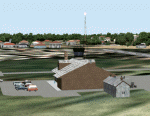
Googly scenery for WBGT Long Banga, Tanjung Manis (sometimes also referred to
under the ICAO code WBTM) - a small domestic airport in Malaysia that it seems
Microsoft forgot to provide in in Flight Simulator 2004. These scenery
files create the airport and add taxiways, aprons, buildings and other airport
features, so that you and your "AI" traffic can land, taxi, park and take off in
a realistic manner. Also added is the missing TMS non-directional beacon at
this airport (on frequency 264.0).
The airport serves the township of Sarikei, capital of the Sarekei district in
the Sarekei Division (are you following this?) of Sarawak in Eastern Malaysia.
Flights are provided by MASwings, a subsidiary of Malaysian Airlines, with De
Havilland Twin Otter aircraft calling here a few times per week.
The scenery does not purport to be ultra-accurate. Based on high-detail satellite
imagery from Google Earth, the layout is proportionally correct but the added
airport features, such as buildings, are built from default Microsoft objects
and add-on libraries so will not look exactly like the real thing.
You are not obliged to download and install any additional scenery libraries,
but to enjoy this scenery in its entirety, you may wish to. It will work fine,
with or without.
[File re-uploaded at request of AVSIM]
| Filename: | WBGTWBTM_Long_Banga_Tanjung_Manis_Malaysia.zip |
| License: | Freeware |
| Added: | 23rd May 2010, 01:23:38 |
| Downloads: | 965 |
| Author: | John Hinson |
| Size: | 51.04 KB |
| Category: Flight Simulator 2004 - Scenery | |
| Bethel: St Mary's area airfields in southwest Alaska close to the Yukon River |
|
Images related to this file:
File Description:
This presumes you have already installed Bethel PABE and Bethel Local Airfields. In the Yukon River area of Alaska to the north of Bethel there are small villages, served by flights from both Bethel and the nearer St Mary's PASM. St Mary's has a gravel runway like the other villages, but has a larger population and airport services including maintenance and fuel. This, plus the saving of an average one hundred miles of flying by a Cessna 205 when compared with flights from Bethel, means it acts as a distribution centre fed from Bethel by larger aircraft. Go to "http://vfrmap.com/" for free vfr maps of the area (see the attached). The ten village airfields included here are all to the north and west of St Mary's: Hooper Bay PAHP, Chevak VAK, Cape Romanzof PACZ (closed air force field servicing a radar station), Scammon Bay SCM, Sheldon Point SXP, Alakanuk AUK, Emmonak PAEM, Kotlik 2A9, Mountain Village MOU, and of course St Mary's PASM itself. With these airfields not everything is as it appears to be. For instance, Hooper Bay is not a new and modernised airfield, despite the asphalt runway and apron; the current version has dispensed with the aging asphalt and gone back to gravel. I have tended to go for the 2005 or so versions, which sometimes means a small runway amid or close to the housing; Kotlik was an early renewal for reasons of safety as much as anything else and has had (since 2003?) a new and longer runway located outside of the town. The second batch of airfields will be to the east of St Mary's.
| Filename: | Bethel_St_Marys_area_airfields_in_southwest_Alaska.zip |
| License: | Freeware, limited distribution |
| Added: | 29th April 2019, 17:07:24 |
| Downloads: | 228 |
| Author: | Roger Wensley |
| Size: | 11.53 MB |
| Category: Flight Simulator 2004 - Aircraft Repaints, Textures and Modifications | |
| NHL "St.Louis Blues" Beechcraft Twin Bonanza" |
|
File Description:
Simmers,and Hockey fans,
This aircraft includes my NEW Panel so ***BE SURE YOU COPY aircraft.cfg file to your main Twinstar_ Twin_ Bonanza folder.***
These 1951 D Model Beechcraft Twin Bonanzas are pristine,no dirt,grease or oil leaks on these babies!Just fresh out of the paint booth, these are the 15th repaint of my in progress NHL collection.All repaints are of "Eric Dantes" Beechcraft Twin Bonanza. All NHL teams will be represented.These repaints are not layered so each one has to be redrawn in its offical colors.I hope to complete at least two a week,hopefully more :).All repaints will have two liveries,one with team logos and one without logos.All NHL team names were put in two hats, Eastern Conference and Western Conference, they are drawn one from each hat at random.The next repaint will be the Toronto Maple Leafs.Look for it soon. :)I hope you have as much fun collecting all 30 liveries as I will have painting them!
This file includes the texture.Blues"(The St.Louis Blues Edition)",texture.St.Louis,
"(The St.Louis Edition....NOLOGOS)",panel.Blues and the panel.St.Louis folders and the aircraft.cfg file
The following additional file is required.--------------twinstar__twin__bonanza.zip--------------
This file can be downloaded @ http://www.avsim.com/
Go to the file library and just use the Quick Search: type: Chris Tuinstra and you should see the twinstar__twin__bonanza.zip,along with my other NHL and NFL repaints.Again I thank each of you for your downloads.
This file includes a complete matching interior for both liveries".
| Filename: | NHL_StLouis_Blues_Beechcraft_Twin_Bonanza.zip |
| License: | Freeware |
| Added: | 9th January 2008, 10:19:01 |
| Downloads: | 317 |
| Author: | Chris Tuinstra |
| Size: | 7.29 MB |
| Category: Flight Simulator 2004 - Aircraft Repaints, Textures and Modifications | |
| NHL "Philadelphia Flyers" Beechcraft Twin Bonanza" |
|
File Description:
Simmers,and Hockey fans,
This aircraft includes my NEW Twin Bonanza Panel_ V3 so ***BE SURE YOU COPY aircraft.cfg file to your main Twinstar_ Twin_ Bonanza folder.***These 1951 D Model Beechcraft Twin Bonanzas are pristine,no dirt,grease or oil leaks on these babies!Just fresh out of the paint booth, these are the 18th repaint of my in progress NHL collection.All repaints are of "Eric Dantes" Beechcraft Twin Bonanza. All NHL teams will be represented.These repaints are not layered so each one has to be redrawn in its offical colors.All repaints will have two liveries,one with team logos and one without logos.All NHL team names were put in two hats, Eastern Conference and Western Conference, they are drawn one from each hat at random.The next repaint will be the Calgary Flames.Look for it soon. :)I hope you have as much fun collecting all 30 liveries as I will have painting them!
This file includes the texture.Flyers"(The Philadelphia Flyers Edition)",texture.NHL Philadelphia,
"(The NHL Philadelphia Edition....NOLOGOS)",panel.Flyers and the panel.NHL Philadelphia folders and the aircraft.cfg file
The following additional file is required.--------------twinstar__twin__bonanza.zip--------------
This file can be downloaded @ http://www.avsim.com/
Go to the file library and just use the Quick Search: type: Chris Tuinstra and you should see the twinstar__twin__bonanza.zip,along with my other NHL and NFL repaints.Again I thank each of you for your downloads.
This file includes a complete matching interior for both liveries".
| Filename: | NHL_Philadelphia_Flyers_Beechcraft_Twin_Bonanza.zip |
| License: | Freeware |
| Added: | 8th February 2008, 17:55:02 |
| Downloads: | 288 |
| Author: | Chris Tuinstra |
| Size: | 6.7 MB |
| Category: Flight Simulator 2004 - Scenery | |
| VAOZ Nashik/Ozar, India |
|
File Description:
Googly scenery for Ozar, a small domestic airport located in Nashik (or
Nasik), 111 miles from Mumbai (Bombay). Nashik is a fast-expanding city in
the Maharashtra state in the Western Ghats located on the western edge of the Deccan
peninsula and is known as the Wine Capital of India or Grape City.
Owing to its close proximity to Mumbai, the airport has not proved popular as
the journey by taxi, bus or rail is not much greater after taking into account
check-in times etc. Air Deccan recently withdrew all flights from Ozar and as
far as I can establish the only airline now serving Ozar is Jagson Airlines,
using Dornier 228 turboprops. There is also a military presence at the east
end of the airport.
Flight Simulator 2004 has only provided a runway at this airport and this scenery
seeks to redress the situation so that you and your "AI" traffic can use the
airport.
The scenery does not purport to be ultra-accurate. Based on high quality
satellite imagery from Google Earth, the layout is proportionally correct but the
added airport features, such as buildings, are built from default Microsoft objects
and add-on libraries so will not look exactly like the real thing.
You are not obliged to download and install any additional scenery libraries,
but to enjoy this scenery in its entirety, you may wish to. It will work fine,
with or without.
| Filename: | VAOZ_NashikOzar_India.zip |
| License: | Freeware |
| Added: | 22nd April 2008, 07:55:32 |
| Downloads: | 737 |
| Author: | John Hinson |
| Size: | 118.11 KB |
| Category: Flight Simulator 2004 - Aircraft Repaints, Textures and Modifications | |
| Chicago White Sox Beechcraft Twin Bonanza |
|
File Description:
Simmers,and Baseball fans. These 1951 D Model Beechcraft Twin Bonanzas are pristine,no dirt,grease or oil leaks on these babies!Just fresh out of the paint booth, these are the 6th set of repaints of my in progress MLB collection.All repaints are of "Eric Dantes" Beachcraft Twin Bonanza. All MLB teams will be represented.These repaints are not layered so each one has to be redrawn in its offical colors.All repaints will have two liveries,one with team logos and one without logos.
All MLB team names were put in two hats, American League and National League they are drawn one from each hat at random.The next repaint will be the Houston Astros.Look for it soon. :)I hope you have as much fun collecting all 30 liveries as I will have painting them! This file also includes a new folder: DXT3 Format. For those of you that require friendlier frame rates just replace the 32 bit 888-8 extended bitmap textures with the DXT3 textures in the DXT3 Format folder.Backup the 32 bit 888-8 extended bitmap textures,then just let the DXT3 files overwrite. This file includes the Texture.White Sox"(Chicago White Sox Edition)",Texture.MLB Chicago,"(The MLB Chicago Edition)NO..LOGOS,Panel.White Sox and Panel.MLB Chicago folders. The following additional file is required.-------twinstar__twin__bonanza_v2.zip---------- This file can be downloaded @ http://www.avsim.com/ Again I thank each of you for your downloads.
| Filename: | Chicago_White_Sox_Beechcraft_Twin_Bonanza.zip |
| License: | Freeware |
| Added: | 14th August 2008, 16:52:36 |
| Downloads: | 224 |
| Author: | Chris Tuinstra |
| Size: | 6.75 MB |


© 2001-2026 AVSIM Online
All Rights Reserved
Privacy Policy |