
Where Flight Simulation Enthusiasts Gather from Around the World!
AVSIM Library - Search Results

| Category: Flight Simulator 2004 - Scenery | |
| Abruzzo Campobasso Italy |

|
File Description:
Abruzzo & Molise, Italy, Photoreal Scenery (26 june 2007).
Freeware scenery for FS2004. All files of my scenery ABRUZZO & MOLISE; Author: Angelo Lanzillotta
This photoreal scenery is based on aerial photos grabbed at the resolution of 5 meters per pixel (the same used in FS2004). I worked hardly on these photos to obtain a final product with the real colours and the real positions for all parts of the landscape: if you have any comments or suggests, feel free to email me.
Every single part of this scenery can be used also as a standalone product, so it's not necessary to download all 4 parts of my big scenery.
However i strongly suggest to use all parts in order to obtain a complete photoreal look of this beautiful italian landscape, with famous mountains like Gran Sasso and Maiella.
For best results, use this scenery in association with Pietro Mauri Italymesh2004.
DISCLAIMER
This scenery is released as freeware, so nobody can make money with it.
You cannot include this scenery in any software collection or web site without written permission of author.
You can add objects and autogen (i had no time to work on them).
This software can be used only as FSX/FS2004/FS2002 scenery: no other use is allowed.
I accept absolutely no responsibility for your use of this software.
This scenery was re-uploaded in september 2012 by me, after it was lost after a hacker attack to AVSIM during 2009 - Roberto
| Filename: | Abruzzo_Campobasso_Italy.zip |
| License: | Freeware |
| Added: | 10th September 2012, 22:10:56 |
| Downloads: | 1,372 |
| Author: | Angelo Lanzillotta |
| Size: | 91.38 MB |
| Category: Flight Simulator 2004 - Scenery | |
| Abruzzo Pescara Italy |
|
File Description:
Abruzzo & Molise, Italy, Photoreal Scenery (26 june 2007).
Freeware scenery for FS2004.
All files of my scenery ABRUZZO & MOLISE; Author: Angelo Lanzillotta
This photoreal scenery is based on aerial photos grabbed at the resolution of 5 meters per pixel (the same used in FS2004- works in FS 2002 too). I worked
hardly on these photos to obtain a final product with the real colours and the real positions for all parts of the landscape: if you have any comments or
suggests, feel free to email me.
Every single part of this scenery can be used also as a standalone product, so it's not necessary to download all 4 parts of my big scenery.
However i strongly suggest to use all parts in order to obtain a complete photoreal look of this beautiful italian landscape, with famous mountains like Gran Sasso and Maiella.
For best results, use this scenery in association with Pietro Mauri Italymesh2004.
DISCLAIMER
This scenery is released as freeware, so nobody can make money with it.
You cannot include this scenery in any software collection or web site without written permission of author.
You can add objects and autogen (i had no time to work on them).
This software can be used only as FSX/FS2004/FS2002 scenery: no other use is allowed.
I accept absolutely no responsibility for your use of this software.
This flie was re-uploaded by me in September 2012, after it was lost because of an haker attack to AVSIM during 2009 - Roberto
| Filename: | Abruzzo_Pescara_Italy.zip |
| License: | Freeware |
| Added: | 10th September 2012, 22:17:13 |
| Downloads: | 1,410 |
| Author: | Angelo Lanzillotta |
| Size: | 94.96 MB |
| Category: Flight Simulator X - Scenery | |
| FSX-LPMA-Funchal-Madeira |
|
File Description:
FSX-LPMA-Funchal-Madeira
well it starts as always, i can't find any usable freeware airport in this case for
the LPMA Madeira Funchal so I'll build it myself again...............well what can i
say here it is after a lot of work as real as possible with a lot of details with the
Default scenery built ..........So fly to Madeira with an Airbus A321 or a Boeing
737, of course There youchange to a heli or a smaller plane and see each other on
the premises at......
Installation:copy the folder LPMA-Madeira Scenery into the addon folder of the
FSX, start the FSX go to settings, scenery library , add area, press ok , after that
you can already start............
Extras:
to be able to see people I deliver the file 3DPeoble_Lib with you can also put it in
the Copy the addon folder and activate it in FSX as described during installation
and you'll see you people..............
the same applies to extra vehicles and extra buildings with the supplied files
ObjLib-Large-Car-Parking-FSX and you'll see more vehicles...........
Airport_Restaurants_ss_fsx.BGL + RCS_Cobus3000.BGL
! You don't need these extras if you already have them!
Extra bonus:
especially for the LPMA-Madeira, I'm adding the Airport AI Enhancer program so
that you can create your own AI traffic.........
more about it on my Youtube channel
https://www.youtube.com/channel/UC7vHXQMa3hhU2iGtODXlkHw/videos
Support:
Questions and help on my Youtube channel or by email to [email protected]
now have fun in Madeira Funschal
Jamaika
| Filename: | FSXLPMAFunchalMadeira.zip |
| License: | Freeware |
| Added: | 18th September 2022, 21:19:38 |
| Downloads: | 1,846 |
| Author: | Ewald Wagner |
| Size: | 71.29 MB |
| Category: Flight Simulator 2004 - Aircraft Repaints, Textures and Modifications | |
| Brussels Airlines Boeing 767-300 update 2 |
|
File Description:
This is the seccond update for the Brussels Airlines Boeing 767-300. The following issues have been solved:
- texture problem on the bottom of the fuselage
- texture problem on the nose gear door
- texture problem on the bottom of the tail
- mirrored registration on the wing
- wrong alignment of the flags on the left side
Requires lds767_repaint_brussels_airlines.zip and bru763upd.zip.
Sorry for any inconvences.
| Filename: | Brussels_Airlines_Boeing_767300_update_2.zip |
| License: | Freeware |
| Added: | 27th September 2007, 14:59:09 |
| Downloads: | 424 |
| Author: | John Haugaard / Level-D Simulations |
| Size: | 1.55 MB |
| Category: Flight Simulator 2004 - Aircraft Repaints, Textures and Modifications | |
| CATC Convair CV-240 VBF |
|
Images related to this file:
File Description:
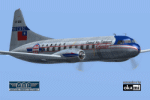
Convair CV-240-14, cn 129, completed on January 01, 1949. Delivered to CATC on February 28, 1949 and bought by Civil Air Transport Inc. on December 19, 1949, registered N8303C. In December 1952 transferred to CAT SA, Panama. On June 3, 1955 bought by Mohawk Airlines and named "Airchief Seneca". On September 1956 re-registered N1016C. Bought by General Dynamics Corp. on January 28, 1960 and registered N1016G. On July 21, 1960 bought by Air Carrier Service Corp., sold to Japan Domestic Airlines on April 15, 1964. On April 30, 1966 bought by Universal Trading Corp, on April 28, 1966 returned to General Dynamics Corp. with registration N24029. Finally bought by Houston Aviation Products Corp. on February 12, 1968 and scrapped in May 1969 at Houston, TX.
Textures and associated model file included only. Requires cv240VBFca18_basepack_010.ZIP. Original by Greg Pepper & Tom Gibson, upgraded by Georg Hauzenberger (model) and Hans Hermann (textures) Virtual Birds Factory, April 2011
| Filename: | CATC_Convair_CV240_VBF.zip |
| License: | Freeware, limited distribution |
| Added: | 4th April 2011, 15:36:25 |
| Downloads: | 302 |
| Author: | Georg Hauzenberger and Hans Hermann |
| Size: | 5.14 MB |
| Category: Flight Simulator 2004 - AI Flight Plans | |
| Blue1, Summer 2009 |
|
File Description:
Blue1 AI Flightplans for Summer 2009. 548 weekly flights with 15 aircraft included. Based on timetable available on Blue1's website. Based on the week of 8th - 14th June 2009.
| Filename: | Blue1_Summer_2009.zip |
| License: | Freeware, limited distribution |
| Added: | 15th April 2009, 17:56:23 |
| Downloads: | 611 |
| Author: | Harri Heliovaara |
| Size: | 16.95 KB |
| Category: Flight Simulator 2004 - Scenery | |
| FS 2004 Blexen Scenery |
|
File Description:
The airfield Blexen is situated on the west bank of the river Weser, opposite to Bremerhaven on the east bank. This is a preliminary outcome of my work on Bremerhaven.
| Filename: | FS_2004_Blexen_Scenery.zip |
| License: | Freeware |
| Added: | 7th August 2005, 23:49:58 |
| Downloads: | 1,524 |
| Author: | Frank Lücke |
| Size: | 3.99 MB |
| Category: Microsoft Flight Simulator (2020) - Utilities | |
| FSTramp v8.84 for MSFS, FSX(-SE), Prepart3D, X-Plane (Win) |
|
Images related to this file:
File Description:

This add-on is an EXE application for Microsoft Flight Simulator and a DLL module for all other simulators. The DLL variant is activated via hotkeys or the simulator menu add-ons or plugins. Window size and layout are configurable for one or more screens. To avoid dazzling, the brightness of the entire application is customizable. Primarily it is a flight management system (FMS) with automatic control from start to landing. This also includes the observance of SID, STAR and Approaches in unmatched quality. The flight plan required for the FMS can be created manually or automatically, interactive changes and additions during the flight are possible. The basis of the flight planner is the 3D world map and the search function for airfields and navigation aids. The FMS by FSTramp relies on the autopilot of the aircraft. In case of incompatibility, the autopilot integrated in FSTramp will be used. This allows FSTramp to control almost all aircraft from airport to airport. The altitude profile of the flight plan, SID, STAR and approach is taken into account. This means that FSTramp extends the often incomplete airport procedures to and from the runway so that they can be flown completely automatically. During the fully automatic flight, the autopilot values ​​for HDG, ALT, VSPEED, SPD and MACH can be manually overridden. This is e.g. useful for being able to react to the instructions of the tower in the final approach without completely stopping the automatic flight. The rotating or north pointing 3D world map with numeric display of the terrain elevation under the mouse arrow is another special feature. It does not need an internet but is synthesized from included height profiles of the globe. The Data of continents, mountains and rivers are included in the setup. Airspaces, Airways, Waypoints and SID, STAR and Approaches are also included in the setup, but can be updated by installing additional AIRAC cycles. Airfields and navigation stations are taken from the simulator. NVIDIA: If the frame rate of the simulator drops sharply about 20 seconds after FSTramp's visibility, the power management of the GPU slows down prematurely. In the NVIDIA Control Panel, change the 'Manage 3D settings - Power management mode' option to 'Adaptive'.
| Filename: | FSTramp_v884_for_MSFS_FSXSE_Prepart3D_XPlane_Win.zip |
| License: | Shareware, time limited |
| Added: | 7th July 2023, 04:35:12 |
| Downloads: | 110 |
| Author: | Helge Schroeder |
| Size: | 358.21 MB |
| Category: Flight Simulator X - Utilities | |
| FSTramp v8.84 for MSFS, FSX(-SE), Prepart3D, X-Plane (Win) |
|
Images related to this file:
File Description:
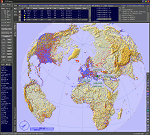
This add-on is an EXE application for Microsoft Flight Simulator and a DLL module for all other simulators. The DLL variant is activated via hotkeys or the simulator menu add-ons or plugins. Window size and layout are configurable for one or more screens. To avoid dazzling, the brightness of the entire application is customizable. Primarily it is a flight management system (FMS) with automatic control from start to landing. This also includes the observance of SID, STAR and Approaches in unmatched quality. The flight plan required for the FMS can be created manually or automatically, interactive changes and additions during the flight are possible. The basis of the flight planner is the 3D world map and the search function for airfields and navigation aids. The FMS by FSTramp relies on the autopilot of the aircraft. In case of incompatibility, the autopilot integrated in FSTramp will be used. This allows FSTramp to control almost all aircraft from airport to airport. The altitude profile of the flight plan, SID, STAR and approach is taken into account. This means that FSTramp extends the often incomplete airport procedures to and from the runway so that they can be flown completely automatically. During the fully automatic flight, the autopilot values ​​for HDG, ALT, VSPEED, SPD and MACH can be manually overridden. This is e.g. useful for being able to react to the instructions of the tower in the final approach without completely stopping the automatic flight. The rotating or north pointing 3D world map with numeric display of the terrain elevation under the mouse arrow is another special feature. It does not need an internet but is synthesized from included height profiles of the globe. The Data of continents, mountains and rivers are included in the setup. Airspaces, Airways, Waypoints and SID, STAR and Approaches are also included in the setup, but can be updated by installing additional AIRAC cycles. Airfields and navigation stations are taken from the simulator. NVIDIA: If the frame rate of the simulator drops sharply about 20 seconds after FSTramp's visibility, the power management of the GPU slows down prematurely. In the NVIDIA Control Panel, change the 'Manage 3D settings - Power management mode' option to 'Adaptive'.
| Filename: | FSTramp_v884_for_MSFS_FSXSE_Prepart3D_XPlane_Win.zip |
| License: | Shareware, time limited |
| Added: | 7th July 2023, 04:35:43 |
| Downloads: | 130 |
| Author: | Helge Schroeder |
| Size: | 358.21 MB |
| Category: Prepar3D V5 - Utilities | |
| FSTramp v8.84 for Prepart3D 2-6, MSFS, FSX(-SE), X-Plane (Win) |
|
Images related to this file:
File Description:
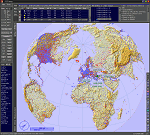
This add-on is an EXE application for Microsoft Flight Simulator and a DLL module for all other simulators. The DLL variant is activated via hotkeys or the simulator menu add-ons or plugins. Window size and layout are configurable for one or more screens. To avoid dazzling, the brightness of the entire application is customizable. Primarily it is a flight management system (FMS) with automatic control from start to landing. This also includes the observance of SID, STAR and Approaches in unmatched quality. The flight plan required for the FMS can be created manually or automatically, interactive changes and additions during the flight are possible. The basis of the flight planner is the 3D world map and the search function for airfields and navigation aids. The FMS by FSTramp relies on the autopilot of the aircraft. In case of incompatibility, the autopilot integrated in FSTramp will be used. This allows FSTramp to control almost all aircraft from airport to airport. The altitude profile of the flight plan, SID, STAR and approach is taken into account. This means that FSTramp extends the often incomplete airport procedures to and from the runway so that they can be flown completely automatically. During the fully automatic flight, the autopilot values ​​for HDG, ALT, VSPEED, SPD and MACH can be manually overridden. This is e.g. useful for being able to react to the instructions of the tower in the final approach without completely stopping the automatic flight. The rotating or north pointing 3D world map with numeric display of the terrain elevation under the mouse arrow is another special feature. It does not need an internet but is synthesized from included height profiles of the globe. The Data of continents, mountains and rivers are included in the setup. Airspaces, Airways, Waypoints and SID, STAR and Approaches are also included in the setup, but can be updated by installing additional AIRAC cycles. Airfields and navigation stations are taken from the simulator. NVIDIA: If the frame rate of the simulator drops sharply about 20 seconds after FSTramp's visibility, the power management of the GPU slows down prematurely. In the NVIDIA Control Panel, change the 'Manage 3D settings - Power management mode' option to 'Adaptive'.
| Filename: | FSTramp_v884_for_Prepart3D_26_MSFS_FSXSE_XPlane_Wi.zip |
| License: | Shareware, time limited |
| Added: | 7th July 2023, 04:35:26 |
| Downloads: | 42 |
| Author: | Helge Schroeder |
| Size: | 358.21 MB |


© 2001-2026 AVSIM Online
All Rights Reserved
Privacy Policy |