
Where Flight Simulation Enthusiasts Gather from Around the World!
AVSIM Library - Search Results

| Category: Flight Simulator 2004 - AI Flight Plans | |
| Aerosur December 2010 |

|
Images related to this file:
File Description:

FS2004 Aerosur AI Flight Plans for December 2010. The most complete flight plans based on the real grid of operations of each aircraft.
| Filename: | Aerosur_December_2010.zip |
| License: | Freeware |
| Added: | 30th November 2010, 23:45:36 |
| Downloads: | 782 |
| Author: | Alexandre Alves |
| Size: | 6.05 KB |
| Category: Flight Simulator 2004 - AI Flight Plans | |
| Darwin Airline Winter 2005 |
|
File Description:
FS2004 Darwin Airline Winter 2005 AI Flight Plans for the first week of January 2006.
Requires MRAI Installer.
Flight plans by Massimiliano Leveratto.
| Filename: | Darwin_Airline_Winter_2005.zip |
| License: | Freeware, limited distribution |
| Added: | 13th October 2005, 03:03:18 |
| Downloads: | 384 |
| Author: | Massimiliano Leveratto |
| Size: | 7.91 KB |
| Category: Flight Simulator 2004 - AI Flight Plans | |
| Welcome Air Winter 2005 |
|
File Description:
FS2004 Welcome Air Winter 2005 AI Flight Plans for the first week of January 2006.
Requires MRAI Installer.
Flight plans by Massimiliano Leveratto.
| Filename: | Welcome_Air_Winter_2005.zip |
| License: | Freeware, limited distribution |
| Added: | 4th November 2005, 19:30:37 |
| Downloads: | 434 |
| Author: | Massimiliano Leveratto |
| Size: | 6.94 KB |
| Category: Flight Simulator X - Panels | |
| Boeing 767 |
|
File Description:
FSX Boeing B767 Panel. This comes from an old FS98 panel by Eric Ernst which is one of the best jobs I have seen, even better than many so-called "realistic" panels for later FS releases. Since I greatly missed this panel, then I have reworked it for FSX. All gauges react to panel lights and avionics buses, making it great to flight at night. Also features no-smoking/fasten-seat belts signs, plus tape sliding radar altimeter, regulable seat position and animated yoke. Last but not least, I have included the whole gauges source code under GPL (gauge programmers will love this!). Gauges programmed with an eye towards frame rate. This new version features reworked HSI (arc/rose), reworked autobrake and gauge switches sound. By Alessandro Antonini, author of Super Flight Planner. Older FS2004 version is still available on avsim.com and cpinf.com
| Filename: | Boeing_767.zip |
| License: | Freeware |
| Added: | 9th September 2007, 19:06:47 |
| Downloads: | 19,087 |
| Author: | Alessandro Antonini |
| Size: | 1.02 MB |
| Category: Prepar3D V1-4 - Utilities | |
| Random Flight Database |
|
Images related to this file:
File Description:
Random Flight Database is a program that will allow you, depending on one or more criteria, to choose a flight corresponding to existing flights.
These flights are extracted from a database of 1,262,465 lines, available in the program. This database is updated in summer 2019.
You also have a user base that will allow you to share your data files (.XLS) between users to add even more choices.
Part of it is also dedicated to importing data from the website: https://developer.flightstats.com/
You must create an account on this site in order to extract (limited to about 6 airports in total for 1 account)
This import is made 7 days from the moment you make this import.
Once this import is done, you can import it directly into your user database and / or export it in XLS format for sharing with other users.
Files are available for free on the org.
The criteria for choosing your flights are:
- Airlines
- Departure airport
- Arrival Airport
- Type of plane
- Day of the week
- Multiple generation (generates a number of flights determined by the user)
- flight time (choice of a flight time interval, minimum flight time
| Filename: | Random_Flight_Database.zip |
| License: | Freeware |
| Added: | 29th August 2019, 16:11:49 |
| Downloads: | 129 |
| Author: | mikoulprostgrandprix |
| Size: | 79.9 MB |
| Category: Microsoft Flight Simulator (2020) - Miscellaneous Files | |
| Flight Parameter Calculator |
|
File Description:
The Flight Parameter Calculator provides the solution to several commonly used values for various aspects of flight operations. The list of functions is provided in the user guide included in both a text and pdf document. When used with the licensed version of FSUIPC required for the specific flight simulator in use the calculator works with FSX, FSX-SE, and all versions of P3D. The script currently will not work in MSFS 2020 due to issues related to issues with the MSFS 2020 SimConnect function which is beyond control of the script’s author. Improvements by the MSFS 2020 development team may allow the Flight Parameter Calculator to work in MSFS 2020 in the future.
| Filename: | Flight_Parameter_Calculator.zip |
| License: | Freeware |
| Added: | 19th January 2021, 04:18:17 |
| Downloads: | 96 |
| Author: | Al Klayton |
| Size: | 668.61 KB |
| Category: Flight Simulator X - Missions | |
| Flight to Olbia |
|
Images related to this file:
File Description:

Take off from Campo Dell'Oro to "Costa Esmeralda", Olbia. Little flight, good weather but your plane is quite to big to do as such turns.
| Filename: | Flight_to_Olbia.zip |
| License: | Freeware |
| Added: | 18th February 2018, 21:03:30 |
| Downloads: | 236 |
| Author: | raph24 |
| Size: | 1.57 MB |
| Category: Prepar3D V1-4 - Utilities | |
| FS Flight Builder |
|
Images related to this file:
File Description:
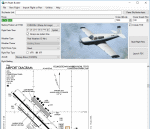
FS Flight Builder is a utility for general aviation flying that will build flight files for FSX (flt), FSX Steam Edition (flt), and Prepar3D (fxml) based on waypoints and other data either entered manually or imported from SkyVector using the Plain Text Link information. Among other things, you can select your starting position, aircraft, and a VFR or IFR flight plan.
One of the most interesting features of the application is that it will include a Briefing file, added to the aircraft's built-in kneedboard, that will include departure and destination airport information (runways, frequencies, weather, and charts) as well as navigation frequencies along the route.
Included is a new destination chooser function that allows you to enter your departure airport and additional criteria, such as min and max distance, tower required, ILS, runway length restrictions.
| Filename: | FS_Flight_Builder.zip |
| License: | Freeware |
| Added: | 30th July 2018, 03:56:07 |
| Downloads: | 148 |
| Author: | Tom Arduini |
| Size: | 28.24 MB |
| Category: Prepar3D V1-4 - Utilities | |
| FS Flight Builder |
|
Images related to this file:
File Description:

New version: Updated installer and auto-update functionality along with chart downloaded changes to support browser updated security measures.
FS Flight Builder is a utility for general aviation flying that will build flight files for FSX (flt), FSX Steam Edition (flt), and Prepar3D (fxml) based on waypoints and other data either entered manually or imported from SkyVector using the Plain Text Link information. Among other things, you can select your starting position, aircraft, and VFR or IFR flight plan.
One of the most interesting features of the application is that it will include a Briefing file, added to the aircraft's built-in kneedboard, that will include departure and destination airport information (runways, frequencies, weather, and charts) as well as navigation frequencies along the route.
Have you ever started up flight simulator and wondered “where do I want to go today� The new Destination Chooser functionality can help to solve that problem. The screen allows you to enter your departure airport and choose various parameters for your destination (like min and max distance, tower availability, ILS availability, runway length requirements, etc.).
How to install:
***************
Run Setup.exe and simply follow the installation wizard.
When you run the application for the first time (make sure your flight simulator is not running), it will build the database from your flight sim data. Be patient. It could take a few minutes.
It will attempt to locate your flight sim folder and flight plan folders automatically. If it can't find them, however, you'll need to select them from the options menu.
IMPORTANT!
Because FS Flight Builder saves to your Flight Sim directories, it MUST be run in Administrator mode. To do this, right-click on the desktop icon, select the Compatibility tab, and check the Run as administrator checkbox.
IMPORTANT!
The airport and navaid databases for FS Flight Builder are built using Peter Dowson's excellent Make Runway utility and the equally excellent BGL2XML utility from ScruffyDuck Software. The links to these utilities are below. They must be added to the main FSX or Prepar3D folder.
Peter Dowson's website: http://www.schiratti.com/dowson.html
ScruffyDick Software website: http://www.scruffyduck.org/bgl2xml/4584282773
It's also important to note that Version 1.7 of BGL2XML is required for Prepar3D V3 and higher.
Author:
*******
Tom Arduini
The latest installer can always be found at
http://www.arduiniwebdevelopment.com/fsflightbuilder/fsflightbuilder.zip
| Filename: | FS_Flight_Builder.zip |
| License: | Freeware |
| Added: | 24th December 2018, 02:41:36 |
| Downloads: | 408 |
| Author: | Tom Arduini |
| Size: | 69.56 MB |
| Category: Civil Flight Simulators - Looking Glass Flight Unlimited 3 | |
| Flight 3 packages |
|
File Description:
Saved files 1999-2007. All for both Seattle and San Francisco region.
| Filename: | Flight_3_packages.zip |
| License: | Freeware |
| Added: | 5th September 2010, 10:42:09 |
| Downloads: | 134 |
| Author: | Lars Peter Galaasen |
| Size: | 5.72 MB |


© 2001-2026 AVSIM Online
All Rights Reserved
Privacy Policy |