
Where Flight Simulation Enthusiasts Gather from Around the World!
AVSIM Library - Search Results

| Category: Prepar3D V5 - Utilities | |
| FSTramp v8.84 for Prepart3D 2-6, MSFS, FSX(-SE), X-Plane (Win) |

|
Images related to this file:
File Description:
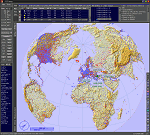
This add-on is an EXE application for Microsoft Flight Simulator and a DLL module for all other simulators. The DLL variant is activated via hotkeys or the simulator menu add-ons or plugins. Window size and layout are configurable for one or more screens. To avoid dazzling, the brightness of the entire application is customizable. Primarily it is a flight management system (FMS) with automatic control from start to landing. This also includes the observance of SID, STAR and Approaches in unmatched quality. The flight plan required for the FMS can be created manually or automatically, interactive changes and additions during the flight are possible. The basis of the flight planner is the 3D world map and the search function for airfields and navigation aids. The FMS by FSTramp relies on the autopilot of the aircraft. In case of incompatibility, the autopilot integrated in FSTramp will be used. This allows FSTramp to control almost all aircraft from airport to airport. The altitude profile of the flight plan, SID, STAR and approach is taken into account. This means that FSTramp extends the often incomplete airport procedures to and from the runway so that they can be flown completely automatically. During the fully automatic flight, the autopilot values ​​for HDG, ALT, VSPEED, SPD and MACH can be manually overridden. This is e.g. useful for being able to react to the instructions of the tower in the final approach without completely stopping the automatic flight. The rotating or north pointing 3D world map with numeric display of the terrain elevation under the mouse arrow is another special feature. It does not need an internet but is synthesized from included height profiles of the globe. The Data of continents, mountains and rivers are included in the setup. Airspaces, Airways, Waypoints and SID, STAR and Approaches are also included in the setup, but can be updated by installing additional AIRAC cycles. Airfields and navigation stations are taken from the simulator. NVIDIA: If the frame rate of the simulator drops sharply about 20 seconds after FSTramp's visibility, the power management of the GPU slows down prematurely. In the NVIDIA Control Panel, change the 'Manage 3D settings - Power management mode' option to 'Adaptive'.
| Filename: | FSTramp_v884_for_Prepart3D_26_MSFS_FSXSE_XPlane_Wi.zip |
| License: | Shareware, time limited |
| Added: | 7th July 2023, 04:35:26 |
| Downloads: | 43 |
| Author: | Helge Schroeder |
| Size: | 358.21 MB |
| Category: Flight Simulator X - Utilities | |
| FSTramp v8.84 for MSFS, FSX(-SE), Prepart3D, X-Plane (Win) |
|
Images related to this file:
File Description:
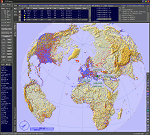
This add-on is an EXE application for Microsoft Flight Simulator and a DLL module for all other simulators. The DLL variant is activated via hotkeys or the simulator menu add-ons or plugins. Window size and layout are configurable for one or more screens. To avoid dazzling, the brightness of the entire application is customizable. Primarily it is a flight management system (FMS) with automatic control from start to landing. This also includes the observance of SID, STAR and Approaches in unmatched quality. The flight plan required for the FMS can be created manually or automatically, interactive changes and additions during the flight are possible. The basis of the flight planner is the 3D world map and the search function for airfields and navigation aids. The FMS by FSTramp relies on the autopilot of the aircraft. In case of incompatibility, the autopilot integrated in FSTramp will be used. This allows FSTramp to control almost all aircraft from airport to airport. The altitude profile of the flight plan, SID, STAR and approach is taken into account. This means that FSTramp extends the often incomplete airport procedures to and from the runway so that they can be flown completely automatically. During the fully automatic flight, the autopilot values ​​for HDG, ALT, VSPEED, SPD and MACH can be manually overridden. This is e.g. useful for being able to react to the instructions of the tower in the final approach without completely stopping the automatic flight. The rotating or north pointing 3D world map with numeric display of the terrain elevation under the mouse arrow is another special feature. It does not need an internet but is synthesized from included height profiles of the globe. The Data of continents, mountains and rivers are included in the setup. Airspaces, Airways, Waypoints and SID, STAR and Approaches are also included in the setup, but can be updated by installing additional AIRAC cycles. Airfields and navigation stations are taken from the simulator. NVIDIA: If the frame rate of the simulator drops sharply about 20 seconds after FSTramp's visibility, the power management of the GPU slows down prematurely. In the NVIDIA Control Panel, change the 'Manage 3D settings - Power management mode' option to 'Adaptive'.
| Filename: | FSTramp_v884_for_MSFS_FSXSE_Prepart3D_XPlane_Win.zip |
| License: | Shareware, time limited |
| Added: | 7th July 2023, 04:35:43 |
| Downloads: | 130 |
| Author: | Helge Schroeder |
| Size: | 358.21 MB |
| Category: Flight Simulator X - Aircraft Repaints, Textures and Modifications | |
| P-47D 334th FS "Miss Plainfield" |
|
File Description:
This folder contains a repaint for the A2A Wings of Power III P-47D Thunderbolt, representing P-47C 42-7945 flown by Lieutenant Spiros 'the Greek' Pisanos of the 334th FS, 4th FG, Finschhafen, New Guinea, 1944. Born in Athens, Greece, in the suburb of Kolonos, on 10 November 1919, Spiros Nicholas "Steve" Pisanos, the son of a subway motorman, came to America in April 1938, as a crew member on a Greek Merchant ship. Arriving in Baltimore, Maryland and unable to speak English, Steve found his way to New York City, where he worked in bakeries and restaurants. As he earned money he started flying lessons at Floyd Bennett Field. In August 1940, he setled i Plainfield, New Jersey, his adopted home town, and continued flying lessons at Westfield Airport. He earned a private pilot's license and, although still a Greek national, in October 1941 he joined the British Royal Air Force sponsored by the Clayton Knight Committee in New York City.
Steve began his military flight training at Polaris Flight Academy in Glendale, California. Upon graduation, Pilot Officer Pisanos was transferred to England where he completed RAF Officers Training School at Cosford, England and OTU (Operational Training Unit) at Old Sarum Aerodrome in Salisbury. Pilot Officer Pisanos was posted to the 268 Fighter Squadron at Snailwell Aerodrome in Newmarket flying P-51A's. He later transferred to the 71 Eagle Squadron, one of the three Eagle squadrons in the RAF, comprised of American volunteers flyin Spitfires at Debden RAF Aerodrome.
When the USAAF 4th Fighter Group absorbed the American members of the Eagle Squadrons in September and October 1942, Pilot Officer Pisanos was commissioned a lieutenant in the U.S. Army Air Forces. On 3 May 1943, Lt. Pisanos was naturalized as an American citizen in London, England, becoming the first individual in American history to be naturalized outside the Continental United States.
Flying his first mission in his P-47 "Miss Plainfield" out of Debden Aerodrome with the 334th Fighter Squadron, 4th Fighter Group, Lt. Pisanos, "The Flying Greek," scored his first victory on 21 May 1943, when he downed a German FW-190 over Ghent, Belgium. by 1 January 1944 he had become an ace with five confirmed victories. On 5 March 1944, he obtained his 10th victory and while returning from that B-17 escort mission to Limoges and Bordeaux, France, Steve experienced engine failure in his P-51B and crash-landed south of Le Havre. For six months he evaded the Germans and worked with the French Resistance and the American OSS sabotaging the German war machine in occupied France. Lt. Pisanos returned to England on 2 September 1944, following the liberation of Paris.
Upon returning to the United States, Captain Pisanos was assigned to the Flight Test Division at Wright Field, Ohio. He attended the USAF Test Pilot School and subsequently served as a test pilot at Wright Field and Muroc Lake, California, testing the YP-80 jet aircraft. During his career in the USAF, Steve graduated from the University of Maryland, attended the Air Command and Staff College and the Air War College. In December 1973, after a distinguished thirty years of service in the United States Air Force, he retired with the rank of Colonel. Repaint by Jan Kees Blom, based on the paintkit by Martin Catney
| Filename: | P47D_334th_FS_Miss_Plainfield.zip |
| License: | Freeware |
| Added: | 14th March 2009, 10:55:44 |
| Downloads: | 730 |
| Author: | Jan Kees Blom |
| Size: | 7.17 MB |
| Category: Microsoft Flight Simulator (2020) - Aircraft Repaints, Textures and Modifications | |
| Bleriot XI Britannia |
|
Images related to this file:
File Description:
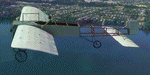
This folder contains a repaint for the Bleriot XI by Wings42 in the colors of Bleriot XI-2 Britannia. The third Bleriot XI imported into New Zealand, it was a two seater presented by the Imperial Air Fleet committee to the New Zealand government. The committee's aim was to promote the development of aviation in the British empire, and the presentation was intended to stimulate military aviation in New Zealand. The aircraft was a proven one, having been flown 347km non-stop from Dover to Cologne by Gustav Hamel in 4 hours 18 minutes on April 17, 1913. The aircraft was dubbed "Britannia' at a ceremony at Hendon on May 22, and Hamel then took former New Zealand Prime Minister Sir Joseph Ward for a short flight. The committee was composed primarily of London businessmen and Sir Joseph was the deputy-Chairman. The aircraft was paid for by public subscription and was valued for insurance purposes at 1400 pounds. The aircraft was disassembled and shipped to New Zealand aboard the Athenic. The aircraft arrived in Wellington on September 29, 1913, where it was discovered that the propeller was not in the shipment. This was soon shipped to New Zealand. In the meantime the aircraft was stored in a purpose built shed at the Buckle street Defence stores. In late 1913 Joseph 'Joe' Hammond had been appointed official Government pilot.
Mr Hammond suggested flying the aircraft to Auckland for display at an Exhibition. However the aircraft was railed north and was assembled in Auckland on January 14, 1914. On January 17, 1914 Mr Hammond made his first flight in the aircraft from the Epsom showgrounds. The following day he completed an hour long flight over Auckland at low level. A flight on the 19th with a journalist as passenger was aborted during takeoff when Hammond found he had no rudder control. Repairs were made and the aircraft flown again on January 24th. Another flight with a passenger then took place. Rather than a member of the media or any of the officials present Hammond chose to take Miss Esme McLalland as passenger. Miss McLalland was a member of the touring Royal Pantomime Company which was performing in Auckland, and the choice failed to impress the officials - Joe Hammonds employment as official pilot was terminated. The aircraft remained on static display for the remainder of the Exhibition and was returned to Wellington at the end of April 1914. Without a pilot (there were several Army Officers training in England - 2nd Lt. A. Piper and 2nd Lt. W. Burn) any official role for the aircraft (and officials did not seem to know what to do with it), it was placed in storage at the Mt Cook barracks in Wellington. Soon after, a report by General Hamilton, the Imperial Inspector of Overseas Forces discouraged further aviation development. With the outbreak of war an offer was made to send the aircraft with the New Zealand Expeditionary Force. It was shipped back to England, departing on the Arawa on October 16. It was unloaded in London on January 15, 1915 and and went from there to Brooklands where it is believed to have been used as a trainer. Repaint by Jan Kees Blom
| Filename: | Bleriot_XI_Britannia.zip |
| License: | Freeware |
| Added: | 8th May 2021, 17:39:55 |
| Downloads: | 17 |
| Author: | Jan Kees Blom |
| Size: | 38.51 MB |
| Category: Flight Simulator 2004 - Aircraft Repaints, Textures and Modifications | |
| Royal Air Force 101Sqn Douglas DC10-30 (Fictional) |
|
Images related to this file:
File Description:
SGA/FFX DC10-30 Royal Air Force 101 Squadron: This is a fictional repaint based on the paint scheme used on the Lockheed Tristar of Transport Command. To the best of my knowledge, 101 Squadron has never used DC10-30's. SGA DC-10 model included - This is a complete package containing the aircraft, panel, gauges & sounds. Credit for the work is contained within the readme file.
Number 101 Squadron was formed at South Farnborough on 12 July 1917, and two weeks later went to St Andre-aux Bois, France with FE2s as a night bomber squadron. It main tasks involved attacking enemy communications and aerodromes in Northern France and Belgium, with occasional strafing attacks on troops aimed at drowning the noise of tanks and soldiers positioning for battle in the trenches. In March 1919, the squadron was reduced to a cadre and returned to the UK before disbandment at the end of the year. It remained dormant until March 1928, when it reformed at Bircham Newton and flew Sidestrands in the day-bomber role until these were replaced by Overstrands in early 1935.
At the outbreak of World War II, the squadron was equipped with Blenheim IVs and was involved in attacks against enemy barge concentrations in the Channel Ports. In mid-1941, No. 101 Sqn became part of Bomber Command's medium-bomber force with Wellingtons and flew many night sorties against Germany and Italy. These aircraft were replaced barely 18 months later by the Lancaster and became specialised in airborne radar jamming to disrupt German night-fighters interceptions. After the war, Lincolns replaced the Lancasters and the unit moved to Binbrook. In June 1951, No. 101 became the RAF's first jet-bomber squadron when it received Canberras, and it was with this aircraft that the squadron was involved in operations in both Malaya and Suez before once again disbanding on 1 Feb 1957.
A brief period of inactivity ended on 15 Oct 1957, when No. 101 Sqn joined the V-bomber force with Vulcans as part of the Finningley Wing before moving to Waddington four years later. The squadron became synonymous with the type, and took part in Operation Corporate, the Falklands Conflict, operating from Ascension Island. Shortly after the conflict, the squadron relinquished its Vulcans and disbanded again, until it reformed on 1 May 1984 to operate VC10s in the air-to-air-refuelling role, and has since demonstrated the flexibility the aerial refuelling offers to combat aircraft in such operations as the Gulf War and Operation Allied Force.
Following the disbanding of sister VC10 squadron, No 10, 101 became the sole operator of the type in October 2005.
| Filename: | Royal_Air_Force_101Sqn_Douglas_DC1030_Fictional.zip |
| License: | Freeware |
| Added: | 18th August 2013, 15:04:44 |
| Downloads: | 392 |
| Author: | Andy Kewley, SGA |
| Size: | 36.36 MB |
| Category: Flight Simulator X - Original Aircraft | |
| FedEx McDonnell Douglas MD-11F (N604FE) |
|
Images related to this file:
File Description:
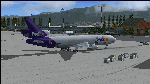
The Boeing MD-11F aircraft, N604FE, named "Hollis" is based out of Memphis, TN and can fly both Domestic and International Routes. The MD-11F (53 built) are the Freight transport aircraft version and were the second variant on offer at launch in 1986, and was the last and longest (1988-2000) manufactured version. 22 MD-11F's were delivered between 1991 and 2001 to FedEx. According to Flight Aware, she flies mainly domestic routes daily. The aircraft is almost identical to the DC-10F, although BOEING modernized their model with a longer fuselage and more powerful engines, giving her a longer range and higher service ceiling. Most flights are at full payload, and those disclude the center long-range fuel tanks, and involve flights ranging between 2,000 and 4,500 nm. I've been dealing with several versions of this aircraft for many years, actually since the first offered on CompuServe for FS98 in the '90s, and through time have found many aerodynamic details that were required in order to make her fly realistically. The Internet slowly added the details I needed, and then came the testing. Needless to say, I've flown many versions, including this one, for way too many hours, and added and corrected things along the way. This version is the best I've ever done, and I've worked on her for about a year before this upload. Everything is aerodynamically correct, and the engines (and their placement) are beyond anything ever presented by anyone with anything like this previously. I even fixed the gear to be 100% authentic in placement and use. I tried to fix the lights, but the textures are from FS2004, so I did the best I could. I chose this aircraft because it is actually in service today, and because the painter did a great job in making her look authentic. She now flies in FSX just as she does in reality, but you are better advised to study this on your own, rather than take my word. Aircraft ratings by manufacturers are based on simple standards, and very conservative. FSX is a virtual “WIND TUNNEL†when realistic aerodynamics are employed, so we can see what aircraft are capable of if we do it all right. Sorry to say, no one ever builds a free aircraft for upload with the correct engine/aerodynamics employed. In fact, I don't think anyone, other than myself, has ever put that much effort into it. So, keep this in mind. What you have now is real. It is Free. Now learn from it. READ THE MD11Readme.txt document before any operation after unzipping this. Tri-Engine Sound by B.G. Hany; Textures by Bradley McCoy; Panel by Marco Spada; Real World Engine/Aerodynamics by Douglas E. Trapp, [email protected], June 2018. This aircraft is designed for educational use protected under the Fair Use Doctrine: (http://www.expertlaw.com/library/intellectual_property/fair_use.html) ... It cannot be sold or bundled for sale, and such will never be approved by me or the original authors. FREEWARE DISTRIBUTION ONLY!!!
| Filename: | FedEx_McDonnell_Douglas_MD11F_N604FE.zip |
| License: | Freeware |
| Added: | 1st July 2018, 02:41:02 |
| Downloads: | 1,475 |
| Author: | Douglas E. Trapp |
| Size: | 121.26 MB |
| Category: Flight Simulator X - Original Aircraft | |
| TU-95MS Bear H |
|
Images related to this file:
File Description:
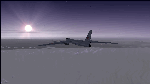
The Russian Air Force 37th Air Army operates the TU-95MS (TU-95M 55 Bear H) from the 182th TBAP unit based in Zavitinsk and 6213 BKHUAT based at Engels Air Base in the Moscow Region. It's use is primarily in maritime operations. She carries cruise missiles even if only used for submarine comms. Her initial design is a competitor with the B-52, but uses 4 Turboprop engines with 8 contra-rotating props. She can fly about as far as, but not as high as the B-52, nor can she fly as fast. She is often monitored off the coast of Alaska and easily met with F-22 Raptors every time. She is also often met by NATO fighters near European borders. Since 45,000 feet is about the highest she can cruise, most fighters can meet her. Her real danger is the cruise missiles which, if launched, have a range more than 1,500 nm and can pinpoint any directed target using GPS ground control. She is normally flown in formations of 3 or more, but sometimes only 2 are observed. She is not designed to fly fast over low terrain, like the B-52, but can do-so if necessary, and dangerously. The aircraft has not seen any major improvements or modifications since the cold war era, and several have crashed due to lack of maintenance. It is currently unknown how many are in service condition. Since much is unknown about this aircraft, yet enough is known to re-create an authentically working model, I have done-so here. Every bit of the aircraft.cfg file and associated .air file has been re-worked to match what known data can offer, and known aerodynamic formulas can equate. The most difficult aspect is the Turboprop aspect, since Turboprop engines do not work like jet engines in any way. Luckily for the simmer, there is no need to adjust feathering or anything like that would be necessary in a normal Turboprop because these engines are self-adjusting. Even though they meet the full known specs of the real engines, I have actually worked all the math to make them actual Turboprop engines (not pseudo-jet engines). That may sound exciting, but you must remember that she is a prop-driven aircraft, and not a jet. Even though you can fly her like a jet, the engines do not adjust like a jet. All aspects have been configured to meet realistic standards, including the MOI factors, weight/balance (including payload positions), gear locations, aircraft dimensions, light positions, engine smoke locations and operations, and weight. I did not simply throw this together, but have been perfecting her for many years. Original Modeler/Sounds: Vladimir Zhyhulskiy (2006); Panel: Marco Spada; Auto Smoke Effects: Richard Wisman; Aero/Engine Dynamics, effects, and details: Douglas E. Trapp, FS Flight Dynamics Engineer, [email protected], November 2018. The use of this model, and the configuration of such, is designed for free educational purposes, and protected by the Free Use Act: (https://www.law.cornell.edu/uscode/text/17/107). This model and/or aspects of such cannot be used for monetary purposes!
| Filename: | TU95MS_Bear_H.zip |
| License: | Freeware |
| Added: | 3rd November 2018, 23:28:41 |
| Downloads: | 743 |
| Author: | Douglas E. Trapp |
| Size: | 42.71 MB |
| Category: Flight Simulator 2004 - Miscellaneous Files | |
| The Steamer PATRIA, pearl on VFR of Lario - Como Lake, Italy |
|
Images related to this file:
File Description:
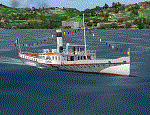
Steamship sailing, GMax model with photo real textures and panel with exterior views.
The History: Born with the name of "Savoia" this steamer was placed in the yard June 7, 1926 by the Odero's workers at the construction site of Dervio, and in a very short time, triumphantly launched July 31, 1926 first in the waters of Dervio , to start shipping in the Como Lake.
Soon after this launch, the site was put on the twin " October 28 ", which later became the "Concordia". In December 1926, the " Savoia " incorporates a major change : the distribution system of the machine new one "Caprotti" type that has excellent results and is , up to date, the only example in the world (reduction of rolling steam). In May 1927, the " Savoia " has the honor to welcome on board the King of Italy Vittorio Emanuele III , escorted by the steamers " October 28" and " Plinio". During World War II , following the fall of the fascist regime , July 25, 1943 , is required to change the name of the steamer. Even public opinion is mobilized and decide to rename the steamer by the name of "PATRIA". At the same time the twin " October 28 " is renamed "Concordia". Back after a break in service , January 10, 1945 is attacked and strafed while browsing the center of the lake . At the end of was counted 5 victims and 17 injured of which one will die as a result. At the height of the bridge spread of a fire, for piercing and incendiary bullets used by the Anglo-Americans, but soon subdued by the crew. In June 1951, the PATRIA is back in service with some modifications. The smokestack is shortened to about 3 mts and boilers and burners are converted from coal to oil. In August 1952, the boat service on the lake shift from "Lariana " to Government Management, which taken the steamer. In 1973 the interior of the " Patria" is restored according to the original scheme: the magnificent ship back into service June 10, 1973.
Great new features are the stained glass windows in the inner surface that allow you to see the paddle wheels in motion. In the 80s the PATRIA is used mainly for special cruises and rentals, limiting the use of the line. The summer of 1990 is the last one that sees the "PATRIA" in service. In the fall it is stopped at the construction site of Tavernola, later transferred to Dervio where it remains moored for years waiting to know his fate ... between demolition or renovation (this strongly desired by the Lariana population). Finally in 2003, the Province of Como takes the field by engaging in the recovery of the steamer, with PATRIA's historic "friends" of "Famiglia Comasca"; February 27, 2004 the remains of the steamer is formally sold to the Province of Como in the symbolic figure of " 1 Euro". After a series of bureaucratic delays, in August 2008 is finally contracted the first batch of works and the renovation starts. On 8 May 2013, PATRIA comes to Dervio for a short cruise, and for testing stability on the lake, and received a "Certificate of Class" that officially renames it as a ship. After 23 years it is the first time that the PATRIA sails again, since 1990, the year of its disarmament. The inauguration takes place July 19, 2013, at Villa Olmo in Como present authorities, proponents of the huge recovery and many other enthusiasts ... as me. Enjoy.
Check video available here: http://youtu.be/KALgHsGiPu8
| Filename: | The_Steamer_PATRIA_pearl_on_VFR_of_Lario__Como_Lak.zip |
| License: | Freeware |
| Added: | 22nd February 2014, 01:25:28 |
| Downloads: | 590 |
| Author: | Aldo Della vedova, Daniele Lanfranchi, Gian Mario Verga |
| Size: | 10.5 MB |
| Category: Flight Simulator X - Original Aircraft | |
| B-2A Spirit Stealth Bomber |
|
Images related to this file:
File Description:
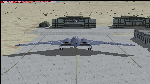
The B-2A Stealth Bomber is the most sophisticated aircraft on the planet. She is essentially a “Flying Wing†platform with no V-Tail, and is controlled by pre-programed flight computers stationed in various positions within the crew cabin and wings. There is one main computer that controls the aircraft, with two redundant back-up computers assigned to it in case of failure. All additional computers are assigned to functions involving flight control, system monitoring, data communications, and radar. Engine and Aerodynamic effects are controlled by these computers which serve several actuators and ailerons, including the spoilerons, which further compensate for the lack of a V-Tail. In theory, and because of these computers, the aircraft is “Stall-Proofâ€. The only way it can stall is if the computers fail. There is no way she can be flown without the computers active. The REAL aircraft does almost everything based on pre-programed data, other than taxi to the runway (although this is also possible to program). Before each flight, the Mission is designed and then assigned to the Mission Flight Box (Portable Computer) which is then carried by the Commander to the aircraft, and the data from the box is “transferred†to the main on-board computers. Because of this, the B-2 cannot be flown until the box is ready for the mission, and pilots cannot simply jump in and fly her, with the exception that the data is transferred via satellite. Everything is pre-planned, and this takes several hours. Once the data is on-board, the taxi can begin. When lined-up on the runway, all the pilot needs to do is push a button or three. Everything else is computer controlled until landing. The aircraft CAN be flown manually with basic data inputs into the main computer systems, but even in that case it is not conventional. If a pilot wants to turn right, he sets the data to turn to a certain degrees of heading. The same with climb and descent, speed increase or decrease. A pilot cannot over-ride the computers in any case, so steep banks, climbs, or descents cannot be forced. There is a lot of space for the two member crew within the cockpit, but there is also a space reserved for one observer. This additional seat is known as “Suicide Position†because there is no ejection seat for that observer. In the event of a mishap, the observer can try to bail-out through the ejection hatches after the pilots, or can try the exit ramp door, or the bomb bay as an exit route. The odds of escape for the observer are very small, but he has a parachute as reassurance. Otherwise, what the crew does during missions is only a guess, since they really don't have to do anything unless an alarm goes off. Since the plane flies so smooth, we can only imagine what sort of things they may dream-up to entertain themselves during a long flight. High altitude flights are conducted at night mainly due to the obvious contrail such a flight will exhibit during the day with such hot engines. The engines are encased in a heat absorbing shield material (still exhaust exists), and the rest of the plane is coated with Radar absorbant material, with the additional low profile effect of the aircraft design itself. If it can be seen by the ground or a fighter, it can be attacked by fighters or the ground. During daytime flight they will stay below the contrail level, and monitor the radar systems in preparations for counter-measures. If a fighter can visually observe them, the fighter may be able to shoot them down with bullets from behind, but not likely with missiles because of the sophisticated counter-measures available. On Radar the aircraft appears the size of a pigeon, until about 8 to 10 miles away, which would be too late to counter from the ground, so most attacks are either done at night or during the day at very low altitude. Upon landing the aircraft is automated down to about 200 feet AGL, when the pilot takes command. All she/he does at this point is allow her to glide down and contact the runway, and retard the engines. Brakes are used to slow, then the computers are turned off, and the pilot can control the throttles, nose gear, and brakes. The Commander watches for obstructions, mainly, and communicates with the tower and ground crew. Everything in this model has been reconfigured to meet realistic standards, without any tricks or flight tuning, and following real world aerodynamic principals and available data, including MOI. The panel requires study before use, but very realistic. The sounds are very authentic. There is no other model offered anywhere that compares to what you have now available in front of you. Please read and study the Readme.txt file within the main folder before attempting to fly this 2.2 Billion Dollar aircraft. Yes, that's correct ... $2,200,000,000 each! The use of this model, and the configuration of such, is designed for educational purposes, and protected by the Free Use Act: (https://www.law.cornell.edu/uscode/text/17/107). The Authors will not approve redistribution for monetary purposes. Original aircraft design by Alphasim; VC Adaptation, panels and gauges by Philippe Wallaert; Sound by Ruggero Osto; REAL WORLD Engine/Aerodynamics, data and effects by Douglas E. Trapp ([email protected]) June 2018
| Filename: | B2A_Spirit_Stealth_Bomber.zip |
| License: | Freeware |
| Added: | 2nd June 2018, 17:16:30 |
| Downloads: | 1,038 |
| Author: | Douglas E. Trapp |
| Size: | 14.81 MB |
| Category: Prepar3D V1-4 - Utilities | |
| Flightplan Visualizer 1.15 |
|
Images related to this file:
File Description:
Flightplan Visualizer (FV) version 1.15.0. Copyright 2018-2020 by Pelle F. S. Liljendal ([email protected]), all rights reserved.
FV comes with 738 pre-imported Commercial AI flightplans (+380 BizJet flightplans are available as a separate download). However you are able to import additional (AI) flightplans yourself. Once imported these (AI) flightplans can be visualized on a map-view, and the user will be able to search accross all these. Hence you can use the program as inspiration as to which routes to fly. E.g. you can search across all imported flightplans to find all flights in an A321 flying into/out from LDDU, or simply to look for all flights in a Boeing 747-8F.
Simply run the included installer to install the software. The program will be installed into "C:\Program Files (x86)\Flightplan Visualizer" and all datafiles will be installed into: "C:\Users\[UserName]\AppData\Roaming\FlightplanVisualizer". The program comes with a full manual explaining everything, and a 3 page quick manual to get you started. The first 3 times you run the program the quick manual will automatically open. The forum is hosted here: https://forum.aerosoft.com/index.php?/forum/919-flightplan-visualizer/
Version 1.15 Contains the following changes:
- As a first, you can now import flightplans even if one or more aircraft-types cannot be automatically detected during import. These will instead be assigned to a dummy-type during import, however you need to manually assign substitute aircraft-type(s) before being able to save the imported flightplan. If/when the program gets support for the aircraft-type(s) that were missing during import, the substitute aircraft-types can either be re-detected manually or by using the "Re-process aircraft/airport-redirects" menu-item.
- Added a combo-box that can be used to filter the flightplans that are shown in the flightplan combo-box on the main-form (e.g. enter "west" to see only flightplans containing "west" in the name). Hovering the mouse over this new filter combo-box will show examples of the more complex filters (e.g. filter by provider, author, season, year, and so on).
- In version 1.14 user-airlines were added, and these could be accessed via a menu-item on the main-form. However in version 1.15 you can now also add user-airlines from the import-flightplan form, so you don't have to abort a pending import, and go to the main form in case you find you are missing a user-airline.
- Added MRU-lists (Most Recent Used) to the browser-forms used to search for: Airport, Aircraft and Airline. The text-edit in the top of these forms have been replaced by a combo-box holding up to 20 items (in chronological order, with the most recent at the top).
- Added a new chart to the Airport Info form showing: "Daily flights per international/domestic/same state".
- Added Utilization-pct to the fleet report (both total for the entire fleet, and per aircraft). The Utilization-pct is also visible for the displayed schedule (for a single aircraft) in the Leg-Info form. This value tells the pct of time the aircraft spends servicing the schedule (the remaining time the aircraft "sits at the gate", including the time spend loading/unloading passenger and cargo, loading fuel, being serviced by ground-crew and what not).
- On the main-form, renamed menu-item "Re-process airport-redirects" into "Re-process flightplans".
- Distance from selected airport to mouse-position on main-map moved from the bottom of the form to the upper/right-corner of the form (where info of selected airport is listed).
- Using the (right-click) context-menu on the main-form airports can now be toggled (on/off) as being favorites.
- A few minor changes were made to the default leg search criteria. If you have saved your own default, you should go to the leg search form, press-and-hold SHIFT while clicking the "Reset" button (to reset to "factory default"), then set the criteria to your perferences, and finally press the "Save Reset" button to re-save your preferences.
- Added MRU-list (Most Recent Used) to fuel-density combo-box on Unit Conversion form. If empty, the list will be preloaded with the values 0.7850 (old default), 0.8040 (often used as a standard for Jet-A), 0.8200 (often used as a standard for Jet-A1). The user is still able to enter another value.
- The values used in the unit-conversion form are saved with the settings file, so each time you open the form will contain the values entered last time you used the form.
- Tweaked the method for calculated flight-time. In previous version the same parameters were used for calculating flight-time for all flights. Now these parameters are dependant on distance, resulting in calculated flight times that are closer to those used in the flight-plans (based on statistic-data from +700.000 AI flights).
- Some of the aircraft have been marked as "Retro", and in settings you can choose to exclude the "Retro" (they are enabled by default).
- Improved (Boeing) aircraft-type detection when importing flightplans using non-standard naming, such as "B744F" in stead of "747-400F" or "B736" in stead of "737-600".
- Updated all libraries in use to the latest versions, and addressed some minor issues with the map.
- Fixed: Newer versions of MyRwy are outputting airport elevation as a floating point value (e.g. "629.92") whereas older versions were outputting it as an integer value (e.g. "630"). In previous versions of FV the floating point value "629.92" was wrongly read as an elevation of 62992 ft. The program can now both handle floating point and integer values, hence can be used with both old- and new versions of MkRwy.
- Fixed: When adding new user-airlines in version 1.14, callsign was being set to the name of the airline, in stead of the entered callsign. If you added any user-airlines in version 1.14, you should edit these with version 1.15, and set the callsigns again.
- Fixed: If a Leg search was active (combo-box in bottom of main-form showing "[Last Search]") and all flightplans were disabled in "Enable/Disable -flightplans" the program would shut-down with an exception.
- Fixed: The list of the airline-codes (gate-tab on Airline-Info form) started with a comma, however comma should only be used to separate the items when multiple airline-codes were associated with the same gate (3rd party scenery only).
- Fixed: In some cases the cruise-speed was not shown correctly in the Aircraft search form.
- Fixed: Some of the menu-items for launching the (YouTube) tutorial-videos were missing the tool-tip text ("Hold SHIFT to copy url to clipboard").
- Fixed: About-box can now be closed with ESC, like most other forms.
- Fixed: potential issue reading xml-data, perhaps with a the benefit of a slightly better performance.
- Data: Added support for flightplans using "retro" aircraft types such as: Aerospatiale SE-210 Caravelle, British Aerosapce ATP/BAC One Eleven, Concorde, DC-3, DC-4, DC-6, DC-8, De Havilland Comet, Fokker F28, Hawker Siddeley HS 121 Trident, Ilyushin Il-18/20/22/24/86, Lockheed Constellation/L-188 Electra, Shorts SC-5, Tupolev TU-134, Vickers VC10/Viscount, and thanks to user Aucery Lockheed 1011.
- Data: Support for additional aircraft-types added as well: BN-2A Trislander, CASA C-212/C-235, CubCrafters XCub, DHC-2 Beaver/Turbo-Beaver, DHC-3 Otter, DHC-5 Buffalo, Diamond DA-42/62, Extra EA-300, Honda HA-420, ICON A5, NAMC YS-11, Mooney, Mudry CAP 10, Pilatus PC-6/PC-24, Piper Cub/Super Cub, Robin DR-300/400, Shorts SC-7, Tecnam P2012/P2006T
- Data: Some of the aircraft-types, for which multiple ICAO/IATA-codes exists, were split into two (one for Pax and one for Freight), e.g. Convair 580, DC-9-10/30/40, and Il-96. As a result you should execute "Re-process flightplans" (found in the "Flightplan" menu), and "Re-detect all" aircraft.
- Data: A few missing aircraft IATA/ICAO codes were added, and some "behind the screen" data for multiple aircraft were updated as well.
- Data: A few Airlines were added/updated (a big THANK YOU to Bruce Nicholson for the assistance keeping these data up-to-date).
- Flightplans: The good people over at AIG (Alpha India Group) have once again been VERY busy since the last release, hence the installer comes with 298 new/updated pre-imported flightplans, bringing the total of flightplans bundled with the installer to 738.
- Flightplans: A few flightplans were bundled with the program in duplicates (2 slightly different names, or 2 different seasons). These duplicates have been marked as obsolete, and have been removed from the installer. Using the "Select all obsolete flightplans" menu-item in "Enable/disable-flightplans" you can mark these flightplans and move them to the "Disabled" folder, from where they can be deleted.
Pelle
| Filename: | Flightplan_Visualizer_115.zip |
| License: | Freeware, limited distribution |
| Added: | 20th March 2020, 17:08:52 |
| Downloads: | 378 |
| Author: | Pelle Liljendal |
| Size: | 28.9 MB |


© 2001-2026 AVSIM Online
All Rights Reserved
Privacy Policy |