
Where Flight Simulation Enthusiasts Gather from Around the World!
AVSIM Library - Search Results

| Category: Miscellaneous Files - General Utilities | |
| Flight plan management table |

|
File Description:
THe Flight management table is an excel file which will help you to monitor weights and time of your flight plan.
You can insert the following info:
-Departure
-Arrival
-Callsign
-Flight number
-Route distance
-Number of pax
-Cost index
-Cruise altitude
-Block fuel, taxi fuel, trip fuel, extra fuel, reserve fuel
You can also manage time by inserting simulation date, start time, cockpit preparation time and many more.
The file also gives you an advice if you make a mistake and will calculate the fuel you have to burn if you have to perform an emergency landing but you are above the max landing weight.
The excel file will then calculate zero fuel weight, gross weight, takeoff and landing weights based on the "active aircraft management table".
It will also calculate off and on block time as well as takeoff and landing time.
You can use this file with any aircraft by adding tamplates to it or using one that is already in the file. At present the tamplates available are:
X plane
-Flight Factor A320 Ultimate
-Zibo mod B738
-IXEG B733
-Aerobask Eclipse 550NG
Prepar3d/Flight sim X
-PMDG B738 NGX
-Majestic Dash 8 Q400
Creating a new tamplate is easy. All you need to do is having weights info about the aircraft you wish to add in hand.
The file is under development which means that I am going to add new feature to it.
A good breefing is the first step for a good flight.
| Filename: | Flight_plan_management_table.zip |
| License: | Freeware |
| Added: | 9th August 2018, 14:21:41 |
| Downloads: | 336 |
| Author: | Luca Tessieri |
| Size: | 17.92 KB |
| Category: Flight Simulator X - Miscellaneous Files | |
| 737NG Normal Procedures |
|
Images related to this file:
File Description:
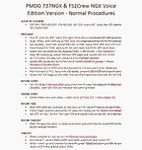
Sorry folks but yet another update since I found some additional small issues I wanted to correct. I hope with this version I caught them all so this will be the FINAL version...at least for today ;-) If you have problem fitting the list on 2 A4 pages when printing it from WordPad make sure you have unchecked the option in WordPad to print page numbers.
A flow/checklist for flying PMDG's 737NGX with FS2Crew Voice Edition. Did this mainly for my own use meaning the flow/checklist is adjusted for how I do my flying and with the addons I use like Aerosoft AES for example. Please also be aware this is not the kind of flow/checklist that includes all things you need to perform during a normal flight but instead you are expected to already have a general knowledge of both the NGX and FS2Crew. However I thought others might be helped by this too both newbies to get you going with the "flow" using FS2Crew but also for the more experienced users as a simple to print out and use memory note. It's also easy for you to change whatever you like to suit your own needs better since I created it in common rtf format using the standard Wordpad Windows application. I deliberately made it as compressed as possible leaving out stuff like all the answers to the checklists etc so it would fit on a single A4 sheet being easy to print and maybe also laminate if you like. Hope you'll enjoy it!
| Filename: | 737NG_Normal_Procedures.zip |
| License: | Freeware |
| Added: | 18th June 2012, 19:58:29 |
| Downloads: | 4,154 |
| Author: | Richard Asberg |
| Size: | 6.17 KB |
| Category: Flight Simulator X - Scenery | |
| RAF Wickenby (1940s) |
|
File Description:
RAF Wickenby was a purpose built Royal Air Force station constructed late 1942 and early 1943 it had two T2 type
hangars and one B1 type. The B1 and one of the T2 hangars can still be seen on the airfield site. The T2 near the
threshold of runway 21 was recently acquired by the airfield owners and after many years of industrial use is now,
once more, an aircraft hangar.
The airfield covered about 600 acres (2.4 km2), and had the usual three runway configuration with perimeter track,
hard standings, a brick watchtower and numerous brick and metal buildings for the aircrews and ground staff. A number
of the buildings were to the east (Communal Site, Living Quarters, WAAF Quarters) and stretched to and beyond the
Lissington road - a road travelled many an evening by the airmen and women who visited their favourite watering hole,
the White Hart at Lissington. The Sick Quarters were to the south of the airfield together with a Communal Site and
Living Quarters.
The north part of the former airfield is now known as Wickenby Aerodrome, which is a grass and concrete airfield. A
road from Holton cum Beckering to Snelland runs right over the former airfield. Companies based at the airfield are
Thruster Aircraft who make microlight planes; Fly365 Ltd who fly pleasure flights; and Rase Distribution - a haulage
firm. Planes using the airfield have to make contact first with the control tower at RAF Waddington.
The Watch Office is the home of the RAF Wickenby Memorial Collection and the Wickenby Archive, a museum and collection
of memorabilia and archive dedicated to the memory of the Squadrons who served here.
| Filename: | RAF_Wickenby_1940s.zip |
| License: | Freeware |
| Added: | 10th March 2017, 14:46:25 |
| Downloads: | 136 |
| Author: | Terry Boissel |
| Size: | 15.14 KB |
| Category: Flight Simulator X - AFCAD Files | |
| Dave's Aerodrome Airport (7NJ9), NJ |
|
File Description:
Located 01 miles SW of Cedarville, New Jersey on 43 acres of land, Dave's Aerodrome Airport is a private turf field 2000' with a 600' displaced threshold on Runway 12. Each runway has a clear 20:1 approach slope, but in the case of Runway 12 be sure to aim for a landing past the hangar! There are power lines running along the road at the runway threshold that are not just there for decoration - come in too low and FSX will register a crash. In real life they have red balls on them - unfortunately I have no way of adding those in the sim at this time. So be on the lookout while on approach. Also take note that it is a right pattern for Runway 12 and a left pattern for Runway 30. The windsock is located next to the hangar and is not lit. There are no lights at this airport so daytime VFR operations only are suggested. No services are offered for transient aircraft. There is no hard-surfaced runway, you will be landing on bare terrain so set your mesh complexity slider as high as it will go for the best effect.
Scenery constructed with use of satellite images/streetview/aerial photos - the author has not been there in person.
This scenery is meant to be used in conjunction with MegaScenery Earth New Jersey/Delaware 005. It is not required, but apron use is minimized to allow satellite scenery to show through as much as possible, and objects are placed based on the MSE textures - lack of it may make scenery look out of place.
| Filename: | Daves_Aerodrome_Airport_7NJ9_NJ.zip |
| License: | Freeware |
| Added: | 16th February 2011, 15:36:42 |
| Downloads: | 211 |
| Author: | Drew Sikora |
| Size: | 1.02 MB |
| Category: Flight Simulator X - Aircraft Repaints, Textures and Modifications | |
| Iris F-16D Viper Aerodynamic Performance Modification and Repaint Texture Package |
|
Images related to this file:
File Description:
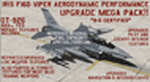
This performance modification and repaint texture package is for the IRIS "Pro Series" F-16D Viper. The performance modifications will upgrade ALL FOURTEEN (14) of your Iris F-16D/CFT models and make them fly like real F-16's! Think of this as an AWESOME tune-up job for your IRIS F-16D's...you'll be amazed at how GREAT your jets fly after this! Go from the runway to 40,000 feet in 90 seconds at Mach 1+, then reach a max Mach of 2.05. Go from 200-600 kts in under 30 sec. Pull 9g (sustained) turns in the CAT-1 jets and 7g turns in the CAT-3 jets. Perform precise aerobatic maneuvers and enjoy smooth "fly by wire"-like control! I also increased the internal fuel capacity to now hold 1,044 gallons (7,000lbs) like the real jet, and adjusted the weight and balance figures for the fuel and weapon loads. But I didn't stop there...I ALSO made a bunch of "visual" upgrades for the Iris F-16D/CFT jets as well! I repainted some of the "COMMON" texture files so now the buttons on the ICP pad look more used/worn, the Annunciator/Warning lights are now easier to read (ie, "MASTER CAUTION"), upgraded the ACESII ejection seat, reduced the amount of "pilot reflection" on the interior canopy glass in the "Virtual Cockpit" for a MUCH clearer view, painted pilot textures for either Desert Tan or OD Green flight suits (you choose!), PLUS repainted/upgraded the "LIVE" weapon textures and ALSO painted textures for "INERT" blue weapons (you choose!). The installation for both the "Aerodynamic Performance Modification" and the cockpit, pilot & weapon texture upgrades are quick and easy, and you'll find the installation instructions in those folders.
| Filename: | Iris_F16D_Viper_Aerodynamic_Performance_Modificati.zip |
| License: | Freeware |
| Added: | 8th February 2024, 04:01:21 |
| Downloads: | 138 |
| Author: | Daniel Gregory |
| Size: | 9.46 MB |
| Category: Flight Simulator 2004 - Scenery | |
| Brevoort CWOB and BAF-3 radar plus Cartwright LAB-6 radar Canada |
|
Images related to this file:
File Description:
Brevoort airstrip and the BAF-3 radar it serves is on Brevoort Island, off one of the southeastern tips of Baffin Island and 140 miles east of Iqaluit. This scenery includes the BAF-3 buildings on the hilltop and those on the airstrip below, plus the roads connecting them and down to the beach landing area on the rocky coast. This scenery is made for the FSGenesis 76m terrain mesh for northern Canada, and there will be a repost of all my northern Canada airfields to suit this; I cannot think now why I never installed this mesh before. The AI reflects the use of civil airlines for resupply and transportation of personnel. Given the terrain the wind should be from the north so that ai lands using the 02 runway. Landing from the north will involve a terrain clash while take off towards the north will not as the climb out clears the hilltop. The video shows the 600 foot cliff at the runway threshold and an Air Tindi plane on the apron. Cartwright CYCA is on the Labrador coast and has been posted by Flight Ontario as part of their Goose Bay and Labrador Regional Airports sceneries. The nearby LAB-6 radar site is included here, connected to CYCA by an extended road. The site uses the same buildings as Brevoort and Saglek (posted recently) and although I have included them here as separate sceneries the contents can be placed in the same folders as Saglek with a saving in duplicated textures. The textures here are more accurate than Saglek so say yes to over-write; a downloader with personal experience of Brevoort noted that in reality they are lighter.
| Filename: | Brevoort_CWOB_and_BAF3_radar_plus_Cartwright_LAB6_.zip |
| License: | Freeware, limited distribution |
| Added: | 20th August 2017, 15:46:36 |
| Downloads: | 175 |
| Author: | Roger Wensley |
| Size: | 4.37 MB |
| Category: Flight Simulator X - Aircraft Repaints, Textures and Modifications | |
| Southwest Airlines Boeing 737-700 v2.2 Final Package |
|
File Description:
**** THIS FILE SUPERCEEDS MY ORIGINAL FILE b737_700_southwest_v21.zip **** v2.2 - REPORTED BUGS HAVE BEEN CORRECTED. The 737 was born out of Boeing's need to field a competitor in the short-range, small capacity jetliner market which had been opened up by the BAC 1-11 and the Douglas DC-9. Boeing was badly behind however when the 737 program was initiated in 1964, as both of these rivals were already into their flight certification programmes. The 737 was cheaper and quicker to design, featuring six-abreast seating compared to the 1-11 and DC-9's five-abreast layout.By the 1990s, the 737 had lost ground technologically to the newer Airbus A320. In 1993, Boeing initiated the 737-X or Next Generation (NG) program. The Next-Generation 737 encompasses the -600, -700, -800 and -900, and amounted to a complete redesign of the 30-year old airliner. The 737NG is an entirely new aircraft, sharing very little with previous 737s, other than fuselage frames. New wings, new avionics and revised engines were the biggest engineering changes. The 737 was given a glass cockpit with CRT screens (except the -900, which had newer and higher tech LCD screens) and digital systems inspired by the ones that were used on the 777. The parts count is down by about 33%, reducing weight and simplifying maintenance. Additional changes since its introduction include a new interior and performance enhancing winglets which reduce fuel consumption and improve take-off and climb performance. All textures have been modified in DXT-3 format for crisp visuals without comprimising frame rates. Includes the default FS-X Boeing 737 panel. Sounds have been defaulted to the FS-X 737-800, however I recommend the excellent 737 CFM56 "the real deal" version 2 soundpack (file name:737_cfm56__the_real_deal_version_2.zip located at AVSIM.com) for this aircraft series. Additionally, this aircraft series has no Virtual Cockpit (VC), therefore you must fly them using the 2-D default panel view only! This package includes Southwest Airlines liveries (Canyon Blue, Maryland One, Nevada One, Old Color & Shamu).
| Filename: | Southwest_Airlines_Boeing_737700__v22_Final_Packag.zip |
| License: | Freeware |
| Added: | 9th December 2006, 20:24:49 |
| Downloads: | 11,832 |
| Author: | Brian C. Selb |
| Size: | 13.59 MB |
| Category: Flight Simulator X - Utilities | |
| Graphic Realism and FSX Optimization |
|
File Description:
The add-ons configuration step by step
Not configured FSX is a pain in the neck for many people. A small number of fps and frequent CTD (crash to desktop) can be extremely annoying or even depressing to some users. A lot of you probably came to a conclusion that it was going to be a losing battle and you gave up after a few fruitless days or you spent money on the FSPS-XTREME FSX PC V2 program, which can automatically do practically everything for us. But what's the point of spending money on something that we can do by ourselves with the help of this handbook?
I myself was dealing with the FSX platform three times before I gave up FS9. Microsoft gave out the engine to us, but in order to make sense, our passion involves radical tuning of the device. On the ground of one's own experience and thousands of hours devoted by people to diving into the core of the platform, I'll present a way of installation, add-ons selection and their configuration starting from the installation of the system. Having done the procedures described below, FSX will look beautiful and it'll work smoothly even with challenging sceneries. The entirety is based on quite a popular hardware configuration, which will let us use 85% of the graphic potential of Microsoft Flight Simulator X. We want t to achieve the goal of minimum 25 fps in VC B738 PMDG NGX, with challenging sceneries, flying in the window mode. For the mode the full screen efficiency should reach 33 fps.
In this handbook, I'm neither going to describe each and every change made in cfg nor explain what the alterations are to conduce. You will be given a simple and ready recipe which I use myself. I can't guarantee a 100% satisfaction for the poorer equipment computers. I can assure you, however, that FSX will definitely work so much better and playing with FSX sliders or with the size of textures in REX you will be able to obtain the desired effect.
| Filename: | Graphic_Realism_and_FSX_Optimization.zip |
| License: | Freeware, limited distribution |
| Added: | 15th November 2013, 20:33:26 |
| Downloads: | 5,744 |
| Author: | Grzegorz Trzoch |
| Size: | 3.96 MB |
| Category: Flight Simulator X - Miscellaneous Files | |
| 737NG Normal Procedures Non-APU version |
|
Images related to this file:
File Description:
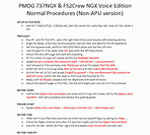
After some input and ideas from a fellow FS2Crew pilot here is a non-APU version of my flow and checklist to even closer mimic real world OPs the way many big airlines operate in real life every day at big airports around the world where the use of APU is limited to only a short period of time a couple of minutes before engine start. I also (don't I always ;-)) did some other changes and what I think improvements since my last version so give it a try and see what you think! About fitting the list on 2 A4 pages when printing it from WordPad please set all your margins to 25 mm in WordPad and uncheck the option to print the page numbers. This time I will not ask the AVSIM Library Managers to replace my old version with this one since some of you might still want the version where the APU is used depending on what kind of flights you do and to what kind of airports. Instead this will be uploaded as a new and separate version.
A flow/checklist for flying PMDG's 737NGX with FS2Crew Voice Edition. Did this mainly for my own use meaning the flow/checklist is adjusted for how I do my flying and with the addons I use like Aerosoft AES for example. Please also be aware this is not the kind of flow/checklist that includes all things you need to perform during a normal flight but instead you are expected to already have a general knowledge of both the NGX and FS2Crew. However I thought others might be helped by this too both newbies to get you going with the "flow" using FS2Crew but also for the more experienced users as a simple to print out and use memory note. It's also easy for you to change whatever you like to suit your own needs better since I created it in common rtf format using the standard Wordpad Windows application. I deliberately made it as compressed as possible leaving out stuff like all the answers to the checklists etc so it would fit on a single A4 sheet being easy to print and maybe also laminate if you like. Hope you'll enjoy it!
| Filename: | 737NG_Normal_Procedures_NonAPU_version.zip |
| License: | Freeware |
| Added: | 22nd June 2012, 03:34:37 |
| Downloads: | 1,085 |
| Author: | Richard Asberg (with input from Peter Wolf) |
| Size: | 6.36 KB |
| Category: X-Plane - Original Aircraft | |
| Spruce Goose for X-Plane 6.4/6.51 (hk-1/H-4 Hercules) |
|
File Description:
Spruce Goose v1.0 for X-Plane copyright (c) by Robert App, January 2003. History of the "Goose" - Officially designated the HK-1 (this project started out as a join venture between Hughes Aircraft and Kaiser) and later designated the H-4 Hercules after Kaiser was unable to work with Howard. It was and still remains the largest (physical dimensions wingspan and length) aircraft ever built, with the largest radial engines ever built by the West (28 cylinder, 3000 HP). The plane had to be constructed mainly of wood due to the shortage of strategic metals caused by WWII. The plane became known as the "Spruce Goose" or "Flying Lumberyard" despite the fact that the wood frame and skin were constructed mainly of laminated poplar; it also involved "sandwich" construction. The plane was flown briefly on a trial taxiing run but Hughes never allowed the plane to be flown again. Speculation has always been rampant that the design was flawed and the plane could not have met the original specification requirements. The X-Plane model is as accurate as is possible with limited plans available to me. The main wing is an X-Plane standard symmetrical high lift airfoil as opposed to the high lift asymmetrical foil section used in the actual plane. The main wing angle of attack has been adjusted to emulate the asymmetrical foil as closely as possible.
Flight Testing the Goose - I have spent many hours testing the plane on X-Plane which with few exceptions provides a very accurate flight model. The published landing speed (79 mph) pretty well verifies the takeoff speed of 52 to 55 knots (k/hr x 1.15 (approx.) = mph). In straight flight the plane is difficult to stall since the nose quickly drops and increases speed if a stall develops with a significant loss of altitude. The plane has a range on 14000 gallons of fuel and takeoff weight of 350,000 Lbs of well over 3000 nautical miles. San Diego to Wake Island via Midway Attol is a piece of cake with lots of fuel to spare at 350,000 lb GW. The plane is flyable at a GW of over 410,000 lb but climb rate is very sluggish (max 400-600 fpm) and loss of speed due to excessive side slip can cause a fatal stall, in straight flight the plane is difficult to stall. So far my conclusion is that with todays materials and jet engines (which may be a future project) this aircraft could probably be competitive in performance with todays planes. With aluminum alloys that were available during its construction its performance would probably have exceeded the initial requirements.
| Filename: | Spruce_Goose_for_XPlane_64651_hk1H4_Hercules.zip |
| License: | Freeware, limited distribution |
| Added: | 31st January 2003, 05:19:19 |
| Downloads: | 1,739 |
| Author: | Robert App |
| Size: | 1.69 MB |


© 2001-2026 AVSIM Online
All Rights Reserved
Privacy Policy |