
Where Flight Simulation Enthusiasts Gather from Around the World!
AVSIM Library - Search Results

| Category: Prepar3D V1-4 - Utilities | |
| MultiTool Prepar3D v3.2 |

|
Images related to this file:
File Description:
Multi-Tool Prepar3D v3.2 is a collection of tools, a number of them unique, extending the capabilities of P3D.
New features in v3.2 :
- Adjustable Horizon/Aircraft banking
- Bug fixes/Improvements on previous functions
Previous features include :
- Custom Flybys, user defined camera flyby paths.
- Roaming Flybys, computer generated camera flyby paths.
- Active Observers views placeable by clicking on a top-down view
- Find My Way Home random aircraft positioning.
- 3D Native Stereoscopic Output.
- Head tracking additions: Ordinals, Take off lock, View switching by head movement , Spot up/down tracking.
- Camera Shake + Vibration : Turbulence, G, ground roll, side slip, spoilers.
- Easy 2D & 3D custom cameras definitions.
- XYZ Position (Eyepoint) Mouse Move similar to the Mouse Look pan function, i.e. hold down a key and reposition your eyepoint with your mouse.
- POV conversion to multiple controller buttons.
- Keystroke macros to perform menu functions. - Landing lineup with runway camera.
- Multi screen VC setup. - Save/Recall view setup by aircraft.
- Recallable position autosaving. and more....
Youtube Channel https://www.youtube.com/channel/UCnFQCGMTB7eL-MFTHf8NFbA
| Filename: | MultiTool_Prepar3D_v32.zip |
| License: | Freeware |
| Added: | 22nd December 2016, 07:47:21 |
| Downloads: | 917 |
| Author: | Richard Barry |
| Size: | 3.74 MB |
| Category: Prepar3D V1-4 - Utilities | |
| Global_Classic_A.I._Ship_traffic_V1_ship_ locator |
|
File Description:
Global Classic A.I. Ship traffic V1, ship locator.
This is a data program to help you locate the
vessels in Henrik Nielsen's wonderful 'Global Classic A.I. Ship traffic V1' program.
My locator program contains:
A folder for Google Earth with the routes shown, the number of the route
and what ships are on that route.
A sailings list with departures and arrivals of each route.
A list of all the ships names and the routes you can find them on.
This program isnt FSX or P3d dependant.
by Carl Vokes
| Filename: | Global_Classic_AI_Ship_traffic_V1_ship__locator.zip |
| License: | Freeware |
| Added: | 7th April 2021, 17:08:14 |
| Downloads: | 117 |
| Author: | carl vokes |
| Size: | 3.8 MB |
| Category: Prepar3D V1-4 - Utilities | |
| Remote Server 4.1.1 with Remote CDU and Remote Overhead |
|
Images related to this file:
File Description:
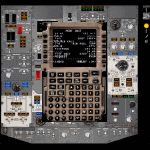
Use your tablet or phone to interact with the CDUs in PMDG's 737, 747, 777, Leonardo's Maddog MD-82, Aerosoft's CRJ (including DAVE!) and TFDi's B717! Additionally, you can connect the remote Overhead Panel to PMDG's 737 NGX's from a networked PC. Note: For the Aerosoft CRJ, you need to have SP1 installed - please check the availability.
Please note - this is the last version of Remote Server that will be uploaded to AVSIM. Please check http://www.flightsimapps.com for future updates!
| Filename: | Remote_Server_411_with_Remote_CDU_and_Remote_Overh.zip |
| License: | Check within download |
| Added: | 2nd June 2018, 00:19:15 |
| Downloads: | 15,777 |
| Author: | Mark Foti |
| Size: | 12.04 MB |
| Category: Prepar3D V1-4 - Utilities | |
| Ground Services Soundpack for GSX |
|
Images related to this file:
File Description:
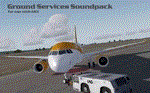
Version 1.4 of Ground Services Soundpack for GSX. These are an alternative to the original files. You must have a fully registered version of GSX for them to be of any use. There are no original files in this archive. Some files supplied are "empty" by design. Version 1.4 includes a choice of 2 different boarding sound sets (with 2 regional voice sets) to suit boarding at a gate, or boarding on an apron. Replacement pushback and deice sounds included. Provided to you free of charge - but please read the instructions! :) Enjoy
| Filename: | Ground_Services_Soundpack_for_GSX.zip |
| License: | Freeware |
| Added: | 20th April 2018, 04:20:38 |
| Downloads: | 10,775 |
| Author: | Nick Kidd |
| Size: | 119.51 MB |
| Category: Prepar3D V1-4 - Utilities | |
| Flightplan Visualizer 1.10 |
|
Images related to this file:
File Description:
Flightplan Visualizer (FV) version 1.10.0. Copyright 2018-2019 by Pelle F. S. Liljendal ([email protected]), all rights reserved.
FV comes with 300 Commercial-, and +380 BizJet AI pre-imported flightplans which the creators of those flightplans have gracefully allowed me to include with the installer, however you are able to import additional (AI) flightplans if you want to. Once imported these (AI) flightplans can be visualized on a map-view, and the user will be able to search accross all these. Hence you can use the program as inspiration as to which routes to fly. E.g. you can search across all imported flightplans to find all flights in an A321 flying into/out from LDDU, or simply to look for all flights in a Boeing 747-8F.
Simply run the included installer to install the software. The program will be installed into "C:\Program Files (x86)\Flightplan Visualizer" and all datafiles will be installed into: "C:\Users\[UserName]\AppData\Roaming\FlightplanVisualizer". The program comes with a full manual explaining everything, and a 3 page quick manual to get you started. The first 3 times you run the program the quick manual will automatically open. The forum is hosted here: https://forum.aerosoft.com/index.php?/forum/919-flightplan-visualizer/
Version 1.10 Contains the following changes: In the flightplan combo-box at the bottom of the main-form, "Active Search" have been renamed into "Last Search". Picking "Last Search" from the flightplan combo-box, will re-execute the last performed search, and populate the map accordingly. A new entry called "None", have been added flightplan combo-box (at the top of the list). Chosing this item will "deselect" the otherwise current search or selected flightplan, and clear the map of routes. A form have been added to assist enabling/disabling flightplans. Gate-letters/numbers are now by default written using a (5x7) Matrix-"font". If you want to revert to the segment-"font", used in previous versions, simply set the value of the "UseMatrixGateChars" tag in the settings-file to false. changed how the Gate-letters/numbers are written in the round gate-markers on the map. Previously all "chars" had the same width. Now the width is dependant on which sub-elements are in use by each "char" (e.g. a "1" is not as wide as an "8"), as a result the gate letter/number are more easy to read. Zulu- and local-time added to the "Selected airport" group-box in the upper/right corner of the main form. If no airport is selected, or no time-zone is registred for the selected airport, only zulu-time will be displayed. Selections of favorite aircraft can now be saved and loaded.⦠This selection of aircraft can be loaded as a selection of aircraft in the "Search leg" form. Video tutorials can now be accessed from the "Help" menu. These are simply "links" to the actual videos on YouTube, hence will launch the default browser. If you hold SHIFT the url will in stead be copied to the clipboard (e.g. in case you want to upen the link in another browser). In the same manner the "Help" menu now contains a link to the forum. The form with decoded METAR/TAF-messages now shows: name, city, and country/state for the selected station in the caption. This text will also be embedded when copying the content to the clipboard. Likewise UTC/Local-time is also embedded when copying the content to the clipboard as it can be used to show the "age" of the report and convert between UTC and Local -times (based on the difference of UTC- and local-time). The info presented when pressing the "Show Scenery Gates" button on the Airport Info form, can now be copied to the clipboard. Various minor "behind the scenes" changes and optimizations. Added support for additional aircraft: Airbus A220-100 (CS100), Airbus A220-300 (CS300), Boeing 777-8 and Boeing 777-9. Listviews containing both (aircraft) IATA and ICAO-codes now all list them in the following order: IATA, ICAO (both individual sortable). Hovering the mouse over gate-markers the hint window will no show the radius both in meters and feet. Editing gate-info you will now see more info for the gate being edited: Type, Size (meters and feet) and if applicable: airlines. Fixed: Minor bug in relation to how the airport size was calculated. Fixed: IATA/ICAO columns were swapped when choosing Favorite Aircraft. Fixed: Typo on the METAR/TAF-decoder form.
| Filename: | Flightplan_Visualizer_110.zip |
| License: | Freeware, limited distribution |
| Added: | 5th June 2019, 21:20:51 |
| Downloads: | 320 |
| Author: | Pelle Liljendal |
| Size: | 24.81 MB |
| Category: Prepar3D V1-4 - Utilities | |
| AI Aircraft Editor.NET V.3.3.40 |
|
Images related to this file:
File Description:
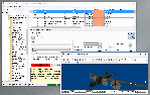
AI Aircraft Editor.NET (AIAE.NET) allows easy validation and modification of your aircraft configuration files. It allows mass-updating of specific keys. It checks the [fltsim.x] sequences for correctness. You can re-number sections and format the aircraft.cfg file. AIAE.NET allows to change the wingspan size for FS9 and for FSX and later aircraft. You can run a detailed validation on a selected aircraft or on all aircraft below a given root folder. The validation checks for missing and unused textures, models and air files, duplicate titles etc. You choose to see either an overview, detailed or error report. AIAE.NET features a model viewer (by courtesy of Arno Gerretsen), allowing you to see any selected model and texture.
| Filename: | AI_Aircraft_EditorNET_V3340.zip |
| License: | Freeware, limited distribution |
| Added: | 12th March 2022, 19:28:16 |
| Downloads: | 294 |
| Author: | Martin Gossmann |
| Size: | 4.54 MB |
| Category: Prepar3D V1-4 - Utilities | |
| GroundAssist 23.8.1 |
|
Images related to this file:
File Description:
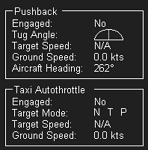
Supports FSX, FSX:SE, and P3D v3 through v6.
Detailed user manual included.
Contains two functions that are useful for ground-based operations:
* Pushback. Allows user to control a pushback tug, and receive visual feedback regarding speed and turn direction.
Optional animated tug model, including GSX models if installed.
Optional use of a controller axis to drive the tug.
* Taxi Autothrottle. Works similar to an in-flight autothrottle, but meant for taxiing.
No more fiddling with throttle controls to find that sweet spot!
Throttle levers are uniformly and smoothly operated.
No more fiddling with throttle controls to ensure uniform thrust!
| Filename: | GroundAssist_2381.zip |
| License: | Freeware, limited distribution |
| Added: | 3rd August 2023, 19:01:44 |
| Downloads: | 103 |
| Author: | William Ruppel |
| Size: | 47.95 MB |
| Category: Prepar3D V1-4 - Utilities | |
| Servinfo 2.02 update 2019 |
|
File Description:
Mayor update of servinfo 2.02 concerning to new airlines logos and update of older airlines logos. New airlines created in the last few years. Increase of database related with airports missing in early servinfo versions: e.g: Russian, Indian, Pakistani, Chinese airports, etc. Correct location of airports. New airports and some other locations corrected. New airports in construction in real life are already included such as: New Istanbul International Airport (LTFM), New Dakar Blaise Diagne International Airport (GOBD), etc.
| Filename: | Servinfo_202_update_2019.zip |
| License: | Freeware |
| Added: | 8th January 2019, 15:21:41 |
| Downloads: | 388 |
| Author: | Nibaldo Soto Araya |
| Size: | 5.97 MB |
| Category: Prepar3D V1-4 - Utilities | |
| Flight Simulator First Officer (FSFO) QW787 Edition |
|
File Description:
Flight Simulator First Officer 787 QW Edition is a must have utility specifically coded to work with all versions of the Quality Wings 787; in short, it adds a touch of realism while providing a copilot to share cockpit responsibilities. FSFO 787 does not require strict adherence to Standard Operating Procedures (i.e. scripts), reading lengthy manuals or precise speech. To that end, it can be as complex or simple as you want; for example, FSFO can complete the entire Pre Flight procedure/flow, or only those functions you chose not to accomplish. Regardless, he will check every switch to ensure it's placed in the correct position for any flight phase. Just hit connect and fly with confidence that your First Officer is helping you fly this complicated aircraft.
| Filename: | Flight_Simulator_First_Officer_FSFO_QW787_Edition.zip |
| License: | Freeware, limited distribution |
| Added: | 2nd August 2020, 19:38:02 |
| Downloads: | 438 |
| Author: | Matthew R King |
| Size: | 201.64 MB |
| Category: Prepar3D V1-4 - Utilities | |
| Flight Simulator First Officer (FSFO) V3.1 |
|
Images related to this file:
File Description:
Flight Simulator First Officer V3.1 is a generic copilot designed to work with any aircraft that conform to Xplane (via XPUIPC), FS9, FSX and P3D V3/V4 SDK; in short, it adds a touch of realism while providing a copilot to share cockpit responsibilities. FSFO V3 does not require strict adherence to Standard Operating Procedures (i.e. scripts), reading lengthy manuals or precise speech. To that end, it can be as complex or simple as you want; for example, FSFO can complete the entire Before Start Checklist, or only those functions you chose not to accomplish. Regardless, he will check every switch to ensure it's placed in the correct position. Just hit connect and fly with confidence that your First Officer is there sharing responsibilities For a list of features, go here: http://flightsimaddons.proboards.com/thread/106/introducing-fsfo-v3. Change log from 3.0 to 3.1 here: http://flightsimaddons.proboards.com/thread/109/updates
| Filename: | Flight_Simulator_First_Officer_FSFO_V31.zip |
| License: | Freeware, limited distribution |
| Added: | 5th July 2019, 03:28:07 |
| Downloads: | 1,654 |
| Author: | Matthew King |
| Size: | 200.76 MB |


© 2001-2026 AVSIM Online
All Rights Reserved
Privacy Policy |