
Where Flight Simulation Enthusiasts Gather from Around the World!
AVSIM Library - Search Results

| Category: Flight Simulator X - Utilities | |
| 'MyConfig' Configuration Editor v1.1.0 (Final) |

|
File Description:
After changing the display settings in FSX, the values for e.g. TEXTURE_MAX_LOAD, CLOUD_COVERAGE_DENSITY and LOD_RADIUS are reset to their default values, which is mostly not preferred. FSX MyConfig automatically restores your preferred parameter values as kept in the configuration file fsx.cfg. I wrote the progam because the alternative: copy/paste a backed up fsx.cfg, has the risk of replacing the present fsx.cfg with an outdated one resulting in valid (recent) changes made by FSX or an add-on are lost, Moreover, managing a few parameter values, which you want never to be changed, is much easier accomplished by means of the relatively short FSXMyConfig.cfg file.
| Filename: | MyConfig_Configuration_Editor_v110_Final.zip |
| License: | Freeware |
| Added: | 25th January 2012, 15:48:46 |
| Downloads: | 1,871 |
| Author: | Edward Sluijter |
| Size: | 12.28 KB |
| Category: Flight Simulator X - Utilities | |
| FSXProcesskiller BugFixed |
|
File Description:
FSX Processkiller is doing the same job as you can do manually with the task manager: For better performance you can kill unneeded processes. Processkiller will do this with one click. When you run it for the first time, you can "Add to Killlist" all processes, which are unnecessary. Next time, you just hit the "Kill processes" button. It's no big thing, I made this originally for own pleasure^^ Notes: a) This program should run on WinXP and Windows Vista b)This bugfixed release removed the Installer, since the shortcuts/startmenu entries did not work properly c) Other changes: Removed the messageboxes after killing a process, added some colors, improved error handling, ...
| Filename: | FSXProcesskiller_BugFixed.zip |
| License: | Freeware |
| Added: | 24th June 2007, 16:34:12 |
| Downloads: | 3,467 |
| Author: | Chris Tester |
| Size: | 7.28 KB |
| Category: Flight Simulator X - Utilities | |
| Wheelcam 1.2 |
|
File Description:
This program is a very basic tool that implements mouse-based panning and eyepoint adjustments, including the ability to move your eyepoint beyond the limits imposed by Flight Simulator X (this feature is good to stroll about virtual cabins of larger aircraft). The program is started with the FSX automatically. It runs in the background. When ending the FSX the program is also autoexited. It works like the known program F1-View for the FS2004. The sensitivity of the mouse wheel can be adjusted (with +/- on the Numpad, 0.05-100 m/Wheelunit). In the outer views one can move around the airplane freely in a radius of 1000 m. The view can be banking. The standard view can be restored with a key.
| Filename: | Wheelcam_12.zip |
| License: | Freeware |
| Added: | 11th March 2007, 22:47:47 |
| Downloads: | 6,330 |
| Author: | Gunnar Daehling |
| Size: | 1.26 MB |
| Category: Flight Simulator X - Utilities | |
| Flight Simulator First Officer V2 |
|
Images related to this file:
File Description:
Flight Simulator First Officer is a generic virtual copilot that can be used with any aircraft. The primary
function of FSFO is to assist the Pilot In Command (PIC) to fly the aircraft safely while adhering to
Standard Operating Procedures (SOPs). This is accomplished via virtual checklist and sharing of cockpit
duties/responsibilities. Specifically, the First Officer reads the following configurable checklist:
- Pre-Flight
- Before Start
- After Start
- Before Takeoff
- In-Range
- After Landing
- Shutdown
After reading the checklist item, the Copilot will wait to ensure you (i.e. the pilot) have configured the
aircraft correctly before proceeding to the next item. Also, the Virtual copilot is capable of performing
the following actions:
1. Call Vspeeds based on your input
2. Raise/Lower the Landing Gear on Takeoff/Landing
3. Retract the Flaps
4. Extend the Flaps
5. Manage the taxi/landing/strobe lights
6. Tune the ILS frequencies
7. Call Climb Power based on your input
8. Reset Vertical Speed when the Aircraft is within 1000 ft of the programmed altitude
9. IAS warning (e.g. Aircraft is above 250 IAS while below 10000 ft)
10. GS Warnings (e.g. Aircraft is above 25 knots while taxing)
11. Resets the altimeter to standards when passing TA
12. Engage Heading Hold on Takeoff
13. Engage Altitude Hold on Takeoff
14. Reset Speed on Takeoff
15. Engage Speed Hold on Takeoff
16. Engages Rev Thrust on Landing
17. Ground Proximity Warning System (GPWS)
18. Over Speed Warning
19. Stall Warning
20. Bank Angle Warning
21. Vref monitoring
22. Set AutoBrakes
23. Loads Fuel/Payload
24. Random Payload/Pax generator
25. Plus much more!
Share checklist and report bugs here: http://flightsimaddons.proboards.com/index.cgi#general
| Filename: | Flight_Simulator_First_Officer_V2.zip |
| License: | Freeware, limited distribution |
| Added: | 21st December 2013, 21:58:46 |
| Downloads: | 3,236 |
| Author: | Matthew King |
| Size: | 60.63 MB |
| Category: Flight Simulator X - Utilities | |
| FlyChrono |
|
Images related to this file:
File Description:
FlyChrono is a time management application for FSX, Prepar3D, and X-Plane. It syncs your simulator time to the real world zulu time.
Once FlyChrono is fully released, you will be able to:
-Sync the real-world zulu time with your simulator
-Manually set the time
-Set an alarm that goes off when you reach a certain distance before an airport or x minutes before your ETA to an airport.
FlyChrono also automatically updates, so there will be no need to re-download anything manually!
PREQUISITES:
If you use FSX/P3D, you will need FSUIPC.
If you use X-Plane, you will need XPUIPC.
TWO PROGRAMS WILL BE INSTALLED:
FlyCentral - This is where all FlyApps (my company's) applications are managed. It is required for FlyChrono's functionality.
FlyChrono - Time management tool for flight simulator.
| Filename: | FlyChrono.zip |
| License: | Freeware, limited distribution |
| Added: | 30th December 2017, 19:18:31 |
| Downloads: | 1,056 |
| Author: | Mark Ng |
| Size: | 291.67 KB |
| Category: Flight Simulator X - Utilities | |
| 737 800 NGX fuel planner 1.2 |
|
Images related to this file:
File Description:
CREATION
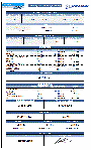
This fuel planner was made from datas collected by kACARS_free during flights test, and from the PMDG's tutorial, the result is approximate but corresponds relatively well to the consumption of the NGX.
OPERATION
You only have to fill the departure's ICAO - the distance until the arrival - the arrival's ICAO - the distance to the alternate airport - the ICAO of alternate.
You can change :
- APU time,
- taxi departure time,
- taxi arrival time,
- CDB fuel,
- holding fuel
You can also fill the adjustement's datas to the wind :
- average route,
- wind direction,
- wind speed.
If you have headwind, the fuel planner takes it into consideration, but not the tailwind, because the wind can be lower than expected!
If you have any question, ask me:
[email protected]
Changelog :
V1.1
- add fuel planner in kgs
v1.2
- add wind adjustment
- adjust enroute consumption
| Filename: | 737_800_NGX_fuel_planner_12.zip |
| License: | Freeware |
| Added: | 17th March 2013, 10:10:42 |
| Downloads: | 8,886 |
| Author: | Frederic FURST |
| Size: | 107.27 KB |


© 2001-2026 AVSIM Online
All Rights Reserved
Privacy Policy |