
Where Flight Simulation Enthusiasts Gather from Around the World!
AVSIM Library - Search Results

| Category: Flight Simulator X - Utilities | |
| FSX Flightplan to FS9 Flightplan |

|
File Description:
In contrast to FS9, it is possible in FSX to implement user-defined waypoints directly into a flightplan by dragging and dropping it into the map (this goal can evidently be achieved in FS9 only with the assistance of AddOn tools like e.g. FlightSimCommander). This program enables the user to convert a flightplan, created with the flightplanner in FSX, directly into the corresponding flightplan in FS9, thereby making it possible to implement user-defined waypoints also in FS9 flightplans without the help of AddOns.
| Filename: | FSX_Flightplan_to_FS9_Flightplan.zip |
| License: | Freeware |
| Added: | 3rd March 2007, 13:31:15 |
| Downloads: | 1,806 |
| Author: | Gerhard Berendt |
| Size: | 70.54 KB |
| Category: Flight Simulator X - Utilities | |
| AI Traffic Editor v1.1 |
|
Images related to this file:
File Description:
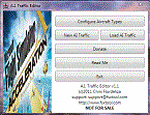
A.I. Traffic tool is created to provide a way for the average flight simulator players to be able to utilize the Traffic Builder SDK included with Microsoft�® Flight Simutor X. The tool's main functionality is to create A.I. Traffic that uses all aircraft textures present in the user's FSX directory.
NEW TO THIS VERSION: 1. Fixed the error in duplicate aircraft ID, 2.Added manual FSX and FSX directory search, 3. Fixed the issues where in aircraft flies in a wrong day for weekly schedules, 4. Revised documentation, added tutorials.
| Filename: | AI_Traffic_Editor_v11.zip |
| License: | Freeware |
| Added: | 20th February 2011, 21:01:27 |
| Downloads: | 3,454 |
| Author: | Christopher Flordeliza |
| Size: | 4.05 MB |
| Category: Flight Simulator X - Utilities | |
| FSDbBuild V1.0.2 for FStarToFS2K (Fully functional Release with Installer) |
|
File Description:
FSDbBuild is a Supplement for FStarToFS2K, it provides the possibility to build or update the Airport/Runway Database as used in FStarToFS2K. This Database is required because the from Jeppesen FliteStar/FliteMap exported Flight plans lack some important information as provided by FliteStar/FliteMap. The exported Flight plans don't provide the Information for the Departure Runway, which is a Requirement in Microsoft Flight Simulator 2000/2002/2004/FSX and Lockheed Martin Prepar3D.
In this current Version of the Utility, only the old plain Text-type Airport/Runway Data file - a Relict from Erni Alston's FSBuild 1.3.9 around the Year 2000 or even older - will be created, accompanied by a simple Indexing Mechanism Index file to speed-up the Search. A future Release will create a SQLite Database, which will be implemented also in FStarToFS2K V1.2.0 which will be released within the coming Weeks or Month. In Fact, this Airport/Runway Data file could also be used by Erni Alston's FSBuild, if there are any Users still around of this Flight Planning Software from 2000.
This program evolved from the necessity, that the with FStarToFS2K Program Package supplied Airport/Runway Data file was totally outdated, dating back to 2000 or even older! This shortcoming will now be eliminated, the User has now the possibility to build the Information according to the Data contained in his installed Microsoft Flight Simulator 2000/2002/2004/FSX or Lockheed Martin Prepar3D according the Scenery Configuration. For Installation and other Information consult the FSDbBuild Readme.txt file in the Zip-file.
Several Issues have been discovered and (hopefully) fixed. The detection of any Flight Simulator (MS FS 2002/2004/FSX or LM P3D V1.x) works now also correctly, also on 64bit machines. If you have the previous Versions of FSDbBuild (V1.0.0 & V1.0.1) installed, you should install now V1.0.2. Please note, this Utility is not only for Microsoft Flight Simulator X, it also supports Lockheed Martins Prepar3D V1.x!
| Filename: | FSDbBuild_V102_for_FStarToFS2K_Fully_functional_Re.zip |
| License: | Freeware |
| Added: | 25th July 2014, 00:00:24 |
| Downloads: | 396 |
| Author: | Conrad F. Staeheli |
| Size: | 4.43 MB |
| Category: Flight Simulator X - Utilities | |
| MH's FS Scenery Configurator V1.01 Fix |
|
File Description:
"MH's FS Scenery Configurator" is a small program which can do a lot of operations regarding the "scenery.cfg" file where information on installed scenery is stored by FS. It can insert or remove scenery paths (layers), it can move up or down layers, it can search for a installed scenery etc. The most interesting thing is that the program can be controlled through a text file which contains a list of normal command line parameters. This allows easy installation of complete scenery containing archives.
Version 1.01 fixes unfortunate bugs of last week's V1.0 and improves functionality!
| Filename: | MHs_FS_Scenery_Configurator_V101_Fix.zip |
| License: | Freeware, limited distribution |
| Added: | 29th March 2007, 01:34:43 |
| Downloads: | 687 |
| Author: | Michael Heise |
| Size: | 73.42 KB |
| Category: Flight Simulator X - Utilities | |
| 737 NG dispatch |
|
Images related to this file:
File Description:

This AirChild dispatch was created with the database and formulas from the dispatch sheet created by Lasse Kronborg, with his kind agreement I encourage you to download his file available on avsim (http://library.avsim.net/esearch.php?DLID=176737)
I can assure you he did an amazing job on the performance calculations.
To establish a flight, make the adjustment in setting page, then using orange buttons, complete each page (you can return to the menu by clicking on the title of each page), a warning summary in performance page, tells you if you are out of range, if not, "flight parameters ok" will be displayed.
| Filename: | 737_NG_dispatch.zip |
| License: | Freeware |
| Added: | 4th June 2013, 15:04:30 |
| Downloads: | 1,945 |
| Author: | Frederic FURST |
| Size: | 5.35 MB |
| Category: Flight Simulator X - Utilities | |
| FlyLive |
|
Images related to this file:
File Description:

FlyLive is a fully free and fully featured* flight simulation streaming suite.
Looking to beef up your FSX/P3D livestream for zero charge? You're at the right place! FlyLive is dedicated to satisfying even the most serious flight simulator streamers. The features are packed together in a sophisticated yet simple and user friendly interface - making it surprisingly easy to set up, with the help of the documentation.
The purpose of FlyLive is to inject flight data from your simulator into your livestream, so your audience don’t have to look at the tiny numbers on the flight instruments to know what’s going on. It is designed specifically for streamers who want to “up their game†in Flight Simulation streaming, but don’t have the knowledge to code something.
Perquisites
FlyLive relies on FSUIPC to extract data from the Simulator. You MUST have FSUIPC installed (free or registered) on your computer to use this software. FSUIPC can be downloaded from http://www.schiratti.com/dowson.html
You must have a broadcaster/recorder that can read from text files constantly. OBS Studio is an excellent, open source free broadcasting suite which FlyLive supports. OBS can be downloaded from https://www.obsproject.com
A *legal* working copy of any FSX version or P3D (except v1) with FSUPC must be installed on your computer.
*compared to similar programs
| Filename: | FlyLive.zip |
| License: | Freeware |
| Added: | 19th May 2017, 16:40:58 |
| Downloads: | 370 |
| Author: | Mark Ng |
| Size: | 100.24 KB |
| Category: Flight Simulator X - Utilities | |
| Random Flight Database 2.5.4 |
|
File Description:
Random Flight Database is a simple and easy to use application. It will allow you to randomly choose a flight according to your criteria. A default database is already included, but also the possibility for each user to create his own database. But it's not all, you can also extract the flights of the day for an airport, or extract flights on a full week. Windows Only Install : Execute .exe Contact [email protected] https://mikoulprostgrandprix.wixsite.com/randomflightdatabase All my downloads for RFD : https://forums.x-plane.org/index.php?/profile/170054-mikoulprostgrandprix/ Other install : execute the shortcut "Check Update Random Flight Database" Do not hesitate to send me bugs, or proposals. Thanks
| Filename: | Random_Flight_Database_254.zip |
| License: | Freeware |
| Added: | 20th December 2019, 02:54:34 |
| Downloads: | 110 |
| Author: | mikoulprostgrandprix |
| Size: | 73.13 MB |
| Category: Flight Simulator X - Utilities | |
| Port Simmer's Sky / Overland airliners into FSX - Version 2 |
|
File Description:
Porting Simmer's Sky (Overland) Airliners to FSX - Version 2
By Dave Nunez ([email protected])
This DOC file explains how to port some of Simmer's Sky (Overland) airliners into FSX (with working panels, sound, pushback trucks, jetways & baggage carts, and camera definitions). You must have some of these airliners installed for this to make any sense!
This version includes instructions for porting the following:
SMS_777-200_W (Being 777-200)
SMS_777-200ER_W (Being 777-200ER)
SMS_777-300_W (Being 777-300)
SMS_A380-800 (Airbus A380-800)
SMS_MD11_V2 (McDonnal Douglas MD-11)
SMS_A300-600R_W (Airbus A300-600)
SMS_A319_W (Airbus A319)
SMS_A320_W (Airbus A320)
SMS_A321_W (Airbus A321)
SMS_767-300ER_W (Boeing 767-300ER)
| Filename: | Port_Simmers_Sky__Overland_airliners_into_FSX___Ve.zip |
| License: | Freeware |
| Added: | 25th October 2006, 20:04:40 |
| Downloads: | 3,539 |
| Author: | Dave Nunez |
| Size: | 24.41 KB |
| Category: Flight Simulator X - Utilities | |
| 'MyConfig' Configuration Editor |
|
File Description:
After changing the display settings in FSX, the values for e.g. TEXTURE_MAX_LOAD, CLOUD_COVERAGE_DENSITY and LOD_RADIUS are reset to their default values, which is mostly not preferred. FSX MyConfig automatically restores your preferred parameter values as kept in the configuration file fsx.cfg.
I wrote the progam because the alternative: copy/paste a backed up fsx.cfg, has the risk of replacing the present fsx.cfg with an outdated one resulting in valid (recent) changes made by FSX or an add-on are lost, Moreover, managing a few parameter values, which you want never to be changed, is much easier accomplished by means of the relatively short FSXMyConfig.cfg file.
| Filename: | MyConfig_Configuration_Editor.zip |
| License: | Freeware |
| Added: | 19th January 2012, 14:35:50 |
| Downloads: | 1,574 |
| Author: | Edward Sluijter |
| Size: | 11.89 KB |
| Category: Flight Simulator X - Utilities | |
| FsMobileFMC (FMC Controller for Mobile Devices for PMDG NGX) V1.0 |
|
Images related to this file:
File Description:
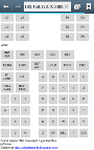
This tool enables you to enter 737 NGX's FMC input with "TOUCH" screen of your mobile devices. There are some mobile apps that moves your PC screen to mobile display, but they have restrictions(e.g. Windowed mode only) and effect on FS performance(FPS drop). FsMobileFMC is extremely lightweight so it has nearly no effect on FS performance. It works with any mobile devices(Smartphone or tablet, Android or iOS). You don't need to install any mobile apps, but can just use the web browser(Chrome or Safari). It only displays input keys excluding output screen, so you also have to look at FMC output screen on PC.
| Filename: | FsMobileFMC_FMC_Controller_for_Mobile_Devices_for_.zip |
| License: | Freeware |
| Added: | 20th November 2012, 17:10:06 |
| Downloads: | 1,271 |
| Author: | Dongjin Shin |
| Size: | 1.68 MB |


© 2001-2026 AVSIM Online
All Rights Reserved
Privacy Policy |