
Where Flight Simulation Enthusiasts Gather from Around the World!
AVSIM Library - Search Results

| Category: Flight Simulator X - Utilities | |
| FSXRC Graphical Remote Control |

|
Images related to this file:
File Description:
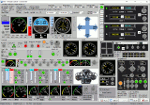
This is a FSX (only) Remote Control program with a GUI. It is intended to help you fly your various
aircraft without making changes to the aircraft files. This is a beta version with support for fixed
wing, combustion engine aircraft with 1 to 4 engines. It requires Pete Dowson's FSUIPC v4 with or
without WideFS, but it works best on a separate computer with the registered version of FSUIPC and
WideFS. The program will work for 30 days without a registration key. If you want a key, email me (see readme.txt file) with the installation code and your feedback.
With this application you can have a flight engineer working with you or an instructor can monitor and
challenge a student. You can simply use the app to help you control aspects of the aircraft that you
may not have easy access to.
| Filename: | FSXRC_Graphical_Remote_Control.zip |
| License: | Check within download |
| Added: | 16th June 2016, 08:15:08 |
| Downloads: | 182 |
| Author: | Scott Carpenter |
| Size: | 3.39 MB |
| Category: Flight Simulator X - Utilities | |
| FSTramp v8.84 for MSFS, FSX(-SE), Prepart3D, X-Plane (Win) |
|
Images related to this file:
File Description:
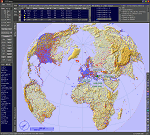
This add-on is an EXE application for Microsoft Flight Simulator and a DLL module for all other simulators. The DLL variant is activated via hotkeys or the simulator menu add-ons or plugins. Window size and layout are configurable for one or more screens. To avoid dazzling, the brightness of the entire application is customizable. Primarily it is a flight management system (FMS) with automatic control from start to landing. This also includes the observance of SID, STAR and Approaches in unmatched quality. The flight plan required for the FMS can be created manually or automatically, interactive changes and additions during the flight are possible. The basis of the flight planner is the 3D world map and the search function for airfields and navigation aids. The FMS by FSTramp relies on the autopilot of the aircraft. In case of incompatibility, the autopilot integrated in FSTramp will be used. This allows FSTramp to control almost all aircraft from airport to airport. The altitude profile of the flight plan, SID, STAR and approach is taken into account. This means that FSTramp extends the often incomplete airport procedures to and from the runway so that they can be flown completely automatically. During the fully automatic flight, the autopilot values ​​for HDG, ALT, VSPEED, SPD and MACH can be manually overridden. This is e.g. useful for being able to react to the instructions of the tower in the final approach without completely stopping the automatic flight. The rotating or north pointing 3D world map with numeric display of the terrain elevation under the mouse arrow is another special feature. It does not need an internet but is synthesized from included height profiles of the globe. The Data of continents, mountains and rivers are included in the setup. Airspaces, Airways, Waypoints and SID, STAR and Approaches are also included in the setup, but can be updated by installing additional AIRAC cycles. Airfields and navigation stations are taken from the simulator. NVIDIA: If the frame rate of the simulator drops sharply about 20 seconds after FSTramp's visibility, the power management of the GPU slows down prematurely. In the NVIDIA Control Panel, change the 'Manage 3D settings - Power management mode' option to 'Adaptive'.
| Filename: | FSTramp_v884_for_MSFS_FSXSE_Prepart3D_XPlane_Win.zip |
| License: | Shareware, time limited |
| Added: | 7th July 2023, 04:35:43 |
| Downloads: | 130 |
| Author: | Helge Schroeder |
| Size: | 358.21 MB |
| Category: Flight Simulator X - Utilities | |
| FSXRC Graphical Remote Control ** UPDATE ** |
|
Images related to this file:
File Description:
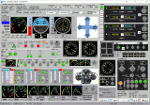
FSX - FSXRC Graphical Remote Control. This is an FSX (only) remote control program with a GUI. It is intended to help you fly your various aircraft without making changes to the aircraft files. This is a beta version with support for fixed wing, combustion engine aircraft with 1 to 4 engines. It requires Pete Dowson's FSUIPC v4 with or without WideFS, but it works best on a separate computer with the registered version of FSUIPC and WideFS. The program will work for 30 days without a registration key. If you want a key, email [email protected] with the installation code and your feedback. With this application you can have a flight engineer working with you or an instructor can monitor and challenge a student. You can simply use the app to help you control aspects of the aircraft that you may not have easy access to. By Scott Carpenter.
| Filename: | FSXRC_Graphical_Remote_Control__UPDATE_.zip |
| License: | Check within download |
| Added: | 6th July 2016, 09:10:06 |
| Downloads: | 150 |
| Author: | Scott Carpenter |
| Size: | 3.58 MB |
| Category: Flight Simulator X - Utilities | |
| FSX Engine and Flight Instrument Failure Generator |
|
Images related to this file:
File Description:
The FSX Engine and Flight Instrument Failure Generator program allows the user to simulate the loss of one randomly selected engine (out of 4 max) and up to five flight instruments: Airspeed Indicator (ASI), Attitude Indicator (AI), Altimeter (ALT), Vertical Velocity Indicator (VVI) and Directional Gyro (DG).
The program works with most FSX default aircraft and to varying degrees with payware aircraft depending on how much the payware aircraft adheres to the FSX of doing things. Failures are based on failure probabilities, ranging from 0 to 100%, assigned by the user to the engine(s) and each of the flight instruments. Failures occur at random times within a specified time period called the Failure Window which the user can specify to be from 1 to 240 minutes. The FSX Engine and Flight Instrument Failure Generator is a Lua program and requires a registered version of FSUIPC4. Operation and Installation manual included.
Al Klayton, Dan Sullivan
| Filename: | FSX_Engine_and_Flight_Instrument_Failure_Generator.zip |
| License: | Freeware |
| Added: | 2nd February 2016, 15:41:45 |
| Downloads: | 185 |
| Author: | Al Klayton and Dan Sullivan |
| Size: | 550.54 KB |
| Category: Flight Simulator X - Utilities | |
| Quantum Leap V1.1 |
|
File Description:
Quantum Leap is a simple utility (tested and working with FSX, P3D v3-v5 and MSFS) which can be run on the same PC as the sim or on a remote computer (using WideFS) to allow an aircraft at cruise to be repositioned in place and time, to in-effect "leap" forward to a future waypoint and time to avoid long periods of cruise and/or the instability issues associated with accelerated flight. It was written and tested with the PMDG B777/737NGX add-ons, but should work with most other add-ons as well. Requires the registered version of FSUIPC appropriate for the sim in use.
V1.1 - fixes a bug that reset the date to Jan 1st when leaping to a time in the next day, plus other small changes. Includes VASMon, a small utility to remotely monitor VAS usage on the FSX machine across a WideFS connection.
| Filename: | Quantum_Leap_V11.zip |
| License: | Freeware, limited distribution |
| Added: | 23rd September 2013, 15:46:17 |
| Downloads: | 1,302 |
| Author: | Bob Scott |
| Size: | 29.35 KB |
| Category: Flight Simulator X - Utilities | |
| NumberPad Control for FSX and P3D |
|
Images related to this file:
File Description:
NpC4FSX&P3D (NumberPadControl for FSX and P3D) is a more efficient (and more convenient to set up)
version of a similar NpC program that I wrote a few years ago and which to
my surprise PC Pilot magazine included on their 100th Anniversary edition Freeware CD. With
NpC4FSX&P3D you assign keys to functions like Com, Nav, Heading, Course, Altitude, VS,
Autopilot functions, etc., and then can enter the associated values (like frequencies or headings) just by typing on the
keyboard’s numberpad instead of fiddling with elusive mouse click spots. NpC4FSX&P3D is
programmed primarily for aircraft with avionics that were developed within standard FSX
programming guidelines but also supports third party add-
on aircraft such as the Flysimware L35A and MU2, PMDG 737NGX / B777, Flight1 King Air
B200, A2A Cherokee 180, and also works with GPS units like the GTN750. Setup manual included.
A registered (payware) copy of FSUIPC is required.
| Filename: | NumberPad_Control_for_FSX_and_P3D.zip |
| License: | Freeware |
| Added: | 19th February 2018, 21:21:16 |
| Downloads: | 481 |
| Author: | Al Klayton |
| Size: | 683.59 KB |
| Category: Flight Simulator X - Utilities | |
| NpC - Numpad Control for FSX v2.2.1 |
|
File Description:
NpC v2.21 - some small changes from v2.2 including a script you can use to switch autopilot input from Nav to GPS and instructions on moving and re-sizing and re-positioning the NpC message window.
NumPad Control (NpC) is a program for entering Com, Nav and ADF radio frequencies, Transponder codes, VOR OBS/CRS settings, Auto-throttle airspeed, and Autopilot altitude, vertical speed, and heading values in FSX using the keyboard number-pad instead of mouse click spots. NpC is programmed primarily for aircraft with default FSX avionics (radios, transponders, and autopilots that were developed within standard FSX programming guidelines). However, this updated version of NpC also supports a number of third party add-on aircraft such as the PMDG 737NGX / B777, Flight1 King Air B200 and the A2A Cherokee 180. NpC is a set of Lua scripts and thus requires a registered copy of FSUIPC4 to work.
An installation and configuration manual is also included in the file set.
For a video that gives an overview of NpC function see: https://www.youtube.com/watch?v=P2p6CHxMOl8&list=PL_NnG_PN8zwnEI59uGxlhgp11rJQbQ_gJ&index=2
| Filename: | NpC__Numpad_Control_for_FSX_v221.zip |
| License: | Freeware |
| Added: | 4th December 2015, 20:03:34 |
| Downloads: | 698 |
| Author: | Al Klayton, Dan Sullivan |
| Size: | 801.63 KB |
| Category: Flight Simulator X - Utilities | |
| FSX SDK Toolbox |
|
File Description:
The FSX SDK ToolBox is a handy application for those of us who need to delve again and again into the SDK for Microsoft's new release of Flight Simulator X. It's basically an in-house tool used by TweakFS and we thought it would be nice to make it available to other FS developers as well as the general simming community. Quick links to frequently-accessed key FSX folders such as the Main FSX, ApplicationData and MyDocuments folders are also included, as are direct links to major FSX configuration files like fsx.cfg, scenery.cfg, dll.xml, exe.xml files and many more. It also includes an integrated GUID generation tool that can create single or multiple GUID lists for use with Cameras and Missions.
Mmain Features: 1) FSX SDK Browser, 2) Web Browser, 3) Browser supports HTML, DOC, RTF, TXT, XML & PDF documents, 4) The browser will also support images: JPG, GIF, PNG, SWF and BMP, 5) Direct Folder Links to Several Key FSX folders, 6) Ability to add unlimited Custom Folder Links, 7) Code Editor with File Explorer and Syntax Highlighting, 8) Direct Links to 16 Key FSX files (e.g. DLL.XML, SimConnect.Cfg, etc), 9) Ability to add unlimited Custom File Links, 10) Tool to Quickliy Enable/Disable Key FSX files (DLL.XML, EXE.XML, SimConnect.XML), 11) Tool for generating single and multiple GUIDs (for Cameras and Missions) 12) Six Themes to choose from (Win XP, Vista, Mac OS, MSN, MP 10 and Longhorn).
| Filename: | FSX_SDK_Toolbox.zip |
| License: | Freeware |
| Added: | 14th December 2007, 02:09:17 |
| Downloads: | 3,789 |
| Author: | TweakFS (Fermin Fernandez) |
| Size: | 1.04 MB |
| Category: Flight Simulator X - Utilities | |
| FSX Zip Utility |
|
File Description:
FSX Zip is a useful tool for unpacking Zip files downloaded from FS file libraries without the need for an existing 3rd-party Zip application, but the big handy feature is that it has a tree display of the Zip folder structure giving you a clear view of how the files will unpack and into which location. This folder layout display is also be useful for developers creating Zips to distribute their own work and aids in checking that no files are missing from the archive. It is "FSX aware" and can automatically detect the FSX folder location. Due to this feature it has several handy folder location presets making it quick and easy to install aircraft, scenery and other add-ons which come in Zip files that include folder path information. Many Zip files downloaded from FS libraries have a specific folder structure which the author has included and is required so all files go into their correct locations, and with this utility generally all you will need to do is: 1) Drag and Drop the Zip file onto the "Extract Zip" page, 2) Select the "Extract & Preserve Folder Structure" option, 3) Check the "Extract to Specific FSX Folder" option, 4) Select the preset folder location from the drop-down box and 5) Click the "UnZip" button. It has a small file size when zipped (around 940 KB) and can be freely distributed by freeware/commercial developers to help users install their files. The Create Zip tab also supports Zip Comments for adding any other information such as copyright notices.
| Filename: | FSX_Zip_Utility.zip |
| License: | Freeware |
| Added: | 14th December 2007, 02:08:34 |
| Downloads: | 2,471 |
| Author: | TweakFS (Fermin Fernandez) |
| Size: | 963.79 KB |


© 2001-2026 AVSIM Online
All Rights Reserved
Privacy Policy |