
Where Flight Simulation Enthusiasts Gather from Around the World!
AVSIM Library - Search Results

| Category: Flight Simulator X - Utilities | |
| FSX CFG Editor |

|
File Description:
This is a simple, no-fills editor for direct editing of the FSX.CFG file. It was designed to (hopefully) forever put to rest the age-old question - "Where is my FSX.CFG file!!!".
It is handy when you want to make a quick change to the FSX.CFG file and you don't know where it is, or can't remember. Features: 1) Automatically finds the FSX.CFG file, 2) Loads and displays all FSX.CFG items (except the [Trusted] section), 3) Button to open the FSX.CFG file in NotePad for manual editing, 4) FSX-style GUI skin
| Filename: | FSX_CFG_Editor.zip |
| License: | Freeware |
| Added: | 14th December 2007, 02:06:20 |
| Downloads: | 4,746 |
| Author: | TweakFS (Fermin Fernandez) |
| Size: | 667.11 KB |
| Category: Flight Simulator X - Utilities | |
| AI Traffic Editor v1.1 |
|
Images related to this file:
File Description:
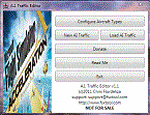
A.I. Traffic tool is created to provide a way for the average flight simulator players to be able to utilize the Traffic Builder SDK included with Microsoft�® Flight Simutor X. The tool's main functionality is to create A.I. Traffic that uses all aircraft textures present in the user's FSX directory.
NEW TO THIS VERSION: 1. Fixed the error in duplicate aircraft ID, 2.Added manual FSX and FSX directory search, 3. Fixed the issues where in aircraft flies in a wrong day for weekly schedules, 4. Revised documentation, added tutorials.
| Filename: | AI_Traffic_Editor_v11.zip |
| License: | Freeware |
| Added: | 20th February 2011, 21:01:27 |
| Downloads: | 3,455 |
| Author: | Christopher Flordeliza |
| Size: | 4.05 MB |
| Category: Flight Simulator X - Utilities | |
| JAB FSX, the small FSX companion |
|
File Description:
This small program has three parts. 1° It allows to regularly save the current FSX flight in order to open the next session at the same point where the last session finished (just like "Previous flight" in FS9). 2° It allows TRACK-IR owners to enable Track-IR only when in virtual cockpit and disable it in outside views (to use a joystick hat for example). 3° For scenery, mesh and landclass designers, it provides a great help to get coordinates with several formats (even for direct paste in XML files).
Works in english or french.
| Filename: | JAB_FSX_the_small_FSX_companion.zip |
| License: | Freeware, limited distribution |
| Added: | 24th February 2007, 22:55:06 |
| Downloads: | 2,924 |
| Author: | Jacky Brouze |
| Size: | 462.8 KB |
| Category: Flight Simulator X - Utilities | |
| McDonnell Douglas MD-11 GE flex data charts |
|
File Description:
Flex data (assumed temperature) charts for use with PMDG MD-11 GE version (FS2004 and FSX). These charts allow you to accurately determine assumed temperatures according to TOGW (all weights), runway length (7000-12000 feet), take-off flap setting (10-28) and density altitude (SL-12000 feet). Also contains conversion tables to correct for actual airport altitude, pressure, wind and use of anti-ice. Detailed description and tutorial included within file. MS Excel or Excel-viewer required. No further installation necessary.
| Filename: | McDonnell_Douglas_MD11_GE_flex_data_charts.zip |
| License: | Freeware, limited distribution |
| Added: | 9th April 2009, 10:41:36 |
| Downloads: | 2,904 |
| Author: | Bryan Schleipen |
| Size: | 240.81 KB |
| Category: Flight Simulator X - Utilities | |
| Lord of the Landing V1.8 : Landing Training Environment |
|
Images related to this file:
File Description:
Lord of the Landing V1.8 : Landing Training Environment for FSX. A SimConnect application to help repeated landing training, and analyze and evaluate your landing data. 3 main functions are :
(1) Position Set. You can move instantly to final approach course of ANY runway of ANY airport in the world(e.g. KLAX 25L 4NM 1200ft).
(2) Landing Report. It analyzes, evaluates and displays your landing data(V/S, Flare Distance, Centerline Deviation, Pitch, Bank, Sideslip angle, Max V/S).
(3) Analysis plot. It displays approach and landing trajectory (lateral deviation, altitude, airspeed) as plot. It is recommended to use FsTakeoffTrainer with LoLa to practice landing in adverse weather.
| Filename: | Lord_of_the_Landing_V18__Landing_Training_Environm.zip |
| License: | Freeware |
| Added: | 28th February 2014, 23:56:02 |
| Downloads: | 6,706 |
| Author: | Dongjin Shin |
| Size: | 2.34 MB |
| Category: Flight Simulator X - Utilities | |
| Graphic Realism and FSX Optimization |
|
File Description:
The add-ons configuration step by step
Not configured FSX is a pain in the neck for many people. A small number of fps and frequent CTD (crash to desktop) can be extremely annoying or even depressing to some users. A lot of you probably came to a conclusion that it was going to be a losing battle and you gave up after a few fruitless days or you spent money on the FSPS-XTREME FSX PC V2 program, which can automatically do practically everything for us. But what's the point of spending money on something that we can do by ourselves with the help of this handbook?
I myself was dealing with the FSX platform three times before I gave up FS9. Microsoft gave out the engine to us, but in order to make sense, our passion involves radical tuning of the device. On the ground of one's own experience and thousands of hours devoted by people to diving into the core of the platform, I'll present a way of installation, add-ons selection and their configuration starting from the installation of the system. Having done the procedures described below, FSX will look beautiful and it'll work smoothly even with challenging sceneries. The entirety is based on quite a popular hardware configuration, which will let us use 85% of the graphic potential of Microsoft Flight Simulator X. We want t to achieve the goal of minimum 25 fps in VC B738 PMDG NGX, with challenging sceneries, flying in the window mode. For the mode the full screen efficiency should reach 33 fps.
In this handbook, I'm neither going to describe each and every change made in cfg nor explain what the alterations are to conduce. You will be given a simple and ready recipe which I use myself. I can't guarantee a 100% satisfaction for the poorer equipment computers. I can assure you, however, that FSX will definitely work so much better and playing with FSX sliders or with the size of textures in REX you will be able to obtain the desired effect.
| Filename: | Graphic_Realism_and_FSX_Optimization.zip |
| License: | Freeware, limited distribution |
| Added: | 15th November 2013, 20:33:26 |
| Downloads: | 5,743 |
| Author: | Grzegorz Trzoch |
| Size: | 3.96 MB |
| Category: Flight Simulator X - Utilities | |
| FS2004/FSX Flight Analyzer Utility V2.04 |
|
Images related to this file:
File Description:

NOW ALSO WORKING WITH FS2004
What this program do:
- quickly change the settings of FSX/Fs2004, such as time, date, fuel, weight, traffic etc.
- start a failure sytem, such as gear, flaps, engine, etc.
- freeze the time, so you can fly in a for everlasting sunset.
- runway detecting system to see wich runways are in use.
- a flight analysis system, this is automaticly started when you start FsQC.
- When flight analysis is finished you can print a report, the report is automaticly saved as pdf File.
- flight analysis is finished when you parked your aicraft with the parking brakes set for more then 5 seconds.
- graphical landingchart.
- load a existing flight or flightplan.
- quickly look to your CFG (settings) files (only FSX) and change them even before the flight simulator is running.
- After a flight is finished FsQC saves your flight automaticly as 'FsQC last Flight', so you can continue the next day or hour.
- for properly working, flight analysis require a fsx/fs2004 flightplan.
Flight analysis:
Flight analysis start recording at the moment when you begin taxiing.
It gives you huge information such as:
- takeoff- and landing-weight
- takeoff roll in m. or ft.
- separate fuel consumption in taxi, climb, cruise and descent.
- maximum banking in flight
- which speed you using the flaps and gear
- when autopilot on or off
- vertical speed on touchdown
- reverser set after landing
- wich speed you cancel reverser
- bouncing at landing
- graphical landingchart.
- and lots of more
You can better look the example of the pdf document located in the 'Flight Reports' folder.
Failures:
In the settings menu you can select the kind of failures you want to occur and when they must occur.
At this moment 10 failures are possible:
-altitude
-attitude
-heading
-airspeed
-vertical speed
-pitot
-fuelleak
-flaps
-engine
-gear
Recommended:
For more easy use, run this program on a second monitor or much better on a second computer(laptop) where FSUIPC-client is running in the same network where FSX/FS2000 is running and FSUIPC WideFs is registered.
See also the pdf Manual.
Also look at www.FsQC.eu for more information.
If you have a problem look first on www.fsqc.eu/faq.html
If you have questions please contact [email protected]
| Filename: | FS2004FSX_Flight_Analyzer_Utility_V204.zip |
| License: | Check within download |
| Added: | 5th March 2018, 22:40:20 |
| Downloads: | 330 |
| Author: | Evander Tholen |
| Size: | 2.45 MB |
| Category: Flight Simulator X - Utilities | |
| Locator for Henrik Nielson's Global AI Ship Traffic V1 |
|
Images related to this file:
File Description:
This is a program that can help you find the many vessels in Henrik Nielsen s' wonderful "Global A.I. Ship Traffic".
It covers the latest download, Version 1 and all of the previous programs and updates.
It displays the routes on Google Earth, the route number and a list of the ships that can be found on that route.
There is a separate file containing their departure and arrival times on each of the routes, with instructions on how you can locate them. There is also a full list of the names and types of all the ships that are in the program.
Thanks to Henrik for all his hard work.
This download was created by Carl Vokes.
| Filename: | Locator_for_Henrik_Nielsons_Global_AI_Ship_Traffic.zip |
| License: | Freeware |
| Added: | 2nd April 2016, 12:16:32 |
| Downloads: | 5,311 |
| Author: | Carl Vokes |
| Size: | 9.44 MB |
| Category: Flight Simulator X - Utilities | |
| JAB_FPSx Version 2 |
|
File Description:
This is an update of JAB_FPSx (already in the AVSIM Library under file name "jab_fpsx.zip". TGhe software was updated by the author on 12/12/2009 under the same exact file name.
This small tool provides a graph of frame rates for all ESP based flight simulators including FSX and P3D versions 1 through 4. It has been tested with P3D version 4.5 Hot Fix 2.
In accordance with the Author's instructions (both on his website and in the README file he included in this software, this software may only be distributed as follows:
This programme is a freeware.
JAB_FPSx may only be distributed on
- http://jacky.brouze.ch,
- http://avsim.com and
- http://flightsim.com !
Any other way to distribute it is forbidden, no matter the
media and the conditions.
| Filename: | JAB_FPSx_Version_2.zip |
| License: | Freeware, limited distribution |
| Added: | 10th January 2020, 05:58:23 |
| Downloads: | 145 |
| Author: | Jacky Brouze |
| Size: | 375.78 KB |
| Category: Flight Simulator X - Utilities | |
| FSX Menu Mate |
|
File Description:
Menu Mate for FSX is a utility designed to give you quicker access to many (but alas not all) FSX menu items without the need to "drill down" into various menu/sub-menu layers (over 60 menu items supported). This can be handy if - as a developer, beta tester or power-user - you need to repeatedly select a particular FSX menu item for any reason. You can also assign up to 20 different menu items as button short-cuts. Features: 1) Access most FSX Menu items (Over 60 items supported), 2) Assign up to 20 button short-cuts, 3) Floats on top of FSX (Windowed mode only), 4) By default snaps to top of screen to blend with FSX title bar, 5) Can optionally be positioned anywhere on the screen.
| Filename: | FSX_Menu_Mate.zip |
| License: | Freeware |
| Added: | 14th December 2007, 02:07:13 |
| Downloads: | 1,369 |
| Author: | TweakFS (Fermin Fernandez) |
| Size: | 1.65 MB |


© 2001-2026 AVSIM Online
All Rights Reserved
Privacy Policy |