
Where Flight Simulation Enthusiasts Gather from Around the World!
AVSIM Library - Search Results

| Category: Flight Simulator X - Aircraft Repaints, Textures and Modifications | |
| Aerosoft F-16C WP 8th Fighter Wing HAVEGLASS V Repaint Texture Package |

|
Images related to this file:
File Description:
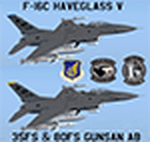
This package contains TWO Gunsan AB 8th Fighter Wing F-16C HAVEGLASS V repaint textures for the Aerosoft F-16! The first jet is 89-2058 from the 36th FS, and the second is 90-0745 from the 80th FS. The latest versions of HAVEGLASS F-16s (as of 2023) now have black markings/decals on the jet instead of the grey markings on earlier versions. Many thanks to the people who posted pictures of the latest HAVEGLASS Wolfpack jets online!
Since the HAVEGLASS F-16s primary mission is "Wild Weasel" SEAD/DEAD, I included instructions below to install both textures into the "Aerosoft F-16C 120-9-88-370-184" folder. Also, I made sure these textures will work with ALL the other Aerosoft F-16 models (with or without the drag chute) so feel free to add these textures to your favorite ones. YGBSM!
| Filename: | Aerosoft_F16C_WP_8th_Fighter_Wing_HAVEGLASS_V_Repa.zip |
| License: | Freeware |
| Added: | 27th July 2023, 22:46:28 |
| Downloads: | 84 |
| Author: | Daniel Gregory |
| Size: | 8.08 MB |
| Category: Flight Simulator X - Scenery | |
| Brisbane Intl Airport - YBBN - Queensland, Australia |
|
Images related to this file:
File Description:
As promised as soon as the charts became available to me, here is the latest version where the taxiways, ILS approaches and some transitions for the new runway 1L/19R have now been bought up-to-date.
This is a reasonably accurate version of Brisbane Intl airport and made only for FSX users, do not use in P3D: The main runway corrected to 1R/19L and the approaches corrected for it, the International and Domestic terminals rebuilt with something a little better than the stock airport, assigned parking as per their website where possible, including gates for the A380 (Gates 72,73,76) new control tower, runway 14/32 decommissioned, helipad with start location, extra fuel trucks, support vehicle roads rebuilt, and many scenery objects and improvements added to further enhance this airport, airport views are from the roof the control tower (when in tower view) please view the readme before installation.
| Filename: | Brisbane_Intl_Airport__YBBN__Queensland_Australia.zip |
| License: | Freeware, limited distribution |
| Added: | 27th May 2020, 18:15:16 |
| Downloads: | 42,395 |
| Author: | Ray Smith |
| Size: | 4.66 MB |
| Category: Flight Simulator X - Aircraft Repaints, Textures and Modifications | |
| Boeing B-17G Flying Fortress #43-97976 "A Bit o' Lace" |
|
Images related to this file:
File Description:

This folder contains a repaint for the accu-sim version of the A2A B-17G Flying Fortress. It represents #42-97976 "A Bit o' Lace", which was assigned to the 709th BS /447th BG. The nose art consisted of a cartoon by Milton Caniff. The co-pilot was Lt. John Bauman, a fraternity brother of Milton Caniff. He sent Caniff a detailed idea of the proposed artwork and the sketch was returned with Caniff's annotation: "A Bit-O-Lace for Lt. John H. Bauman, and the rest of the gang, with my best wishes - Milton Caniff NY, Oct. 1944". Nicholas Fingelly, an artist attached to the 709th BS, carried out the work and completed the painting in about six hours and gave Milton Caniff full credit for his his character. Her first crew flew 35 missions over Europe with no injuries, although returning with a good many holes, at times. The closest call was when a piece of shrapnel came up through Navigator's table and "Ike" Eisenhart's arms, but missed him. A surprise souvenir for Ike, which he still has. She flew more missions with different crews, until the april 4, 1945 flight. From the navigator, John Kirkwood: "Right over Kiel, and seconds before the bomb release, I heard the co-pilot say that "This airplane feels funny." Seconds later the tail gunner, who had regained his power of speech, blurted out something to the effect that part of "The tail was gone." A flak shell had gone right through the left horizontal tail, leaving only a partial surface, and completely removing the left elevator.
We dropped out of the formation, and tried to drop the bombs, but the electrical system failed. We flew north a minute or so, the plane now in the hands of the pilot. The pilot did not want to drop over Denmark, so we turned out over sea, and dropped via screwdriver. Actually, we were over Schleswig-Holstein, according to my position, but it was close, and Tom did not want to chance killing danes.
We flew on, at a reduced speed, far out to sea on a west-south-west course with occasional ETA's to the pilot. Several fighters joined us, and finally we got back to the base, and the runway was cleared for us. A decision had to be made by the pilot: To jump or ride her in.. Tom decided that he could land the plane, so we all congregated to the radio room, and that was that.
I might add that none of us had any desire to jump. Most of the photos of 976 were taken after repairs, hence the dark colored rudder and left elevator. As you know, the color prior to the damage was silver. 976 flew one or two missions after that, but I never saw her again, other than in a color photo of the moth-balled fleet in Arizona."
Repaint by Jan Kees Blom, based on the repaint kit by A2A.
| Filename: | Boeing_B17G_Flying_Fortress_4397976_A_Bit_o_Lace.zip |
| License: | Freeware |
| Added: | 20th August 2010, 22:14:46 |
| Downloads: | 722 |
| Author: | Jan Kees Blom |
| Size: | 19.95 MB |
| Category: Flight Simulator X - AFCAD Files | |
| Murtala Muhammed International Airport, Lagos (DNMM) Version 2 |
|
File Description:
Hi again fellow simmers....
This is an major update to my previous AFCAD on this famous West African airport.
Here are all its features:
- ILS offset fixed as well as some smaller details, like the fact that rwys 1L/1R are
permanently closed to take-off and landings.
- Corrected runway lightings/markings.
- DME on Rwy 19R now working.
- Right Hand Pattern Approach/Take-off only.
- Added correct amount of gates at the International Terminal with parking codes for airlines
that actually fly to DNMM (British Airways, Air France, KLM, Alitalia, Virgin Atlantic,
Virgin Nigeria, Sabena, Swiss, Afriqiya, Emirates, Qatar Airways, South African Airways and
more).
- Domestic Terminal fully laid out and functional with domestic airline parkinting codes
(Albarka, Chanchangi, ADC, Belleview, Kabo Air, etc).
- Cargo parking fully functional.
- Military parking (C130, MiG-21, MiG-29, Alpha Jet, Jaguar, Tornado).
To Install:
1. DELETE THE PREVIOUS 'AF2_DNMM.BGL' file from the 'Flight Simulator X/Addon
Scenery/scenery' folder.
2. Extract all files from the downloaded '.zip' file.
3. Now COPY the NEW 'AF2_DNMM.BGL' file and place it into 'Flight Simulator X/Addon
Scenery/scenery' folder.
4. Start up the Flight sim and the changes will be present.
READ THIS !!!
I've tried to the best of my ability to produce and much detail as possible but i'm sure
something has been left out (there always is).
I've used the latest Jeppesen charts and other materials at my disposal and even my own
eyesight at great risk to myself (yep, even pilots are restricted from certain places at
airports)
Also, lots of airports have changed drasticly on the past couple years like Abuja airport
(DNAA) and I would love to do justice to it as its fast becoming a major hub in the region. I
would be willing to join forces to with anyone that is good with AFCAD on this project.
Enjoy!
[email protected]
13:44 30/07/2007
| Filename: | Murtala_Muhammed_International_Airport_Lagos_DNMM_.zip |
| License: | Freeware |
| Added: | 30th July 2007, 19:44:57 |
| Downloads: | 3,283 |
| Author: | usman saleh |
| Size: | 7.38 MB |
| Category: Flight Simulator X - Aircraft Repaints, Textures and Modifications | |
| Tradewinds Airways Canadair CL-44 1977 |
|
Images related to this file:
File Description:
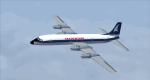
This is a repaint of the Canadair CL-44 in Tradewinds Airways colors. You need the freeware Canadair CL-44 by Mike Stone. Tradewinds was a British air cargo company. In November 1968, Transglobe Airways ceased operations, leaving a fleet of Canadair CL-44s lease-purchased from Seaboard World Airlines in limbo. Later in the month, Bobwood was formed to takeover the aircraft lease. Bobwood's name was changed to Tradewind Airways in January 1969 and all three ex-Transglobe Airways CL-44s were transferred over to the new company. Due to Seaboard World Airlines (a U.S. Cargo airline) having a large interest in Tradewinds, the British Government would not issue a license. Thus, in April, a British group was put together to take over the company. Consequently, a route network was developed primarily to Africa and North America in 1971–1976. Also in 1972, the carrier began flying from London Heathrow, often on all-cargo subcontracts for foreign airlines. In January 1977, Tradewinds became a wholly owned subsidiary of the multinational Lonrho Group. They received the 707-320Cs soon after. In 1978–1979, Tradewinds offered scheduled jet freight services from London to points in Africa, USA, and Canada. Unfortunately, in January 1986, Tradewinds ceased operations, citing overcapacity, undercutting by competing charter services, and stringent new noise abatement rules as cause of the demise. Its assetts were purchased by Tal Air, a British business travel airline, and tried to revive Tradewinds with freight services to Africa and the Middle East, however it was not to be, and they finally shut down for good in 1990.
Textures are 32bit bmp. This aircraft was tested on FSX-SE. It should work on FSX and FS2004.
*This is strictly an FS2004 model. However, I used it on FSX-SE by replacing the FS2004 panel and gauges with an FSX 2D panel, and it worked well. I have included two internet links for users of FSX, who wish to fly the aircraft, with easy instructions on how to go about replacing the FS2004 panels with FSX ones.
| Filename: | Tradewinds_Airways_Canadair_CL44_1977.zip |
| License: | Freeware |
| Added: | 24th January 2019, 05:08:24 |
| Downloads: | 74 |
| Author: | Ted Giana |
| Size: | 711.33 KB |
| Category: Flight Simulator X - Aircraft Repaints, Textures and Modifications | |
| FSX/P3D ANA - All Nippon Airways 747SR-81 1980 |
|
Images related to this file:
File Description:
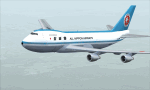
This is a repaint of the 747SR-81 (Short Range) in ANA - All Nippon Airways classic 1980 "Mohican" colors. The freeware 747-200 by Project Open Sky - POSKY is needed for this repaint. All Nippon Airways Company, Ltd.
(ANA) was formed on March 1, 1958 through the merger of two small companies. The Japanese government granted the carrier full certification to operate over domestic trunk routes on April 1, 1959, and by the mid 60s it was Japan's biggest domestic airline with a comprehensive network. During this time through to the 1970s, ANA expanded its fleet size greatly. ANA ordered its first jetliner, the 727-181, in 1964 and by 1978 they had a vast fleet of jetliners at their disposal, including the queen of the skies, the 747. ANA operated its first international flight, a charter flight, on July 15 and 31 1970, with YS-11s to Pusan, South Korea. However, a fully scheduled international flight was still in the distant future. In 1978 ANA held the position as the world’s sixth largest airline. Not bad for a domestic carrier. The carrier’s longest domestic route, the 2,051-km Sendai–Okinawa segment was opened in 1980. Interestingly, First-Class service was introduced on Japanese domestic flights as late as July 1985. In December 1985, the Japanese government opened international operations to all of the country’s airlines by revising its air transport policy and deregulating the industry. This included domestic carriers. ANA's desire for international routes became a reality and joined the fray It flew its first fully international scheduled route with a four times a week service to Guam, on March 3 1986. Today it has a vast network of international flights, and they are easily Japan's biggest carrier with 233 aircraft. They were also the launch customer of the 787. ANA has been going from strength to strength ever since its inception. For them, the sky's the limit. It might work on FS2004 as well. Textures are 32bit bmp.
| Filename: | FSXP3D_ANA__All_Nippon_Airways_747SR81_1980.zip |
| License: | Freeware |
| Added: | 12th May 2019, 18:39:42 |
| Downloads: | 162 |
| Author: | Ted Giana |
| Size: | 9.14 MB |
| Category: Flight Simulator X - Original Aircraft | |
| Piaggio P-180 v2.0 |
|
File Description:
www.mariopilot.6x.to
What's new in version 2.0:
1) gMAX re-formatted model: FS-X compatibility, and new animations.
2) Completely new Avionics 100% XML formatted
3) new ultra-fine tuned flight dynamics
4) Hi-res virtual cockpit with 3-D throttles and 3-D virtual cabin.
5) Lots more...
Thanks to Andrew Spring of www.p166.com!! The Piaggio P-180 Avanti is a Luxury Jetprop. Its design is the result of a "thinking outside the box" project philosophy. It means that building techniques are standard while aerodynamics are unique for it's kind. It features a three lifting surface design, laminar flow wing and twin pusher turboprop configuration. Passenger comfort features the possiiblity of standing in feet inside the plane, low noise due to pusher propellers and "Pininfarina" designed arrangement. Performances are unique too, cruising at 395 KTAS (260 KIAS) at 28000 ft, a jet-like speed, being the P-180 a twin turboprop. The result is a 40% reduced operational cost respect to a jet of similar size, and 30% less respect to a similar size turboprop, all at same price of a small Jet. This model is 804 Kbs with c.a. 19000 polygons in c.a.170 assemblies. Features Clickable Dynamic Photortreal VC with Night Lighting, night lighted internals, Photoreal 2D Cockpit, Engine start Effect, advanced FDE, Customizable Payloads. **READ NOTES BEFORE FLYING**(README.TXT, P180_REF.HTM AND P180_CHECK.HTM, also available as reference and checklist in FS kneeboard...) WORKS IN FS9
| Filename: | Piaggio_P180_v20.zip |
| License: | Freeware |
| Added: | 21st February 2007, 15:27:11 |
| Downloads: | 31,068 |
| Author: | Mario Noriega |
| Size: | 21.43 MB |
| Category: Flight Simulator X - AFCAD Files | |
| Cross Keys Airport (17N), NJ |
|
File Description:
Located 01 miles S of Cross Keys, New Jersey on 280 acres of land, Cross Keys Airport is a small General Aviation field privately owned by Cross Keys Airport Inc. In addition to servicing GA flights, the airport also hosts a paintball field and a sky diving operation to the north of the field. For this reason, all aircraft must remain south of the runway at all times. Any aircraft with a wingspan larger than 40 feet will need to park in the turf area west of the main apron - smaller GA aircraft can pick a spot from any of the open tiedown areas. 100LL (Blue) Fuel is available by stopping next to the fuel tank on the main apron. Although it doesn't exist in real life, a patch of concrete to the west of the main apron made for a good helipad, so I included one. It is not lit at night. Trees in the surrounding forest are summer trees ONLY.
Scenery constructed with use of Google Maps images, and vague recollection by the author who went sky diving there once.
This scenery is meant to be used in conjunction with MegaScenery Earth New Jersey/Delaware 004. It is not required, but apron use is minimized to allow satellite scenery to show through as much as possible, and objects are placed based on the MSE textures - lack of it may make scenery look out of place.
| Filename: | Cross_Keys_Airport_17N_NJ.zip |
| License: | Freeware |
| Added: | 7th October 2010, 03:27:53 |
| Downloads: | 246 |
| Author: | Drew Sikora |
| Size: | 719.13 KB |
| Category: Flight Simulator X - AFCAD Files | |
| Newark Liberty International Airport (EWR), NJ (Beta) |
|
File Description:
Located 03 miles S of Newark, New Jersey on 2027 acres of land, Newark Liberty International Airport is a major regional hub. Currently, this airport is fully modeled to match MegaScenery Earth ground textures. It is functional to the point where I feel comfortable releasing it, however it is a far cry from "complete". As a primarily General Aviation pilot, I do not have much use for this airport, however I do fly over it from time to time and prefer to see it blend in with MSE textures properly. If you are a frequent user of KEWR and its facilities, please consult the Known Issues section of the ReadMe to decide whether you wish to install this version. It might be worth adding it as a layer you can turn on when you're not using the airport but will be flying in the area and want it to blend in properly. I do plan to further develop this airport if I end up using it more often in the future.
Scenery constructed with use of satellite images/streetview and personal reference.
This scenery is meant to be used in conjunction with MegaScenery Earth New York 005. It is not required, but apron use is minimized to allow satellite scenery to show through as much as possible, and objects are placed based on the MSE textures - lack of it may make scenery look out of place.
| Filename: | Newark_Liberty_International_Airport_EWR_NJ_Beta.zip |
| License: | Freeware |
| Added: | 28th November 2010, 02:05:25 |
| Downloads: | 2,957 |
| Author: | Drew Sikora |
| Size: | 3.34 MB |
| Category: Flight Simulator X - AFCAD Files | |
| Peaslees Airstrip Airport (NJ25), New Jersey |
|
File Description:
Located 01 miles SW of Clarksboro, New Jersey on 8 acres of land, Peaslees Airstrip is a private turf field 2207' in length. The hard surface runway has been removed to allow for landings on terrain, so have your terrain mesh set as high as possible. The surrounding area of rural farmland and houses has been filled in to provide an encompassing ground environment with as few breaks to the horizon as possible. There are no services at this airport - if you arrive there is room past the hangar to park and tie down although no tie downs are available in real life, thus you can only start from this airport on the runway. The windsock is located approximately midfield of the runway, as in real life. A second hangar has been constructed nearby the current one, but MSE textures do not reflect this and it was not included. This airport is not lit and daytime VFR operations only are recommended.
Scenery constructed with use of satellite images/streetview/aerial photos - the author has not been there in person.
This scenery is meant to be used in conjunction with MegaScenery Earth New Jersey/Delaware 004. It is not required, but apron use is minimized to allow satellite scenery to show through as much as possible, and objects are placed based on the MSE textures - lack of it may make scenery look out of place.
| Filename: | Peaslees_Airstrip_Airport_NJ25_New_Jersey.zip |
| License: | Freeware |
| Added: | 20th August 2011, 19:56:22 |
| Downloads: | 160 |
| Author: | Drew Sikora |
| Size: | 1 MB |


© 2001-2026 AVSIM Online
All Rights Reserved
Privacy Policy |