
Where Flight Simulation Enthusiasts Gather from Around the World!
AVSIM Library - Search Results

| Category: Flight Simulator X - Original Aircraft | |
| Boeing 737-200ADV, Version 1.30 (FSX) |

|
Images related to this file:
File Description:
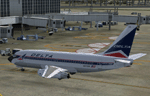
V1.30 of the TinMouse II Boeing 737-200, complete archive. This is the first release of the TinMouse II for FSX.
Complete 737-200 add-on, with panel simulation of most aircraft systems in detail, with five custom models, flight dynamics, and soundset.
Includes new Sperry SP-177 autopilot and autothrottle system, and can be cross-installed into FS9. Full integration of optional CIVA INS and ISG FMS units (available separately). Requires FS2Audio (included) and a registered installation of FSUIPC V3.70(FS9)/V4.60(FSX) or later (not included). 2D panels only. Visit the TinMouse forum here on AVSIM for support and information. Separate FS9 version is available (tinmouse_ii_v1.30_fs9.zip).
| Filename: | Boeing_737200ADV_Version_130_FSX.zip |
| License: | Freeware, limited distribution |
| Added: | 21st December 2010, 02:28:58 |
| Downloads: | 23,984 |
| Author: | Bob Scott, Richard Probst, Terry Gaff, Gustavo Rodrigues, Christoffer Petersen |
| Size: | 63.66 MB |
| Category: Flight Simulator X - Original Aircraft | |
| Germany UHT, EC-505 TIGER |
|
File Description:
The UHT (from Unterstützungshubschrauber Tiger; Ger. supporting helicopter Tiger) is a medium-weight multi-role fire support helicopter built for the Bundeswehr (German Army).The Tiger UHT is a multi-role fire support helicopter. The Trigat Fire and Forget missiles and/or the Hot missiles it carries offer anti-tank capability, while 68-mm rockets ensure air-to-ground fire support. A 12.7 mm air-to-air gun pod and air-to-air Stinger missiles can also be installed. The helicopter also features a mast-mounted sight with a second-generation IRCCD infrared channel and a TV channel, as well as a nose-mounted IRCCD control FLIR for the pilot. Countermeasures include radar/laser/missiles launch/missile approach warning receivers and decoy launchers.
This is a demo version purchase is required for full functionality
| Filename: | Germany_UHT_EC505_TIGER.zip |
| License: | Commercial demo |
| Added: | 2nd November 2008, 01:28:59 |
| Downloads: | 1,057 |
| Author: | Andreas Meyer |
| Size: | 3.79 MB |
| Category: Flight Simulator X - Original Aircraft | |
| Boeing 787-8XLR Qantas |
|
Images related to this file:
File Description:
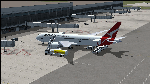
Qantas is requesting proposals (Dec 2018) for design of an aircraft model or variation that is capable of non-stop flights over 10,000 nm for YSSY to EGLL and/or YPPH to KDFW and return service routes. This model is the best choice for Boeing based on real world data. The Boeing 787-8XLR "Dreamcruiser" will have a maximum range of 13,600 nm at FL450E (Mach .83) which will give her more than the desired capabilities, and will be the very efficient. This model (B788XLR) is based on the current 787-8 using weight modifications to increase the range without adding additional fuel tanks, and designed for luxury/comfort with only 161 paid passengers on board. Everything in this model is realistic to the best of my abilities. If Boeing creates this model, it will likely be very similar to this. The name is my own invention, as are all of the weight characteristics. Based on all of my extensive testing, there is no other aircraft capable of these requirements, to date. The 787-800 is certainly the right choice for Qantas if Boeing decides they will modify the original model to fit these requirements. In reality, there is no such aircraft as a 787-8XLR Dreamcruiser. Not yet, anyway. My data shows the aircraft is capable of long-range non-stop flights over 13,000 nm east or west at Mach .82 and above FL435. However, this can only be done by lowering the empty weight and using the full fuel capabilities designed within the original model. This simple modification cuts the total souls on board down to 176, with 161 paid passengers, 11 flight attendants, and 4 pilots in two shifts. Full fuel can now be used in all long-range flights which is actually not common for most 787-800s in service today (Fuel Managed). Ramp and MTOW remain the same, but because she flies higher than normal, and has less weight, she can cruise much further than any other 787. In reality, this is what the 787 was originally designed to do.
| Filename: | Boeing_7878XLR_Qantas.zip |
| License: | Freeware |
| Added: | 12th January 2019, 20:18:29 |
| Downloads: | 481 |
| Author: | Douglas E Trapp |
| Size: | 35.3 MB |
| Category: Flight Simulator X - Panels | |
| FSX - Piper PA28R 2D panel |
|
File Description:
Another panel for this aircraft - particularly for the Arrow built by Hauke Keitel. With gauges made by H. Keitel (included) but some new XML gauges by the author. 3D panel by H. Keitel stays unchanged. By Pierre Fasseaux
| Filename: | FSX__Piper_PA28R_2D_panel.zip |
| License: | Freeware, limited distribution |
| Added: | 15th June 2007, 19:48:08 |
| Downloads: | 2,165 |
| Author: | Pierre Fasseaux |
| Size: | 1.92 MB |
| Category: Flight Simulator X - Aircraft Repaints, Textures and Modifications | |
| FSX/P3D ANA - All Nippon Airways 747SR-81 1980 |
|
Images related to this file:
File Description:

This is a repaint of the 747SR-81 (Short Range) in ANA - All Nippon Airways classic 1980 "Mohican" colors. The freeware 747-200 by Project Open Sky - POSKY is needed for this repaint. All Nippon Airways Company, Ltd.
(ANA) was formed on March 1, 1958 through the merger of two small companies. The Japanese government granted the carrier full certification to operate over domestic trunk routes on April 1, 1959, and by the mid 60s it was Japan's biggest domestic airline with a comprehensive network. During this time through to the 1970s, ANA expanded its fleet size greatly. ANA ordered its first jetliner, the 727-181, in 1964 and by 1978 they had a vast fleet of jetliners at their disposal, including the queen of the skies, the 747. ANA operated its first international flight, a charter flight, on July 15 and 31 1970, with YS-11s to Pusan, South Korea. However, a fully scheduled international flight was still in the distant future. In 1978 ANA held the position as the world’s sixth largest airline. Not bad for a domestic carrier. The carrier’s longest domestic route, the 2,051-km Sendai–Okinawa segment was opened in 1980. Interestingly, First-Class service was introduced on Japanese domestic flights as late as July 1985. In December 1985, the Japanese government opened international operations to all of the country’s airlines by revising its air transport policy and deregulating the industry. This included domestic carriers. ANA's desire for international routes became a reality and joined the fray It flew its first fully international scheduled route with a four times a week service to Guam, on March 3 1986. Today it has a vast network of international flights, and they are easily Japan's biggest carrier with 233 aircraft. They were also the launch customer of the 787. ANA has been going from strength to strength ever since its inception. For them, the sky's the limit. It might work on FS2004 as well. Textures are 32bit bmp.
| Filename: | FSXP3D_ANA__All_Nippon_Airways_747SR81_1980.zip |
| License: | Freeware |
| Added: | 12th May 2019, 18:39:42 |
| Downloads: | 161 |
| Author: | Ted Giana |
| Size: | 9.14 MB |
| Category: Flight Simulator X - Scenery | |
| Victoria, Canada including US Southern Gulf Islands and San Juan Islands - Part 2 of 2 |
|
Images related to this file:
File Description:

FSX-only version of Victoria, Canada area scenery including the Southern Gulf Islands and the San Juan Islands of the US. Includes automated installer and configurator by Scot Fraser.
Features:
-accurate shorelines, lakes and streams;
-landclass;
-FSX multi-LOD mesh with 10m maximum resolution;
-complete road network with moving traffic;
-railroads;
-utility corridors;
-marinas and ferry terminals;
-many static boats, including a custom model of the Canada Coast Guard ship Sir Wilfred Laurier;
-detailed models of major buildings and the Ogden Point Terminal;
-many bridges;
-nearly 300 marine lights; and corrected antennae locations.
Facilities include Don Grovestine's famous CYYJ (Victoria International Airport); 12 other Canadian land-based airports: Butler Field, Duncan (CAM3), Gaines, Hastings, Hudson Island, James Island, Thomas, Village Bay, Raven Field (CML2), Saltspring, Sidney Island, Whiskey Point; 20 US airports Blakely (38WA), Burden (61WA), Center Island (79WA), Clam Harbor (WA35), Crane Island, Decatur Shores (WN07), Decatur-Jones (WA18), Waldronaire (90WA), Orcas Island (KORS), Friday Harbour (KFHR), Lopez Island (S31), Pile Point, Roche Harbor (WA09), Shaw Island, Stuart Island Airpark (7WA5), Stuart Island West (2WA3), Wilding (6WA5), Windsock (4WA4); 12 floatplane facilities: Bedwell (CAB3), Fisherman's Bay (WA81), Friday Harbor (W33), Ganges (CAX6), Maple Bay, Mayne (CAW7), Port Washington (CAP8), Roche Harbor (W39), Rosario (W49), Shawnigan Lake (CAV8), Victoria Harbour (CYWH), Victoria International (CAP5) and Westsound, Orcas (WA83) - many with AI traffic; 9 heliports: Ganges (CAL7), Mayne (CBF5), Camel Point (CBF7), Jubilee (CBK8), Victoria General (CBW7) Madrona Bay (CBW9), Shoal Point (CBZ7), Mount Belcher (CMBH).
AI models include the DHC-2 floatplane in local liveries, a cruise ship model (by Mitsuya Hamaguchi) and two repaints, pilot boat, and small boats (by Larry Silsbee).
Ultimate Terrain X compatible (not required). Users of Vancouver+ for FSX will also get additional cruise ship traffic and additional floatplane and helicopter traffic. Full documentation. By Don Grovestine, Jon Patch and Holger Sandmann. Many other contributors: see documentation. Part 2 of 2 - you also need file vicenh7a.zip
| Filename: | Victoria_Canada_including_US_Southern_Gulf_Islands.zip |
| License: | Check within download |
| Added: | 29th January 2010, 21:21:49 |
| Downloads: | 23,161 |
| Author: | Don Grovestine, Jon Patch and Holger Sandmann |
| Size: | 59.08 MB |
| Category: Flight Simulator X - Scenery | |
| Victoria, Canada including US Southern Gulf Islands and San Juan Islands - Part 1 of 2 |
|
Images related to this file:
File Description:

FSX-only version of Victoria, Canada area scenery including the Southern Gulf Islands and the San Juan Islands of the US. Includes automated installer and configurator by Scot Fraser.
Features:
-accurate shorelines, lakes and streams;
-landclass;
-FSX multi-LOD mesh with 10m maximum resolution;
-complete road network with moving traffic;
-railroads;
-utility corridors;
-marinas and ferry terminals;
-many static boats, including a custom model of the Canada Coast Guard ship Sir Wilfred Laurier;
-detailed models of major buildings and the Ogden Point Terminal;
-many bridges;
-nearly 300 marine lights; and corrected antennae locations.
Facilities include Don Grovestine's famous CYYJ (Victoria International Airport); 12 other Canadian land-based airports: Butler Field, Duncan (CAM3), Gaines, Hastings, Hudson Island, James Island, Thomas, Village Bay, Raven Field (CML2), Saltspring, Sidney Island, Whiskey Point; 20 US airports Blakely (38WA), Burden (61WA), Center Island (79WA), Clam Harbor (WA35), Crane Island, Decatur Shores (WN07), Decatur-Jones (WA18), Waldronaire (90WA), Orcas Island (KORS), Friday Harbour (KFHR), Lopez Island (S31), Pile Point, Roche Harbor (WA09), Shaw Island, Stuart Island Airpark (7WA5), Stuart Island West (2WA3), Wilding (6WA5), Windsock (4WA4); 12 floatplane facilities: Bedwell (CAB3), Fisherman's Bay (WA81), Friday Harbor (W33), Ganges (CAX6), Maple Bay, Mayne (CAW7), Port Washington (CAP8), Roche Harbor (W39), Rosario (W49), Shawnigan Lake (CAV8), Victoria Harbour (CYWH), Victoria International (CAP5) and Westsound, Orcas (WA83) - many with AI traffic; 9 heliports: Ganges (CAL7), Mayne (CBF5), Camel Point (CBF7), Jubilee (CBK8), Victoria General (CBW7) Madrona Bay (CBW9), Shoal Point (CBZ7), Mount Belcher (CMBH).
AI models include the DHC-2 floatplane in local liveries, a cruise ship model (by Mitsuya Hamaguchi) and two repaints, pilot boat, and small boats (by Larry Silsbee).
Ultimate Terrain X compatible (not required). Users of Vancouver+ for FSX will also get additional cruise ship traffic and additional floatplane and helicopter traffic. Full documentation. By Don Grovestine, Jon Patch and Holger Sandmann. Many other contributors: see documentation. Part 1 of 2 - you also need file vicenh7b.zip
| Filename: | Victoria_Canada_including_US_Southern_Gulf_Islands.zip |
| License: | Check within download |
| Added: | 29th January 2010, 21:23:17 |
| Downloads: | 23,158 |
| Author: | Don Grovestine, Jon Patch and Holger Sandmann |
| Size: | 56.8 MB |
| Category: Flight Simulator X - Utilities | |
| FS Remote version 1.0 |
|
File Description:
Email: [email protected]
Name: Hans Elzer
Current version 1.0
Version 1.0 contains various little bug fixes plus Fuel management in the Engines dialog
FS-Remote a utility for remotely controlling FSX
The Zip file contains:
* Readme text file
* .NET 2.0 FS-Remote executable
* Configuration file for FS-Remote
* Document file in MSWord format
What you need to run FS-Remote:
* .NET 2.0 or 3.0 installed on the computer where you want to run FS-Remote
* FSUIPC4 (registered) on the computer where you run FSX
* WideClient (FSUIPC4 FSWide remote) if you want to run FS-Remote on a remote computer
It does what the title says FS-Remote controls FSX remotely through FSUIPC.
Just take a look at the (word) document that is contained in the zip file and look at some screen shots.
It can view and control the following items in FSX through FSUIPC:
* Aircraft - Control aircraft switches like Lights, Doors, Pushback, De-Ice and Jetway plus call fuel truck
* Auto Pilot - Control auto pilot switches plus reset altimeter and heading indicator instruments
* Radio - Control radio stack switches and push buttons plus view navigation status information
* Attitude - View attitude information and warnings plus convert and view various items in feet, meter, knots, mph and km/p
* Engines - Control engines auto start and stop plus fuel management
* Weather - not implemented jet (next version)
* Environment - View the local date, time and position environment information
* Date Time - Control and view the flight simulator date and time
* Message - View and send messages to flight simulator message bar
* FPS - View real-time flight simulator frames per second FPS rate
* About - View version information about FS-Remote, FSUIPC4 and FSX
Hope that you like it.
| Filename: | FS_Remote_version_10.zip |
| License: | Freeware |
| Added: | 9th September 2007, 15:26:14 |
| Downloads: | 1,439 |
| Author: | Hans Elzer |
| Size: | 353.2 KB |
| Category: Flight Simulator X - Utilities | |
| FSRemote 2.0 |
|
File Description:
Current version 2.0
Version 2.0 contains a new more graphical interface
Version 1.0 contains various little bug fixes plus Fuel management in the Engines dialog
FS-Remote a utility for remotely controlling FSX
The Zip file contains:
* Readme text file
* .NET 2.0 FS-Remote executable
* Configuration file for FS-Remote
* Document file in MSWord format
What you need to run FS-Remote:
* .NET 2.0 or 3.0 installed on the computer where you want to run FS-Remote
* FSUIPC4 (registered) on the computer where you run FSX
* WideClient (FSUIPC4 FSWide remote) if you want to run FS-Remote on a remote computer
It does what the title says FS-Remote controls FSX remotely through FSUIPC.
Just take a look at the (word) document that is contained in the zip file and look at some screen shots.
It can view and control the following items in FSX through FSUIPC:
* Aircraft - Control aircraft switches like Lights, Doors, Pushback, De-Ice and Jetway plus call fuel truck
* Auto Pilot - Control auto pilot switches plus reset altimeter and heading indicator instruments
* Radio - Control radio stack switches and push buttons plus view navigation status information
* Attitude - View attitude information and warnings plus convert and view various items in feet, meter, knots, mph and km/p
* Engines - Control engines auto start and stop plus fuel management
* Weather - not implemented jet (next version)
* Environment - View the local date, time and position environment information
* Date Time - Control and view the flight simulator date and time
* Message - View and send messages to flight simulator message bar
* FPS - View real-time flight simulator frames per second FPS rate
* About - View version information about FS-Remote, FSUIPC4 and FSX
Hope that you like it.
| Filename: | FSRemote_20.zip |
| License: | Freeware |
| Added: | 9th November 2007, 22:24:52 |
| Downloads: | 1,674 |
| Author: | Hans Elzer |
| Size: | 620.8 KB |
| Category: Flight Simulator X - Utilities | |
| Gauges Recovery 1.2 for FSX |
|
File Description:
New ! Since version 1.2 Gauges Recovery also fix the problem of compatibility from FS9 add-ons which display all gray and without texture !!!
DESCRIPTION:
For years I worked on Flight Simulator I realized that many people have problems with showing the gauges panel (black screen) or special effects such as afterburner, smoke or line of condensation occurring after uninstalling an add-on or accidentally deleted files of the simulator.
In your Flight Simulator X there is a folder named 'Gauges' it contains files 'gauges' representative board instrumentation for each add-on, such as the autopilot, the horizon indicator etc, if you delete one of these files, your panel will not display the gauge that it was programmed. It is the same for the folder 'Effects' that contains all the special effects in FSX, it sometimes happens that some files in these folders disappear leaving your simulator in a situation where you no longer see your instrument panel (black screens) and afetburner invisible. Under these conditions, you reinstall FSX and lose a lot of time (and patience).
So I created Gauges Recovery, a small free utility that will restore all your gauges and effects of origin in less than 10 seconds. With Gauges Recovery, you're sure to get the display of all gauges and effects.
This program does restore the original files from Microsoft FSX FSX SP1, FSX SP2 and not the files from other publishers, no changes will be made to these files.
Some people see the gauges all black (black screens), unless FSX is installed correctly. The solution to this problem is to install the files MSVCP70.DLL and msvcr70.dll in your 'system32', Gauges Recovery does this automatically for you.
Do not look if Gauges Recovery is installed because there is no installation, the program only updates files in FSX and nothing else.
| Filename: | Gauges_Recovery_12_for_FSX.zip |
| License: | Freeware |
| Added: | 19th January 2010, 10:47:17 |
| Downloads: | 4,883 |
| Author: | Erik BENDER |
| Size: | 11.43 MB |


© 2001-2026 AVSIM Online
All Rights Reserved
Privacy Policy |