
Where Flight Simulation Enthusiasts Gather from Around the World!
AVSIM Library - Search Results

| Category: Flight Simulator X - Scenery | |
| Amsterdam Schiphol - EHAM - The Netherlands |

|
Images related to this file:
File Description:
This is a very accurate version of Schiphol Airport with two optional files and made only for FSX: one version with the Crosswind runways activated and in full operation where all six runways will be used for takeoff/landing and one version as the default airport runway operation, assigned parking as per their website with extra parking including gates for the A380, where there are dual jetways the static jetways are set to "Very Dense", taxiways and taxi signs updated to the latest charts, retention ponds and drainage canals added, aviation museum removed which has now moved to Lelystad Airport, fire brigade practice ground and airport support building included, extra fuel trucks, support vehicle roads rebuilt and many other scenery improvements and objects added, airport views are from the roof of the control tower (when in tower view) please view the readme before installation
| Filename: | Amsterdam_Schiphol__EHAM__The_Netherlands.zip |
| License: | Freeware, limited distribution |
| Added: | 7th December 2017, 07:21:15 |
| Downloads: | 56,079 |
| Author: | Ray Smith |
| Size: | 7.31 MB |
| Category: Flight Simulator X - Miscellaneous Files | |
| Kneeboard Checklist - Bombardier Dash 8-Q400 (Majestic Software MJC8 Q400) |
|
Images related to this file:
File Description:
Flight Simulator X Kneeboard Checklist for Bombardier Dash 8-Q400 (Majestic Software MJC8 Q400), includes Majestic's Checklists for Cockpit Preparation, Normal Operations, Speed Cards and FMC Quick Reference sheet. Majestic Software MJC8 Q400 PILOT/PRO/TRAINING Edition is required. follow install instructions (included)
| Filename: | Kneeboard_Checklist__Bombardier_Dash_8Q400_Majesti.zip |
| License: | Freeware |
| Added: | 21st December 2016, 14:32:16 |
| Downloads: | 1,000 |
| Author: | Carl Kendrick |
| Size: | 50.41 KB |
| Category: Flight Simulator X - Aircraft Repaints, Textures and Modifications | |
| North American P-51D-5 20th FG KI-S |
|
Images related to this file:
File Description:
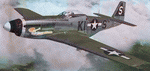
This folder contains a repaint for the 'P-51D-5-NA Little Friends' package of the Warbirdsim P-51D Mustang in the colors of P-51D-5 #44-13859 KI-S as flown by Lt Walter Mullins of Fort Worth, Texas, while flying with the 55th FS/20th FG, based in Kingscliffe UK. Lt Mullins was killed while on a training flight on 18 october 1944, when he crashed into the North Sea.
Repaint by Jan Kees Blom, based on the repaint kit by Warbirdsim.
| Filename: | North_American_P51D5_20th_FG_KIS.zip |
| License: | Freeware |
| Added: | 13th July 2018, 19:49:28 |
| Downloads: | 54 |
| Author: | Jan Kees Blom |
| Size: | 10.59 MB |
| Category: Flight Simulator X - Aircraft Repaints, Textures and Modifications | |
| FSX/P3D TWA Lockheed L-1011-1 1980 |
|
Images related to this file:
File Description:
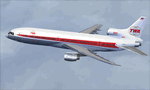
This is a repaint of the Lockheed L-1011-1 in TWA 'Star Stream' Double Globe colors. The freeware Lockheed L-1011-1 by Eagle Rotorcraft Simulations (George Arana) native FSX conversion with VC, of Erick Cantu's Lockheed L-1011-1 is needed for this repaint (link provided). On March 29 1968, TWA made an announcement, together with Eastern Airlines, for an order of 44 L-1011 Tristars (33 firm orders ans 11 options) with 22 deliveries scheduled for 1972. Thus, this multi-company contract officially launched the Lockheed widebody tri-jet, which was considered to be the most advanced civil airliner of its era. TWA advertised the L-0101 as 'the most advanced airliner in the sky' capable of flying itself from takeoff to landing. TWA operated 41 of these elegant airliners from 1972 to 1997. This repaint is of N81025, which was delivered to the carrier in November 1974 and flew for TWA until April 1997.
The textures are 32bit DDS. It was tested on FSX-SE, but should work on FSX & P3Dv3.
| Filename: | FSXP3D_TWA_Lockheed_L10111_1980.zip |
| License: | Freeware |
| Added: | 27th November 2019, 19:03:43 |
| Downloads: | 183 |
| Author: | Ted Giana |
| Size: | 4.89 MB |
| Category: Flight Simulator X - Scenery | |
| KICT - Wichita National Airport - Kansas, USA |
|
Images related to this file:
File Description:
This airport update is for Wichita Dwight D. Eisenhower National Airport with two optional files made only for FSX: There is one version with the Crosswind runway 14/32 activated where all 3 runways will be used for takeoff/landing and one version as the default runway operation: The New Terminal/Concourse which opened on June 3, 2015 now included, the new terminal has one concourse with 12 gates, the old terminal demolished to make room for gates 10, 11 and 12, assigned parking as per their website with extra parking, the cargo ramp and buildings updated, taxiways and taxi signs updated to the latest charts, extra fuel trucks, support vehicle roads rebuilt and many other scenery improvements, airport views are from the roof of the control tower (when in tower view) please view the readme before installation.
| Filename: | KICT__Wichita_National_Airport__Kansas_USA.zip |
| License: | Freeware, limited distribution |
| Added: | 2nd November 2015, 14:31:56 |
| Downloads: | 13,313 |
| Author: | Craig Scott |
| Size: | 1.93 MB |
| Category: Flight Simulator X - Scenery | |
| Barcelona Airport, El Prat Intl (LEBL) Barcelona, Spain |
|
Images related to this file:
File Description:
This is a reasonably accurate rendition of El Prat Intl airport with two optional files and made only for FSX users, do not use in P3D: There is one version with the Crosswind runway activated and in full operation where all 3 runways will be used for takeoff/landing and one version as the default airport runway operation, both terminals have been completely replaced and updated, airlines have assigned parking at their correct terminal as per their website, with extra parking including gates for the A380 at Terminal 1 (Gates 216 and 277), new control tower, extra fuel trucks, taxiways and taxi signs updated to the latest charts, support vehicle roads rebuilt and many other scenery improvements and objects added to further enhance this airport, airport views are from the roof of the new control tower (when in tower view) please view the readme before installation.
| Filename: | Barcelona_Airport_El_Prat_Intl_LEBL_Barcelona_Spai.zip |
| License: | Freeware, limited distribution |
| Added: | 19th December 2018, 00:33:45 |
| Downloads: | 48,030 |
| Author: | Ray Smith |
| Size: | 3.78 MB |
| Category: Flight Simulator X - Aircraft Repaints, Textures and Modifications | |
| Piper PA-28 Cherokee 180 |
|
File Description:
This is a repaint for A2A Simulations' excellent Piper PA-28 Cherokee. The repaint represents the aircraft I used for my pilot training way back. In real life it is a PA-28-140 Cruiser built in 1965 Serial No: 28-20987. It is still flying though repainted blue and white in 2006.
| Filename: | Piper_PA28_Cherokee_180.zip |
| License: | Freeware |
| Added: | 8th July 2014, 23:01:13 |
| Downloads: | 221 |
| Author: | Ole Beckman |
| Size: | 19.87 MB |
| Category: Flight Simulator X - Aircraft Repaints, Textures and Modifications | |
| US Army / Warbird Adventures - Texan / Harvard SNJ-6 |
|
File Description:
This is a repaint of Alphasim's excellent T-6/SNJ. These textures represent a SNJ-6 from a restored aircraft that is operated by Warbirds Adventures.COM based in Kissimmee, Fl which is SSW of Orlando, FL. This is their #3 US Army SNJ. Warbirds Adventures offers training and adventure flights. Check their web site out. http://www.warbirdadventures.com/ THESE ARE TEXTURES ONLY! You need the ALPHASIM Texan/Harvard FSX or FS9 payware package.
| Filename: | US_Army__Warbird_Adventures__Texan__Harvard_SNJ6.zip |
| License: | Freeware, limited distribution |
| Added: | 13th March 2007, 20:29:25 |
| Downloads: | 410 |
| Author: | Russel R. Smith and Alphasim |
| Size: | 293.64 KB |
| Category: Flight Simulator X - Gauges | |
| VTOL/Hover gauge for Harrier |
|
File Description:
This freeware gauge adds new VTOL & Hover features to the FS9 payware Sigma/Iris Harrier.
Besides true vertical takeoff&landing, it allows you to fly forward, backward,
sideways and turn, while in a hover.
This solution is based on overriding the normal FS flightdynamics while in a
hover; in short, it's a VTOL&Hover FDE coded in a gauge.
Special thanks to Doug Dawson, who created a gauge that provides for overriding
FSX variables from an XML gauge.
Requires FSUIPC4 (registered or unregistered, NOT included).
The README includes extensive installation and flying instructions, including
how to port your FS9 version of the Harrier to FSX.
Besides the VTOL gauge, it also adds a fuel dump/load gauge, a gauge that lets
you change the vertical ViewDirection in the 2D Cockpit, and replacements for two
FSX-incompatible gauges in the original Harrier package.
| Filename: | VTOLHover_gauge_for_Harrier.zip |
| License: | Freeware, limited distribution |
| Added: | 17th March 2007, 20:50:05 |
| Downloads: | 2,307 |
| Author: | Rob Barendregt |
| Size: | 271.95 KB |
| Category: Flight Simulator X - Scenery | |
| Calgary Intl Airport (CYYC) Alberta, Canada with new Terminal |
|
Images related to this file:
File Description:
This scenery is for CYYC with two optional files and made only for FSX: one version with the Crosswind runways operating where all 4 runways will be used for takeoff and landing and one version as the default airport runway operation: assigned parking as per their website with extra parking, the new international terminal added, concourse D and Concourse E, a new midfield control tower, Sunwest Aviation has now moved to its new location with its buildings and hangar also included, i have also coded the parking spots for Sunwest for those using their flight plans, taxiways and taxi signs updated to the latest charts, lighted helipad, extra fuel trucks, support vehicle roads rebuilt and many other scenery improvements and objects added, airport views are from the roof of the new control tower (when in tower view), please view the readme before installation.
| Filename: | Calgary_Intl_Airport_CYYC_Alberta_Canada_with_new_.zip |
| License: | Freeware, limited distribution |
| Added: | 12th November 2016, 18:56:35 |
| Downloads: | 42,399 |
| Author: | Ray Smith |
| Size: | 2.7 MB |


© 2001-2026 AVSIM Online
All Rights Reserved
Privacy Policy |