
Where Flight Simulation Enthusiasts Gather from Around the World!
AVSIM Library - Search Results

| Category: Flight Simulator 2004 - Miscellaneous Files | |
| High Quality Snow and Grass Textures ** UPDATED VERSION ** |

|
Images related to this file:
File Description:
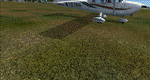
Drzewiecki Design Grass is a freeware, fully automated package of ultra high quality, 4096x4096 pix grass and snow textures for Microsoft Flight Simulator 2004, Microsoft Flight Simulator X, FSX:SE and Lockheed Martin Prepar3D (all currently available versions). It will enhance ground textures in the whole FS.
Microsoft Flight Simulator X and Lockheed Martin Prepar3D have texture resolution limit, which is 1024x1024 pixels. It is possible to select higher resolution by manually editing configuration files but Drzewiecki Design Grass will do that for you automatically!
Default FS9's grass is 128x128pix and with Drzewiecki Design Grass you can admire the 1024x1024 ground texture resolution.
Extra features: Drzewiecki Design Grass will automatically add a HIGHMEMFIX=1 tweak to your FS, which will prevent texture disappearing from aircraft and buildings + snow texture for winter flying.
Enjoy your virtual flying with Drzewiecki Design!
| Filename: | High_Quality_Snow_and_Grass_Textures__UPDATED_VERS.zip |
| License: | Freeware, limited distribution |
| Added: | 25th May 2016, 11:08:44 |
| Downloads: | 1,281 |
| Author: | Drzewiecki Design |
| Size: | 9.21 MB |
| Category: Flight Simulator 2004 - Miscellaneous Files | |
| Boeing 737 NG Checklist |
|
File Description:
This is a Boeing 737 NG Checklist. The checklist is from a Easyjet 737-700, but is suitable for all the NG series. It is a ideal checklist for the PMDG 737 NG range. A more realalistice check list that does not tell you how to fly the plane!
| Filename: | Boeing_737_NG_Checklist.zip |
| License: | Freeware |
| Added: | 4th November 2004, 00:08:04 |
| Downloads: | 9,420 |
| Author: | Paul Edwards |
| Size: | 936.9 KB |
| Category: Flight Simulator 2004 - Miscellaneous Files | |
| Active ILS - KMCO (Orlando International Airport) |
|
File Description:
This is the 3rd Airport in a series of new ILS runways. As most know initiating the ILS at certain airports for AI Traffic is not a function at this time when using AFCAD2. If you add a new ILS runway to an airport such as KMCO (Orlando International Airport 17L/35R) only the user aircraft can use this runway when visibility falls below 3 miles. ATC will no longer use this runway for AI Traffic because FS9 sees it as a visual runway. This will cause ATC to vector your AI Traffic back to 17/35 (old numbers) 17R/35L (new numbers) which is also a Terminal departure runway. This file adds all NAVAIDS for making 17L/35R a Precision Instrument Runway. I have added all the radar fixes for both the ILS approach portion and the proper missed approach procedures, altitudes and intersections as per current published plates. All AI Aircraft will now continue to use 17L/35R when Airport visual conditions are less than 3 miles.
| Filename: | Active_ILS__KMCO_Orlando_International_Airport.zip |
| License: | Freeware, limited distribution |
| Added: | 25th June 2004, 01:50:15 |
| Downloads: | 3,846 |
| Author: | Jim Vile |
| Size: | 45.38 KB |
| Category: Flight Simulator 2004 - Miscellaneous Files | |
| Cruzeiro do Norte - Document 01 |
|
File Description:
This .doc file has information about how enter in Cruzeiro do Norte Táxi Aéreo Virtual( Cruzeiro do Norte Virtual Air Taxi ) ,
all material is in portuguese .Autor : Caique Abrão
| Filename: | Cruzeiro_do_Norte__Document_01.zip |
| License: | Freeware |
| Added: | 29th March 2007, 17:15:09 |
| Downloads: | 83 |
| Author: | Caique Abrão |
| Size: | 3.99 KB |
| Category: Flight Simulator 2004 - Miscellaneous Files | |
| Tips and Tricks - Part 6 - An Ongoing Series |
|
File Description:
Tips and Tricks - Part 6. A new collection of Tips and Tricks - several of which have been provided by readers of this series. This issue includes, amongst other things, a tip that may help you use FS2002 aircraft in FS2004, a flying "challenge" that is unique to say the least and several other recommendations that may be of interest. A bonus file is included also. My goal, as usual, is to provide something of value for simmers of all experience levels. Compiled in .doc and .pdf formats for your flying enjoyment by David "Opa" Marshall. Please unzip (with folders option checked) to a temporary folder. Enjoy!
| Filename: | Tips_and_Tricks__Part_6__An_Ongoing_Series.zip |
| License: | Freeware |
| Added: | 15th March 2005, 01:05:06 |
| Downloads: | 7,521 |
| Author: | David Marshall |
| Size: | 1.12 MB |
| Category: Flight Simulator 2004 - Miscellaneous Files | |
| Justice Prisoner & Alien Transportation System call sign "JPATS" |
|
Images related to this file:
File Description:
While "JUSTICE" is the prevailing theory call sign for Justice Prisoner & Alien Transportation System, "JPATS" is also used.
I have a mixture of aircraft using both for variety in my simulator.
This voice mod was a tough one, let me know if I can modify any voice for you. All 8 voices are customized.
| Filename: | Justice_Prisoner__Alien_Transportation_System_call.zip |
| License: | Freeware |
| Added: | 1st December 2009, 13:59:23 |
| Downloads: | 305 |
| Author: | Roger Martin |
| Size: | 20.9 KB |
| Category: Flight Simulator 2004 - Miscellaneous Files | |
| Tips and Tricks - Number 24 - The FINAL Issue. |
|
Images related to this file:
File Description:

Tips and Tricks - 24 - The FINAL issue. Issue number 24 officially brings to an end the Tips and Tricks for FS2004 series. This issue is packed with some useful tips and how-to's, valuable web-site links and much, much more. The "From the E-mail bag" segment explores several ways to recover disk space and there is a special interview with a prolific author of FS scenery. You will also find a Bonus File which will make the startup of a reviewed aircraft considerably easier. Look for a special Holiday recommendation (for kids of all ages). I have even thrown in a bit of Aviation humor. An updated index for the entire series (by John Burford) is also included. Hopefully you will find something of use, be you a "newbie" or a long time simmer. Please unzip (using folders option) to a temporary folder. Compiled in pdf format for your flying enjoyment by David "Opa" Marshall.
| Filename: | Tips_and_Tricks__Number_24__The_FINAL_Issue.zip |
| License: | Freeware |
| Added: | 19th October 2006, 23:36:36 |
| Downloads: | 5,028 |
| Author: | David "Opa" Marshall |
| Size: | 1.79 MB |
| Category: Flight Simulator 2004 - Miscellaneous Files | |
| Shoot 1.6.3' Voice Contro File |
|
File Description:
"Shoot 1.6.3" voice control file for use with FS2004. You will need to download the main "freeware" program from http://clans.gameclubcentral.com/shoot/downloads.php which will allow you to make use of this control file for FS2004. The program is brilliant and allows you to control FS2004 by voice and it's totally free! All I have done is made a config file that works very well with FS2004.
It will allow you to; speak to ATC and instead of fighting with the keyboard or yoke/stick so you can fly more like a real pilot and keep your hands on the yoke more of the time. For example a commercial jet pilot calls out to the co-pilot to get the gear up and simply says "gear up". That's just what you will have to do, just like the real thing; the gear will go up when you make the call. When FS2004 ATC controller tells you to reply you can just say "roger" or "hello" or "ATC" or "air traffic" etc, etc, and the ATC window will pop up. Then all you have to do is call out the command instead of pushing buttons that real pilots don't use. Does a real pilot push a button to look out of the window or use a "mouse" to engage the autopilot?
Similarly you can call out "autopilot engage" or "autopilot master" or "autopilot disengage" and that's just what happens; the autopilot comes on/off. The best part though is when you try looking around the cockpit. If you want to move your head up you just say "move up" and presto you are higher up in your seat. You can move to the left or
Right, back or forward. You can say "zoom in" and that's what happens. You can say "reset zoom" and so on. You can say "next view" and then the view may be outside or another panel. Alternatively, you can say "panel 2" and the radio panel will come up in the 737 so you can tune the radios. If you have FS navigator installed all you have to
do is say "navigator" and the map comes up, and then say navigator again and off it goes. Just for once it is easy and possible to make full use of FS2004. Using this program has afforded me the opportunity of making better use of the views available, (and I have CH products yoke so if was never hard) but now it's even easier.
All the panels can be activated in this way, and control of the autopilot and control of FS2004. It's probably the best kept secret. I've made a file so we can all share in this freebie of a program. I've included a readme and instructions of how to make the best use of the program.
Config file for FS2004 only is provided.
| Filename: | Shoot_163_Voice_Contro_File.zip |
| License: | Freeware |
| Added: | 7th January 2004, 19:52:26 |
| Downloads: | 8,795 |
| Author: | Peter Wilding |
| Size: | 21.83 KB |
| Category: Flight Simulator 2004 - Miscellaneous Files | |
| documentation in English for Caravelle 12 v3.0 panel by B. Gaurant |
|
File Description:
Documentation in english for the
FS2004 Caravelle Super12 panel v3.0
by Benoit Gaurant
(cs12v_30.zip)
| Filename: | documentation_in_English_for_Caravelle_12_v30_pane.zip |
| License: | Freeware |
| Added: | 23rd December 2005, 12:40:31 |
| Downloads: | 2,379 |
| Author: | Benoît Gaurant |
| Size: | 2.81 MB |
| Category: Flight Simulator 2004 - Miscellaneous Files | |
| Alternative Wing and Engine Views for the POSKY Boeing 747-200 |
|
File Description:
This big bird of the sky is one of the worlds best selling boeing aircraft, most people I know love flying this ledgend as do I. Some of them also enjoy taking in the passenger perspective, these wing views enable you to do this, the left side is a few rows behind the wing and the right side is a few rows infront of the wing. I made these views with reference to real photos, hopefully I have them right!! I have never been in a 747 but why not take it for a spin and check it out for yourself!!
Please check Readme for install instructions.
| Filename: | Alternative_Wing_and_Engine_Views_for_the_POSKY_Bo.zip |
| License: | Freeware |
| Added: | 16th July 2004, 05:43:41 |
| Downloads: | 1,597 |
| Author: | Steve Quinn |
| Size: | 1.46 MB |


© 2001-2026 AVSIM Online
All Rights Reserved
Privacy Policy |