
Where Flight Simulation Enthusiasts Gather from Around the World!
AVSIM Library - Search Results

| Category: Flight Simulator 2004 - Original Aircraft | |
| First Air De Havilland Canada DHC-6 Twin Otter C-FNAN |

|
File Description:
FS2004/2 Dehavilland DHC6-300 Twin Otter.
FIRST AIR Reg_ID: C-FNAN tunda tire ver.
Based at Yellow Knife and flies the Canadian
North. The zipfiles, d6skyb41 (FS2002) or
the d6skyb42 (FS2004) must be installed
before using this aircraft. Made in Gmax
with wing views, dynamic shine, full
suspension, etc.
| Filename: | First_Air_De_Havilland_Canada_DHC6_Twin_Otter_CFNA.zip |
| License: | Freeware, limited distribution |
| Added: | 11th March 2004, 04:34:50 |
| Downloads: | 3,352 |
| Author: | Barry Blaisdell, Udo Lemmob, Bob May - Premier Aircraft Design |
| Size: | 1.26 MB |
| Category: Flight Simulator 2004 - Aircraft Repaints, Textures and Modifications | |
| Braniff/ex Florida Express BAC One-Eleven 203 |
|
File Description:
Looking old and worn out, the now hushkitted N1548 joins the re-incarnation of its original owner. Still in basic Florida Express livery it looks far removed from the days when it flew around in the yellow Braniff jellybean livery. Requires the BAC One-Eleven 200HK model by David Maltby
| Filename: | Braniffex_Florida_Express_BAC_OneEleven_203.zip |
| License: | Freeware |
| Added: | 17th March 2005, 14:41:02 |
| Downloads: | 236 |
| Author: | Garry Russell |
| Size: | 836.41 KB |
| Category: Flight Simulator 2004 - Aircraft Repaints, Textures and Modifications | |
| Lufthansa Boeing 747-430 |
|
File Description:
"Hannover" painted in a new fictional livery for Lufthansa. Features more fluid lines in the logo, new Lufthansa text, new winglet colours and a contemporary 'Lufthansa-yellow' splash across the rear fuselage. This paint features photo real details including tail, windows, reflections and brand new wing textures.
Enjoy your flight!
| Filename: | Lufthansa_Boeing_747430.zip |
| License: | Freeware |
| Added: | 29th November 2005, 14:50:26 |
| Downloads: | 671 |
| Author: | Aravinda Perera |
| Size: | 8.18 MB |
| Category: Flight Simulator 2004 - Scenery | |
| AlphaNumeric Scenery Library |
|
File Description:
An AlphaNumeric object library, including arrow symbol set, for use with Abacus's EZ Scenery utility. Three texture sets to choose from, blue characters on black boxes, blue characters with transparent backgrounds or black characters on yellow boxes. Night lighting included.
Could be used for numbering airport gates, taxiways, creating signs, etc.,
| Filename: | AlphaNumeric_Scenery_Library.zip |
| License: | Freeware |
| Added: | 12th January 2006, 16:52:05 |
| Downloads: | 2,674 |
| Author: | Scot Ingram |
| Size: | 990 KB |
| Category: Civil Flight Simulators - Looking Glass Flight Unlimited 3 | |
| GeeBee R2 Version 1.10 'NR77V' |
|
File Description:
This is an upgrade of the GeeBee v1.0 for those that like the yellow "Z" colour scheme. The callsign has also been altered to 'GeeBee-7-7-Victor'. The flight model also has some subtle changes so try it out and see what you think! Complete aircraft, ready to fly.
| Filename: | GeeBee_R2_Version_110_NR77V.zip |
| License: | Freeware |
| Added: | 28th February 2003, 02:21:06 |
| Downloads: | 780 |
| Author: | Jonathan Point |
| Size: | 4.41 MB |
| Category: Flight Simulator 2004 - Aircraft Repaints, Textures and Modifications | |
| King Air 350 Blue and Teal |
|
File Description:
This is the default King Air 350 in a blue and teal paint job. I couldn't stand the default yellow and black, so I came up with something a little more pleasing to the eye. Contains no mips for no blurries! Also includes custom crash textures. Full installation instructions included.
| Filename: | King_Air_350_Blue_and_Teal.zip |
| License: | Freeware |
| Added: | 22nd August 2003, 17:34:00 |
| Downloads: | 4,586 |
| Author: | Jesse Elliott |
| Size: | 871.32 KB |
| Category: Flight Simulator 2004 - Gauges | |
| Autopilot Input Pad |
|
File Description:
This input/storage pad allows both altitude and heading values to be entered into the autopilot in an accurate and convenient fashion by simply pressing keys on the gauge. The gauge contains two memories for storing heading or altitude values. Numeric pad, Enter keys, Clear and Backspace buttons work in similar way as pocket calculators. Can be installed on panel or inside separate window. Makes IFR easy as pie by reducing stress-induced errors during hectic approaches.
| Filename: | Autopilot_Input_Pad.zip |
| License: | Freeware |
| Added: | 11th February 2006, 01:00:47 |
| Downloads: | 3,611 |
| Author: | Glenn Copeland |
| Size: | 306.31 KB |
| Category: Flight Simulator 2004 - Gauges | |
| Main Exit and Cargo Doors Guage for LVL D B767 |
|
File Description:
DX_ExtDoors gauge. This gauge is designed for use with the LVL-D B767. It contains buttons for the main exit and the front/rear cargo doors. It will also work with other aircraft that are modeled to use the "Fold Wing" action to open/close the rear cargo door. Because of this, the FS message "Wings Extended" and "Wings Folded" will appear when the cargo button is depressed. The gauge is backlit to match the LVL-D B767 panel.
| Filename: | Main_Exit_and_Cargo_Doors_Guage_for_LVL_D_B767.zip |
| License: | Freeware, limited distribution |
| Added: | 12th April 2006, 03:11:29 |
| Downloads: | 5,164 |
| Author: | Jim Dickinson |
| Size: | 161.11 KB |
| Category: Flight Simulator X - Panels | |
| Falcon 50 v1.1 - ISG Retrofit for 4:3 Ratio Panel |
|
Images related to this file:
File Description:
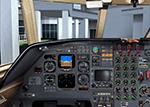
This is an ISG refit for the Falcon 50 by Yannick Lavigne, Fred Banting, and Rob Young and requires version 1.1 of this aircraft available from either website listed in the readme. This FSX only retrofit contains an EADI, EHSI, EHSI controller, Smiths FMS with LNAV and VNAV mode buttons ONLY for the 4:3 ratio panel, along with a basic configuration file for the Smiths FMS. Requires the payware ISG v1.8 gauge set available from www.isgsim.com
| Filename: | Falcon_50_v11__ISG_Retrofit_for_43_Ratio_Panel.zip |
| License: | Freeware |
| Added: | 14th August 2012, 20:13:45 |
| Downloads: | 502 |
| Author: | Joseph Chamberlain |
| Size: | 706.61 KB |
| Category: Flight Simulator 2002 - Panels | |
| Boing 737-400 AS |
|
File Description:
This panel was rearranged from existing panels.
All the main gauges (throttle quadrant, radio stack, overhead panel) are displayed on the main panel. Landing, taxi, logo, panel, strobe, bcn and nav light
switches, pitot heat, yaw damper, wing ice, oil temp and exhaust gas temp gauges, no smoking and seatbelt switches, auto start and engine
start buttons can all be viewed on the overhead panel that is on the main panel.
Fly in 1024 resolution or higher.
| Filename: | Boing_737400_AS.zip |
| License: | Freeware, limited distribution |
| Added: | 11th February 2003, 13:36:23 |
| Downloads: | 906 |
| Author: | Atakan Senyurt |
| Size: | 1.56 MB |


© 2001-2026 AVSIM Online
All Rights Reserved
Privacy Policy |