
Where Flight Simulation Enthusiasts Gather from Around the World!
AVSIM Library - Search Results

| Category: Flight Simulator X - Original Aircraft | |
| AN-22 Antheus Mastered |

|
Images related to this file:
File Description:

THIS IS MY FINAL AN-22 VERSION: Unveiled to the West in 1965, the Antonov An-22 was the world's largest aircraft, until the advent of the Lockheed C-5A Galaxy. Powered by 4 contra-rotating turboprops, the design remains the world's largest turboprop-powered airplane. The An-22 was originally built for the Soviet Air Force and Aeroflot, the state airline. A total of 68 aircraft were built during 1965-1975, from which 2 never flew, 19 have been preserved, and 33 removed from service. Currently only 7 are in service. Six of them are used by the Russian Air Force and one (UR-09307) belongs to Antonov Design Bureau, used for civil needs, and operates out of UKKM. The AN-22 is designed to carry heavy loads of 80 tonnes over a 3,000 nm range at high speed and moderate altitude. The civilian model is used for long and medium range flights with updated avionics and flight controls. The wing has a forward and rear sweep effect with a low taper ratio and moderate wing area for it's size. The tail includes twin vertical fins that help maintain stability. The engines are constant speed turboprops that include 2 four bladed contra-rotating props with auto-pitch, and this gives her a thrust rating of 15,211 shp and a fuel efficiency of .353 lb/hp/hr. The cargo area is 14 ft high and wide, and 108 ft long. All fuel is contained within the wings and in the upper fuselage (7 tanks). She has 12 wheels that carry most of the weight, and two steering wheels located behind the crew cabin. Cargo is loaded through the rear loading ramp. The cockpit is located high, as well as the crew quarters. Additional passengers (when present) are seated below the cockpit forward. Original Design and Textures by: Enrique Del Rosario; Sound by: Aaron R. Swindle; Panel by: Marco Spada; Auto Smoke Effects by Richard Wisman; Engine/Aero Dynamics, effects and data by: Douglas E. Trapp. Please Read the Readme AN22.txt file before operations.
| Filename: | AN22_Antheus_Mastered.zip |
| License: | Freeware |
| Added: | 19th August 2018, 01:44:48 |
| Downloads: | 1,289 |
| Author: | Douglas E. Trapp |
| Size: | 4.62 MB |
| Category: Miscellaneous Files - Miscellaneous Files | |
| CPS-NG RC 5 |
|
File Description:
CPS-NG (Concorde Performance System New Generation) is the successor to CPS-X, the essential flight preparation utility created in 2011
and discontinued in 2018.
Since the end of its development, still present on AVSIM despite a large number of unavailable functions, it has been downloaded more
than 3000 times.
This new CPS opus will satisfy the most demanding Concorde simulation enthusiasts.
CPS-NG now makes it possible to plan Concorde flights with the following simulators:
FsLabs Concorde X for FSX, and P3D up to version 3.
Colimata Concorde FXP for X-Plane and Gaston Reif's beautiful mod, Heritage Concorde Avionics Package.
With these simulators, CPS-NG can export waypoints to INS, payload and fuel to aircraft.
Like its illustrious predecessors, CPS-NG uses authentic Air France data and charts.
It offers a map of the flight including the navigation points, the points to protect from the supersonic bang, on departure and on
arrival
The flight preparation stages are done in a user-friendly way.
the subsonic levels are configurable, the anti-noise procedures are calculated as in reality. The loading of the plane is modifiable by
the user in order to obtain the ideal centering.
The fuel is calculated as in reality and its distribution in the 11 tanks of Concorde complies with the filling law of Air France and
British Airways.
CPS-NG like its previous version also offers the user a flight report in the form of a PDF document which contains all the elements
necessary for the preparation of the aircraft.
it also offers Concorde-specific settings such as initial climb angle, time until anti noise procedure, throttle levers angle during
anti noise procedure, fuel flow, maximum pressure in P7,
trim adjustment and everything a pilot and flight engineer could want for a perfect flight.
CPS-NG also offers in the flight report, Take-off and landing forms in accordance with the real documents and the user has the choice
between the Air France form and the British Airways one.
Finally, CPS-NG allows the use of real-time weather from NOAA, personalized weather or the one generated by Active Sky 2016,
Active Sky for P3D and Active Sky for X-Plane 11 or 12.
In summary, here you have the ultimate tool for Concorde simulation.
You dreamed it, we did it!
Break the sound barrier.
| Filename: | CPSNG_RC_5.zip |
| License: | Freeware |
| Added: | 10th August 2023, 15:48:00 |
| Downloads: | 72 |
| Author: | Pierre Chassang |
| Size: | 19.49 MB |
| Category: Miscellaneous Files - General Utilities | |
| CONCORDE PERFORMANCE SYSTEM NEW GENERATION |
|
File Description:
CONCORDE PERFORMANCE SYSTEM
NEW GENERATION
CPS-NG (Concorde Performance System New Generation) is the successor to CPS-X, the essential flight preparation utility created in 2011
and discontinued in 2018.
Since the end of its development, still present on AVSIM despite a large number of unavailable functions, it has been downloaded more
than 3000 times.
This new CPS opus will satisfy the most demanding Concorde simulation enthusiasts.
CPS-NG now makes it possible to plan Concorde flights with the following simulators:
- FsLabs Concorde X for FSX, and P3D up to version 3.
- Colimata Concorde FXP for X-Plane and Gaston Reif's beautiful mod, Heritage Concorde Avionics Package.
With these simulators, CPS-NG can export waypoints to INS, payload and fuel to aircraft.
Like its illustrious predecessors, CPS-NG uses authentic Air France data and charts.
It offers a map of the flight including the navigation points, the points to protect from the supersonic bang, on departure and on
arriva.
The flight preparation stages are done in a user-friendly way.
the subsonic steps are configurable, the anti-noise procedures are calculated as in reality. The aircraft loading is modifiable by
the user in order to obtain the ideal centering.
The fuel is calculated as in reality and its distribution in the 11 tanks of Concorde complies with the filling law of Air France and
British Airways.
CPS-NG like its previous version also offers the user a flight report in the form of a PDF document which contains all the elements
necessary for the preparation of the aircraft.
it also offers Concorde-specific settings such as
- Initial climb angle.
- Time to anti noise procedure.
- Throttle levers angle during anti noise procedure.
- Fuel flow.
- Maximum pressure in P7 compressor.
- Trim adjustment and everything a pilot and flight engineer could want for a perfect flight.
CPS-NG also offers in the flight report, Take-off and landing forms in accordance with the real documents and the user has the choice
between the Air France form and the British Airways one.
Finally, CPS-NG allows the use of real-time weather from NOAA, personalized weather or the one generated by Active Sky 2016,
Active Sky for P3D and Active Sky for X-Plane 11 or 12.
In summary, here you have the ultimate tool for Concorde simulation.
NOTE: The manual curently in writing, thanks for your patience.
You dreamed it, we did it!
Break the sound barrier.
| Filename: | CONCORDE_PERFORMANCE_SYSTEM_NEW_GENERATION.zip |
| License: | Freeware, limited distribution |
| Added: | 20th July 2023, 05:20:23 |
| Downloads: | 130 |
| Author: | Pierre Chassang |
| Size: | 19.49 MB |
| Category: Flight Simulator X - Original Aircraft | |
| FedEx McDonnell Douglas MD-11F (N604FE) |
|
Images related to this file:
File Description:
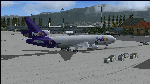
The Boeing MD-11F aircraft, N604FE, named "Hollis" is based out of Memphis, TN and can fly both Domestic and International Routes. The MD-11F (53 built) are the Freight transport aircraft version and were the second variant on offer at launch in 1986, and was the last and longest (1988-2000) manufactured version. 22 MD-11F's were delivered between 1991 and 2001 to FedEx. According to Flight Aware, she flies mainly domestic routes daily. The aircraft is almost identical to the DC-10F, although BOEING modernized their model with a longer fuselage and more powerful engines, giving her a longer range and higher service ceiling. Most flights are at full payload, and those disclude the center long-range fuel tanks, and involve flights ranging between 2,000 and 4,500 nm. I've been dealing with several versions of this aircraft for many years, actually since the first offered on CompuServe for FS98 in the '90s, and through time have found many aerodynamic details that were required in order to make her fly realistically. The Internet slowly added the details I needed, and then came the testing. Needless to say, I've flown many versions, including this one, for way too many hours, and added and corrected things along the way. This version is the best I've ever done, and I've worked on her for about a year before this upload. Everything is aerodynamically correct, and the engines (and their placement) are beyond anything ever presented by anyone with anything like this previously. I even fixed the gear to be 100% authentic in placement and use. I tried to fix the lights, but the textures are from FS2004, so I did the best I could. I chose this aircraft because it is actually in service today, and because the painter did a great job in making her look authentic. She now flies in FSX just as she does in reality, but you are better advised to study this on your own, rather than take my word. Aircraft ratings by manufacturers are based on simple standards, and very conservative. FSX is a virtual “WIND TUNNEL†when realistic aerodynamics are employed, so we can see what aircraft are capable of if we do it all right. Sorry to say, no one ever builds a free aircraft for upload with the correct engine/aerodynamics employed. In fact, I don't think anyone, other than myself, has ever put that much effort into it. So, keep this in mind. What you have now is real. It is Free. Now learn from it. READ THE MD11Readme.txt document before any operation after unzipping this. Tri-Engine Sound by B.G. Hany; Textures by Bradley McCoy; Panel by Marco Spada; Real World Engine/Aerodynamics by Douglas E. Trapp, [email protected], June 2018. This aircraft is designed for educational use protected under the Fair Use Doctrine: (http://www.expertlaw.com/library/intellectual_property/fair_use.html) ... It cannot be sold or bundled for sale, and such will never be approved by me or the original authors. FREEWARE DISTRIBUTION ONLY!!!
| Filename: | FedEx_McDonnell_Douglas_MD11F_N604FE.zip |
| License: | Freeware |
| Added: | 1st July 2018, 02:41:02 |
| Downloads: | 1,474 |
| Author: | Douglas E. Trapp |
| Size: | 121.26 MB |
| Category: Flight Simulator X - Original Aircraft | |
| TU-95MS Bear H |
|
Images related to this file:
File Description:
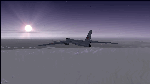
The Russian Air Force 37th Air Army operates the TU-95MS (TU-95M 55 Bear H) from the 182th TBAP unit based in Zavitinsk and 6213 BKHUAT based at Engels Air Base in the Moscow Region. It's use is primarily in maritime operations. She carries cruise missiles even if only used for submarine comms. Her initial design is a competitor with the B-52, but uses 4 Turboprop engines with 8 contra-rotating props. She can fly about as far as, but not as high as the B-52, nor can she fly as fast. She is often monitored off the coast of Alaska and easily met with F-22 Raptors every time. She is also often met by NATO fighters near European borders. Since 45,000 feet is about the highest she can cruise, most fighters can meet her. Her real danger is the cruise missiles which, if launched, have a range more than 1,500 nm and can pinpoint any directed target using GPS ground control. She is normally flown in formations of 3 or more, but sometimes only 2 are observed. She is not designed to fly fast over low terrain, like the B-52, but can do-so if necessary, and dangerously. The aircraft has not seen any major improvements or modifications since the cold war era, and several have crashed due to lack of maintenance. It is currently unknown how many are in service condition. Since much is unknown about this aircraft, yet enough is known to re-create an authentically working model, I have done-so here. Every bit of the aircraft.cfg file and associated .air file has been re-worked to match what known data can offer, and known aerodynamic formulas can equate. The most difficult aspect is the Turboprop aspect, since Turboprop engines do not work like jet engines in any way. Luckily for the simmer, there is no need to adjust feathering or anything like that would be necessary in a normal Turboprop because these engines are self-adjusting. Even though they meet the full known specs of the real engines, I have actually worked all the math to make them actual Turboprop engines (not pseudo-jet engines). That may sound exciting, but you must remember that she is a prop-driven aircraft, and not a jet. Even though you can fly her like a jet, the engines do not adjust like a jet. All aspects have been configured to meet realistic standards, including the MOI factors, weight/balance (including payload positions), gear locations, aircraft dimensions, light positions, engine smoke locations and operations, and weight. I did not simply throw this together, but have been perfecting her for many years. Original Modeler/Sounds: Vladimir Zhyhulskiy (2006); Panel: Marco Spada; Auto Smoke Effects: Richard Wisman; Aero/Engine Dynamics, effects, and details: Douglas E. Trapp, FS Flight Dynamics Engineer, [email protected], November 2018. The use of this model, and the configuration of such, is designed for free educational purposes, and protected by the Free Use Act: (https://www.law.cornell.edu/uscode/text/17/107). This model and/or aspects of such cannot be used for monetary purposes!
| Filename: | TU95MS_Bear_H.zip |
| License: | Freeware |
| Added: | 3rd November 2018, 23:28:41 |
| Downloads: | 742 |
| Author: | Douglas E. Trapp |
| Size: | 42.71 MB |
| Category: Flight Simulator X - Original Aircraft | |
| B-2A Spirit Stealth Bomber |
|
Images related to this file:
File Description:
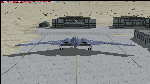
The B-2A Stealth Bomber is the most sophisticated aircraft on the planet. She is essentially a “Flying Wing†platform with no V-Tail, and is controlled by pre-programed flight computers stationed in various positions within the crew cabin and wings. There is one main computer that controls the aircraft, with two redundant back-up computers assigned to it in case of failure. All additional computers are assigned to functions involving flight control, system monitoring, data communications, and radar. Engine and Aerodynamic effects are controlled by these computers which serve several actuators and ailerons, including the spoilerons, which further compensate for the lack of a V-Tail. In theory, and because of these computers, the aircraft is “Stall-Proofâ€. The only way it can stall is if the computers fail. There is no way she can be flown without the computers active. The REAL aircraft does almost everything based on pre-programed data, other than taxi to the runway (although this is also possible to program). Before each flight, the Mission is designed and then assigned to the Mission Flight Box (Portable Computer) which is then carried by the Commander to the aircraft, and the data from the box is “transferred†to the main on-board computers. Because of this, the B-2 cannot be flown until the box is ready for the mission, and pilots cannot simply jump in and fly her, with the exception that the data is transferred via satellite. Everything is pre-planned, and this takes several hours. Once the data is on-board, the taxi can begin. When lined-up on the runway, all the pilot needs to do is push a button or three. Everything else is computer controlled until landing. The aircraft CAN be flown manually with basic data inputs into the main computer systems, but even in that case it is not conventional. If a pilot wants to turn right, he sets the data to turn to a certain degrees of heading. The same with climb and descent, speed increase or decrease. A pilot cannot over-ride the computers in any case, so steep banks, climbs, or descents cannot be forced. There is a lot of space for the two member crew within the cockpit, but there is also a space reserved for one observer. This additional seat is known as “Suicide Position†because there is no ejection seat for that observer. In the event of a mishap, the observer can try to bail-out through the ejection hatches after the pilots, or can try the exit ramp door, or the bomb bay as an exit route. The odds of escape for the observer are very small, but he has a parachute as reassurance. Otherwise, what the crew does during missions is only a guess, since they really don't have to do anything unless an alarm goes off. Since the plane flies so smooth, we can only imagine what sort of things they may dream-up to entertain themselves during a long flight. High altitude flights are conducted at night mainly due to the obvious contrail such a flight will exhibit during the day with such hot engines. The engines are encased in a heat absorbing shield material (still exhaust exists), and the rest of the plane is coated with Radar absorbant material, with the additional low profile effect of the aircraft design itself. If it can be seen by the ground or a fighter, it can be attacked by fighters or the ground. During daytime flight they will stay below the contrail level, and monitor the radar systems in preparations for counter-measures. If a fighter can visually observe them, the fighter may be able to shoot them down with bullets from behind, but not likely with missiles because of the sophisticated counter-measures available. On Radar the aircraft appears the size of a pigeon, until about 8 to 10 miles away, which would be too late to counter from the ground, so most attacks are either done at night or during the day at very low altitude. Upon landing the aircraft is automated down to about 200 feet AGL, when the pilot takes command. All she/he does at this point is allow her to glide down and contact the runway, and retard the engines. Brakes are used to slow, then the computers are turned off, and the pilot can control the throttles, nose gear, and brakes. The Commander watches for obstructions, mainly, and communicates with the tower and ground crew. Everything in this model has been reconfigured to meet realistic standards, without any tricks or flight tuning, and following real world aerodynamic principals and available data, including MOI. The panel requires study before use, but very realistic. The sounds are very authentic. There is no other model offered anywhere that compares to what you have now available in front of you. Please read and study the Readme.txt file within the main folder before attempting to fly this 2.2 Billion Dollar aircraft. Yes, that's correct ... $2,200,000,000 each! The use of this model, and the configuration of such, is designed for educational purposes, and protected by the Free Use Act: (https://www.law.cornell.edu/uscode/text/17/107). The Authors will not approve redistribution for monetary purposes. Original aircraft design by Alphasim; VC Adaptation, panels and gauges by Philippe Wallaert; Sound by Ruggero Osto; REAL WORLD Engine/Aerodynamics, data and effects by Douglas E. Trapp ([email protected]) June 2018
| Filename: | B2A_Spirit_Stealth_Bomber.zip |
| License: | Freeware |
| Added: | 2nd June 2018, 17:16:30 |
| Downloads: | 1,038 |
| Author: | Douglas E. Trapp |
| Size: | 14.81 MB |
| Category: Prepar3D V1-4 - Utilities | |
| Flightplan Visualizer 1.15 |
|
Images related to this file:
File Description:
Flightplan Visualizer (FV) version 1.15.0. Copyright 2018-2020 by Pelle F. S. Liljendal ([email protected]), all rights reserved.
FV comes with 738 pre-imported Commercial AI flightplans (+380 BizJet flightplans are available as a separate download). However you are able to import additional (AI) flightplans yourself. Once imported these (AI) flightplans can be visualized on a map-view, and the user will be able to search accross all these. Hence you can use the program as inspiration as to which routes to fly. E.g. you can search across all imported flightplans to find all flights in an A321 flying into/out from LDDU, or simply to look for all flights in a Boeing 747-8F.
Simply run the included installer to install the software. The program will be installed into "C:\Program Files (x86)\Flightplan Visualizer" and all datafiles will be installed into: "C:\Users\[UserName]\AppData\Roaming\FlightplanVisualizer". The program comes with a full manual explaining everything, and a 3 page quick manual to get you started. The first 3 times you run the program the quick manual will automatically open. The forum is hosted here: https://forum.aerosoft.com/index.php?/forum/919-flightplan-visualizer/
Version 1.15 Contains the following changes:
- As a first, you can now import flightplans even if one or more aircraft-types cannot be automatically detected during import. These will instead be assigned to a dummy-type during import, however you need to manually assign substitute aircraft-type(s) before being able to save the imported flightplan. If/when the program gets support for the aircraft-type(s) that were missing during import, the substitute aircraft-types can either be re-detected manually or by using the "Re-process aircraft/airport-redirects" menu-item.
- Added a combo-box that can be used to filter the flightplans that are shown in the flightplan combo-box on the main-form (e.g. enter "west" to see only flightplans containing "west" in the name). Hovering the mouse over this new filter combo-box will show examples of the more complex filters (e.g. filter by provider, author, season, year, and so on).
- In version 1.14 user-airlines were added, and these could be accessed via a menu-item on the main-form. However in version 1.15 you can now also add user-airlines from the import-flightplan form, so you don't have to abort a pending import, and go to the main form in case you find you are missing a user-airline.
- Added MRU-lists (Most Recent Used) to the browser-forms used to search for: Airport, Aircraft and Airline. The text-edit in the top of these forms have been replaced by a combo-box holding up to 20 items (in chronological order, with the most recent at the top).
- Added a new chart to the Airport Info form showing: "Daily flights per international/domestic/same state".
- Added Utilization-pct to the fleet report (both total for the entire fleet, and per aircraft). The Utilization-pct is also visible for the displayed schedule (for a single aircraft) in the Leg-Info form. This value tells the pct of time the aircraft spends servicing the schedule (the remaining time the aircraft "sits at the gate", including the time spend loading/unloading passenger and cargo, loading fuel, being serviced by ground-crew and what not).
- On the main-form, renamed menu-item "Re-process airport-redirects" into "Re-process flightplans".
- Distance from selected airport to mouse-position on main-map moved from the bottom of the form to the upper/right-corner of the form (where info of selected airport is listed).
- Using the (right-click) context-menu on the main-form airports can now be toggled (on/off) as being favorites.
- A few minor changes were made to the default leg search criteria. If you have saved your own default, you should go to the leg search form, press-and-hold SHIFT while clicking the "Reset" button (to reset to "factory default"), then set the criteria to your perferences, and finally press the "Save Reset" button to re-save your preferences.
- Added MRU-list (Most Recent Used) to fuel-density combo-box on Unit Conversion form. If empty, the list will be preloaded with the values 0.7850 (old default), 0.8040 (often used as a standard for Jet-A), 0.8200 (often used as a standard for Jet-A1). The user is still able to enter another value.
- The values used in the unit-conversion form are saved with the settings file, so each time you open the form will contain the values entered last time you used the form.
- Tweaked the method for calculated flight-time. In previous version the same parameters were used for calculating flight-time for all flights. Now these parameters are dependant on distance, resulting in calculated flight times that are closer to those used in the flight-plans (based on statistic-data from +700.000 AI flights).
- Some of the aircraft have been marked as "Retro", and in settings you can choose to exclude the "Retro" (they are enabled by default).
- Improved (Boeing) aircraft-type detection when importing flightplans using non-standard naming, such as "B744F" in stead of "747-400F" or "B736" in stead of "737-600".
- Updated all libraries in use to the latest versions, and addressed some minor issues with the map.
- Fixed: Newer versions of MyRwy are outputting airport elevation as a floating point value (e.g. "629.92") whereas older versions were outputting it as an integer value (e.g. "630"). In previous versions of FV the floating point value "629.92" was wrongly read as an elevation of 62992 ft. The program can now both handle floating point and integer values, hence can be used with both old- and new versions of MkRwy.
- Fixed: When adding new user-airlines in version 1.14, callsign was being set to the name of the airline, in stead of the entered callsign. If you added any user-airlines in version 1.14, you should edit these with version 1.15, and set the callsigns again.
- Fixed: If a Leg search was active (combo-box in bottom of main-form showing "[Last Search]") and all flightplans were disabled in "Enable/Disable -flightplans" the program would shut-down with an exception.
- Fixed: The list of the airline-codes (gate-tab on Airline-Info form) started with a comma, however comma should only be used to separate the items when multiple airline-codes were associated with the same gate (3rd party scenery only).
- Fixed: In some cases the cruise-speed was not shown correctly in the Aircraft search form.
- Fixed: Some of the menu-items for launching the (YouTube) tutorial-videos were missing the tool-tip text ("Hold SHIFT to copy url to clipboard").
- Fixed: About-box can now be closed with ESC, like most other forms.
- Fixed: potential issue reading xml-data, perhaps with a the benefit of a slightly better performance.
- Data: Added support for flightplans using "retro" aircraft types such as: Aerospatiale SE-210 Caravelle, British Aerosapce ATP/BAC One Eleven, Concorde, DC-3, DC-4, DC-6, DC-8, De Havilland Comet, Fokker F28, Hawker Siddeley HS 121 Trident, Ilyushin Il-18/20/22/24/86, Lockheed Constellation/L-188 Electra, Shorts SC-5, Tupolev TU-134, Vickers VC10/Viscount, and thanks to user Aucery Lockheed 1011.
- Data: Support for additional aircraft-types added as well: BN-2A Trislander, CASA C-212/C-235, CubCrafters XCub, DHC-2 Beaver/Turbo-Beaver, DHC-3 Otter, DHC-5 Buffalo, Diamond DA-42/62, Extra EA-300, Honda HA-420, ICON A5, NAMC YS-11, Mooney, Mudry CAP 10, Pilatus PC-6/PC-24, Piper Cub/Super Cub, Robin DR-300/400, Shorts SC-7, Tecnam P2012/P2006T
- Data: Some of the aircraft-types, for which multiple ICAO/IATA-codes exists, were split into two (one for Pax and one for Freight), e.g. Convair 580, DC-9-10/30/40, and Il-96. As a result you should execute "Re-process flightplans" (found in the "Flightplan" menu), and "Re-detect all" aircraft.
- Data: A few missing aircraft IATA/ICAO codes were added, and some "behind the screen" data for multiple aircraft were updated as well.
- Data: A few Airlines were added/updated (a big THANK YOU to Bruce Nicholson for the assistance keeping these data up-to-date).
- Flightplans: The good people over at AIG (Alpha India Group) have once again been VERY busy since the last release, hence the installer comes with 298 new/updated pre-imported flightplans, bringing the total of flightplans bundled with the installer to 738.
- Flightplans: A few flightplans were bundled with the program in duplicates (2 slightly different names, or 2 different seasons). These duplicates have been marked as obsolete, and have been removed from the installer. Using the "Select all obsolete flightplans" menu-item in "Enable/disable-flightplans" you can mark these flightplans and move them to the "Disabled" folder, from where they can be deleted.
Pelle
| Filename: | Flightplan_Visualizer_115.zip |
| License: | Freeware, limited distribution |
| Added: | 20th March 2020, 17:08:52 |
| Downloads: | 377 |
| Author: | Pelle Liljendal |
| Size: | 28.9 MB |
| Category: Microsoft Flight Simulator (2020) - Utilities | |
| Flightplan Visualizer 1.22 |
|
Images related to this file:
File Description:
Flightplan Visualizer (FV) version 1.22. Copyright 2018-2022 by Pelle F. S. Liljendal ([email protected]), all rights reserved.
FV comes with 1599 pre-imported AI flightplans (of which +726 are BizJet flightplans, the rest are commercial, government and military). However you are able to import additional (AI) flightplans yourself. Once imported these (AI) flightplans can be visualized on a map-view, and the user will be able to search accross all these. Hence you can use the program as inspiration as to which routes to fly. E.g. you can search across all imported flightplans to find all flights in an A321 flying into/out from LDDU, or simply to look for all flights in a Boeing 747-8F.
Simply run the included installer to install the software. The program will be installed into "C:\Program Files (x86)\Flightplan Visualizer" and all datafiles will be installed into: "C:\Users\[UserName]\AppData\Roaming\FlightplanVisualizer". The program comes with a full manual explaining everything, and a 3 page quick manual to get you started. The first 3 times you run the program the quick manual will automatically open. The forum is hosted here: https://forum.aerosoft.com/index.php?/forum/919-flightplan-visualizer/
Version 1.22 Contains the following changes:
- I had initially added a feature to download AIG airline-logos, however a later change in AIG's server setup rendered this feature useless. In stead you can now specify the local folder holding AIG's airline logo's (if/when you are using AIG AIM on your computer for AI-traffic). If specified, airline-logo's will be obtained from this folder.
- On the same note, I had to remove the menu-item to download AIG flightplans, as this program no longer have directly access to the AIG servers. For the same reason the menu-item to access the index with flightplans (up to summer 2021) was re-enabled.
- In the past when opening the Airport-Info form it defaulted to show in-/out-going traffic for the selected flightplan or active leg-search only. Now there is a new setting where you can set it up to in stead default to showing all traffic in/out of the airport (the Airport-info form still contains a combobox where you maually can choose what to see).
- "Owned aircraft" was renamed into "Simulator-aircraft", as these are the (flyable) aircraft you have available within your simulator of choise.
- When choosing to use calculated flight-times in a leg-search, you can now specify a percentage-difference (between leg-time and calculated-time). Only when the difference between leg-time and calculated-time exceeds this specified value will the calculated time be used during leg-search (e.g. "only use calc-times if diff. exceeds 50%, otherwise use leg-times").
- Began using (aircraft) short-names many places where the program in the past used IATA/ICAO-code (e.g. when hovering the mouse over a route, or list of aircraft servicing specific airports when editing flightplans). Also added short-name columns to aircraft browser and when choosing favorites (these stil contains columns for IATA/ICAO-codes).
- Pressing the "Usage" button when editing/viewing an aircraft-type or right-clicking an aircraft-type in the browser and choosing "View usage-report..." from the context menu, you will be shown a report that inform you how that aircraft-type is used: which simulator-aircraft are based on that type, which owned aircraft that have been marked as substitute for that type, which airlines are using that type (as carrier/operator), and finally in which (active) flightplans that type is used.
- Items in airline-browser are now by default sorted by (airline) name, and the usage-column shows the size of the airline if its in use. If available a logo for the selected airline is displayed in the upper/right corner.
- Improved performance when searching for ICAO-codes in the airport-browser. Also improved priority of the default selected item, in cases when an airport had a 3 letter ICAO-code, and another was using the same 3 leters for its IATA code.
- When searching for ICAO/IATA-codes in the airline-browser, it will now prioritize non-defunct airlines, if multiple airlines share the same ICAO/IATA-code.
- When enabling/disabling flightplans, you can now select all BizJet flightplans (those prefixed with "Bz_"), all Military (prefixed with "Ml_") or all Goverment (prefixed with "Gv_").
- Individual FP sub-folders can now be setup to leave (not move) defunct- and/or obsolete FP, even if the settings to automatic move these to the disabled folder is set.
- Performing "Search legs" you can now filter on aircrafts you are allowed to fly via type-ratings ("Must be type-rated").
- Performing a substitute of a user-airline, that airline will remain selected (previously the list scrolled to the top, and selected the 1st item).
- Added new check-box to "Search legs" that can exclude round-trips (legs taking-off and landing at same airport).
- Airline/Aircraft-repaint -filter can now filter on size of airline (e.g. "size=major"). Size is determined from usage as carrier/operator in active flightplans. Airlines not in use by active flightplans are listed with a size of "unknown").
- Added GPS-conversion (deg deg,min,sec) to the conversion-form, as requested by a colleague. You can either manually enter lat/lon or look-up an airport to get it. There is both a primary lat/lon and a secondary, and the form will show the (GC)distance between these and the initial/final course.
- Added new "Max airport-distance" for airport-redirections. At the same time added new feature when importing/editing airports to permanent change an airport. If used, it is not saved/handled as a redirection (can't be restored) but rather as a perpament change.
- Reordered- and renamed some of the tab-pages in the Airport-info form.
- Reordered the length/distance-fields in the unit-conversion form.
- The Wind-calculator have been removed from the main-menu, in stead wind-calcuations can now be performed using the unit-conversion form. Also now the speed of the wind is always displayed as a positive value, and in stead the label will either say "Head-wind" or "Tail-wind".
- Added new "Country list" menu-item in the misc-menu. Will list all countries twice (sorted by names, and sorted by ISO3-codes).
- Showing airport-marker tool-tips on the main-map is now prioritized over showing route tool-tips.
- Added "Min take-off fuel ("MTFL") field to user-aircraft weight-fields. As of now its not set for any aircraft in the database, however it can be estimated as 60 minutes of flight at cruise.
- Moved several group-boxes of the settings-form to the 2nd tab-page, and added new fields for defalt simulator/logging-environment based on the File-prefix used when starting the program.
- Also now the header-names that was previous fixed to "Rank" and "Traffic-density" can be changed, so the selectable 6 values can be used for something entirely different, if anyone have the need for this. If/when changed, these new names are shown when editing an airport, or when performing a leg-search (as the leg-search can filter on these fields).
- MakeRunways (MkRwy) by Pete Dowson is challenged handling unicode in the scenery it scans/writes to XML. E.g. the Icelandic airport (BIFL) "Flúðir Airport" is exported by MkRwy as "Flúðir Airport". In this version FV will try to identify when this happens, and then it will fall back using the airport/city-names from the databases bundled with FV. This is not a perfect solution, but at least it improves the result.
- Various minor changes and tweaks to multiple forms (e.g. Unit conversion form can now be closed with ESC, renamed log-archives and so on).
- Fixed: If the main-form had an active flightplan filter when using the search-legs feature the flightplan combo-box still only contained the filtered context. Pressing the Clear button did not resolve the issue.
- Fixed: Since adding support for the AIGFP file-format, there could be flights departing from- and arriving at the same airport (e.g. helicopter flights). In previous versions the calculated flights-time would only consist of taxi-out/in times. In this version the flightplan leg-time will now also be uses for the calculated time, when the same airport is used both for departure and destination.
- Fixed: In some cases re-processing flightplans (resetting and performing redirection) could corrupt the flightplans and remove airport-data from the flightplans. This version will also try to add any missing airport-data to flightplans when re-processing them.
- Fixed: Selecting "only show favorites" in the Search aircraft-type form would filter out all aircraft (including those marked as favories).
- Fixed: In the leg-info form the fields to show times (Out, Off, On, In) were too narrow for multi-week flights, when showing the week-number (e.g. "TH7/14:37").
- Fixed: Issues when estimating cruise/taxi fuel-burn for user-aircraft, where in some cases some fields were not saved, and wrong calcuation if setup to show weight in Kg.
- Fixed: In some cases wrong TimeZone was used when calculating local time for OUT, OFF, ON, IN-times.
- Data: The airport redirection file ("UserAirportRedirect.xml") in the UserData folder have been updated to match the latest MSFS world update. However this new file is only installed by the installer if it does not already exists (in case you made your own changes), hence you need to delete this file manually prior to running the version 1.22 installer.
- Data: Quite a few airports in the airport-database were updated (had wrong names due to issues with unicode-letters). Also some additional airports were added.
- Data: The installer comes bundled with +300 airline-logos (optional install), and a separat package of +1400 airline-logos are avilable for download from AVSIM (in both cases these are encoded into a propriotary format using the ".CAL" extension).
- Data: Added the P2F (Passenger-to-Freighter) versions of the Airbus A320, A321 and A330. Also added the package freighter versions of CRJ100 and CRJ200.
- Data: Improved detection of Boeing 737-700/800 BCF/BDSF when importing flightplans utilizing these (passenger aircraft converted into freighters). Also improved a few other freighter detections.
- Data: Changed a few (aircraft) short-names to either shorten them a bit, or make them "more readable".
- Flightplans: All new/updated flightplans have been added to the installer, and all obsolete/defunct have been marked/removed. A total of 1599 active flightplans are bundled with the installer.
| Filename: | Flightplan_Visualizer_122.zip |
| License: | Freeware, limited distribution |
| Added: | 18th October 2022, 23:31:28 |
| Downloads: | 390 |
| Author: | Pelle Liljendal |
| Size: | 45.57 MB |


© 2001-2026 AVSIM Online
All Rights Reserved
Privacy Policy |