
Where Flight Simulation Enthusiasts Gather from Around the World!
AVSIM Library - Search Results

| Category: Flight Simulator X - Scenery | |
| Frankfurt Main Airport (EDDF) v8 - Auto installer |

|
Images related to this file:
File Description:
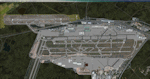
This major update represents EDDF in the July 2015 timeframe.
This version includes further expansion of the Terminal 3 area now in use as extended apron parking, with new J and K ramps for airline, general aviation and cargo aircraft, new apron night lighting, vehicular traffic/roadways as well as support for 70+ airlines coded for AI traffic.
In addition, this update features some brand new taxiways and updated airport navaids including use of the secondary 3.2 degree ILS approach paths for the Northwest runway.
For visual improvements, a new sound wall for the northern perimeter is included along with improvements in landclass to match Orbx FTX Global and inclusion of an optional 200Mb ground photo scenery layer providing even more realism.
Extended compatibility is also provided for P3D and GSX v1.9 (Ground Services for FSX) with the latter providing customized service vehicle parking for each parking position across the whole airport and in some cases, custom GSX pushback operations have been introduced at selected gates. The associated GSX airport .ini file is supplied in this package.
Last of all, more flexibility is delivered. This new scenery now comes supplied with 3 separate .BGL files - the standard .BGL AFCAD file together with the exclusions file ( _CVX) and the separate airport objects file ( _OBJ) so that the airport AFCAD can continue to be updated independently from the airport objects and exclusion files by users wishing to modify the airport layout to their own needs.
Default FSX scenery is required.
Please consult the readme and the comprehensive help manual prior to installation and for more information.
| Filename: | Frankfurt_Main_Airport_EDDF_v8__Auto_installer.zip |
| License: | Freeware |
| Added: | 5th August 2015, 18:50:05 |
| Downloads: | 15,671 |
| Author: | Mark Aldridge |
| Size: | 232.05 MB |
| Category: Microsoft Flight Simulator (2020) - Utilities | |
| Flightplan Visualizer 1.19 |
|
Images related to this file:
File Description:
Flightplan Visualizer (FV) version 1.19.0. Copyright 2018-2021 by Pelle F. S. Liljendal ([email protected]), all rights reserved.
FV comes with 1164 pre-imported AI flightplans (of which +380 are BizJet flightplans, the rest are commercial). However you are able to import additional (AI) flightplans yourself. Once imported these (AI) flightplans can be visualized on a map-view, and the user will be able to search accross all these. Hence you can use the program as inspiration as to which routes to fly. E.g. you can search across all imported flightplans to find all flights in an A321 flying into/out from LDDU, or simply to look for all flights in a Boeing 747-8F.
Simply run the included installer to install the software. The program will be installed into "C:\Program Files (x86)\Flightplan Visualizer" and all datafiles will be installed into: "C:\Users\[UserName]\AppData\Roaming\FlightplanVisualizer". The program comes with a full manual explaining everything, and a 3 page quick manual to get you started. The first 3 times you run the program the quick manual will automatically open. The forum is hosted here: https://forum.aerosoft.com/index.php?/forum/919-flightplan-visualizer/
Version 1.19 Contains the following changes:
- The release-version of the application is now aimed at 64-bit (granting access to more memory if needed). Enabling 64-bit adds a memory overhead of approx 50% compared to 32-bit, but its the "price to pay" to have access to more memory (for those of you with many active flightplans loaded into memory at the same time).
- FV can now connect to your simulator using FSUIPC (tested both with P3D and MSFS). By default you will have to manually connect/disconnect (using new menu-items in the File-menu). However in settings you can choose to do it automatic. When automatic-connection is selected the connect/disconnect menu-items becomes inactive.
- When connected to a sim, the location/heading of your aircraft can be displayed on the map, using an orange aircraft-marker, and hoovering the mouse over this marker will display some key data (GPS-location, altitude, heading, speed and so on).
- Added abillity to playback audio-files. In settings you can choose which audio-device to use, and set the volume at which these files are played (defaults to 50%). If volume>0 these files will automatically be played back whenever FV connects to/disconnects from the Sim.
- Added additional icons that are automatically selected to indicate when the program is connected to the simulator. Hence the icon in the main-form will indicate if FV is connected to a simulator or not.
- In the form for editing (user)-airlines and in the form for searching airlines the context menu now have a menu-item called "Show usage". When selected, it will generate a report showing all the (active) flightplans in which the airline is used.
- Added a new "Manual" check-box next to the load-factor when editing user-airlines. This check-box needs to be checked if you want to manually enter a load-factor. When not checked (default) the load-factor will automatically be set to the default value of the selected country.
- When editing user-airlines, the airline just added/edited will be visible and selected in the list-view. Likewise when deleting an airline, the previous item will be be visible/selected (in stead of always scrolling to the top afterwards, as in previous versions).
- The Insert/Delete keyboard-keys can now be used as shortcuts adding/deleting user-airlines and user-aircraft (both owned and types).
- The gate-map context-menu (Airport Info), now allows you to re-center the map (in case your have been panning the map, and can't locate the airport again).
- Added a new menu-item/form to calculate head/cross-wind from manually entered flight/runway-heading and wind-direction/speed. Don't forget the runways tab-page in the Airport-info form already calculates this for each runway (and wind-direction/speed is automatically obtained from METAR).
- Added a new menu-item/form to convert plain-text into morse-code. There is also a button that lets you listen to the generated morse-code, so you can practice your morse-code listening skills (e.g. entering an ILS/VOR-ident, to know which morse-code to listen for in the aircraft, to verify the correct ident is reqeived).
- The "Cruise speed" column have been removed from the aircraft tab-page of the Edit Flightplan form to make more room for the Carrier/Operator-columns. In the past these simply contained the ICAO for the airlines. Now it both contains: ICAO, IATA (if not blank) and Name.
- The criteria in the leg-search window now allows you to filter on departure/arrival week-days (e.g. only include flights departing a particular airport on a Saturday or Sunday).
- When using the flightplan-filter on the main-form, it will favour the current active flightplan (as in previous versions), however if not able to, it will select the first flightplan included in the filtered list (in stead of choosing "[None]").
- Improved import of AIGFP-flightplans where the airport is not contained within the embedded airport.txt file and is using a different ICAO-code in route-files (observed for "AIG_UTair_Summer2018v6" and "AIG_S7Airlines_Winter2019-2020v3").
- Added runway-info (for both Departure/Destination-airports) to the flightplan leg-report. For ILS-eqiupped runways its lists the ID (both as text, as morse-code), frequency and ils-slope.
- Morse-code also added to ILS-ID column on the "Runways" tab-page of the airport-info form. Above the list-view there is also a label showing the morse-code (using a larger font), and next to it there is a button that lets you listen to the morse-code.
- Traffic-pattern direction (for take-off and landing) are now displayed for each runway. These data are extracted from the scenery by MakeRunways, hence the info can't be "better" than the info in the scenery (hence most default airports simly shows 'Left').
- Current/peak- memory usage is now logged at various stages while running, and when closing the program. These values can also be observed opening the about-box, which will also forcefully append these values to the log.
- When using MkRwy with MSFS it can't obtain the country-name, hence these are taken from the airport-database embedded with FV. However the name for USA ("United States of America") is too long to be shown together with state-name, hence code have beed added it to shorten it to "United States" (which was the default country-name used in FSX/P3D).
- Changed font in Comments-box for user-aircraft to a fixed font, in case some users what to enter text "in columns" (e.g. if you make "tables" with speed-restrictions).
- Changed the color of the splitter-bars in the Airport-info and leg-search forms to a draker color, to better indicate where it is.
- The build-part of the version-number can now be ignored when performing the automatic version-check at start-up. This new setting is by default disabled. If enabled it will ignore changes from version 1.x.0 to 1.x.1 (e.g. an update from 1.19.0 to 1.19.1). However major/minor versions-updates (e.g. from 1.19.x to 1.20.x) will not be ignored.
- Fixed: Excessive logging while importing AIGFP flightplans removed (leftover from fixing a bug before the release of version 1.18).
- Fixed: When using kg in the leg-info report, the weight of Luggage incl. pax weight (shown in parentees) was wrong.
- Fixed: Button to open filter-manual on Gate-page of the Airport-info form was not visible/position was not fixed.
- Fixed: The wind-speed obtained from the METAR and used to calc head/tail-wind on the Runway tab-page of the Airport-info form, did not considder the unit (e.g. Khp or meters-per-second).
- Data: A VERY BIG THANK YOU to Bruce Nicholson for assistance updating the Airline-database, both with new/missing entries and marking defunct airlines as such.
- Data: A lot of "fictios airlines" was added as well. These are used for companies without official ICAO/IATA codes. To indicate they are fictios the ICAO-code is set to "---" and the IATA-code is used to indicate the kind of traffic (e.g. the combination "---/BZ" is used for biz-jet flights).
- Data: Also thanks to Bruce for pointing out that a few aircraft were not being detected as they should. So this version should do a better job with Cessna T206H, Cessna Citation SII/S550 and Global 7500.
- Flightplans: The bundled AIG flightplans have been updated to the latests versions/revisions available from AIG (there were a few defunct that was removed, a few new versions that was added, and a lot of new revisions being updated).
- Flightplans: Eric Steinmetz's Bizjet (AI) flightplans that have previously been available as a separate download are once again bundled with the installer (they are only installed if you choose the option during installation). These have all been updated to use the new "---/BZ" airlines (for companies without official ICAO/IATA-codes), and the Author/Provider have been set to "Eric Steinmetz"/"ESAI" (the previous/separate download was created before adding author/provider to the software).
Pelle
| Filename: | Flightplan_Visualizer_119.zip |
| License: | Freeware, limited distribution |
| Added: | 2nd May 2021, 00:02:01 |
| Downloads: | 280 |
| Author: | Pelle Liljendal |
| Size: | 35.71 MB |
| Category: Prepar3D V1-4 - Utilities | |
| Flightplan Visualizer 1.11 |
|
Images related to this file:
File Description:
Flightplan Visualizer (FV) version 1.11.0. Copyright 2018-2019 by Pelle F. S. Liljendal ([email protected]), all rights reserved.
FV comes with 540 pre-imported Commercial AI flightplans (+380 BizJet flightplans are available as a separate download). However you are able to import additional (AI) flightplans yourself. Once imported these (AI) flightplans can be visualized on a map-view, and the user will be able to search accross all these. Hence you can use the program as inspiration as to which routes to fly. E.g. you can search across all imported flightplans to find all flights in an A321 flying into/out from LDDU, or simply to look for all flights in a Boeing 747-8F.
Simply run the included installer to install the software. The program will be installed into "C:\Program Files (x86)\Flightplan Visualizer" and all datafiles will be installed into: "C:\Users\[UserName]\AppData\Roaming\FlightplanVisualizer". The program comes with a full manual explaining everything, and a 3 page quick manual to get you started. The first 3 times you run the program the quick manual will automatically open. The forum is hosted here: https://forum.aerosoft.com/index.php?/forum/919-flightplan-visualizer/
Version 1.11 Contains the following changes: The file-format of the Flightplan-files was changed to accommodate some planed changes. The program remains backward compatible, so "old" flightplans can still be loaded. I wanted to implement these changes BEFORE I began importing new flightplans, to ensure these new/updated flightplans are all utilizing the new format. On startup the old flightplans will automatically be converted to the new format. The new installer now comes bundled with 540 commercial flightplans (schedules:22291, legs:699158) whereas the old one "only" contained 300 commercial flighplans (schedules:16786, legs:536198). All BizJet flightplans were removed from the installer and are now available as a separate download. A new settings-form have been added to eliminate the need to manually edit the settings-file using a text-editor. A new menu-item have been added which opens an explore window browsing the content of the UserData folder. Individual (disabled) flightplan-files can now be permanently deleted via the "Enable/disable flightplans" form. Flightplan sub-folders (with exception of "Disabled") can now be marked as "enabled" (using a check-box). Meaning that the flightplans in these will be also loaded on startup (along with the files in the root-folder). Using the "Enable/disable flightplans" form you can now both move and copy flightplans (based on the value of the radio-buttons). A creator-field have been added to flightplans, which can be entered when you import/edit a flightplan. The name of the creator is displayed as a tool tip when hoovering the mouse over the combo-box in the bottom of the main-form. When importing new Flightplans the program will try to grab creator and provider from the files bundled with the flightplan. Likewise a button is added to the import-form which list the content of the text-files (e.g. "ReadMe.txt"), in case you need to manually grab the creators name from this file. Both when importing- and editing flightplans a new column have been added to the airport list-view containing comments regarding airports that have been redirected (from one ICAO to another), or airports classified as pseudo-airports (in case the airport does not exists in the flightsim). The elevation-column from previous versions was removed to make more room for the comment-column. Added a new form to edit airport-redirections (redirect from one ICAO to another on import). In the airport-info form you can now switch between showing flights for the selected flightplan/last search and all flights to/from the airport being displayed. Added a new "Nearby Airports" tab-sheet to the Airport-info form, which shows a distance-sorted list of nearby airports. In the previous versions all new aircraft were automatically added to the selection of favorite aircraft. From version 1.11 you must manually choose which are your favorites (upgrading from a previous version, your current selection of favorites will NOT be changed). First letter of decoded-metar is now changed to uppercase, and a checkbox lets you decide if you want to perserve line-breaks in the decoded text copied to the clipboard. Switched position of "Save" and "Cancel" buttons in airport-info form, to match layout of other forms. Like elsewhere in the program, the airport search-browser now lists the icao-codes with an asterisk (*) for each airport that is a pseudo airport. Greatly improved the responsiveness/performance of the browser-forms, when searching for : Airports, Airlines and Aircraft. Managed to shave off a few 10th of a second loading/processing data at startup. Added support for additional Aircraft. Many of the Airports in the supplied data-files were updated likewise some new Airlines were added as well. Made the importer stronger to import flightplans where aircraft names are not in quotes, and multiweek days are written as "1/3" in stead of "10". Fixed: When manually redirecting an airport during import, the flightplan was not visualized corretly until re-loading the flightplan (e.g. restarting the program). Fixed: Closing the Enable/Disable-flightplan using other means than the close-button would not make the program re-load active flightplans afterwards. Fixed: Several of the combo-boxes on the airport-info form allowed text being entered into them. Fixed: Corrected an issue with map-caching.
Pelle
| Filename: | Flightplan_Visualizer_111.zip |
| License: | Freeware, limited distribution |
| Added: | 7th July 2019, 18:15:30 |
| Downloads: | 227 |
| Author: | Pelle Liljendal |
| Size: | 29.95 MB |
| Category: Flight Simulator X - Original Aircraft | |
| Piaggio P-149D FS-X DX9 Edition |
|
File Description:
This is a re-edition of the Piaggio P-149D with FS-X retail\SP1\2\Accel DX9 compatibility (DX10 users need to convert textures). The original model for FS-2004 is MN_P149D.zip + P149_FIX.zip available on AVSIM & www.mariopilot.6x.to. P_149_fix.zip is already included in this FS-X update.
The Piaggio P-149 is a trainer-laison aircraft. It first flew in June 19th, 1953. I'ts a development of the P-148 model, with increased seat cpacity, tricycle retractable landing gear and a more powerful engine, featuring a three-bladed constant speed propeller. It was mainly used by German Luftwaffe as a training aircraft, that oredred 75 examples in 1955. Later in 1957 another 190 were manufactured under licence by Focke-Wulf. The D version is the one employed by Luftwaffe, while later some few P-149CH variants were used by Swissair as flying schools, and a few P-149U variants, with a new tailplane section to allow more rotation clearance on takeoff were used by Ouganda's Air Force. The P-149 Has a seating capacity of 4 with some examples being certified for 5 (both cases including pilot) and it's fully aerobatic, having G-limits set at +7\-4.5. After training activities ceased with Luftwaffe, several are still flying under civilian operators. This gMAX model features completely 3-D virtual cocpkit and cabin with advanced night lighting and custom special effects, plus a sound package recorded from the real thing. Simulates all systems onboard the real aircraft, coming with panel instructions. Flight Dynamics are built using only real data based on the 1% spreadsheet plus lots of manual tweaking for fine tuning. Read Notes before flying please... Enjoy!
Notes and documentation are the htm files in the P-149D aircraft folder.
| Filename: | Piaggio_P149D_FSX_DX9_Edition.zip |
| License: | Freeware |
| Added: | 11th October 2008, 13:10:16 |
| Downloads: | 7,242 |
| Author: | Mario Noriega |
| Size: | 16.61 MB |
| Category: Flight Simulator 2004 - Aircraft Repaints, Textures and Modifications | |
| TAROM Boeing 737-38J (YR-BGB) 'Bucuresti' for Traffic 2004 |
|
File Description:
TAROM B.737-38J YR-BGB C/N 27180-2529"Bucuresti".
This is my new serie of TAROM for the Just Flight Traffic 2004.
TAROM((Transporturile Aeriene Romane) is the official airline of Romania and was
founded after the war in 1946 as Transporturi Aeriene Romana Sovietica (TARS)
with a fleet of Lisunov Li-2.The airline had operated soviet jet types longtime
(Ilyushin IL-62, IL-18, Tu-154´s)but after the restructuration in the early 90´s
is today composed with 6 ATR-42-300 and 9 B.737-300 and 700 series(models B.737-38J,B.737-78J and one B.737-36Q).
All 707´s and soviet types are now stored and out of service.The two A310(introduced in 1992)and tasked to flight the New York services or Charter flights in the summer time are now in reserve and also out of service
or saled the fleet of ROMBAC 1-11(BAC 1-11 build under licence by Romaero.The main hub of TAROM is located at Otopeni Intl.airport(Bucarest).
TAROM served national destinations(Cluj,Constanta,Tirgu Mures,Timisoara,Satu Mare,Oradea,Iasi,etc)and International destinations(Wien,Frankfurt,Munchen,Brussels,Paris CDG,London HTR,Rome FCO,
Budapest,Athens,Thesaloniki,Sofia,Chisinau,Madrid,Larnaca,Tel Aviv,Amman,Beirut,Cairo,Istanbul,Amman)
I have included a serie of 64 TAROM flights, all served with the B.737-300´s and ATR42-500´s.
Also included a new complete revised AirFile for the 737-300 type(23-04-04).
| Filename: | TAROM_Boeing_73738J_YRBGB_Bucuresti_for_Traffic_20.zip |
| License: | Freeware |
| Added: | 25th April 2004, 02:05:28 |
| Downloads: | 304 |
| Author: | Daniel Nole |
| Size: | 396.68 KB |
| Category: Prepar3D V1-4 - Aircraft Repaints, Textures and Modifications | |
| Hawaiian Air 1998 AI Package |
|
File Description:
Hawaiian Air was a shell of itself in the Transpacific market in 1998 compared to today, while it was fiercely competing with Aloha Airlines in the intra-Hawaii market. DC-10-10s preformed all Long Haul flights as well as those to the USA, while a fleet of DC-9-50s competed with Aloha between the islands. At the time, all flights from OGG to the mainland actually originated in Honolulu and made a stop in Maui in each direction on which no tickets were sold between HNL\OGG. LAX was used as a stop over point as well for flights between HNL\OGG and LAS. All mainland flights from HNL were daily while flights to other destinations in the Pacific and between the mainland and OGG were operated only a few days per week. HNL-LAX was the busiest route for the DC-10, with 3 daily flights. The MD-80s, other DC-9 variants, and the DHC-7s were gone by 1998, but the DC-9-50s still served the smaller airports of LNY and MKK(even with some very short flights between the two) at the time which were soon after abandoned until Ohana by Hawaiian was launched in recent years with ATR-42s. AIG DC-9-50 repaint by Christian Gold and Antoine Calleja of APG included. AIM DC-10-10 by Jason King on Avsim as "aim_dc1010_hawaiian_n160aa.zip". Flightplans by Chasen Richardson as part of the 1998 Flight Simulator Project. Follow us on Facebook at facebook.com/flightsim98 and on instagram as @bayviationsim. For more Retro AI, check out the forums at: http://retroai.proboards.com/
| Filename: | Hawaiian_Air_1998_AI_Package.zip |
| License: | Freeware |
| Added: | 21st November 2019, 19:14:09 |
| Downloads: | 170 |
| Author: | Christian Gold, Antoine Calleja, Chasen Richardson\Bayviation |
| Size: | 657.46 KB |
| Category: Flight Simulator 2002 - Aircraft Repaints, Textures and Modifications | |
| Canadair CL-13 Mk 2 Sabre (F-86E) Royal Hellenic Air Force |
|
File Description:
This is one of the first jet age aircrafts served in Royal Hellenic Air Force, almost 50 years ago (!!!). There are two repaint versions of Royal Hellenic Air Force in the zip package: The first one, represents a Royal Hellenic Air Force Canadair CL-13 Mark 2 Sabre used to fly with 342nd Sqdr. of Royal Hellenic Air Force (RHAF) in Elefsina, Greece with an interception role. The second, represents the aniversary "Alexander the Great" texture, painted in "patriotic" colours, by a gas station owner (!!!) in Thessaloniki - Greece after buying the aircraft (sn. 19294) as scrap and finaly display it as a memorial by his store. This specific aircraft used to fly with 343rd Sqdr. In Nea Anchialos, Greece. The Canadair CL-13 Mark 2 Sabre aircraft (Canadian build F-86E under North American licence) used to be one of the most succesfull aircrafts during the 50'ies and the Korean war. This "CL-13_RHAF_v1.zip" package is full compatible with FS2K2 and FS9 too and contains realistic sound made by Angelos Hatzikatakos, NEW (made by the author) panel, the official checklist and a VERY completed (as always...) flight manual (31 pages) which can be read with Adobe Acrobat. This repaint was based on the original model made by Rey Lopez . The primary panel was made by Ken Mitchell and modified by Nick Karatzides to look more realistic and closer to the Hellenic CL-13 Mk 2 cockpit. A total NEW flight model ("air" file and aircraft.cfg file) have been created by Nick Karatzides and and I test it hard, to ensure that it flies as close as possible like a real fighter! This "CL-13_RHAF_v1.zip" package is for EXPERIENCED FlightSimers and virtual pilots who have a "good feeling" on the stick and do not "kick" the contol stick while flying. The package contains new visual effects, night lighting, fine looking mechanical parts movement, contrails, realistic gears extracting / retracting etc. Repaint and stuff by Nick Karatzides.
| Filename: | Canadair_CL13_Mk_2_Sabre_F86E_Royal_Hellenic_Air_F.zip |
| License: | Freeware |
| Added: | 4th October 2003, 00:15:30 |
| Downloads: | 1,408 |
| Author: | Nick Karatzides |
| Size: | 11.28 MB |
| Category: Flight Simulator 2002 - Aircraft Repaints, Textures and Modifications | |
| Hellenic Air Force Republic Aviation F-84F Thunderstreak |
|
File Description:
This is one of the first jet age aircrafts served in Hellenic Air Force, almost 50 years ago (!!!). There are three (3) repaint versions of Royal Hellenic Air Force in the zip package: The first one, represents an F-84F, as placed in front of 113rd Wing's main entrance as a "gate guard monument". The aircraft was placed there during early '90ies and the idea was captured by Brigadier General Vlachandonis who used to be the 113rd Wing's commander at that time. The second, shows an F-84F, as it was painted from 1957 to 1967. The specific aircraft used to belong to 339th Sqdr.with a white-blue-white stripe painted close to the nose as a squadron's ID mark. Additionaly, the "Mighty Mouse" official Sqdr's badge was placed on the left part of fuselage, just behind the cockpit. The thrird repaint is representing an F-84F, as it was painted from 1971, until the "retirement" on 1984. The aircraft which is presented into this "VietNam typed" repaint version used to belong to 338th Sqdr. operating from Larisa AB. This "F84F_HAF.zip" package is full compatible with FS2K2 and FS9 too and contains realistic sound made by Angelos Hatzikatakos, new panel made by Nick Karatzides, helpfull checklist and a VERY completed (as always...) flight manual (46 pages) which can be read with Adobe Acrobat. This repaint was based on the original model made by Kazunori Ito. A total NEW flight model ("air" file and aircraft.cfg file) have been created by Nick Karatzides and have been tested hard, to ensure that the aircraft flies as close as possible like a real fighter! This "F84F_HAF.zip" package is for EXPERIENCED FlightSimers and virtual pilots who have a "good feeling" on the stick and do not "kick" the contol stick while flying. The package contains new visual effects, night lighting, fine looking mechanical parts movement, contrails, realistic gears extracting / retracting etc.
| Filename: | Hellenic_Air_Force_Republic_Aviation_F84F_Thunders.zip |
| License: | Freeware |
| Added: | 10th March 2004, 03:59:45 |
| Downloads: | 725 |
| Author: | Nick Karatzides, Angelos Hatzikatakos |
| Size: | 12.35 MB |
| Category: Prepar3D V1-4 - Utilities | |
| Flightplan Visualizer 1.12 |
|
Images related to this file:
File Description:
Flightplan Visualizer (FV) version 1.12.0. Copyright 2018-2019 by Pelle F. S. Liljendal ([email protected]), all rights reserved.
FV comes with 540 pre-imported Commercial AI flightplans (+380 BizJet flightplans are available as a separate download). However you are able to import additional (AI) flightplans yourself. Once imported these (AI) flightplans can be visualized on a map-view, and the user will be able to search accross all these. Hence you can use the program as inspiration as to which routes to fly. E.g. you can search across all imported flightplans to find all flights in an A321 flying into/out from LDDU, or simply to look for all flights in a Boeing 747-8F.
Simply run the included installer to install the software. The program will be installed into "C:\Program Files (x86)\Flightplan Visualizer" and all datafiles will be installed into: "C:\Users\[UserName]\AppData\Roaming\FlightplanVisualizer". The program comes with a full manual explaining everything, and a 3 page quick manual to get you started. The first 3 times you run the program the quick manual will automatically open. The forum is hosted here: https://forum.aerosoft.com/index.php?/forum/919-flightplan-visualizer/
Version 1.12 Contains the following changes: ⦠Ability to automatically check for available program-updates. The actual download of the new installer is still a manual process, but the program will at least list the download-URL. However You cannot see this feature in action until the next version will be released ;-) Updated the flightplan file-format to accommodate changes in the latest versions of (AI) flightplans. The program remains backward compatible and can still read older flightplans, however these might “miss†some (at this time) non-essential information. As a result all “Wi18-19†and “Su19†(and a few “Su18) flightplans have been re-imported and have been bundled with the version 1.12 installer, using the new file-format. Added new "Generate redirection report" button to the redirection edit form. Pressing this button will generate- and display a report of all active pseudo airports and redirections per flightplan. Added new menu-item to re-process all flightplans, according to specified airport-redirections. The "UserAirportRedirect.xml" file bundled with the installer have been updated, based on output from the new "Generate redirection report". These updated airport-redirections have been used to re-process/update all flightplans bundled with the installer. Buttons have been added to the "Leg Info" which allows you to transfer data for a particular leg/flight from FV to SimBrief in order to kick-start your "paper work" for a flight to fly. The "Leg Info" form also got buttons to show decoded METAR/TAF, and the raw METAR/TAF is also embedded in the text copied to the clipboard (when pressing the appropriate button). In settings you can now speficy the path of the folder holding the files that MakeRunway generates (if not specified it will use the UserData folder). Once set to the folder where MakeRunway generates its files (e.g. the P3D folder), you only have to run MakeRunway, you no longer have to copy the 3 files to the UserData folder. A few new traffic-charts were added to the "Airport Info" form (traffic per: region, sub-region and country), and a combo-box was added to switch between inbound- and outbound-traffic. The "Nearby Airport" form that can be opened from the "Flightplan Import" form now have an extra comment-column with information about the non-pseudo/pseudo airports. The comment column on the airport tab-sheet of the "Flightplan Import" form now also contains more info about non-pseudo/pseudo airports. The Generic Randomizer form got a new button called "Pick random flight", which will display info for a flight, randomly picked from all flights for the selected flightplan, or last search. In the "Search legs" form, you can now enter multiple ICAO-codes (separated by comma) to search for flights to/from these (e.g. search for all flights to/from EBLG or ELLX, by entering "EBLG,ELLX"). If you press SHIFT while clicking the airport browser button, the selected airport will be added to the comma separated list. If you do not hold SHIFT, the list will only contain the newly selected airport. Added support for using FS Global Real Weather (FSGRW) as a Weather provider for METAR-messages (FSGRW does not support TAF-messages). To use FSGRW you must go to settings and specify a full path (including filename) of the file generated by FSGRW. When editing a flightplan the user will be warned if trying to close the form, if changes were made. The menu-item to generate report with all defuct-/obsolete flightplans have been removed from the main-menu, but can now be generated using a button on the "Enable/disable flightplans" form. Now all applicable authors are shown when hoovering the mouse over the flightplan combo-box when a search is active. In previous versions the "Edit" buttons next the flightplan combo-box (on the main form) was only active when a flightplan was selected. Now its also active when "[Last Search]" is selected. However it will instead launch the "Search Legs" form, where you can then edit the criteria of the search. A few airports and airlines have been added/updated in the data-files bundled with the updated installer to accommodate the additional bundled flightplans. The Beluga XL Freighter was added as well as many of the other aircraft were updated with various changes. Added support for a bunch of military aircraft: A6/AE6, A10, C5, C17, E2, E3, EF2000, F14, F15, F16, F18, F22, F35, F111, F117, JAS39, KC10, KC135, MiG 21/23/25/27/29/31, Mirage III/5/2000, Rafale, SU 17/20/22/24/25/27/30/32/34, V22. New "Exclude military aircraft" setting have been added (defaults to true). When true military aircraft will not be shown (can be changed in the settings form). Added new menu-item to load/display current log-file. FV tend to be somewhat memory-hungry while (re)loading all active flightplans, and you might see a peek in memory consumption. But from this release and forward it will try to free up most of the memory once all flightplans have been loaded. Minor changes to the "Enable/disable flightplans" form, to make it more responsive, and added a progressbar that is visible while flightplans are being moved, copied or deleted. Fixed: issue when trying to import a flightplan zip-file containing multiple "Flightplan_XXX" files. If the same zip contains multiple sets of matching files (Flightplan, Aircraft and Airport) the user will now be presented with a combo-box from where the user can pick which set of files to import (only the flightplan-file will be shown). Fixed: The file "f5.csv" was missing from previous installers. Fixed: issue with pseudo-airports when using the "Nearby airports" tab-sheet in the Airport Info form. Fixed: Saving a flightplan that was edited, it would try to save it in the (flightplan) [ROOT] folder even if it was loaded from a sub-folder. Now it will always try to save it in the same location with the same filename. If you want it saved elsewhere/with another filename use the "Save As" button in stead. Imported flightplans will still be saved to the [ROOT] flightplan folder. Fixed: Pressing ENTER in the Flightplan import/edit-form while the comments-field had focus, would close the form (saving the flightplan). Fixed: Result-viewer will no longer display with all text selected. Fixed: METAR/TAF decoder will no longer display with raw-message selected. Fixed: In some cases the program needed to be restarted if changes were made to the weather-provided data in the settings-form. Installer: Comes with +30 new pre-imported (Summer 2019) flightplans of which some are replacements of obsolete flightplans (from previous installers), and 2 of the "old" flightplans have been marked as defunct.
Pelle
| Filename: | Flightplan_Visualizer_112.zip |
| License: | Freeware, limited distribution |
| Added: | 23rd August 2019, 17:15:13 |
| Downloads: | 195 |
| Author: | Pelle Liljendal |
| Size: | 30 MB |
| Category: Flight Simulator 2004 - Aircraft Repaints, Textures and Modifications | |
| TAROM Boeing 737-38J (YR-BGC) 'Constanta' for Traffic 2004 |
|
File Description:
TAROM B.737-38J YR-BGC C/N 27181-2662"Constanta".
This is my new serie of TAROM for the Just Flight Traffic 2004.
YR-BGC"Constanta" is one of the four type B.737-38J operated by TAROM, the Fifth plane
(YR-BGD) is operated as Presidential plane and the Government of Romania.
TAROM((Transporturile Aeriene Romane) is the official airline of Romania and was
founded after the war in 1946 as Transporturi Aeriene Romana Sovietica (TARS)
with a fleet of Lisunov Li-2.The airline had operated soviet jet types longtime
(Ilyushin IL-62, IL-18, Tu-154´s)but after the restructuration in the early 90´s
is today composed with 6 ATR-42-300 and 9 B.737-300 and 700 series(models B.737-38J,B.737-78J and one B.737-36Q).
All 707´s and soviet types are now stored and out of service.The two A310(introduced in 1992)and tasked
to flight the New York services or Charter flights in the summer time are now in reserve and also out of service
or saled the fleet of ROMBAC 1-11(BAC 1-11 build under licence by Romaero.The main hub of TAROM is located at Otopeni Intl.airport(Bucarest).
TAROM served national destinations(Cluj,Constanta,Tirgu Mures,Timisoara,Satu Mare,Oradea,Iasi,etc)and International destinations(Wien,Frankfurt,Munchen,Brussels,Paris CDG,London HTR,Rome FCO,
Budapest,Athens,Thesaloniki,Sofia,Chisinau,Madrid,Larnaca,Tel Aviv,Amman,Beirut,Cairo,Istanbul,Amman)
I have included a serie of 64 TAROM flights, all served with the B.737-300´s and ATR42-500's.
Also included a new complete revised AirFile for the 737-300 type(23-04-04).
| Filename: | TAROM_Boeing_73738J_YRBGC_Constanta_for_Traffic_20.zip |
| License: | Freeware |
| Added: | 25th April 2004, 02:06:08 |
| Downloads: | 266 |
| Author: | Daniel Nole |
| Size: | 427.37 KB |


© 2001-2026 AVSIM Online
All Rights Reserved
Privacy Policy |