
Where Flight Simulation Enthusiasts Gather from Around the World!
AVSIM Library - Search Results

| Category: Flight Simulator X - Scenery | |
| TNCB - Flamingo Airport (Bonaire) |

|
File Description:
Welcome to one of the 3 ABC's beautifull dutch island, Bonaire.
Flamingo Intl. is an international airport located at Kralendijk, Bonaire, Netherlands Antilles. Flamingo Airport serves as a connecting
point for flights of KLM to some destinations in South America. It once served as a hub for BonaireExel, BonaireExpress,CuraçaoExel,
CuraçaoExpress and now serves Dutch Antilles Express as it's secondary hub & also "EZAir" serves Bonaire as its main airline, although
the airline itself is based at Curaçao.
It is the 3rd largest airport in the Netherlands Antilles behind St.Maarten's Princess Juliana International Airport & Curaçao's Hato
International Airport and is the 4th largest between the islands of the Dutch Kingdom behind the already mention St. Maarten,
Curaçao & Aruba's Queen Beatrix International Airport. Arkefly, Continental, Delta & KLM are currently the largest airline operators
that operate flights to Bonaire.
The airport is large enough to accommodate most international widebody airliners such as the Boeing 747, the Boeing 777 and the
Airbus A340, although the largest widebody type to operate to Bonaire today is the MD11. It can also accommodate medium sized
aircraft such as the Boeing 737 and Airbus A310 as well as small aircraft such as the de Havilland Dash 8, ATR 42 and other such
turboprop aircraft.
| Filename: | TNCB__Flamingo_Airport__Bonaire.zip |
| License: | Freeware |
| Added: | 13th April 2009, 08:00:18 |
| Downloads: | 2,344 |
| Author: | Daniel Louvet |
| Size: | 1.01 MB |
| Category: Flight Simulator X - Scenery | |
| TLPC George F. L. Charles Airport Castries, Saint Lucia |
|
File Description:
George F. L. Charles Airport (TLPC) is a small airport in Saint Lucia, mostly serving the caribbean Islands. It is the airport that is situated in the north of the island in the capital city of Castries.
It serves quite a few regional airlines mainly operating turbo props like the dash8, ATR and smaller types, but has handled bigger types in the past such as MD82 (BWIA) and B722 (AMERIJET). Since stopped because of noise complaints. (SIGHS)
This is my first attempt at scenery design. I was motivated to build this scenery because I grew up near the airport and always enjoyed flying in there Whether in real or in the sim.
Since FSX, there`s been no scenery built for it and I could not stand the default scenery. So almost two years ago, not knowing a thing about scenery design and where to start, I embarked on this project. It is by no means perfect, but I think it is better than what is on offer. There are no custom ground textures cause I have not worked it out yet, maybe in a later update. The buildings where all made with Google Sketchup8 free version and converted with ModelConverterX and added to FSX with Instant Scenery 2. ENJOY.
| Filename: | TLPC_George_F_L_Charles_Airport_Castries_Saint_Lucia.zip |
| License: | Freeware |
| Added: | 14th April 2013, 13:01:54 |
| Downloads: | 1,700 |
| Author: | Finbar Lesmond |
| Size: | 13.12 MB |
| Category: Flight Simulator 2004 - Aircraft Repaints, Textures and Modifications | |
| TAROM Boeing 737-36Q (YR-BGX) 'Galati' for Traffic 2004 |
|
File Description:
TAROM B.737-36Q YR-BGX C/N 29326-3020 "Galati".
YR-BGX in the sole model 737-36Q in the TAROM fleet
TAROM((Transporturile Aeriene Romane) is the official airline of Romania.
The airline had operated soviet types longtime(Ilyushin IL-62, IL-18, Tu-154´s)
but after the restructuration in the early 90´s is today composed with
6 ATR-42-300 and 9 B.737-300 and 700 series(models B.737-38J,B.737-78J and one B.737-36Q).All 707´s and soviet types are now stored and out of service.The two A310 are in reserve and also out of service or saled the fleet of ROMBAC 1-11(BAC 1-11 build under licence by Romaero.The main hub of TAROM is located at Otopeni Intl.airport(Bucarest).
TAROM served national destinations(Cluj,Constanta,Tirgu Mures,Timisoara,Satu Mare,Oradea,Iasi,etc)and International destinations(Wien,Frankfurt,Munchen,Brussels,Paris CDG,London HTR,Rome FCO,
Budapest,Athens,Thesaloniki,Sofia,Chisinau,Madrid,Larnaca,Tel Aviv,Amman,Beirut,Cairo,Istanbul,Amman)
I have included a serie of 64 TAROM flights, all served with the B.737-300´s and ATR42-500´s.Also included a new complete revised AirFile for the 737-300 type(23-04-04).
| Filename: | TAROM_Boeing_73736Q_YRBGX_Galati_for_Traffic_2004.zip |
| License: | Freeware |
| Added: | 25th April 2004, 02:04:43 |
| Downloads: | 359 |
| Author: | Daniel Nole |
| Size: | 419.58 KB |
| Category: Flight Simulator 2004 - Aircraft Repaints, Textures and Modifications | |
| Lear45 Gama Aviation |
|
File Description:
GAMA AVIATION repaint and mods of the default fs9 Lear45,repaint was done using a paintkit by Joao Paz,which i modified,to add a bare metal leading edge,to the tailwing,and extended the fin bare metal leading edge,to the top of the fin,like some of the pics i saw on airliners.net.
Logo lights and mainwing LE ice lights have been added,the 2d main panel as been reworked,to look more life like,and some switches added.
Also included is a brief manual,to show the new switch positions,the mainwing ice & logo lights are set by default to ms standard,but there are alternate lines,that you can activate,in the aircraft & panel.cfg files,if you have the AFG kingair b300 for the lights and project fokker 10070 for a nav/gps switch,in your fs9 system,both aircraft can be found on avsim.
I have played around with the flight dynamics,which make it more flyable than the standard out of the box version,also the default lear fin strobe did not come on using the 2d panel light switch,it only came on if you pressed the l key,that i have fixed.
Also included are the two modified default schemes,to update the bare metal leading edges and panel lines and alpha channels.
All these paints are saved in 32bit for a sharper image,i have not noticed any drop in frame rates,due to these paints.
| Filename: | Lear45_Gama_Aviation.zip |
| License: | Freeware |
| Added: | 4th October 2007, 22:13:43 |
| Downloads: | 909 |
| Author: | Alan Cottrill |
| Size: | 17.45 MB |
| Category: Flight Simulator 2002 - Original Aircraft | |
| F-5A Freedom Fighter 'Aegean Blue' Hellenic Air Force |
|
File Description:
This is a superb aircraft I used to fly as a Hellenic Air Force pilot. This is an "Aegean Blue" repaint flown in service of 343rd Squadron of Hellenic Air Force during the '90ties. The F-5 Freedom Fighter was a very succesfull aircraft during its 30 year carrer in HAF as a fighter, bomber, multy role aircraft until the early months 2001 when finaly released by active duty. This "F-5A_HAF_v1.zip" package is full compatible with FS2K2 and it contains sound, NEW (made by the author) panel, the official checklist (by Northrop) and a VERY completed flight manual which can be read with Adobe Acrobat.
This repaint was based on the original model made by Denis da Silva [email protected] & Daniel da Silva [email protected]. Using my 1800 hrs flight experience as a former F-5 pilot, I create (starting by "zero"...) a flight model ("air" file and aircraft.cfg file) and I test it to the limits to be sure that it flies like the real one and I can guarantee that! This "F-5A_HAF_v1.zip" package is for EXPERIENCED FlightSimers and virtual pilots who have a "good feeling" on the stick and do not fight with the contol stick while flying...Other words it is for people who want to know how the F-5A is realy flying!!
The package contains new visual effects, night lighting and the best looking mechanical parts movement, realistic gears extracting / retracting etc.
| Filename: | F5A_Freedom_Fighter_Aegean_Blue_Hellenic_Air_Force.zip |
| License: | Freeware |
| Added: | 14th October 2002, 16:13:14 |
| Downloads: | 10,249 |
| Author: | Nick Karatzides |
| Size: | 13.01 MB |
| Category: Flight Simulator 2002 - Miscellaneous Files | |
| Reality XP GPS Navigation Tutorial |
|
File Description:
This is a higly illustrated 40 pages GPS Navigation Tutorial that will take you from Meigs Parking 8 to Oshkosh! With this guide, you will be able to understand and master all the rich features presented in the Reality XP's Flight Line Avionics GPS and Radios!
Flight Line Avionics v1.2 is the latest edition of our Flight Simulator 2002 add-on, with 29 new features added to the other 25 new of v1.10, an extended User’s Manual, an improved Navigation Database tool and the support for third party developers through a new SDK. Our customers will welcome the addition of our EZConfig tool to add Flight Line Avionics to any aircraft with a simple point-and-click!
Reality XP Flight Line Avionics gives you a fully interactive avionics stack featuring the UPS-AT advanced GPS GX 50 with moving map, SL30 next-generation Nav/Comm, SL70 Mode A/C transponder with altitude alerting feature and a full audio panel. With Flight Line Avionics you'll be flying a simulated avionics package capable of providing the same features and benefits as the real avionics package. The Reality XP Flight Line Avionics package is so realistic that pilots can use it as a training tool to familiarize themselves with the workings of the actual equipment. Each button and knob is fully functional and performs identically to its real-world counterpart. The system even creates audio and visual alerts, like the actual avionics. For more information, fly direct to www.reality-xp.com.
| Filename: | Reality_XP_GPS_Navigation_Tutorial.zip |
| License: | Freeware, limited distribution |
| Added: | 26th June 2002, 18:01:06 |
| Downloads: | 1,446 |
| Author: | Reality XP |
| Size: | 1.91 MB |
| Category: Flight Simulator X - Scenery | |
| 130 AI Ships and AI Ship Traffic |
|
Images related to this file:
File Description:
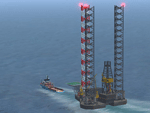
This package contains 130 new AI ships and AI ship traffic routes for the North Sea, the Norwegian coast and the sea around the Arabian Peninsula and a few routes for the Mediterranean Sea.
The new ship models include 40 ferries, 4 cruise ships, different types of fishing vessels, Platform Supply Vessels (PSV), Offshore Subsea Construction Vessels (OSCV), and shuttle tankers from off shore oil industry, a pirate mother ship, pirate attack boats, a Greenpeace ship, a heavy lift ship, a couple of frigates, a coast guard ship, container ships, bulk carriers, a number of small coasters, and much more. Around 40 ships have landable helicopter platforms - all marked with an H. Most ships will have simple animations and custom wake, smoke and light effects.
Ships visits among other places Le Havre, Plymouth, Jersey, Hull, Aberdeen, Oslo, Kristiansand, Stavanger, Bergen, Trondheim, Bodo, Narvik, Tromso, Hammerfest, Murmansk, Mallorca, Rome, Neaples, Heraklion, Port Said, Suez, Jeddah, Djibouti, Salalah, Muscat, Dubai, Abu Dhabi, Doha, Ras Tanura, Kuwait, Basra, Bandar Imam, Mogadishu, Karachi, and Mumbai.
In order to get full benefit of this package you must first download and install 63 AI Ships and AI Ship Traffic for Europe and South America, 75 AI Ships and AI Ship Traffic, and the corresponding patch. With that installed you will have a total of 268 ships on shipping routes across the globe.
Full credits to the many people who have contributed in this project can be found in the PDF manual.
| Filename: | 130_AI_Ships_and_AI_Ship_Traffic.zip |
| License: | Freeware |
| Added: | 2nd March 2014, 12:37:04 |
| Downloads: | 11,547 |
| Author: | Henrik Nielsen |
| Size: | 56.11 MB |
| Category: Flight Simulator 2004 - Utilities | |
| FS Recorder 1.32 |
|
File Description:
FS Recorder is an add-on module available for FS2004 and FSX. It allows recording and playback of flights, similar as the instant replay and video recorder built into FS, but with a lot more features. The recorded flights can be played back either using the user's aircraft or as AI traffic, which allows you to fly formations with yourself. A number of settings allow to customize FS Recorder to your needs. The recorded flights are saved in a binary file format containing flight data and can thus only be played back inside FS. These files are no video files, so it is NOT possible to play them with a video or media player, or to convert them into video files.
Features: recording flights of unlimited length * optional recording and playback of AI traffic * playback of one or multiple recordings as AI traffic * recording new flight during playback as traffic * replay of the last minutes, even if no recording was started * jumping and searching during playback * playback control via keyboard or control window * stop playback at any position to continue manually * loop part of a recording * change playback speed * custom keyboard controls * recorded data is customizable.
The FS2004 version of FS Recorder additionally includes advanced view options, which give you more freedom when watching your flights: multiple tower/spot/VC views, selectable via menu or keyboard * optional manual panning of view direction in tower/spot views * automatic zooming * saving/loading sets of tower/spot/VC views.
| Filename: | FS_Recorder_132.zip |
| License: | Freeware |
| Added: | 31st December 2007, 15:42:39 |
| Downloads: | 6,384 |
| Author: | Matthias Neusinger |
| Size: | 410.31 KB |
| Category: Prepar3D V1-4 - Utilities | |
| Flightplan Visualizer 1.10 |
|
Images related to this file:
File Description:
Flightplan Visualizer (FV) version 1.10.0. Copyright 2018-2019 by Pelle F. S. Liljendal ([email protected]), all rights reserved.
FV comes with 300 Commercial-, and +380 BizJet AI pre-imported flightplans which the creators of those flightplans have gracefully allowed me to include with the installer, however you are able to import additional (AI) flightplans if you want to. Once imported these (AI) flightplans can be visualized on a map-view, and the user will be able to search accross all these. Hence you can use the program as inspiration as to which routes to fly. E.g. you can search across all imported flightplans to find all flights in an A321 flying into/out from LDDU, or simply to look for all flights in a Boeing 747-8F.
Simply run the included installer to install the software. The program will be installed into "C:\Program Files (x86)\Flightplan Visualizer" and all datafiles will be installed into: "C:\Users\[UserName]\AppData\Roaming\FlightplanVisualizer". The program comes with a full manual explaining everything, and a 3 page quick manual to get you started. The first 3 times you run the program the quick manual will automatically open. The forum is hosted here: https://forum.aerosoft.com/index.php?/forum/919-flightplan-visualizer/
Version 1.10 Contains the following changes: In the flightplan combo-box at the bottom of the main-form, "Active Search" have been renamed into "Last Search". Picking "Last Search" from the flightplan combo-box, will re-execute the last performed search, and populate the map accordingly. A new entry called "None", have been added flightplan combo-box (at the top of the list). Chosing this item will "deselect" the otherwise current search or selected flightplan, and clear the map of routes. A form have been added to assist enabling/disabling flightplans. Gate-letters/numbers are now by default written using a (5x7) Matrix-"font". If you want to revert to the segment-"font", used in previous versions, simply set the value of the "UseMatrixGateChars" tag in the settings-file to false. changed how the Gate-letters/numbers are written in the round gate-markers on the map. Previously all "chars" had the same width. Now the width is dependant on which sub-elements are in use by each "char" (e.g. a "1" is not as wide as an "8"), as a result the gate letter/number are more easy to read. Zulu- and local-time added to the "Selected airport" group-box in the upper/right corner of the main form. If no airport is selected, or no time-zone is registred for the selected airport, only zulu-time will be displayed. Selections of favorite aircraft can now be saved and loaded.⦠This selection of aircraft can be loaded as a selection of aircraft in the "Search leg" form. Video tutorials can now be accessed from the "Help" menu. These are simply "links" to the actual videos on YouTube, hence will launch the default browser. If you hold SHIFT the url will in stead be copied to the clipboard (e.g. in case you want to upen the link in another browser). In the same manner the "Help" menu now contains a link to the forum. The form with decoded METAR/TAF-messages now shows: name, city, and country/state for the selected station in the caption. This text will also be embedded when copying the content to the clipboard. Likewise UTC/Local-time is also embedded when copying the content to the clipboard as it can be used to show the "age" of the report and convert between UTC and Local -times (based on the difference of UTC- and local-time). The info presented when pressing the "Show Scenery Gates" button on the Airport Info form, can now be copied to the clipboard. Various minor "behind the scenes" changes and optimizations. Added support for additional aircraft: Airbus A220-100 (CS100), Airbus A220-300 (CS300), Boeing 777-8 and Boeing 777-9. Listviews containing both (aircraft) IATA and ICAO-codes now all list them in the following order: IATA, ICAO (both individual sortable). Hovering the mouse over gate-markers the hint window will no show the radius both in meters and feet. Editing gate-info you will now see more info for the gate being edited: Type, Size (meters and feet) and if applicable: airlines. Fixed: Minor bug in relation to how the airport size was calculated. Fixed: IATA/ICAO columns were swapped when choosing Favorite Aircraft. Fixed: Typo on the METAR/TAF-decoder form.
| Filename: | Flightplan_Visualizer_110.zip |
| License: | Freeware, limited distribution |
| Added: | 5th June 2019, 21:20:51 |
| Downloads: | 320 |
| Author: | Pelle Liljendal |
| Size: | 24.81 MB |
| Category: Flight Simulator 2004 - Aircraft Repaints, Textures and Modifications | |
| Matsakoni Airlines Virtual 7B37-600 (MAV 2008 Livery) |
|
File Description:
Textures only for PMDG Boeing NG 737-600 in Matsakoni Airlines Virtual new colours for 2008, registration SX-BLJ. Matsakoni Airlines was founded in early 2002 and HQ¢s is based on Ioannis Kapodistrias Int airport (LGKR), Corfu island.
Affiliates and hubs on other major Greek and European cities are planned for the fiscal year 2008. Eletherios Venizelos Athinai Int airport (LGAV) is MAV's hub since Aug'07, London Stansted (EGSS) is our new Hub in the U.K and Makedonia int (LGTS) is the main hub for MAV Cargo flights.
A classic virtual operator connecting the Greek islands to major European and over worldwide cities on a daily base with scheduled and non-scheduled flights.
Matsakoni Airlines is operating aircraft types as follows:
Airbus A340/330, A306, Á318/9/2/1, Boeing B773, B763, B747, B737, B727 for medium to long range flights, also B747F, B73Q and B72Q for cargo flights.
Matsakoni is servicing domestic flights and operates BAE B463, Fokker 100, ATR-72/45, DH8C and Beechcraft B1900.
We maintaining a fly-on-demand fleet, ranging from business jets like the ERJ-145 for V.I.P. and corporate flights, down to the Beechcraft BE-58 and Cessna 206/172 for a low-cost transport that meets your needs.
Matsakoni Airlines wishes you a pleasant flight, Enjoy!
| Filename: | Matsakoni_Airlines_Virtual_7B37600_MAV_2008_Livery.zip |
| License: | Freeware, limited distribution |
| Added: | 20th April 2008, 19:09:09 |
| Downloads: | 123 |
| Author: | Dimitris Pastarmatzis |
| Size: | 7.85 MB |


© 2001-2026 AVSIM Online
All Rights Reserved
Privacy Policy |