
Where Flight Simulation Enthusiasts Gather from Around the World!
AVSIM Library - Search Results

| Category: Flight Simulator X - Gauges | |
| Pitch Trim Reset |

|
File Description:
Just push "SHIFT+F4" to set the pitch trim in neutral position. FSX and FS 2004 stand alone XML gauge.
| Filename: | Pitch_Trim_Reset.zip |
| License: | Freeware |
| Added: | 6th January 2013, 12:27:08 |
| Downloads: | 492 |
| Author: | Pierre Fasseaux |
| Size: | 1.87 KB |
| Category: Flight Simulator X - Gauges | |
| GPS2020 – V10.3 |
|
Images related to this file:
File Description:
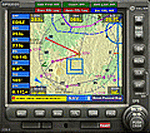
This is a major upgrade for the GPS2020. Adding waypoints to a flight plan did not (always?) function in P3D, although it DID work in FSX.
After a thorough investigation, together with P3D-user Joey Salzmann, a fundamental timing problem was found, due to slight differences between FSX and P3D in the handling of flight plan, nav and direct-to pages.
The code has been reworked to mitigate this problem, and in the process, a new, quicker method to insert nearest waypoints in the existing flight plan was introduced.
Joey Salzmann extensively tested this version on the P3D platform, it passed all tests! P3D users can use this GPS with confidence.
It is strongly recommended to replace all previous versions with this one!
| Filename: | GPS2020__V103.zip |
| License: | Freeware |
| Added: | 10th June 2020, 19:33:58 |
| Downloads: | 599 |
| Author: | Hugo Jansen |
| Size: | 3.24 MB |
| Category: Flight Simulator X - Gauges | |
| Radio Altimeter / GPWS Boeing 737 |
|
Images related to this file:
File Description:
This one corrects the radio altimeter reading of each TDS Boeing 737 aircraft, so as to display actuall radio altitude and with the correct increase - decrease sequence. With this package you are provided with an accurate Ground Proximity Warning System (GPWS) which includes Radio Altitude callouts.
| Filename: | Radio_Altimeter__GPWS_Boeing_737.zip |
| License: | Freeware |
| Added: | 21st June 2015, 15:41:18 |
| Downloads: | 1,435 |
| Author: | Dimitrios Moschos |
| Size: | 334.51 KB |
| Category: Flight Simulator X - Gauges | |
| Airport Chart Gauge V2 |
|
File Description:
The first version was a disaster, due to a heavy error I made during packing the zip archive. This one will work.
The Airport Chart Gauge shows you the layout of an arbitrary airport, no matter, whether the airport is shipped with Flight Simulator or included in an Add-On. It doesn’t use any scanned charts, instead it takes its data directly from the Flight Simulator. The chart contains all taxiways, runways, heliports and parking places, including their identifiers, of course. With the Airport Chart Gauge you can easily find your way from your current parking place to the runway (or vice versa).
| Filename: | Airport_Chart_Gauge_V2.zip |
| License: | Freeware, limited distribution |
| Added: | 31st March 2008, 19:10:41 |
| Downloads: | 23,236 |
| Author: | Holger Maass |
| Size: | 5.59 MB |
| Category: Flight Simulator X - Gauges | |
| Inertial Navigation System V3 |
|
Images related to this file:
File Description:
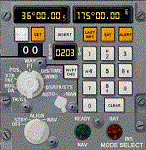
An Inertial Navigation System for FS2004 and FSX. Especially designed for classic airliners, but will work in most aircraft. Allows automatic entry of FS2004 and FSX plans. Easy to use. Stores up to 99 waypoints. Waypoints are saved to a data file which is then loaded by the gauge. Follows flight plans faithfully on autopilot. Has great accuracy. Alignment unit included. Full instructions. Simplified installation.
| Filename: | Inertial_Navigation_System_V3.zip |
| License: | Freeware, limited distribution |
| Added: | 18th September 2014, 16:55:23 |
| Downloads: | 1,085 |
| Author: | Julian Avisenis |
| Size: | 807.6 KB |
| Category: Flight Simulator X - Gauges | |
| V-One Gauge for B737-200/Adv/C/F v1.8 Update (Captain Sim 737) |
|
Images related to this file:
File Description:
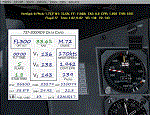
V-ONE NEW FEATURES:
- All voice call-out sounds replaced.
- Captain Sim sound module used for all sounds.
- Appropriate labels are displayed when selecting specific display toggles.
- Set flap position with mouse wheel while in 'Current Flaps' display.
- Adjust trim with mouse wheel while in 'Current Trim' display.
- Maximum Continuous Thrust EPR calculated for climb with de-rate option setting (0.0 to -0.15)
- Cruise EPR hold with +/-0.001 adjustments.
- Cruise IAS hold with +/-1 knot adjustments.
- V1, Vr and V2 Datacard calculations display instantaneously when flap lever is set.
- Flap call-out during descent will repeat for flap positions 5 through 40.
- MCT drives EPR bugs while using MCT climb control.
- EPR bugs follow EPR set-point.
- Vref select toggle 15, 30, 40 (30 default)
- Automatic setting of weight, (LB/KG), pressure (inMg/MB) and temperature (F/C) based on FSX units.
- Maximum Continuous Thrust display (MCT)
- Wind display / Maneuvering Speed display.
- Altitude call-out gauge included (optional install).
| Filename: | VOne_Gauge_for_B737200AdvCF_v18_Update_Captain_Sim.zip |
| License: | Freeware, limited distribution |
| Added: | 13th August 2017, 21:22:13 |
| Downloads: | 2,582 |
| Author: | Paul Tally |
| Size: | 4.95 MB |
| Category: Flight Simulator X - Gauges | |
| Weather Radar VC & pop-up Gauge V 1.0 |
|
Images related to this file:
File Description:
Weather radar gauge to use with HiFi Active Sky Next weather engine. The gauge can be used in any aircraft in a 2D window, or inside a Virtual Cockpit, for example replacing a GPS device or other Glass gauge. ** Functional with FSX and P3D **. This version contains a special integration mode for the Majestic Dash-8 Q400. NEW in 1.0: Option "starton", add optional beam animation, add Q400 Gain knob handling , fix the test mode color and animation. Enjoy!
| Filename: | Weather_Radar_VC__popup_Gauge_V_10.zip |
| License: | Freeware, limited distribution |
| Added: | 9th April 2015, 21:33:07 |
| Downloads: | 8,218 |
| Author: | Roland Herblot |
| Size: | 651.48 KB |
| Category: Flight Simulator X - Gauges | |
| Advanced Radar System 4 (ARS4) |
|
Images related to this file:
File Description:
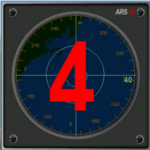
This gauge has been developed for FSX Flight Simulator SP1 or SP2. It
has also been tested with Microsoft Acceleration also, but compatibility is not guaranteed by the author.
This new Advanced Radar System (ARS 4) includes significant new features,
functions and displays for FSX AI traffic. The new key features are:
1)AI traffic display for air targets and boat/ship targets.
2)Auto landing on carrier if the carrier is part of the scenery MECOPS.
3)Allows switching between air target display and boat target display.
4) Provides for air and boat display to optionally insert airport and/or basic terrain display on the screen.
5)Different screen presentations for air and boat targets.
6)Simplified installation procedure.
7)The A2A re-fuel function remains the same as in the ARS2 version.
8)The auto tracking function remains the same as well as in the ARS2 version.
All displays for air, or boat/ship traffic, can be selected in a range of 5, 10, 20, and 40 miles.
For installation and additional information look at the ARS4 documentation inside the zip file. For copyrights and credits please look at the documentation for this gauge.
| Filename: | Advanced_Radar_System_4__ARS4.zip |
| License: | Freeware |
| Added: | 5th March 2013, 15:53:52 |
| Downloads: | 3,820 |
| Author: | Dietmar Loleit |
| Size: | 1.18 MB |
| Category: Flight Simulator X - Gauges | |
| Flight Instrument Panel for Grumman Goose |
|
Images related to this file:
File Description:
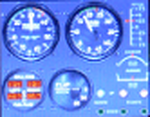
For Saitek Pro Flight Instrument Panel. This folder contains two sets of two panels for Grumman Goose. All the gauges are in both sets but in different positions. First set is very close to real gauges position, however, after a good advice, thanks to Werner, I made the second set to have all essential information on the first panel and this is more convenient for simulation with FIPs.
Both sets provides for left and right engines:
Oil temperature. Oil pressure. Fuel pressure. Manifold pressure. Rotation Per Minutes. Caburetor air temperature.
Cylender temperature. Suction. Exhaust Gas Tempereture. Fuel quantity. Fuel flow. Flaps position. Volts and ampere.
Gears position. Floats position.
| Filename: | Flight_Instrument_Panel_for_Grumman_Goose.zip |
| License: | Freeware |
| Added: | 3rd February 2012, 18:13:15 |
| Downloads: | 297 |
| Author: | Philippe Verhaege |
| Size: | 690.9 KB |
| Category: Flight Simulator X - Gauges | |
| Pushback, Taxispeed control, etc UPDATE |
|
File Description:
This package is an optional addon to archive rcbgh-50.zip, and contains a
solution to Open/Close the Groundhandling window via a permanently visible
Icon. Prior installation of RCBgh-50.zip is required !
By Rob Barendregt.
| Filename: | Pushback_Taxispeed_control_etc_UPDATE.zip |
| License: | Freeware, limited distribution |
| Added: | 31st October 2006, 18:22:39 |
| Downloads: | 8,039 |
| Author: | Rob Barendregt |
| Size: | 69.87 KB |


© 2001-2026 AVSIM Online
All Rights Reserved
Privacy Policy |