
Where Flight Simulation Enthusiasts Gather from Around the World!
AVSIM Library - Search Results

| Category: Flight Simulator 2004 - Miscellaneous Files | |
| Tips and Tricks - Number 16 |

|
Images related to this file:
File Description:

Tips and Tricks - Number 16. This issue has somewhat of an International flavor to it as several items we are reviewing have come to us from distant shores. Our readers have again provided a number of very useful Tips and recommendations. Also included are the usual assortment of "How-To's", links to useful sites, and much, much more. In addition, there is a "from the E-mailbag" department where we try to answer a question of general interest submitted by a reader. We have also included a little something for the "kids" (of all ages). Updated indexes by John Burford in .xls (Excel) and .pdf formats for the entire series are included. As usual, I have attempted to include something of value for everyone, regardless of your experience level. Compiled in .doc and .pdf formats for your flying enjoyment by David "Opa" Marshall.
| Filename: | Tips_and_Tricks__Number_16.zip |
| License: | Freeware |
| Added: | 22nd October 2005, 15:29:18 |
| Downloads: | 6,237 |
| Author: | David Marshall |
| Size: | 5.58 MB |
| Category: Flight Simulator 2004 - AFCAD Files | |
| LFBO Sim-Wing's Toulouse 2005 Sparse Static Aircraft V.1.1 |
|
File Description:
Use this AFCAD2 version, if you had installed LFBO by Sim-Wings with static aircraft, but you just want to see only some of them (A380, A340...) and you are more intrested in AI-Traffic. Which new features brings this file? After an installation you and your AI-Traffic will find 82 parkingplaces with specificatons! These options aren't good for you? So check my other 3 versions of that AFCAD! (AF2_LFBO_sw_Airbus_flugfrosch.zip ; AF2_LFBO_sw_fullstatic_flugfrosch.zip or AF2_LFBO_sw_flugfrosch.zip) More informations on my HP: http://hometown.aol.de/flugfrosch87
| Filename: | LFBO_SimWings_Toulouse_2005_Sparse_Static_Aircraft.zip |
| License: | Freeware, limited distribution |
| Added: | 20th June 2006, 04:10:49 |
| Downloads: | 366 |
| Author: | Andreas Wobbermin |
| Size: | 14.23 KB |
| Category: Flight Simulator X - Flight Plans | |
| Skyroad to Kamura-Tok Episode 2 |
|
File Description:
Dr. Faustin again asks Mikey and you to join him in his search for Kamura-Tok. The mystery is getting solved in his University study but further information is needed. The Mountains of New Guinea seem to be the best search area so he moved there to continue the adventure. Treacherous mountains, lakes and bad weather await you. This time you will used a Helicopter, the tiny autogyro and an amphibian. Much danger awaits you... that is if you deside to join again.
| Filename: | Skyroad_to_KamuraTok__Episode_2.zip |
| License: | Freeware, limited distribution |
| Added: | 12th July 2007, 15:09:32 |
| Downloads: | 688 |
| Author: | Gera Godoy C |
| Size: | 427.3 KB |
| Category: Flight Simulator X - Scenery | |
| RAF Elvington |
|
File Description:
The station was originally a grass airfield within No. 4 Group. In the early 1940s the airfield was entirely reconstructed with three hardened runways replacing the grass. It re-opened in October 1942 as a station for 77 Squadron RAF and along with RAF Melbourne and RAF Pocklington was known as No "42 Base". The squadron had a strength of approximately 20 aircraft and initially used the twin engined Armstrong Whitworth Whitley medium bomber although this was quickly replaced by the Handley Page Halifax four engined heavy bomber which was being introduced. No 77 Squadron suffered heavy losses during its time at Elvington with over 500 aircrew killed, missing or taken prisoner and almost 80 Halifaxes lost as it played a major part in the Battle of the Ruhr and the bombing of Berlin.
In May 1944 No 77 Squadron posted to the newly opened nearby RAF Full Sutton and was replaced at Elvington by two French squadrons, numbers 346 "Guyenne" and 347 "Tunisie" who both played a leading part in the bombing of Germany. Elvington was the only airfield in the United Kingdom used by the remainder of the Free French Forces, they also flew Handley Page Halifax heavy bombers until they moved to Bordeaux in October 1945 where they became the basis for the new air force of liberated France. In September 1957 a memorial was unveiled in Elvington village dedicated to the two French squadrons. While they were at RAF Elvington nearly half of the squadrons' members were killed.
After the war the 400-acre (1.6 km2) airfield was transferred to No 40 Group under the control of Maintenance Command until 1952 when it was greatly enlarged and extended for use by the United States Air Force.
United States Air Force use
The United States Air Force (USAF) built a new 3,094 m (10,151 ft) runway, which was the longest in the north of England, and a huge 19.8 hectares (49 acres) rectangular hardstanding apron as well as a new control tower to turn Elvington into a "Basic Operation Platform" which would have operated as a Strategic Air Command (SAC) dispersal airfield. After spending £4 million the airfield never became operational as a SAC base and was abandoned by the US Air Force in 1958.
Other uses
In the early 1960s the Blackburn Aircraft Company, now part of British Aerospace used the runway for test flights of the Blackburn Buccaneer. Elvington retained its status as an RAF relief landing ground and was used by the RAF flying training schools at RAF Church Fenton and RAF Linton-on-Ouse until the airfield was finally closed in March 1992.
Present day
The airfield is now owned by Elvington Park Ltd. The adjacent buildings and control tower have been restored, and serve as the Yorkshire Air Museum which has many varied and rare aircraft and exhibits, including a complete Halifax bomber. Elvington is also a popular motorsports venue for motorcycle racing.
Source:Wikipedia
| Filename: | RAF_Elvington.zip |
| License: | Freeware |
| Added: | 10th April 2017, 22:08:13 |
| Downloads: | 167 |
| Author: | Terry Boissel |
| Size: | 220.79 KB |
| Category: Microsoft Flight Simulator (2020) - Utilities | |
| Flightplan Visualizer 1.19 |
|
Images related to this file:
File Description:
Flightplan Visualizer (FV) version 1.19.0. Copyright 2018-2021 by Pelle F. S. Liljendal ([email protected]), all rights reserved.
FV comes with 1164 pre-imported AI flightplans (of which +380 are BizJet flightplans, the rest are commercial). However you are able to import additional (AI) flightplans yourself. Once imported these (AI) flightplans can be visualized on a map-view, and the user will be able to search accross all these. Hence you can use the program as inspiration as to which routes to fly. E.g. you can search across all imported flightplans to find all flights in an A321 flying into/out from LDDU, or simply to look for all flights in a Boeing 747-8F.
Simply run the included installer to install the software. The program will be installed into "C:\Program Files (x86)\Flightplan Visualizer" and all datafiles will be installed into: "C:\Users\[UserName]\AppData\Roaming\FlightplanVisualizer". The program comes with a full manual explaining everything, and a 3 page quick manual to get you started. The first 3 times you run the program the quick manual will automatically open. The forum is hosted here: https://forum.aerosoft.com/index.php?/forum/919-flightplan-visualizer/
Version 1.19 Contains the following changes:
- The release-version of the application is now aimed at 64-bit (granting access to more memory if needed). Enabling 64-bit adds a memory overhead of approx 50% compared to 32-bit, but its the "price to pay" to have access to more memory (for those of you with many active flightplans loaded into memory at the same time).
- FV can now connect to your simulator using FSUIPC (tested both with P3D and MSFS). By default you will have to manually connect/disconnect (using new menu-items in the File-menu). However in settings you can choose to do it automatic. When automatic-connection is selected the connect/disconnect menu-items becomes inactive.
- When connected to a sim, the location/heading of your aircraft can be displayed on the map, using an orange aircraft-marker, and hoovering the mouse over this marker will display some key data (GPS-location, altitude, heading, speed and so on).
- Added abillity to playback audio-files. In settings you can choose which audio-device to use, and set the volume at which these files are played (defaults to 50%). If volume>0 these files will automatically be played back whenever FV connects to/disconnects from the Sim.
- Added additional icons that are automatically selected to indicate when the program is connected to the simulator. Hence the icon in the main-form will indicate if FV is connected to a simulator or not.
- In the form for editing (user)-airlines and in the form for searching airlines the context menu now have a menu-item called "Show usage". When selected, it will generate a report showing all the (active) flightplans in which the airline is used.
- Added a new "Manual" check-box next to the load-factor when editing user-airlines. This check-box needs to be checked if you want to manually enter a load-factor. When not checked (default) the load-factor will automatically be set to the default value of the selected country.
- When editing user-airlines, the airline just added/edited will be visible and selected in the list-view. Likewise when deleting an airline, the previous item will be be visible/selected (in stead of always scrolling to the top afterwards, as in previous versions).
- The Insert/Delete keyboard-keys can now be used as shortcuts adding/deleting user-airlines and user-aircraft (both owned and types).
- The gate-map context-menu (Airport Info), now allows you to re-center the map (in case your have been panning the map, and can't locate the airport again).
- Added a new menu-item/form to calculate head/cross-wind from manually entered flight/runway-heading and wind-direction/speed. Don't forget the runways tab-page in the Airport-info form already calculates this for each runway (and wind-direction/speed is automatically obtained from METAR).
- Added a new menu-item/form to convert plain-text into morse-code. There is also a button that lets you listen to the generated morse-code, so you can practice your morse-code listening skills (e.g. entering an ILS/VOR-ident, to know which morse-code to listen for in the aircraft, to verify the correct ident is reqeived).
- The "Cruise speed" column have been removed from the aircraft tab-page of the Edit Flightplan form to make more room for the Carrier/Operator-columns. In the past these simply contained the ICAO for the airlines. Now it both contains: ICAO, IATA (if not blank) and Name.
- The criteria in the leg-search window now allows you to filter on departure/arrival week-days (e.g. only include flights departing a particular airport on a Saturday or Sunday).
- When using the flightplan-filter on the main-form, it will favour the current active flightplan (as in previous versions), however if not able to, it will select the first flightplan included in the filtered list (in stead of choosing "[None]").
- Improved import of AIGFP-flightplans where the airport is not contained within the embedded airport.txt file and is using a different ICAO-code in route-files (observed for "AIG_UTair_Summer2018v6" and "AIG_S7Airlines_Winter2019-2020v3").
- Added runway-info (for both Departure/Destination-airports) to the flightplan leg-report. For ILS-eqiupped runways its lists the ID (both as text, as morse-code), frequency and ils-slope.
- Morse-code also added to ILS-ID column on the "Runways" tab-page of the airport-info form. Above the list-view there is also a label showing the morse-code (using a larger font), and next to it there is a button that lets you listen to the morse-code.
- Traffic-pattern direction (for take-off and landing) are now displayed for each runway. These data are extracted from the scenery by MakeRunways, hence the info can't be "better" than the info in the scenery (hence most default airports simly shows 'Left').
- Current/peak- memory usage is now logged at various stages while running, and when closing the program. These values can also be observed opening the about-box, which will also forcefully append these values to the log.
- When using MkRwy with MSFS it can't obtain the country-name, hence these are taken from the airport-database embedded with FV. However the name for USA ("United States of America") is too long to be shown together with state-name, hence code have beed added it to shorten it to "United States" (which was the default country-name used in FSX/P3D).
- Changed font in Comments-box for user-aircraft to a fixed font, in case some users what to enter text "in columns" (e.g. if you make "tables" with speed-restrictions).
- Changed the color of the splitter-bars in the Airport-info and leg-search forms to a draker color, to better indicate where it is.
- The build-part of the version-number can now be ignored when performing the automatic version-check at start-up. This new setting is by default disabled. If enabled it will ignore changes from version 1.x.0 to 1.x.1 (e.g. an update from 1.19.0 to 1.19.1). However major/minor versions-updates (e.g. from 1.19.x to 1.20.x) will not be ignored.
- Fixed: Excessive logging while importing AIGFP flightplans removed (leftover from fixing a bug before the release of version 1.18).
- Fixed: When using kg in the leg-info report, the weight of Luggage incl. pax weight (shown in parentees) was wrong.
- Fixed: Button to open filter-manual on Gate-page of the Airport-info form was not visible/position was not fixed.
- Fixed: The wind-speed obtained from the METAR and used to calc head/tail-wind on the Runway tab-page of the Airport-info form, did not considder the unit (e.g. Khp or meters-per-second).
- Data: A VERY BIG THANK YOU to Bruce Nicholson for assistance updating the Airline-database, both with new/missing entries and marking defunct airlines as such.
- Data: A lot of "fictios airlines" was added as well. These are used for companies without official ICAO/IATA codes. To indicate they are fictios the ICAO-code is set to "---" and the IATA-code is used to indicate the kind of traffic (e.g. the combination "---/BZ" is used for biz-jet flights).
- Data: Also thanks to Bruce for pointing out that a few aircraft were not being detected as they should. So this version should do a better job with Cessna T206H, Cessna Citation SII/S550 and Global 7500.
- Flightplans: The bundled AIG flightplans have been updated to the latests versions/revisions available from AIG (there were a few defunct that was removed, a few new versions that was added, and a lot of new revisions being updated).
- Flightplans: Eric Steinmetz's Bizjet (AI) flightplans that have previously been available as a separate download are once again bundled with the installer (they are only installed if you choose the option during installation). These have all been updated to use the new "---/BZ" airlines (for companies without official ICAO/IATA-codes), and the Author/Provider have been set to "Eric Steinmetz"/"ESAI" (the previous/separate download was created before adding author/provider to the software).
Pelle
| Filename: | Flightplan_Visualizer_119.zip |
| License: | Freeware, limited distribution |
| Added: | 2nd May 2021, 00:02:01 |
| Downloads: | 280 |
| Author: | Pelle Liljendal |
| Size: | 35.71 MB |
| Category: Flight Simulator 2004 - Utilities | |
| Boeing 737NG Active Camera Fix V1.02 |
|
Images related to this file:
File Description:
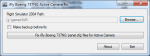
This tool removes zorder lines from all iFly Boeing 737NG aircrafts panel.cfg files, so you can use active camera with your favorite aircraft. You need to install .NET Framework 2.0 before you run this application. Compatible with all versions of iFly B737NG.
| Filename: | Boeing_737NG_Active_Camera_Fix_V102.zip |
| License: | Freeware |
| Added: | 19th June 2011, 23:55:59 |
| Downloads: | 716 |
| Author: | Adam Szorenyi |
| Size: | 208.3 KB |
| Category: Flight Simulator 2004 - Aircraft Repaints, Textures and Modifications | |
| British Airways World Cargo Boeing 747-400F (G-GSSR) |
|
Images related to this file:
File Description:

My repaint of the PMDG Boeing 747-400F British Airways World Cargo.
Ths Registration G-GSSR is fictional the whole paint scheme is based around the new Boeing 747-800i.
Wish you good flights hope you like it see you in the sky.
| Filename: | British_Airways_World_Cargo_Boeing_747400F_GGSSR.zip |
| License: | Freeware |
| Added: | 21st January 2012, 20:14:37 |
| Downloads: | 949 |
| Author: | Andy Crossley, PMDG |
| Size: | 10.27 MB |
| Category: Flight Simulator X - Missions | |
| Back to 1993, First Officer Phillip Breen |
|
Images related to this file:
File Description:
Hello,
The year is 1993 and you are Phillip Breen, first officer for Thomas Cook airlines. This evening you are heading to Reus near Barcelona.
See how well you can handle this 737 and get it accurately though the departure route.
Good luck!!
| Filename: | Back_to_1993_First_Officer_Phillip_Breen.zip |
| License: | Freeware |
| Added: | 13th September 2012, 23:29:40 |
| Downloads: | 514 |
| Author: | Mr. Pierre G. Shlimon |
| Size: | 1.34 MB |
| Category: Flight Simulator 2002 - Aircraft Repaints, Textures and Modifications | |
| Cessna 140 Floats --- 7 New Aircraft Textures |
|
File Description:
This download contains 7 new aircraft textures (liveries) for the popular Cessna 140 by Brian Gladden. These are reflective with polished aluminum. You may use all or any you wish. You will need the original aircraft. Details to get it in the download.
| Filename: | Cessna_140_Floats___7_New_Aircraft_Textures.zip |
| License: | Freeware |
| Added: | 5th April 2003, 03:40:21 |
| Downloads: | 475 |
| Author: | Leon Louis |
| Size: | 2.72 MB |
| Category: Flight Simulator 2004 - AI Aircraft | |
| Airbus A320-200 for Ai-Traffic |
|
File Description:
Paintkit for the low poly Airbus A320-200 from Dee Waldron. I hope the model get now well known and you paint the aircraft model. Some paints can you found here at avsim.com . The model can you found here: http://81.208.92.5/dee_cp/fs_projects/
| Filename: | Airbus_A320200_for_AiTraffic.zip |
| License: | Freeware |
| Added: | 15th December 2005, 17:45:03 |
| Downloads: | 227 |
| Author: | Dee Waldron, Christoph Schipke |
| Size: | 67.36 KB |


© 2001-2026 AVSIM Online
All Rights Reserved
Privacy Policy |