
Where Flight Simulation Enthusiasts Gather from Around the World!
AVSIM Library - Search Results

| Category: Flight Simulator 2004 - AI Aircraft | |
| Raven FS Labs Embrear E17X Base Pack |

|
Images related to this file:
File Description:

AI Embraer E-170 and E-175 for Flight Sim 9 and tested compatible with FSX. This is only the base model, please download liveries separately for best experience.
| Filename: | Raven_FS_Labs_Embrear_E17X_Base_Pack.zip |
| License: | Freeware, limited distribution |
| Added: | 1st May 2017, 03:38:45 |
| Downloads: | 8,514 |
| Author: | Andrew Quintal | Raven FS Labs |
| Size: | 2.05 MB |
| Category: Prepar3D V5 - Utilities | |
| FSTramp v8.84 for Prepart3D 2-6, MSFS, FSX(-SE), X-Plane (Win) |
|
Images related to this file:
File Description:
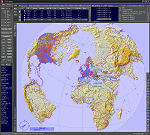
This add-on is an EXE application for Microsoft Flight Simulator and a DLL module for all other simulators. The DLL variant is activated via hotkeys or the simulator menu add-ons or plugins. Window size and layout are configurable for one or more screens. To avoid dazzling, the brightness of the entire application is customizable. Primarily it is a flight management system (FMS) with automatic control from start to landing. This also includes the observance of SID, STAR and Approaches in unmatched quality. The flight plan required for the FMS can be created manually or automatically, interactive changes and additions during the flight are possible. The basis of the flight planner is the 3D world map and the search function for airfields and navigation aids. The FMS by FSTramp relies on the autopilot of the aircraft. In case of incompatibility, the autopilot integrated in FSTramp will be used. This allows FSTramp to control almost all aircraft from airport to airport. The altitude profile of the flight plan, SID, STAR and approach is taken into account. This means that FSTramp extends the often incomplete airport procedures to and from the runway so that they can be flown completely automatically. During the fully automatic flight, the autopilot values ​​for HDG, ALT, VSPEED, SPD and MACH can be manually overridden. This is e.g. useful for being able to react to the instructions of the tower in the final approach without completely stopping the automatic flight. The rotating or north pointing 3D world map with numeric display of the terrain elevation under the mouse arrow is another special feature. It does not need an internet but is synthesized from included height profiles of the globe. The Data of continents, mountains and rivers are included in the setup. Airspaces, Airways, Waypoints and SID, STAR and Approaches are also included in the setup, but can be updated by installing additional AIRAC cycles. Airfields and navigation stations are taken from the simulator. NVIDIA: If the frame rate of the simulator drops sharply about 20 seconds after FSTramp's visibility, the power management of the GPU slows down prematurely. In the NVIDIA Control Panel, change the 'Manage 3D settings - Power management mode' option to 'Adaptive'.
| Filename: | FSTramp_v884_for_Prepart3D_26_MSFS_FSXSE_XPlane_Wi.zip |
| License: | Shareware, time limited |
| Added: | 7th July 2023, 04:35:26 |
| Downloads: | 43 |
| Author: | Helge Schroeder |
| Size: | 358.21 MB |
| Category: Flight Simulator X - Utilities | |
| FSTramp v8.84 for MSFS, FSX(-SE), Prepart3D, X-Plane (Win) |
|
Images related to this file:
File Description:
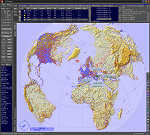
This add-on is an EXE application for Microsoft Flight Simulator and a DLL module for all other simulators. The DLL variant is activated via hotkeys or the simulator menu add-ons or plugins. Window size and layout are configurable for one or more screens. To avoid dazzling, the brightness of the entire application is customizable. Primarily it is a flight management system (FMS) with automatic control from start to landing. This also includes the observance of SID, STAR and Approaches in unmatched quality. The flight plan required for the FMS can be created manually or automatically, interactive changes and additions during the flight are possible. The basis of the flight planner is the 3D world map and the search function for airfields and navigation aids. The FMS by FSTramp relies on the autopilot of the aircraft. In case of incompatibility, the autopilot integrated in FSTramp will be used. This allows FSTramp to control almost all aircraft from airport to airport. The altitude profile of the flight plan, SID, STAR and approach is taken into account. This means that FSTramp extends the often incomplete airport procedures to and from the runway so that they can be flown completely automatically. During the fully automatic flight, the autopilot values ​​for HDG, ALT, VSPEED, SPD and MACH can be manually overridden. This is e.g. useful for being able to react to the instructions of the tower in the final approach without completely stopping the automatic flight. The rotating or north pointing 3D world map with numeric display of the terrain elevation under the mouse arrow is another special feature. It does not need an internet but is synthesized from included height profiles of the globe. The Data of continents, mountains and rivers are included in the setup. Airspaces, Airways, Waypoints and SID, STAR and Approaches are also included in the setup, but can be updated by installing additional AIRAC cycles. Airfields and navigation stations are taken from the simulator. NVIDIA: If the frame rate of the simulator drops sharply about 20 seconds after FSTramp's visibility, the power management of the GPU slows down prematurely. In the NVIDIA Control Panel, change the 'Manage 3D settings - Power management mode' option to 'Adaptive'.
| Filename: | FSTramp_v884_for_MSFS_FSXSE_Prepart3D_XPlane_Win.zip |
| License: | Shareware, time limited |
| Added: | 7th July 2023, 04:35:43 |
| Downloads: | 130 |
| Author: | Helge Schroeder |
| Size: | 358.21 MB |
| Category: Microsoft Flight Simulator (2020) - Utilities | |
| FSTramp v8.84 for MSFS, FSX(-SE), Prepart3D, X-Plane (Win) |
|
Images related to this file:
File Description:
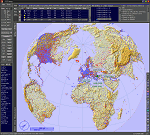
This add-on is an EXE application for Microsoft Flight Simulator and a DLL module for all other simulators. The DLL variant is activated via hotkeys or the simulator menu add-ons or plugins. Window size and layout are configurable for one or more screens. To avoid dazzling, the brightness of the entire application is customizable. Primarily it is a flight management system (FMS) with automatic control from start to landing. This also includes the observance of SID, STAR and Approaches in unmatched quality. The flight plan required for the FMS can be created manually or automatically, interactive changes and additions during the flight are possible. The basis of the flight planner is the 3D world map and the search function for airfields and navigation aids. The FMS by FSTramp relies on the autopilot of the aircraft. In case of incompatibility, the autopilot integrated in FSTramp will be used. This allows FSTramp to control almost all aircraft from airport to airport. The altitude profile of the flight plan, SID, STAR and approach is taken into account. This means that FSTramp extends the often incomplete airport procedures to and from the runway so that they can be flown completely automatically. During the fully automatic flight, the autopilot values ​​for HDG, ALT, VSPEED, SPD and MACH can be manually overridden. This is e.g. useful for being able to react to the instructions of the tower in the final approach without completely stopping the automatic flight. The rotating or north pointing 3D world map with numeric display of the terrain elevation under the mouse arrow is another special feature. It does not need an internet but is synthesized from included height profiles of the globe. The Data of continents, mountains and rivers are included in the setup. Airspaces, Airways, Waypoints and SID, STAR and Approaches are also included in the setup, but can be updated by installing additional AIRAC cycles. Airfields and navigation stations are taken from the simulator. NVIDIA: If the frame rate of the simulator drops sharply about 20 seconds after FSTramp's visibility, the power management of the GPU slows down prematurely. In the NVIDIA Control Panel, change the 'Manage 3D settings - Power management mode' option to 'Adaptive'.
| Filename: | FSTramp_v884_for_MSFS_FSXSE_Prepart3D_XPlane_Win.zip |
| License: | Shareware, time limited |
| Added: | 7th July 2023, 04:35:12 |
| Downloads: | 112 |
| Author: | Helge Schroeder |
| Size: | 358.21 MB |
| Category: Flight Simulator 2004 - Utilities | |
| FS SmartVIEW |
|
File Description:
Add-in module for Flight Simulator 2004. Once installed, FS SmartVIEW is added to the Modules menu of Flight Simulator 2004 and modifies the behaviour of mouse wheel & buttons, as well as keys, adding support for SmartVIEW rotation and zoom. Change your eye point, fine tuning the angle and looking towards any direction, in just seconds, through natural movements of the mouse or by user's defined keys. Make a pre-flight external inspection by turning around the aircraft and zooming in/out quickly. Works in "Cockpit View" (2D) also,
with or without instrument panel displayed on screen, in addition to Virtual Cockpit and Spot Plane View. Load and save the most frequently used view setups. Cool user's selectable
options, including mouse sensitivity and key assignments.
| Filename: | FS_SmartVIEW.zip |
| License: | Shareware, time limited |
| Added: | 5th March 2006, 19:50:06 |
| Downloads: | 4,326 |
| Author: | Rodolfo Arata, Luciano Napolitano |
| Size: | 552.1 KB |
| Category: Flight Simulator 2004 - Flight Plans | |
| OB-11 Richmond KY (Old) |
|
Images related to this file:
File Description:
FS2004 Flight Plan for OB-11 Richmond KY (Old) IFR high speed low altitude military training route. This is the fifth in a series of flight plans I have uploaded. These are great routes for B-52, F-111, B-1B, B-2 A6, A4, Vulcan and any fighter or bomber enthusiasts. Of course you can fly the route with any aircraft of your choice. Included in this package is a gauge by Karol Chlebowski for TFR flying at very low altitude. This gauge will greatly enhance your ability to fly these challenging routes and is a great companion of the flight plans. Another option to download Version 2.0 of my FS2004 mini panel which has all this functionality and more.
| Filename: | OB11_Richmond_KY_Old.zip |
| License: | Freeware |
| Added: | 27th July 2011, 23:03:13 |
| Downloads: | 67 |
| Author: | Bill McClellan |
| Size: | 93.31 KB |
| Category: Flight Simulator X - AFCAD Files | |
| Long Beach Municipal (KLGB) |
|
File Description:
Features:
- "spring street" flight schools and private terminal added.
- jetBlue, Horizen, Alaska,and other gates added from Google Earth positions.
- Vehicals, AI aircraft, grave yard aircraft, and many other static joys throughout the airport!
- "Runup" aircraft near runway 34R.
- Accurate roads including arrivals and departures
- Boeing C-17 facility (no aircraft C17 there)
- updated taxi ways and heliports
- Airport Service vehical roads updates and made with help from Google Earth.
- Accurated fence, jetblast fence, and boarders of airport.
- Cargo terminals added for UPS and DHL
- Private (gulfstream and other private) jet spots added.
- Flight Schools such as Long Beach Flight Academy (one I go to!!!) accurately made.
- New taxi ways and terrain
- MANY MANY More items you just need to see to believe!!!
| Filename: | Long_Beach_Municipal_KLGB.zip |
| License: | Freeware |
| Added: | 4th December 2011, 00:11:52 |
| Downloads: | 618 |
| Author: | Rohan Patel |
| Size: | 671.78 KB |
| Category: Flight Simulator X - Scenery | |
| Assisi City - Assisi, Perugia, Italy |
|
File Description:
The filmmakers FSX they have not taken into account the city's Italian,
therefore, I decided to make some Italian cities such as the city of Assisi N43.04.28 E12.36.22 in honor of St. Francis and Pope Francis.
The scenarios are always built airports, but few are interested in the VFR flight
where the details of the land and the cities are important for the flight.
In the package you will find the file AssisiCity.bgl that will be placed at the
addon scenery folder and subfolder scenery automatically when FSX scenery you will find it
in the scenario.
In scenery you can fly, church of San Francis and as an important reference VFR also the church of Santa Chiara in the valley near city Assisi.
Good flight at all.
| Filename: | Assisi_City__Assisi_Perugia_Italy.zip |
| License: | Freeware |
| Added: | 12th July 2015, 15:44:35 |
| Downloads: | 1,012 |
| Author: | Pasquale Marrulli |
| Size: | 1.6 KB |
| Category: Prepar3D V1-4 - Gauges | |
| GPS2020 – V10.3 |
|
Images related to this file:
File Description:
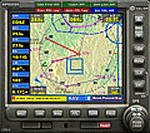
This is a major upgrade for the GPS2020. Adding waypoints to a flight plan did not (always?) function in P3D, although it DID work in FSX. After a thorough investigation, together with P3D-user Joey Salzmann, a fundamental timing problem was found, due to slight differences between FSX and P3D in the handling of flight plan, nav and direct-to pages. The code has been reworked to mitigate this problem, and in the process, a new, quicker method to insert nearest waypoints in the existing flight plan was introduced. Joey Salzmann extensively tested this version on the P3D platform, it passed all tests! P3D users can use this GPS with confidence. It is strongly recommended to replace all previous versions with this one!
| Filename: | GPS2020__V103.zip |
| License: | Freeware |
| Added: | 10th June 2020, 22:18:15 |
| Downloads: | 304 |
| Author: | Hugo Jansen |
| Size: | 3.24 MB |
| Category: Flight Simulator 2004 - Original Aircraft | |
| KLM Royal Dutch Airlines Boeing 757-200 |
|
File Description:
Features ( in depth ):
- Dynamic shine
- Wingview or Virtual Cockpit
- Opening Doors & cargo doors
- 3d Flight Attendants in the cabine
- All normal animations
- realistic FDE
- first appearance of accurate C32A specific FDE, with 757-200 variants
- accurate dimensions
- accurate specifications
- accurate flight performance based on performance charts
- accurate flight performance based on certified pilot input
- full damage profiles for major body locations, flaps, struts, tires and engines
- different engine variants
- different engine performance, thrust maps, and fuel burn per different engine type
- different and accurate gauges based on engine type and performance
- default and alternate gear points for aircraft look vs. performance feel
- full operations manual complete with speed charts
- new detailed lighting effects for FS2004
All of this, in a Awsome KLM 757-200
| Filename: | KLM_Royal_Dutch_Airlines_Boeing_757200.zip |
| License: | Freeware |
| Added: | 14th October 2004, 01:52:46 |
| Downloads: | 6,441 |
| Author: | John Landes |
| Size: | 4.93 MB |


© 2001-2026 AVSIM Online
All Rights Reserved
Privacy Policy |