Where Flight Simulation Enthusiasts Gather from Around the World!

AVSIM Library - Search Results

Searching for: 'new hampshire airports' in AVSIM File Library and below.
Return to Library Index
Found 22,853 files (2,286 pages)

Category: Flight Simulator 2004 - Scenery
Louis Armstrong New Orleans Intl Airport (KMSY) Scenery Download

File Description:
New scenery for New Orleans Intl Airport (KMSY) This scenery includes New Terminals, main parking garage, airport roads, fire station, overflow parking, an Airport Hotel, and new cargo ships in the Mississippi River. It also includes numbered jet ways that correspond to my AFCAD2_KMSY.bgl file. I also included a LandClass scenery file that adds more trees and grass areas to the ILS 10 approach. The new scenery makes for more realistic landings, especially at night.


Filename: Louis_Armstrong_New_Orleans_Intl_Airport_KMSY_Scen.zip
License: Freeware
Added: 13th August 2006, 03:08:11
Downloads: 5,167
Author: Glenn Johnson
Size: 1.13 MB


Category: Flight Simulator 2004 - Aircraft Repaints, Textures and Modifications
Lufthansa "New livery" Boeing 747-8i (D-ABYA) Download

Images related to this file:

File Description:

Lufthansa's new livery for 2018 painted on the SSP Boeing 747-8i, textures only, SSP 747-8i model required!


Filename: Lufthansa__New_livery_Boeing_7478i_DABYA.zip
License: Freeware
Added: 9th February 2018, 01:37:02
Downloads: 1,064
Author: H.Tagorti
Size: 16.46 MB


Category: Flight Simulator 2004 - Scenery
ZPPP - Kunming New Airport - Yunnan Province, China **Patch** Download

File Description:
I found other files in the folder that I did not upload, other filename was missing, my bad. This patch must be installed in this folder Scenery/World/Scenery, put the two included files there.


Filename: ZPPP__Kunming_New_Airport__Yunnan_Province_China_P.zip
License: Freeware
Added: 28th December 2014, 18:34:16
Downloads: 857
Author: Stuart John Gilbert II
Size: 1.54 KB


Category: Flight Simulator 2004 - Aircraft Repaints, Textures and Modifications
Monarch Airlines New Colours HNAC Airbus A300-600R Download

File Description:
This is a repaint of a Monarch Airlines Airbus A300-600R (G-MONS, New Colours) for use with the HNAC Airbus A300-600R. You MUST download the GE A300B4-605R by Harald Nehring from www.hnac.org


Filename: Monarch_Airlines_New_Colours_HNAC_Airbus_A300600R.zip
License: Freeware, limited distribution
Added: 4th November 2005, 23:21:34
Downloads: 1,183
Author: Gregory Wills
Size: 2.23 MB


Category: X-Plane - Original Aircraft
MarsTrek - a rocket SoloTrek for Mars Exploration Download

File Description:
Meet the future! Here is a conceptual version of the SoloTrek� for use on Mars environment.

- Same craft, same stability, same maneuverability.
- New instruments, new propulsion unit, new pilot dressing.


Filename: MarsTrek__a_rocket_SoloTrek_for_Mars_Exploration.zip
License: Freeware
Added: 1st October 2002, 00:14:10
Downloads: 248
Author: Marcelo M. Marques
Size: 1009.39 KB


Category: Flight Simulator X - Scenery
EGBB - Birmingham Airport - Birmingham, UK Download

Images related to this file:

File Description:
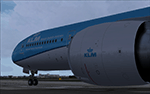
This scenery update is for Birmingham airport and made only for FSX: Assigned parking as per their website, runway 15/33 now at its new length, runway 6/24 decommissioned and now taxiway T and L, the A45 moved to its new location including the new perimeter road, new ATC tower and associated buildings, taxiways and taxi signs updated to the latest charts, new Monarch hangar, fire station added and many other scenery objects included, airport views are from inside the new control tower (when in tower view) please view the readme before installation.


Filename: EGBB__Birmingham_Airport__Birmingham_UK.zip
License: Freeware, limited distribution
Added: 24th May 2015, 12:48:20
Downloads: 24,314
Author: Craig Scott
Size: 1.12 MB


Category: Prepar3D V1-4 - Utilities
Flightplan Visualizer 1.13 Download

Images related to this file:

File Description:

Flightplan Visualizer (FV) version 1.13.0. Copyright 2018-2019 by Pelle F. S. Liljendal ([email protected]), all rights reserved. FV comes with 586 pre-imported Commercial AI flightplans (+380 BizJet flightplans are available as a separate download). However you are able to import additional (AI) flightplans yourself. Once imported these (AI) flightplans can be visualized on a map-view, and the user will be able to search accross all these. Hence you can use the program as inspiration as to which routes to fly. E.g. you can search across all imported flightplans to find all flights in an A321 flying into/out from LDDU, or simply to look for all flights in a Boeing 747-8F. Simply run the included installer to install the software. The program will be installed into "C:\Program Files (x86)\Flightplan Visualizer" and all datafiles will be installed into: "C:\Users\[UserName]\AppData\Roaming\FlightplanVisualizer". The program comes with a full manual explaining everything, and a 3 page quick manual to get you started. The first 3 times you run the program the quick manual will automatically open. The forum is hosted here: https://forum.aerosoft.com/index.php?/forum/919-flightplan-visualizer/ Version 1.13 Contains the following changes: Flightplans can now be exported in AIFP/TrafficTool-format (the same format that FV is able to import). It means if you have made any changes to a flightplan (e.g. redirected some airports) the flightplan can be exported from FV, and imported into AIFP (AI Flight Planner, by Don Grovestine) where it can be compiled into an AI-traffic bgl-file (traffic "scenery"). A new setting called "Adjust flight-time on airport-redirect" have been added. This setting defaults to "false" (un-checked), however if changed to "true" (checked) the flight-time will be changed if/when departure/destination-airports are changed due to airport-redirections (both automatic and manually). The flight-time is the result of the difference between departure-/destination-time, hence if the flight-time is changed either- or both departure-/destination-time will change as well. The original flight-time is scaled based on the original- and the redirected distance between the departure/destination-airports. When importing/editing flightplans you can now select one or multiple aircraft and delete them. When deleting an aircraft all schedules attached to that aircraft will be deleted as well. One use of this feature could be to remove aircraft you don't have a AI aircraft, prior to exporting the flightplan in AIFP/TT-format, and loading it into AIFP. When importing/editing flightplans a "Similar" button will appear next to the flightplan name if a similar named flightplan exists (e.g. "same name", but different season), or other flighplans exists for the same airline (ICAO). Hoovering the mouse over this button will show the names of these flightplans as a tool-tip, and if you click the button the list will be shown in a window (with some additional information), from where it can be copied to the clipboard if you need to. On the Edit/Import-flightplan form, the Aircraft- and Airport tab-sheets have been swapped, and a new tab-sheet was added to list all routes of the flightplan. For each route the distance is listed along will all aircraft types of the flightplan servicing that route. The "Aircraft" tabsheet of the form to import/edit flightplans now contains a button called: "Fleet report". Pressing this button will generate a report showing the fleet of an airline (based on the flightplan), that is sorted by Aircraft type and registration. For each aircraft it will show a list of all the airports served by that particular aircraft. A "Word-wrap" check-box have been added to the Result-viewer to toggle word-wrap on/off (word-wrap defaults to "on"). In previous versions any changes made in the settings form resulted in all flightplans having to reload (while showing the splash-screen). Changing the path for MakeRunway-files still results in an automatic "reboot" of the program. The combo-box for choosing default direction (outbound/inbound/both) for the leg-search (on reset) have been removed from settings, and it now defaults to "Outbound or Inbound". However in the search legs form you can now save your own preferred "Reset" criteria. When you press the reset-button, it will load this Reset-file (with your preferred reset criteria). If you hold SHIFT while pressing the reset-button (or you have not saved a personal reset-file), it will reset to the default factory-criteria. In the traffic tabsheet of the airport info form there is a combo-box letting you switch between "Selected flightplan" or last-search on main-form" and "All flights to/from this airport". In previous versions it did not perform the search of flights to-/from- the viewed airport until you selected the 2nd item from the combo-box. Now this search is performed in the background as soon as the form is opened, hence choosing the 2nd item in the combo-box is now instantaneous. The "Nearby Airports" tab-sheet in the "Airport Info" form, now have a column listing direction (from the airport to the nearby airports). When listing number of runways and gates (e.g. in the form showing nearby airports, or in the redirection-report), the radius of the largest gate is now included, as there is no need to redirect any 747 traffic to an airport where the largest gate is 23m (a 747 requires a gate with a radius of at least 36m). The frequency-count was removed from the before mentioned listing of runways and gates, to make more room for listing the aircraft serving each airport. The search for airport browse now have a new optional column listing comments (e.g. length of longest rwy and largest gate). The "show" combo-box lets you choose to show comments in stead of "Size/Rank/Traffic" or "Hint-text". Opening the search airport browser from the import/edit flightplan form, will automatically choose to show the comments column, as information regarding rwy length/gate radius can be relevant when redirecting airports. Form "Nearby Airports" now show the GPS-position in the caption of the form. Added runway/gate summary to caption-bar of airport info form, so you no longer need to look at both the runway- and gate- tab-sheet in order to see: number of runways, longest runway, number of gates and largest rate (radius). New check-box added to settings allowing you to include the before mentioned runway/gate info in the airport marker tool-tip on the main map. Region/sub-region added to "Airport Info" form (top/left corner). A new setting (default to disabled) lets you add region/sub-region to the airport marker-hint on the map as well. Added a button to the "airport info" to show the airport at flightradar24 (opens the default browser), and the button on the leg info form to show route the route at flightaware (also using the browser) have been replicated on the route info form. The METAR-/TAF-buttons on the leg info form now shows the raw METAR/TAF-message - as a tool tip - when you hoover the mouse over the buttons. As before, when you press these buttons it will open a window showing the decoded messages. Various minor changes to the leg info form: added info regarding longest runway and largest gate for each airport, and re-positioned some of the fields. Likewise the info copied to the clipboard when you click the appropriate button have been re-ordered as well. Changed flightplan format to accommodate additional information, but the format remains backward compatible. Button added to about-box allowing the user to copy version-info to the clipboard. Managed to "shave off" approx ½ a second during start-up (on my pc). Not a lot but still an improvement :-) Fixed: In the form for importing/editing flightplans the leg-page showed the original distance even if the airports were redirected. Fixed: On leg info form "Dest.Country" and "Dest.Apt" column-order were swapped. Fixed: Tweaked aircraft type detecting to better detect 740-400 and 767-200/300 freighters. In previous versions a few aircrafts were wrongly detected as pax, when they should have been detected as freighter. Data: Airbus 330-800/900 Neo, Boeing 747-400LCF (Dreamlifter), and Embraer 175/190/195-E2 have been added as supported aircraft, and a few additional airlines and airports were added as well. Flightplans: Installer comes with +70 new pre-imported (Summer 2019) flightplans of which some are replacements of obsolete flightplans (from previous installers), and 2 of the "old" flightplans have been marked as defunct, as "Adria Airways" and "Aigle Azur" have filed for bankruptcy and ceased their operations. Flightplans: Among the added flightplans you will find the first flightplan I have made myself, a flightplan for Airbus Transport International covering their 5 Beluga's an 2 Beluga XL's (the latter 2 are stil performing test-flights and have yet to be implemented into their "normal schedule").


Filename: Flightplan_Visualizer_113.zip
License: Freeware, limited distribution
Added: 13th October 2019, 17:50:53
Downloads: 355
Author: Pelle Liljendal
Size: 30.45 MB


Category: Flight Simulator 2004 - Aircraft Repaints, Textures and Modifications
Air Austral ATR 72-500 New Colour F-OZSE Download

File Description:
ATR 72-500 in Air Austral's new colours for Flight One ( Flight1 ) model. New Air Austral's aircraft ( F-OZSE ).


Filename: Air_Austral_ATR_72500_New_Colour_FOZSE.zip
License: Freeware, limited distribution
Added: 7th August 2008, 08:38:02
Downloads: 967
Author: Dinot Mathieu
Size: 3.82 MB


Category: Flight Simulator 2002 - Aircraft Repaints, Textures and Modifications
Airbus A320-214 Croatia Airlines 2.0 Download

File Description:
This version has new improved, textures and new reg ID 9A-CTK "Split". Ideal for use as AI plane.


Filename: Airbus_A320214_Croatia_Airlines_20.zip
License: Check within download
Added: 20th July 2002, 17:47:56
Downloads: 539
Author: Hrvoje Kovacevic
Size: 477.04 KB


Category: Flight Simulator 2002 - Aircraft Repaints, Textures and Modifications
Varig Brazil 'NC' McDonnell Douglas MD-11 Download

File Description:
Repaint of Mike Stones new gMax McDonnell Douglas MD-11 in Varig Brazil New Colours. Registration number PP-VQG.


Filename: Varig_Brazil_NC_McDonnell_Douglas_MD11.zip
License: Freeware, limited distribution
Added: 21st March 2003, 20:34:24
Downloads: 1,095
Author: Jani Salo / Mike Stone
Size: 890.77 KB


Prev Page   Next Page
AVSIM Library System Version 3.00 -- 2025-Apr
© 2001-2026 AVSIM Online
All Rights Reserved
Privacy Policy |