
Where Flight Simulation Enthusiasts Gather from Around the World!
AVSIM Library - Search Results

| Category: Microsoft Flight Simulator (2020) - Utilities | |
| Random Flight Database 3.5.2 |

|
File Description:
Random Flight Database is a simple and easy to use application.
​
It will allow you to randomly choose one or more VFR, IFR flights according to your criteria (type of plane, flight time, company, distance, departure airport, .....).
​
These flights are chosen at random from a default database, a user base created by yourself or according to the world aviation POIs.
​
A default database is already included, but also the possibility for each user to create his own database.
​
But that's not all, you can also extract the flights of the day for an airport, or extract the flights for a whole week.
Why Use RFD ?
The advantage of RANDOM FLIGHT DATABASE:
Extracted from FlightRadar but also from other databases, it chooses randomly among those where these databases according to your choices.
You can also make many other possible combinations, such as leaving each time from the arrival airport for each flight generated, but also selecting your favorite planes and airports.
Simply choose the departure airport, he chooses the arrival airport for you, choose the arrival airport, he chooses the departure airport for you and all this according to the real data of the airlines.
A tab for generating non-real flights is available, it will allow you to generate random flights from over 58,000 global aviation POIs.
​
Full of possibilities, including the possibility to choose the flight time but also to generate several flights while leaving the arrival airport.
You also have the option of creating your own data for inclusion in this software.
And one of the most important is that once the flight (s) are generated, you can send them to SIMBRIEF or PFPX to schedule this.
https://www.youtube.com/channel/UC8y3mSeP-gj-h2MbMT59AOw
| Filename: | Random_Flight_Database_352.zip |
| License: | Freeware |
| Added: | 28th December 2020, 18:47:26 |
| Downloads: | 151 |
| Author: | mikoulprostgrandprix |
| Size: | 181.97 MB |
| Category: Flight Simulator 2002 - Original Aircraft | |
| Dreamfleet 737-400 Panel/Air and Ariane Gmax Visual Model Merge |
|
File Description:
Dreamfleet/Flight1 Panel and air file merged With Gmax Ariane 737-400 Aeroflot visual model in FS2002. NOTE: users may have both Dreamfleet and Ariane products to run my merge beacuse I don't send any *.bmp, *.mdl or *.air but only a rewritten aircraft.cfg and the instrctions! This merge of the excellent Dreamfleet/Flight1 panel and the Ariane Gmax Aeroflot 737-400 is a combination of adjustments made by me, Mirko Masiero, on previus work of Jason Barlow and Lou Betti. Do not bother Dreamfleet/Flight1 or Ariane with any problems due to this merge. They will not support it in any way. I may support it a bit as I find time, but you're basically on your own. I'm just contributing this to the community. If and when Dreamfleet/Flight1 release a Gmax visual model, I will cease to use this. The flight model should be exactly the same as the Dreamfleet/Flight1 737-400. This merge uses the Dreamfleet/Flight1 air file and most of the aircraft.cfg too. The station loads in the weighting section come right out of an aircraft.cfg edited by the Load Manager, so you could copy in your own station loads if you desire. Known problems: For some reason regard Flight One 737 air file and Ariane model interactions,the ailerons do not work VISUALLY (only!) even though they work on Ariane 737-400. I do not believe there is anything I can do about this. The virtual cockpit, I Think due to a particolar Ariane model design, is not usable, but this is a minor issue... Enjoy! Mirko Masiero Mirko Masiero - [email protected] Avio Club Virtuale Padova - http://www.acvpadova.net PPL F.I.V.S. - http://www.fivs.it VirtualAlitalia Pilot 1546 - http://www.virtualitalia.it
| Filename: | Dreamfleet_737400_PanelAir_and_Ariane_Gmax_Visual_.zip |
| License: | Freeware |
| Added: | 4th October 2002, 14:14:29 |
| Downloads: | 1,665 |
| Author: | Mirko Masiero |
| Size: | 13.55 KB |
| Category: Flight Simulator 2004 - Miscellaneous Files | |
| The VA Administrator v5.2 |
|
File Description:
The VA Administrator version 5.2
Plus the Operations Centre v5.2 (Pilot Based Pirep System)
The VA Administrator v5.2 is out now and ready to make your job at running the VA a little easier. The software is like a smaller version of Myob for Virtual Airlines. Its all software based very easy to use. No need for website with ASP or PHP, this baby does it all on your local machine, after you have finished you just upload the pages to your site. So free hosting sites are great for this software, it will look like a database driven website but not... If PHP or ASP is hard for you to work out then this is for you. It does so much in a small amount of time. Like the older version it has its virtual bank so you can take out loans for new equipment. But this time you will love the new personal files, keep data on your virtual pilots from meetings to bad raps they may get. Store it all on the personal files with Photo ID if you get your pilots to send you a passport photo. Its only going to get better, this new version had some fixes to the virtual bank and some small nip and tucks here and there.
The GOOD NEWS ITS FREEWARE ! everyone can have a copy of this software. You can issue one copy for each hub and have each hub run itself and then report back at the end of month the the CEO in a meeting. Hey its freeware so don't just think about it do it. Its software to manage virtual airlines, and its FREE. This software was payware but now its free !
| Filename: | The_VA_Administrator_v52.zip |
| License: | Freeware |
| Added: | 24th February 2005, 19:13:01 |
| Downloads: | 1,175 |
| Author: | Ray Porteous |
| Size: | 6.29 MB |
| Category: Flight Simulator X - Utilities | |
| FS Remote version 1.0 |
|
File Description:
Email: [email protected]
Name: Hans Elzer
Current version 1.0
Version 1.0 contains various little bug fixes plus Fuel management in the Engines dialog
FS-Remote a utility for remotely controlling FSX
The Zip file contains:
* Readme text file
* .NET 2.0 FS-Remote executable
* Configuration file for FS-Remote
* Document file in MSWord format
What you need to run FS-Remote:
* .NET 2.0 or 3.0 installed on the computer where you want to run FS-Remote
* FSUIPC4 (registered) on the computer where you run FSX
* WideClient (FSUIPC4 FSWide remote) if you want to run FS-Remote on a remote computer
It does what the title says FS-Remote controls FSX remotely through FSUIPC.
Just take a look at the (word) document that is contained in the zip file and look at some screen shots.
It can view and control the following items in FSX through FSUIPC:
* Aircraft - Control aircraft switches like Lights, Doors, Pushback, De-Ice and Jetway plus call fuel truck
* Auto Pilot - Control auto pilot switches plus reset altimeter and heading indicator instruments
* Radio - Control radio stack switches and push buttons plus view navigation status information
* Attitude - View attitude information and warnings plus convert and view various items in feet, meter, knots, mph and km/p
* Engines - Control engines auto start and stop plus fuel management
* Weather - not implemented jet (next version)
* Environment - View the local date, time and position environment information
* Date Time - Control and view the flight simulator date and time
* Message - View and send messages to flight simulator message bar
* FPS - View real-time flight simulator frames per second FPS rate
* About - View version information about FS-Remote, FSUIPC4 and FSX
Hope that you like it.
| Filename: | FS_Remote_version_10.zip |
| License: | Freeware |
| Added: | 9th September 2007, 15:26:14 |
| Downloads: | 1,439 |
| Author: | Hans Elzer |
| Size: | 353.2 KB |
| Category: Flight Simulator X - Utilities | |
| FSRemote 2.0 |
|
File Description:
Current version 2.0
Version 2.0 contains a new more graphical interface
Version 1.0 contains various little bug fixes plus Fuel management in the Engines dialog
FS-Remote a utility for remotely controlling FSX
The Zip file contains:
* Readme text file
* .NET 2.0 FS-Remote executable
* Configuration file for FS-Remote
* Document file in MSWord format
What you need to run FS-Remote:
* .NET 2.0 or 3.0 installed on the computer where you want to run FS-Remote
* FSUIPC4 (registered) on the computer where you run FSX
* WideClient (FSUIPC4 FSWide remote) if you want to run FS-Remote on a remote computer
It does what the title says FS-Remote controls FSX remotely through FSUIPC.
Just take a look at the (word) document that is contained in the zip file and look at some screen shots.
It can view and control the following items in FSX through FSUIPC:
* Aircraft - Control aircraft switches like Lights, Doors, Pushback, De-Ice and Jetway plus call fuel truck
* Auto Pilot - Control auto pilot switches plus reset altimeter and heading indicator instruments
* Radio - Control radio stack switches and push buttons plus view navigation status information
* Attitude - View attitude information and warnings plus convert and view various items in feet, meter, knots, mph and km/p
* Engines - Control engines auto start and stop plus fuel management
* Weather - not implemented jet (next version)
* Environment - View the local date, time and position environment information
* Date Time - Control and view the flight simulator date and time
* Message - View and send messages to flight simulator message bar
* FPS - View real-time flight simulator frames per second FPS rate
* About - View version information about FS-Remote, FSUIPC4 and FSX
Hope that you like it.
| Filename: | FSRemote_20.zip |
| License: | Freeware |
| Added: | 9th November 2007, 22:24:52 |
| Downloads: | 1,674 |
| Author: | Hans Elzer |
| Size: | 620.8 KB |
| Category: X-Plane - Scenery | |
| San Diego, Ca. 2004 - v6.70thru v7.30 |
|
File Description:
San Diego Scenery Package
for X-Plane v6.51+v7.XX
by Bill Moore
January 3, 2004
Here is a new San Diego scenery package that I designed for my personal use. I have had numerous requests to do more cities and airports so this is my first free scenery for 2004. Being the lazy person I am, no research was done and no claim to real life designs are implied.
I have added many objects to the airports and cities including terminals, hangers, buildings, stadiums, balloons, city scapes and other fun and interesting things. All of which were begged, borrowed or stolen from all the wonderful designers in the X-Plane Community such as Ken Spiker, Christian Franz, Ted Davis, Robert Bunce, Tom Curtis, B. Brooks and all the others who have inspired me. Many thanks to each of you for your contributions to the X-Plane community.
Like all my scenery packages, the additions to the citys and airports are purely fictional. The airports themselves are unaltered. I have enhanced "San Diego Intl.-Lindburg Fld. (KSAN), "North Island NAS. (KNZY), Miramar MCAS (KNKX), Imperial Beach NOLF (KNRS), General Abelardo L. Rodriquez Intl. (MMTJ) and a few other near by airports. A special thanks to Ted Davis for creating the orignal San Diego scenery that led me to adding to his great work. Also, Ken Spikers new KWIKCITYS package contributed to the completion of my version of San Diego and surrounding areas. His cities really added the crowning touch. Thanks Ken. If I inadvertently left out other object designers, it was purely unintentional and I offer my apologies.
Installation: Place the extracted "San Diego" folders in your "Custom Scenery" folder.
Please send any comments or suggestions to [email protected]. If you choose to rate my Scenery Packs and give less than a "9" rating, I would appreciate knowing what I can do to improve them. I can only do that with your feedback.
Have fun and FLY SAFE!
| Filename: | San_Diego_Ca_2004__v670thru_v730.zip |
| License: | Freeware |
| Added: | 4th January 2004, 05:18:56 |
| Downloads: | 814 |
| Author: | Bill Moore |
| Size: | 7.96 MB |
| Category: X-Plane - Scenery | |
| London 2004 |
|
File Description:
Continuing my new free releases for this year, here is my London 2004 scenery package that I designed for my personal
use but now I want to share it with the community. I have had numerous requests to do more cities and airports so this is my third scenery for 2004. Being the lazy
person I am, no research was done and no claim to real life cities and airports is intended or implied.
I have added many objects to the airports and cities including terminals, hangers, buildings, castles, city scapes and
other fun and interesting things. All of which were culled from all the wonderful designers in the X-Plane Community
such as B. Brooks & Christian Franz, Ted Davis, Tom Curtis, Ralph Glass, Tim Chandler, Didier Chauveau and all the
other hard working and exceptionally talented designers who have inspired me. Many thanks to each of you for your
contributions to the X-Plane community.
Like all my scenery packages, the additions to the citys and airports are purely fictional. The airports themselves are
unaltered. I have enhanced London Heathrow (EGLL), London Gatwick (EGKK), London City (EGLC) airports and of
course the city of London . A special thanks to Robert Bunce for his NYEXPRO packages and Ken Spiker for his
KWIKCITIES package. If I inadvertently left out other objects and scenery designers, it was purely unintentional and I
offer my apologies.
All airports and cities come with Night Textures. Flying at dusk and dawn will add additional enjoyment to your
experience. You may want to experiment with your Autogen settings for best results. I turn mine way down in the
rendering settings so that autogen buildings don't sit on top of custom objects and roads. It will improve framerates as
well.
Installation: Place the extracted "London 2004" folder into your "Custom Scenery" folder. I have included apt.dat files
for v6.70 and v7.30. Keep the apt.dat file for your particular XP version. Apt.dat files are different formats for v6 and v7.
Please send any comments or suggestions to [email protected]. If you choose to rate my Scenery Packs and
give less than a "9" rating, I would appreciate knowing what I can do to improve them. I can only do that with your
feedback.
My Other Free Scenery Packages are:
Charlotte-Rock Hill,
Houston-Galveston,
Iraq,
Nice, France,
San Diego 2004,
San Francisco 2004.
All are available at X-Plane.org and Avsim.com.
Have fun and FLY SAFE!.
| Filename: | London_2004.zip |
| License: | Freeware |
| Added: | 18th January 2004, 22:54:38 |
| Downloads: | 6,517 |
| Author: | Bill Moore |
| Size: | 9.28 MB |
| Category: Microsoft Flight Simulator (2020) - Aircraft Repaints, Textures and Modifications | |
| Bleriot XI Britannia |
|
Images related to this file:
File Description:
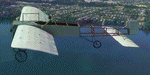
This folder contains a repaint for the Bleriot XI by Wings42 in the colors of Bleriot XI-2 Britannia. The third Bleriot XI imported into New Zealand, it was a two seater presented by the Imperial Air Fleet committee to the New Zealand government. The committee's aim was to promote the development of aviation in the British empire, and the presentation was intended to stimulate military aviation in New Zealand. The aircraft was a proven one, having been flown 347km non-stop from Dover to Cologne by Gustav Hamel in 4 hours 18 minutes on April 17, 1913. The aircraft was dubbed "Britannia' at a ceremony at Hendon on May 22, and Hamel then took former New Zealand Prime Minister Sir Joseph Ward for a short flight. The committee was composed primarily of London businessmen and Sir Joseph was the deputy-Chairman. The aircraft was paid for by public subscription and was valued for insurance purposes at 1400 pounds. The aircraft was disassembled and shipped to New Zealand aboard the Athenic. The aircraft arrived in Wellington on September 29, 1913, where it was discovered that the propeller was not in the shipment. This was soon shipped to New Zealand. In the meantime the aircraft was stored in a purpose built shed at the Buckle street Defence stores. In late 1913 Joseph 'Joe' Hammond had been appointed official Government pilot.
Mr Hammond suggested flying the aircraft to Auckland for display at an Exhibition. However the aircraft was railed north and was assembled in Auckland on January 14, 1914. On January 17, 1914 Mr Hammond made his first flight in the aircraft from the Epsom showgrounds. The following day he completed an hour long flight over Auckland at low level. A flight on the 19th with a journalist as passenger was aborted during takeoff when Hammond found he had no rudder control. Repairs were made and the aircraft flown again on January 24th. Another flight with a passenger then took place. Rather than a member of the media or any of the officials present Hammond chose to take Miss Esme McLalland as passenger. Miss McLalland was a member of the touring Royal Pantomime Company which was performing in Auckland, and the choice failed to impress the officials - Joe Hammonds employment as official pilot was terminated. The aircraft remained on static display for the remainder of the Exhibition and was returned to Wellington at the end of April 1914. Without a pilot (there were several Army Officers training in England - 2nd Lt. A. Piper and 2nd Lt. W. Burn) any official role for the aircraft (and officials did not seem to know what to do with it), it was placed in storage at the Mt Cook barracks in Wellington. Soon after, a report by General Hamilton, the Imperial Inspector of Overseas Forces discouraged further aviation development. With the outbreak of war an offer was made to send the aircraft with the New Zealand Expeditionary Force. It was shipped back to England, departing on the Arawa on October 16. It was unloaded in London on January 15, 1915 and and went from there to Brooklands where it is believed to have been used as a trainer. Repaint by Jan Kees Blom
| Filename: | Bleriot_XI_Britannia.zip |
| License: | Freeware |
| Added: | 8th May 2021, 17:39:55 |
| Downloads: | 17 |
| Author: | Jan Kees Blom |
| Size: | 38.51 MB |
| Category: Flight Simulator X - Aircraft Repaints, Textures and Modifications | |
| Consolidated PBY-5A VB-126 #20 |
|
Images related to this file:
File Description:

A repaint for the Aerosoft PBY-5a Catalina in the colors of PBY-5a #20 (BuNo 7277) of VB-126 as it looked during a rescue operation on the Greenland ice cap in 1943. On 5 november 1942, a C-53 en route from Iceland to Greenland was reported missing off Greenland's east coast. Four days later, a B-17F, en route for England was aked to to keep a lookout for the missing plane, but it crashed on the ice cap. The crew of suffered only minor injuries, and they soon received food and other supplies that were dropped on the ice. Unfortunately, they had landed in a heavily crevassed part of the icecap, making an evacuation difficult. On 28 november, a USCG Grumman Duck, flown by Lt Pritchard, managed to make a wheels-up landing on the ice and brought out two of the crew. The next day, a ground rescue team arrived on the dite as well, and things looked good....
One crew member and a rescuer died when their sled disappeared in a crevasse, and later the same day, Lt. Pritchard's Duck disappeared as well, with a crew of three. On 6 december, an attempt was made to evacuate the B-17's navigator, Lt. O'Hara, who suffered from gangrene in his feet. One member is the rescue party fell into an crevasse, and the motorsled they were using broke down, so the men had to dig in and wait for help. The days continued until over christmas, but morale was kept high with airdrops whenever the weather permitted. A rescue by sled became impossible however due to bad conditions and heavy snows. Lt.Col Balchen, who had used a PBY the previous summer to rescue the members of the B-17 'My Gal Sal' (currently under restoration in Ohio) of the ice, and was now in charge of the rescue operation, proposed to try the same here. The last summer, the PBY landed on a melt water lake on the icecap however, this time he wanted to belly land the PBY, and nobody knew if the hull could withstand such a battering. In the meantime, a ski-equipped T8P1 aircraft tried the same, but dispappeared over the east coast. The crew members were found five days later in a rubber dinghy. The Navy finally gave permission to try an attempt with the PBY. and two PBY-5a"s were send to airfield BW-8, to wait for the right weather. On 5 febuary 1943, Lt Bernard Dunlop succesfully bellylanded BuNo 7277 / 20 (the above paintjob) at the motorsled camp, and the three survivors were taken on board. It has frozen solid in the ice, but after two hours of hard labor, the crew managed to free the PBY and it took off. Now only the three crew members still at the original site needed to be rescued. A ground rescue party was sent to the wreck to transport the survivors to a spot where the PBY could land, but bad weather prevented any flying until 17 march. On that day, Lt. Dunlop landed on the ice, dropping off Lt.Col Balchen and the rescue party, who reached the wreck the following day. The weather closed in again until finally, on april 5th, Lt Dunlop landed his PBY for the third time on the ice cap. All hands were taken on board, but after five attempts to take off, the starboard engine caught fire. The blaze was extinguished, but repairs were necessary. The next day, they managed to take off, but without the rescue party, to lighten the load. 149 days after their crash, the B-17 crew was finally clear of the ice. It wasn't until 18 may that the last member of the rescue party was finally evacuated, making this a six and a half month rescue operation...
Repaint by Jan Kees Blom, based on the paintkit by Aerosoft
| Filename: | Consolidated_PBY5A_VB126_20.zip |
| License: | Freeware |
| Added: | 13th July 2018, 20:33:17 |
| Downloads: | 139 |
| Author: | Jan Kees Blom |
| Size: | 10.19 MB |


© 2001-2026 AVSIM Online
All Rights Reserved
Privacy Policy |