
Where Flight Simulation Enthusiasts Gather from Around the World!
AVSIM Library - Search Results

| Category: Flight Simulator 2004 - Aircraft Repaints, Textures and Modifications | |
| Louisiana State Police Texture Updates Bell/Textron 430 |

|
File Description:
FS2004 Bell/Textron 430 Helicopter Louisiana State Police Updates
This package contains 2 revised texture sets for: N810SP & N918SP which are based here in Baton Rouge.
These fixes add the gold stripe on the tail and reflect the readjusted bottom
gold cheat stripe and a few more small tweaks that make the textures more accurate.
There is a well known member of the FS Community that is also painting up more LSP Bell430s.I believe that his will feature 430s from LSP Troop I,B and C.
Giving you all more N#'s to fly based on your preference of which Troop you want to fly for.So keep an eye out for more LSP Bell 430s in the near future!!
As always....Enjoy!!
**P.S.***
I am finishing up on a custom scenery to compliment these repaints.
The scenery will feature a large photoreal terrain area of the Independence Park area here in Baton Rouge wich houses on its grounds the following:
Louisiana State Police Headquarters,Louisiana Statepolice Training acadamy,various State Gov't offices such as Dept. of Motor Vehicles,Louisiana State Office of Emergency Managment,State fire Marshals Offices,e.t.c.....
The main Helipad is set up as a runway..rwys 9-27 which feature their own ILS systems with outermarkers,an NDB,Fictioal Airport Designation of 1LSP.Trees,Military Landing Zones,resturants,minmalls,gas stations along the perimeter,the main Fire House/Fire Station for that area.the Main branch of the Public Library and the big school bus transfer area on the west side.Street lights along the roadways,and much more.With minimal impact of FPS.
This will be a great add-on tool for the real LSP and AIr Med pilots who fly into this place everyday.Now you guys/gals can practice approaches in inclement weather conditions without fear of ruining a 5 million dollar chopper,all the while honing your IMC skills.
This scenery will integrate seemlessly with the upcoming release of KBTR v2.
The screenshots in this archive are from KBTRv2 Beta and the 1LSP beta sceneries!!
Keep an eye out at the BSMP forum for updates and preview screenshots... www.bsmp.co.nz
| Filename: | Louisiana_State_Police_Texture_Updates_BellTextron.zip |
| License: | Freeware |
| Added: | 25th May 2008, 19:00:07 |
| Downloads: | 358 |
| Author: | Joe DeGregorio / Alan Devins / Rory Kelly / Keith Devins |
| Size: | 2.96 MB |
| Category: Flight Simulator X - Scenery | |
| "Your Own Sea Port"..Part II of "Your Own" |
|
File Description:
This scenery is Part II of "Your Own" Series. The first one is "Your own AirPort"....
slowly but surely a community is being born!!!!!!...what do you get with YOSP??
--
"YO Airport" has contracted the " Marching Band and Construction Ltd" to construct the " YO-Seaport" near the rich Oil Fields of the coast. MBC Ltd, has thus proceeded full blast on this major important Sea Port which will give traffic to YO Airport and sorroundings.....Now planes will fly on rigid schedules between these two airfields......
later YO-Hill Airfields(Part III) will come along in the mountains in small lakes and Sea Stops...or small seaplane destinations....for more Fun and activities!!!!
What does "Your Own Sea Port" has for you.....?and what can you do there??
1) Two Airfields, one grass for small private planes and one Concrete for Commercial traffic ( new technique so it won´t be "sunk" with whatever mesh you have!!!) ...........+ Floatplane Base!!!
2) Helicopter Pad at the Port Hospital...(lighted)
3) Rescue Sailors at burning ship!!!!---(ship sinking fast!!)...take them to the Port´s Hospital.
4) Check moving traffic with any chopper.( There is a red corvette which must be checked with some women driving too fast!!!)
5) Participate in:
Road Race ( Need a car!!)...Prices galore!!!
Boat Race around Red Bull Pylons (need a Boat!!)...RedBull guys left them here for good!!!
Fly a Race at the same Pylons...(Really Hard!!!!)
6) Fly Tourists to Fishing Lake where Bass Abounds..(Need Floatplane).
8) Fly with your Navy Patrol plane and check on some "Strange Submarine
taking pictures of the port"...if necessary blow it to smitherins!!!!!!!
9) Open a New Airline....YO Air Service Inc...
10) Fly around and take pictures.
11) Take executives to the Oil Facilities in the Interior (EpisodeIII)...
or just fly around with your gal, wife or hummmm, hummmm.............or go fly under its three bridges!!!!!
12) Take passenger from the "Float Plane" Airpark, near the hospital, to lakes and rivers. The Mayor of YOSP will be giving the "city Keys" to all Pilots
who makes four consecutive loops in a helicopter on Sunday at 11:42:45.
| Filename: | Your_Own_Sea_PortPart_II_of_Your_Own.zip |
| License: | Freeware, limited distribution |
| Added: | 28th November 2008, 15:48:14 |
| Downloads: | 1,513 |
| Author: | Gera Godoy Canova |
| Size: | 900.13 KB |
| Category: Flight Simulator X - Scenery | |
| Freeware Project Kobe X (RJBE) Japan |
|
Images related to this file:
File Description:
Freeware project KOBE X (RJBE) Japan. Contains fully detailed airport with custom ground polygons. Accurate 3d model and texture of all the building of the airport including the terminal, control tower, hangars, bridge and many more. Please note that this project was my initial experience in many fields of scenery design so take it as it is and enjoy flying in Japan. The design is never done but I think it was ready to be released. Still have some work to do with the animated jetways and night lighting for my next "payware" project (KSAN, San Diego Intl). It's going to be far better than this freeware.
You can download the world of ai installer and install the All Nippon Airways package and maybe the JAL too. The jetways are not animated but you can park a 747 in gate 1, a 767 in gate 5 and a 737 in gate 6 and be perfectly aligned with the jetway door.
Also I've not try this scenery in a less powerful computer than mine. I run a Windows 7, I7-950 @ 3.8 GHz and a GTX 570. So don't get mad if you're having bad performances :). With all sliders in the "display settings" set to max I've around 20 fps in the virtual cockpit of the level-d 767. You'll get a nicer airport with also the global texture resolution set to max, water effects set to High 2.x and traffic to ultra-high. Do not turn on Ground scenery shadows as it will make a shadow for the entire airport (ground poly).
I've some tutorial on my YouTube channel (n170toga) on how to make fsx sceneries if you are interested. Don't forget to subscribe there and have updates for the upcoming scenery. Please review this airport if you like as I will learn a lot for my next
project and it's only going to be better.
This scenery is a freeware and should be considered as a freeware. Arigato, Sagga Toure (Devinci), Devinci Design and Development (3De)
| Filename: | Freeware_Project_Kobe_X_RJBE_Japan.zip |
| License: | Freeware |
| Added: | 12th June 2011, 08:28:51 |
| Downloads: | 6,653 |
| Author: | Sagga Toure |
| Size: | 66.48 MB |
| Category: Flight Simulator X - Scenery | |
| Albany International Airport (KALB) Albany, New York |
|
Images related to this file:
File Description:
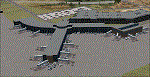
This airport was made using Airport Design Editor, Google Sketchup, and Instant Scenery 2. Albany International Airport, Is an airport located near Albany, New York. The airport has scheduled airline flights. Almost all of the buildings are custom made with photo textures to make it closer to real life. At the main terminal, I added more gates and put moving jetways. The gates have assigned parking codes. There is a parking lot next to the terminal full of cars. I put the airport access road in between the parking lot and the terminal. At the southwest ramp, I put hangars and some you can taxi inside of. If you choose to start off from the southwest DOCK gate, You will start off inside the Million Air Aviation FBO. I also put static aircraft on the ramp too. To the northwest, I put the New York Police hangar. You can start off inside this hangar by choosing the Northwest DOCK gate. Taxiing into or starting off inside a hangar will not cause a crash unless you touch the sides. To the Northeast, I put the cargo terminal with trucks. At the cargo section, I put three FedEx Cessna Caravans. I also put the control tower and the buildings. Tower views are from the roof of the control tower. To the southeast, I put small hangars and the Air National Guard Section with UH-60 helicopters. I extended runway 1/19 to the correct length of 8,500 feet. I also put red, blue, green, and purple Cessna 172s in different places around the airport. There will be more objects if your scenery complexity is set to normal (such as jetways, aircraft, and vehicles). This was all made based on Google Earth Imagery and Bing Maps. There are no night textures for the buildings. This will be added in a future version. An installer program is included to install the airport for you. There will be more versions of this that include night textures and static business jets. This is for Flight Simulator X only. By Tyler Lawrence.
| Filename: | Albany_International_Airport_KALB_Albany_New_York.zip |
| License: | Freeware |
| Added: | 2nd June 2012, 08:14:12 |
| Downloads: | 4,347 |
| Author: | Tyler Lawrence |
| Size: | 47.69 MB |
| Category: Flight Simulator X - Aircraft Repaints, Textures and Modifications | |
| Aeritalia G91Y 32 Stormo Shark |
|
Images related to this file:
File Description:
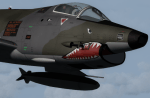
textures only for Massimo Altieri g91y. textures 32 st by Massimo Grassi
The Fiat G91Y was a reconnaissance and ground-attack aircraft produced by Italian company FIAT as an evolution of Fiat G91.
The first flew took place in 1966. It was a complete redesign, but the major difference was that G91Y installed 2 engines,
in order to increase the power and the capability to survive to damages during war operations.
The single Bristol Orpheus turbojet engine of G91 was then replaced by two afterburning General Electric J85 turbojets which
increased thrust by 60% over the single-engined variant.
Structural modifications to reduce airframe weight increased performance further and an additional fuel tank occupying
the space of the G.91T's rear seat provided extra range. Combat manoeuvrability was improved with the addition of automatic
leading edge slats.
Flight testing of three pre-production aircraft was successful, with one aircraft reaching a maximum speed of Mach 0.98.
Airframe buffeting was noted and was rectified in production aircraft by raising the position of the tailplane slightly.
An initial order of 55 aircraft for the Italian Air Force was completed by Fiat in March 1971.
The order was increased to 75 aircraft with 67 eventually being delivered.
The first pre-series 'Yankee' (the nickname of the new aircraft) flew in July 1968.
AMI (Italian Air Force) placed orders for two batches, 35 fighters followed by another 20, later cut to ten.
The last one was delivered around mid 1976, so the total was two prototypes, 20 pre-series and 45 series aircraft.
No export success followed.
These aircraft served with 101° Gruppo/8° Stormo (Cervia-S.Giorgio) from 1970, and later, from 1974, they served with
the 13° Gruppo/32° Stormo (Brindisi) until the early '90s, as the only ones equipped with the 'Yankee',
using them as attack/recce machines, both over ground and sea, until the AMX replaced them.
HD textures in 4096 x 4096
complete resize and paint 32bit hd
Virtual cocpit hd
Native fsx p3d
Original aircraft by Massimo Altieri
paint AMI 32 stormo textures by Massimo Grassi
| Filename: | Aeritalia_G91Y_32_Stormo_Shark.zip |
| License: | Freeware |
| Added: | 17th April 2017, 19:37:51 |
| Downloads: | 896 |
| Author: | Massimo Grassi |
| Size: | 10.16 MB |
| Category: Flight Simulator X - Original Aircraft | |
| Grumman "Turbo" Goose for FSX |
|
Images related to this file:
File Description:
FSX version that modifies default or OzX Redux Grumman G21A Goose into a G21G turbine-powered Goose. It is a "revised" model built with GMax and FSDS based on the default FSX Grumman Goose model file and adds a completely new aircraft to your simobjects folder. That said, you must have either the default flyable FSX Grumman G21 Goose (FSX Deluxe or higher) or the OzX Grumman Goose G21a Redux HP model installed for this modification to work. I do not know if it will work in the FSX-SE version, but I believe it will. Nor do I know if it will work in any version of P3D. All I can suggest is try. This download “accesses†your existing Goose texture folders to turn that Goose into a Turbine Goose. It does not modify your existing Piston Goose install, so you will have the Piston Goose as flyable options. It only uses the default files to generate the visual display of the texture in the Turbo Goose. I did this to avoid any perceived or potential copyright violations. They will not work on any other version of the Grumman G21A Goose and will not make the AI Goose that comes with FSX Standard a flyable aircraft. The Turbine Goose has 2 680hp P&W PT6A-27 turboprop engines to replace the Wasp R-985 radials and seats 9 passengers and the pilot. The payload and aircraft weight is almost double that of the piston-powered Goose and has an 800 to 1,000 nm range, burning JetA instead of 100LL. The constant speed 3-blade propellers have reverse pitch and give the Turbo Goose a 2,000 fpm climb and 200+ knot cruise airspeed. This is my first attempt at aircraft modeling with GMax, so it is not a "payware" quality model, but I have flown it over 2,000 miles in FSX and enjoyed every minute of it. Uses a modified FDE and airfile by permission from Pam Brooker, default FSX Kingair 350 turbine gauges, and either the default FSX Kingair 350 sound file or the incredibly great sounding TPE331 sound file by Alex Jorda.
| Filename: | Grumman_Turbo_Goose_for_FSX.zip |
| License: | Freeware |
| Added: | 28th October 2018, 02:04:47 |
| Downloads: | 1,399 |
| Author: | Randy Tyndall |
| Size: | 95.03 MB |
| Category: Prepar3D V1-4 - Aircraft Repaints, Textures and Modifications | |
| Korean Air 1998 AI Package |
|
File Description:
Korean Air was one of only 2 airlines doing domestic Korean flights in 1998, with Korean Air having a much larger market share than Asiana and extensively flying the A300s on many domestic routes. By 1998, Korean Air had converted(to a freighter) or retired most of the 747-200s, 747-300s, MD-11s and A300B4s, but they were still in the fleet in very small numbers. The A330-300 and 777-200 were also starting to join the fleet very slowly with a few examples of each. The MD-80s and Fokker 100s were being used in decent numbers on both domestic flights and flights to Japan and China. The 747SPs were active but only picked up flying as spare airplanes, so they mostly sit in GMP but during the week do GMP-SFO-DEN, GMP-NRT-LAX-GMP, and GMP-HKG flights taken from 747-400s. As is the case with some of these plans, to upkeep 100% of the OAG flight schedule using the limitations of AI in flight simulator, there are a few extra planes(4x MD-80 and 1x Fokker 100) in these plans with fake registration numbers. The user may decided if they'd rather see all real life flights or the real amount of aircraft. Ranmori has painted a 727-200 as a bonus, and I gave these extra 4 MD-80s registration numbers from 727s and segregated them from the flightplans in case you wish to use the 727, but in real life it was retired in late 1996. Note that these plans and all 1998 plans use the Seoul-Gimpo airport(GMP/RKSS) as Incheon(ICN/RKSI) did not open until 2001. Textures by Ranmori Scythe for the AIA MD-80, Fokker 100, FAIB 747-200, 747-300, 747-400, 747SP FSPX 777-200, A330-300, MD-11, TFS A300B4 and A300-600R along with the AIA 727-200 bonus included. Flightplans by Chasen Richardson. Part of the 1998 Flight Simulator Project. Follow us on Facebook at facebook.com/flightsim98 and on instagram as @bayviationsim. For more Retro AI, check out the forums at: http://retroai.proboards.com/
| Filename: | Korean_Air_1998_AI_Package.zip |
| License: | Freeware, limited distribution |
| Added: | 21st November 2019, 19:18:41 |
| Downloads: | 281 |
| Author: | Ranmori Scythe, Chasen Richardson/Bayviation |
| Size: | 32.16 MB |
| Category: Flight Simulator X - Miscellaneous Files | |
| 737NG Normal Procedures Non-APU version |
|
Images related to this file:
File Description:
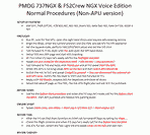
After some input and ideas from a fellow FS2Crew pilot here is a non-APU version of my flow and checklist to even closer mimic real world OPs the way many big airlines operate in real life every day at big airports around the world where the use of APU is limited to only a short period of time a couple of minutes before engine start. I also (don't I always ;-)) did some other changes and what I think improvements since my last version so give it a try and see what you think! About fitting the list on 2 A4 pages when printing it from WordPad please set all your margins to 25 mm in WordPad and uncheck the option to print the page numbers. This time I will not ask the AVSIM Library Managers to replace my old version with this one since some of you might still want the version where the APU is used depending on what kind of flights you do and to what kind of airports. Instead this will be uploaded as a new and separate version.
A flow/checklist for flying PMDG's 737NGX with FS2Crew Voice Edition. Did this mainly for my own use meaning the flow/checklist is adjusted for how I do my flying and with the addons I use like Aerosoft AES for example. Please also be aware this is not the kind of flow/checklist that includes all things you need to perform during a normal flight but instead you are expected to already have a general knowledge of both the NGX and FS2Crew. However I thought others might be helped by this too both newbies to get you going with the "flow" using FS2Crew but also for the more experienced users as a simple to print out and use memory note. It's also easy for you to change whatever you like to suit your own needs better since I created it in common rtf format using the standard Wordpad Windows application. I deliberately made it as compressed as possible leaving out stuff like all the answers to the checklists etc so it would fit on a single A4 sheet being easy to print and maybe also laminate if you like. Hope you'll enjoy it!
| Filename: | 737NG_Normal_Procedures_NonAPU_version.zip |
| License: | Freeware |
| Added: | 22nd June 2012, 03:34:37 |
| Downloads: | 1,085 |
| Author: | Richard Asberg (with input from Peter Wolf) |
| Size: | 6.36 KB |
| Category: Flight Simulator X - Original Aircraft | |
| Airbus A318 FD Special Version V3 - Light Pack |
|
Images related to this file:
File Description:

This is the new version of my Airbus A318 with the Panel in V3 opened on the A321 - here in a light pack version, included is 1 livery only (Frontier Airlines NR807 Painted by Derek Mayer & Steve Mac Bee of PA Team).
This light pack contains only the user manual in english version (and low resolution). If you want the french version of this manual, use the "zipdrive" function with the complete pack of this aircraft (search by name file "pa318fd_v3.zip"). This light version has been made by request for all those with low download speeds and limits.
The original complete pack is available HERE (filename: pa318fd_v3.zip)
I remind you that this aircraft is based on the Project Airbus A318, with an ehanced panel based on the work of stefan Liebe.
This latest development can see the more realistic Airbus available as freeware. With a new version of the panel, the aircraft has a 100% cold & dark Status at the start of a flight, a real fuel system management with all valves, piumps and crossfeed work, the complete Bleed circuit with X-bleed, a real engines manual startup procedure like the real aircraft. I have also ehanced the navigation display with TCAS function in ARC and NAV mode; There is also the engines failure procedure to work (fire, oil leaks....) and many improved function that I cannot describe here. The aircraft comes with user manual in English and in French, and it is essantial to read it before you fly.
All the functions of the V2 have been kept and improved, like the vertical navigation gauge, the terrain radar map on the navigation display, the autolanding function, the SFCC.
This version is only in CFm engines, but with real engine data (CFM56-5B9) and custom HD sounds. Now, the Fly By wire works in 2 modes: "Normal Law" and "Direct Law". I put 300 hours into the development of this panel and I hope that you will like it.
Please, note that this panel is the v3.05 version, witch fixes the bugs of the first version that came with the A321 (there is an update panel for the A321).
So, It seems that this aircraft works with PREPAR3D
Francois Dore
| Filename: | Airbus_A318_FD_Special_Version_V3__Light_Pack.zip |
| License: | Freeware, limited distribution |
| Added: | 14th July 2012, 15:34:06 |
| Downloads: | 6,728 |
| Author: | Francois Dore, Project Airbus |
| Size: | 64.88 MB |
| Category: Flight Simulator 2004 - Original Aircraft | |
| Eurocopter Tiger (EC 665) - HAP/HCP, UHT and ARH variants |
|
Images related to this file:
File Description:
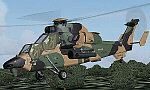
The Tiger HAP/HCP (Helicoptere d'Appui Protection / Helicopter for Close Protection) is a medium-weight air-to-air combat and fire support helicopter built for the French Army. The Tiger HAP is an air-to-air combat and fire support medium-weight (6 tonnes) helicopter fitted with 2 MTR 390 engines. It is daytime and night combat capable and is operable in NBC environments. Three basic parameters were taken into account right from the start of the development phase: low (visual, radar and infrared) detectability, which provides excellent survivability on the battlefield, maximum efficiency of the weapons and the associated fire control systems without heavier workload for the crew, and an optimized logistic concept offering minimum possession costs. The Tiger HAP is fitted with a 30-mm gun turret; 68-mm submunition rockets, and air-to-air Mistral missiles. It also features a firing sight with 3 sensors: infrared, TV camera and direct optical channel. The complete avionics suite includes multi-purpose colour displays and radar/laser warning receivers.
The Tiger UHT (from Unterstuetzungshubschrauber Tiger; Ger. supporting helicopter Tiger) is a medium-weight multi-role fire support helicopter built for the Bundeswehr (German Army).The Tiger UHT is a multi-role fire support helicopter. The Trigat Fire and Forget missiles and/or the Hot missiles it carries offer anti-tank capability, while 68-mm rockets ensure air-to-ground fire support. A 12.7 mm air-to-air gun pod and air-to-air Stinger missiles can also be installed. The helicopter also features a mast-mounted sight with a second-generation IRCCD infrared channel and a TV channel, as well as a nose-mounted IRCCD control FLIR for the pilot. Countermeasures include radar/laser/missiles launch/missile approach warning receivers and decoy launchers.
The Tiger ARH (Armed Reconnaissance Helicopter) is the version ordered by the Australian Army to replace its OH-58 Kiowas and UH-1 Iroquois-based Bushranger gunships. The Tiger ARH is a modified and upgraded version of the Tiger HAP with upgraded MTR390 engines as well as a laser designator incorporated in the Strix sight for the firing of Hellfire II air-to-ground missiles. Instead of SNEB unguided rockets, the ARH will operate 70 mm (2.75 in.) rockets from Belgian developer, Forges de Zeebruges (FZ).
Model, textures by www.afs-design.de - Author: A.Meyer. (Ex-payware package, now released as freeware).
| Filename: | Eurocopter_Tiger_EC_665__HAPHCP_UHT_and_ARH_varian.zip |
| License: | Freeware, limited distribution |
| Added: | 12th January 2013, 19:07:14 |
| Downloads: | 923 |
| Author: | Andreas Meyer |
| Size: | 11.72 MB |


© 2001-2026 AVSIM Online
All Rights Reserved
Privacy Policy |