
Where Flight Simulation Enthusiasts Gather from Around the World!
AVSIM Library - Search Results

| Category: Flight Simulator 2004 - Scenery | |
| KIAH - Houston Intercontinental Airport v3.0 |

|
File Description:
Flightlevel390 is proud to present to you KIAH-Houston's George Bush Intercontinental Airport version 3.0.This scenery was created using EZ-Scenery object placer & Flightones' Instant Scenery.This scenery WILL NOT work in FS X.This will work with Default FS9 terrain,although it is optimized for use with ultimate terrain...This will be the final project under the FL390 brandname,all projects hereafter will be with BSMP...
Includes the Main terminals,Continental Maintenence Base,FedEx cargo ramp,UPS cargo ramp,City cargo ramp,fuel farm by 15R,CFR building further down 15R,CFR Building along Rwy 9-27 taxiway,FBOs on both sides of the 33s,including the big Landmark Aviation FBO,static ground equipment & some custom made signs.Also includes full ramp night lighting,aircraft gate outline markings at each gate.
This version adds some more stuff and fixing some stuff that was noted in previous versions.This also fixes the blurries that some people had reported.
Features a very good and super accurate AFCAD file and decent rendition of the real airport layout.***
Most of the objects in this scenery are all default with some of our own custom made stuff and some objects from some 3rd party EZ Object Libraries and RWY12 Object Libraries.
***You will need to download the EZ-Scenery & RWY12 Object Libraries which can be had at avsim,flightsim.com and our own website available as single downloads instead of multiple seperate downloads.I also recomend that you install our recently released EZ-Object Library Installer which is available at flightsim.com and our own website in the downloads section.File name on flightsim.com is ( EZOLIv33.zip )....
Downloading the installer will ensure that you will have all of the fixed default textures from Sid Schwartz's default libraries....As always...Enjoy!!
| Filename: | KIAH__Houston_Intercontinental_Airport_v30.zip |
| License: | Freeware |
| Added: | 15th June 2008, 17:39:45 |
| Downloads: | 8,412 |
| Author: | Joe DeGregorio |
| Size: | 3.08 MB |
| Category: Prepar3D V1-4 - Aircraft Repaints, Textures and Modifications | |
| North American P-51D 1st SF (5E-E) "Easy Does It" |
|
Images related to this file:
File Description:

This folder contains a repaint for the A2A WoP3 P-51D Mustang (with AccuSim), in the colors of P-51D-5-NA 44-13557 5E-E "Easy Does It" as flown by Lt Richard 'Spider' Smith of the 1st Scouting Force, 8th AF. Lt. Smith was a B-17 plot with the 303rd BG and had completed his tour of 35 missions in october 1944 when he was made an offer he could not refuse. As all pilots, he had been dreaming of flying a fighter and was disappointed when he was assigned to the bombers. He now was asked to join the newly formed scouting force, which used experienced bomber pilots to scout ahead of the bomber force flying Mustangs. After 6 hours in a T-6 and 10 hours in a P-51, 'Spider' (so called because of his physique, tall, with long thin limbs) flew his first missio in a P-51 on 6 december 1944 in an old 364th FG P-51D-5, which he named 'Easy Does It' after it's callsign E. The name 'Betty' on the canopy rail referred to his future wife back in the US, but also to a nurse he was dating in the UK. On his 26th mission, on 1 april 1945, flying lead to Leipzig, his engine caught fire on the return flight, and he had to bail out over Belgium. He broke his arm when he hit the tail on bailing out, but otherwise landed safely. He was sent home to the US and came back just before his 21st birthday, having flown 60 missions. HIs story can be read here: http://www.rccr1957.com/spider.pdf.
He did not crash with this aircraft though, this was damaged during a ground collision in the winter of 1944-45, was repaired and was now flying with the 487th FS/352nd FG as Maj. 'Wild Bill' Halton's 'Slender, Tender and Tall', where it finished the war. Repaint by Jan Kees Blom, based on the A2A paintkit.
| Filename: | North_American_P51D_1st_SF_5EE_Easy_Does_It.zip |
| License: | Freeware |
| Added: | 30th October 2018, 15:25:05 |
| Downloads: | 70 |
| Author: | Jan Kees Blom |
| Size: | 11.93 MB |
| Category: Flight Simulator X - Utilities | |
| FSDbBuild V1.0.2 for FStarToFS2K (Fully functional Release with Installer) |
|
File Description:
FSDbBuild is a Supplement for FStarToFS2K, it provides the possibility to build or update the Airport/Runway Database as used in FStarToFS2K. This Database is required because the from Jeppesen FliteStar/FliteMap exported Flight plans lack some important information as provided by FliteStar/FliteMap. The exported Flight plans don't provide the Information for the Departure Runway, which is a Requirement in Microsoft Flight Simulator 2000/2002/2004/FSX and Lockheed Martin Prepar3D.
In this current Version of the Utility, only the old plain Text-type Airport/Runway Data file - a Relict from Erni Alston's FSBuild 1.3.9 around the Year 2000 or even older - will be created, accompanied by a simple Indexing Mechanism Index file to speed-up the Search. A future Release will create a SQLite Database, which will be implemented also in FStarToFS2K V1.2.0 which will be released within the coming Weeks or Month. In Fact, this Airport/Runway Data file could also be used by Erni Alston's FSBuild, if there are any Users still around of this Flight Planning Software from 2000.
This program evolved from the necessity, that the with FStarToFS2K Program Package supplied Airport/Runway Data file was totally outdated, dating back to 2000 or even older! This shortcoming will now be eliminated, the User has now the possibility to build the Information according to the Data contained in his installed Microsoft Flight Simulator 2000/2002/2004/FSX or Lockheed Martin Prepar3D according the Scenery Configuration. For Installation and other Information consult the FSDbBuild Readme.txt file in the Zip-file.
Several Issues have been discovered and (hopefully) fixed. The detection of any Flight Simulator (MS FS 2002/2004/FSX or LM P3D V1.x) works now also correctly, also on 64bit machines. If you have the previous Versions of FSDbBuild (V1.0.0 & V1.0.1) installed, you should install now V1.0.2. Please note, this Utility is not only for Microsoft Flight Simulator X, it also supports Lockheed Martins Prepar3D V1.x!
| Filename: | FSDbBuild_V102_for_FStarToFS2K_Fully_functional_Re.zip |
| License: | Freeware |
| Added: | 25th July 2014, 00:00:24 |
| Downloads: | 396 |
| Author: | Conrad F. Staeheli |
| Size: | 4.43 MB |
| Category: Flight Simulator X - Original Aircraft | |
| American Airlines Boeing 787-900 |
|
Images related to this file:
File Description:
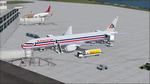
The Boeing 787 is one of the most sophisticated aircraft ever designed, and I have worked on several FS models from even before the real aircraft was ever built. I have accumulated so much data relating to this plane that I can now incorporate real world dynamics for it based on extremely realistic information. The aircraft offered here has been modified to offer all of that realism. In the real world, the 787 is flown primarily with autopilot controls, and this model is no different. It doesn't take a lot to fly this plane, and if I were to be offered the challenge I think I'd be up and flying within a few minutes, in a real 787. Because of this, I offer no advise other than normal flight rules.
If you are new to FSX, please learn through the on-board tutorials. I am not a tutor. I do not have anything to do with cosmetics. I do not design panels. All I do is help educate you about the realism of aircraft design. You can look at the aircraft.cfg and the .air file (Airfile Editor Required) to see what I've done in comparison to the original model, but I will not really help you with tutorial related issues. If you find something you think is wrong, let me know. Otherwise, enjoy this model and fly her like the real thing.
Everything I've done here is for educational purposes without any expectation of any monetary gain, and offered publicly for free. What I offer here is protected by the Fair Use Doctrine of International Copyright Law, and you are free to study this as follows:
https://www.law.cornell.edu/uscode/text/17/107
All persons involved with this and the original design are credited, unless they are unknown and have offered no credit details.
Model Designer: Camil Valiquette
Sound: Emil Serafino
Panel: Marco Spada
Real World Dynamics, Effects and Data: Douglas E. Trapp, [email protected]
July 2017
| Filename: | American_Airlines_Boeing_787900.zip |
| License: | Freeware |
| Added: | 15th July 2017, 16:46:49 |
| Downloads: | 861 |
| Author: | Douglas E. Trapp |
| Size: | 41.65 MB |
| Category: Flight Simulator X - Original Aircraft | |
| B-52J |
|
Images related to this file:
File Description:
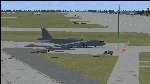
Since it became operational in 1955, the B-52 has been the main long-range heavy bomber of the U.S. Air Force. It first flew on Apr. 15, 1952. Nearly 750 B-52s were built when production ended in Oct. 1963. This "J" model is the future re-engined "h" model 60-0042 of the 917th Wing AFRC based at Barksdale AFB (KBAD). She flies higher, further, and faster than any previous version. The aircraft can cruise at 380 KIAS at 500 ft agl over about 5,000 nm which makes her capable of reaching targets within enemy airspace anywhere on the globe without being detected by radar until it's too late. Her normal high altitude cruise speed has been increased to Mach .88 above FL550E over 9,000 nm without refueling, and her service ceiling has increased to FL570E. The 50,000 lb payload is still nominal, but due to the lighter engines she now has more accomidations for the crew, and does not require refueling very often. She can range much further with less speed (i.e., Mach .85), but there is normally no need for that. This aircraft is designed to fly like the real thing. It is likely one of the best B-52 models available at this time. I have test-flown this aircraft around the globe several times to reassure myself that all is well. You will not have a bouncing effect occur when cruising with 16x speed acceleration and autopilot engaged because all aerodynamics and balance are perfected to a very low margin of error, or no error margin at all. Please be sure to read the INSTRUCT.TXT file for extended details. Original aircraft designer: Mike Stone; Textures by Bill Baldwin; Panel and gauges by Philippe Wallaert; Auto Smoke Effects by Richard Wisman; BR-725 Sound by Ronald Buffalo; Real World aero/engine dynamics, data, lights and effects by: Douglas E. Trapp, FS Flight Dynamics Engineer, Irving, Texas, [email protected], October 2018. The use of this model, and the configuaration of such, is designed for free educational purposes, and protected by the Free Use Act: (https://www.law.cornell.edu/uscode/text/17/107). This model and/or aspects of such cannot be used for monetary purposes!
| Filename: | B52J.zip |
| License: | Freeware |
| Added: | 27th October 2018, 18:57:21 |
| Downloads: | 628 |
| Author: | Douglas E. Trapp |
| Size: | 24.51 MB |
| Category: Flight Simulator X - Original Aircraft | |
| C-17 Globemaster III/ER |
|
Images related to this file:
File Description:

The C-17 Globemaster III/ER is a heavy cargo aircraft used by several foreign militaries, but primarily the U.S. Air Force. She is designed to do many things that other cargo aircraft cannot, based on her unique design. This version incorporates the extended range fuel tanks. The real world aircraft can actually use reverse thrust in flight, up to 100% reverse power, during descents or on the ground. It is also the only heavy aircraft in the world with a wing efficiency factor over 1.0, which is theoretically impossible, but true. All of the dynamics in this model are correct down to the inch, so she does almost everything the real aircraft does. Some things are not possible in FSX, including reverse thrust while in flight, but full flaps/slats employed in a steep descent will adequately simulate this effect without damage to the model while in flight. The landing gear are authentic and capable of heavy loads. The weight and balance is authentic. The fuel tanks are authentic. The aircraft name, tail number, location, and callsign are authentic. The calculated range(s) listed are all authentic, understanding that most public data released is based on average range, at average altitude, and normal payload missions. The sound is authentic. The engine dynamics are authentic. The panel used is the best I could find, is fairly authentic, and requires some pre-flight study before flight. All-in-All the aircraft is very simple to fly, but requires some study to operate correctly, so I recommend all simmers watch as many "You Tube" videos, read as many authentic sites, and study as much as possible about this aircraft before operation. Model by: Bob Chicilo, Sound by: Devyn Silverstein, Panel by: Phillip Wallaert, Auto Smoke Effects by Richard Wisman/Douglas E. Trapp, Real World Aero/Engine Dynamics and modifications by: Douglas E. Trapp, FS Flight Dynamics Engineer, [email protected], July 2018, FOR EDUCATIONAL USE ONLY. This aircraft is designed for educational use protected under the Fair Use Doctrine:
(http://www.expertlaw.com/library/intellectual_property/fair_use.html). It cannot be sold or bundled for sale, and such will never be approved by me or the original authors. FREEWARE DISTRIBUTION ONLY!!! Douglas E. Trapp, [email protected], July 2018
| Filename: | C17_Globemaster_IIIER.zip |
| License: | Freeware |
| Added: | 14th July 2018, 17:41:34 |
| Downloads: | 775 |
| Author: | Dougals E. Trapp |
| Size: | 13.5 MB |
| Category: Flight Simulator 2004 - Aircraft Repaints, Textures and Modifications | |
| Louisiana State Police Texture Updates Bell/Textron 430 |
|
File Description:
FS2004 Bell/Textron 430 Helicopter Louisiana State Police Updates
This package contains 2 revised texture sets for: N810SP & N918SP which are based here in Baton Rouge.
These fixes add the gold stripe on the tail and reflect the readjusted bottom
gold cheat stripe and a few more small tweaks that make the textures more accurate.
There is a well known member of the FS Community that is also painting up more LSP Bell430s.I believe that his will feature 430s from LSP Troop I,B and C.
Giving you all more N#'s to fly based on your preference of which Troop you want to fly for.So keep an eye out for more LSP Bell 430s in the near future!!
As always....Enjoy!!
**P.S.***
I am finishing up on a custom scenery to compliment these repaints.
The scenery will feature a large photoreal terrain area of the Independence Park area here in Baton Rouge wich houses on its grounds the following:
Louisiana State Police Headquarters,Louisiana Statepolice Training acadamy,various State Gov't offices such as Dept. of Motor Vehicles,Louisiana State Office of Emergency Managment,State fire Marshals Offices,e.t.c.....
The main Helipad is set up as a runway..rwys 9-27 which feature their own ILS systems with outermarkers,an NDB,Fictioal Airport Designation of 1LSP.Trees,Military Landing Zones,resturants,minmalls,gas stations along the perimeter,the main Fire House/Fire Station for that area.the Main branch of the Public Library and the big school bus transfer area on the west side.Street lights along the roadways,and much more.With minimal impact of FPS.
This will be a great add-on tool for the real LSP and AIr Med pilots who fly into this place everyday.Now you guys/gals can practice approaches in inclement weather conditions without fear of ruining a 5 million dollar chopper,all the while honing your IMC skills.
This scenery will integrate seemlessly with the upcoming release of KBTR v2.
The screenshots in this archive are from KBTRv2 Beta and the 1LSP beta sceneries!!
Keep an eye out at the BSMP forum for updates and preview screenshots... www.bsmp.co.nz
| Filename: | Louisiana_State_Police_Texture_Updates_BellTextron.zip |
| License: | Freeware |
| Added: | 25th May 2008, 19:00:07 |
| Downloads: | 358 |
| Author: | Joe DeGregorio / Alan Devins / Rory Kelly / Keith Devins |
| Size: | 2.96 MB |
| Category: Prepar3D V1-4 - Scenery | |
| EDJA Allgäu Memmingen (DE) - V1 |
|
Images related to this file:
File Description:
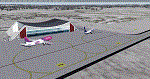
Airport: Allgäu (DE) EDJA V1
Release: January 2018
Simulation: P3D v4.1
This scenery is an update of the stock Airport (ICAO code: EDJA).
"Memmingen Airport (IATA: FMM, ICAO: EDJA), also known as Allgäu-Airport Memmingen, is an international airport in the town of Memmingerberg near Memmingen, in the Swabia region of Germany. It is the smallest of the three commercial airports in Bavaria after Munich Airport and Nuremberg Airport and has the highest altitude of any commercial airport in Germany. It is operated by Allgäu Airport GmbH & Co. KG, a limited partnership of 71 mostly local, medium-sized companies with only minor public shares.
Located about 3.8 km (2.4 mi) from the centre of Memmingen and 110 km (68 mi) from the city centre of Munich, it serves Memmingen and the Allgäu area and also provides a low-cost alternative to Munich Airport and therefore is sometimes referred to as Memmingen/Munich-West Airport or similar by some low-cost airlines, despite the fact that it is 110 kilometres from the centre of Munich. It mostly features flights to European leisure and some metropolitan destinations and handled nearly 1,18 million passengers in 2017."
Source: Wikipedia, the free encyclopedia
Link: https://en.wikipedia.org/wiki/Memmingen_Airport
What to expect?
The entire airport has been updated with correct RWY, Taxiways, APRON's, COMM's (ATIS, GND, TWR), markings and some objects. RWY 24 got it's ILS and go arround information acc. to the charts. The main Terminal is a custom building with custom day and night textures. Also all ground textures are custom made. Other objects INCLUDING the tower are from stock ADE!
In time I will add more custom buildings to further releases of this airport. Currently I have already started to work on the Tower building.
Ground textures will not receive shadows unless you turn "Buildings" receieve shadows to ON!
General:
I'm not a proffessional scenery builder or texture artist but I did try to do my best to update the stock Airport and offer it as freeware to the simming community. I have tested the scenery and did not find any issues with it. GSX services work, AI traffic with Ultimate Traffic Live works, COMM's work, APPR on ILS24 does work, and so on.
Entire work and object placing has been done using a photo overlay image from Google Earth, yet don't expect a photoreal scenery. The used background image has been removed due to Google's copyright policy.
Big thanks to the guys from FS Developer (Don, Arno) who I have kept busy during the birth of the scenery and those who offered the tools to build it (ADE, MCX, Sketchup, Gimp,...).
| Filename: | EDJA_Allgu_Memmingen_DE__V1.zip |
| License: | Freeware |
| Added: | 21st January 2018, 17:07:14 |
| Downloads: | 1,621 |
| Author: | Gerald Krutsch |
| Size: | 19.08 MB |
| Category: Flight Simulator 2004 - Miscellaneous Files | |
| Shoot 1.6.3' Voice Contro File |
|
File Description:
"Shoot 1.6.3" voice control file for use with FS2004. You will need to download the main "freeware" program from http://clans.gameclubcentral.com/shoot/downloads.php which will allow you to make use of this control file for FS2004. The program is brilliant and allows you to control FS2004 by voice and it's totally free! All I have done is made a config file that works very well with FS2004.
It will allow you to; speak to ATC and instead of fighting with the keyboard or yoke/stick so you can fly more like a real pilot and keep your hands on the yoke more of the time. For example a commercial jet pilot calls out to the co-pilot to get the gear up and simply says "gear up". That's just what you will have to do, just like the real thing; the gear will go up when you make the call. When FS2004 ATC controller tells you to reply you can just say "roger" or "hello" or "ATC" or "air traffic" etc, etc, and the ATC window will pop up. Then all you have to do is call out the command instead of pushing buttons that real pilots don't use. Does a real pilot push a button to look out of the window or use a "mouse" to engage the autopilot?
Similarly you can call out "autopilot engage" or "autopilot master" or "autopilot disengage" and that's just what happens; the autopilot comes on/off. The best part though is when you try looking around the cockpit. If you want to move your head up you just say "move up" and presto you are higher up in your seat. You can move to the left or
Right, back or forward. You can say "zoom in" and that's what happens. You can say "reset zoom" and so on. You can say "next view" and then the view may be outside or another panel. Alternatively, you can say "panel 2" and the radio panel will come up in the 737 so you can tune the radios. If you have FS navigator installed all you have to
do is say "navigator" and the map comes up, and then say navigator again and off it goes. Just for once it is easy and possible to make full use of FS2004. Using this program has afforded me the opportunity of making better use of the views available, (and I have CH products yoke so if was never hard) but now it's even easier.
All the panels can be activated in this way, and control of the autopilot and control of FS2004. It's probably the best kept secret. I've made a file so we can all share in this freebie of a program. I've included a readme and instructions of how to make the best use of the program.
Config file for FS2004 only is provided.
| Filename: | Shoot_163_Voice_Contro_File.zip |
| License: | Freeware |
| Added: | 7th January 2004, 19:52:26 |
| Downloads: | 8,795 |
| Author: | Peter Wilding |
| Size: | 21.83 KB |
| Category: Flight Simulator X - Scenery | |
| Mesolonghi Airport - Rio-Antirio Bridge - Greece ** UPDATED VERSION ** |
|
Images related to this file:
File Description:
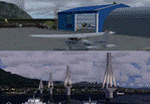
These are actually two sceneries offered in one pack. I started building the small airport of Mesolonghi in Western Greece. When nearing completion, I thought that FS was really missing the big suspension Bridge that connects mainland Greece with Peloponese that was finished in 2004, being the biggest in the world of the fully suspended type. The bridge project turned out bigger than the airport as I ended up doing the typical, Greek-style double ended ferries that served the straights for decades before the bridge and still offer a cheaper and, to some, more relaxing alternative.
Mesolonghi airport is situated 5 kilometers east of the historic city of Mesolonghi and is close to the technical school of fisheries. There is no ICAO code (ZZZZ) so I had to give it the fictional LGME in the sim. A purely day field, it houses the local Aeroclub and ultralight school. due to its small size and hospitable atmoshpere, it is a popular GA pilots destination, receiving also often international arrivals. The runway is asphalt and 800m (2635') in length. No PAPI or VASI are provided. There is no tower service and unicom frequency of 119.7MHz is used by the traffic. Closest controlled airport is Araxos (LGRX), a civil and military field, quite common in Greece, 12.5 nautical miles S-SE. The nearby city of Mesolonghi is famous for its heroic resistance and fall in 1826 during the Greek war of indepence. It is also famous for its fishery production, due to the natural lagoon, formed by the shallow waters.
Features of the Mesolonghi airport scenery include:
- Photoreal area with seasonal variations and watermask.
- Custom hangars and containerised buidings.
- AI default trike performing TnGs (in P3D it will work only if you copy over the FSX trike).
- The technical shool of fisheries on the north side.
- Customized shorelines, to fit with ORBX Global Vector.
- Optional shoreline fix for default scenery.
The Rio-Antirio bridge is located 14.5 nautical miles to the east of the airport. It connects the towns of Rio on the south side and Antirio on the north side. More data on the bridge can be found on Wikipedia.
Features of the Rio-Antirio bridge scenery include:
- Custom bridge model, bump mapped textures with hard platform surface and vehicle traffic.
- Night lighting textures and custom roadlights.
- Photoreal scenery for north and south shores, including hand placed autogen and night textures.
- Custom castle models on north and south sides, with bump mapped textures and night lighting.
- Custom model of the toll post on the north side.
- Custom AI ferry boats with constant shuttle service between Rio and Antirion piers.
- Customized shorelines, to fit with ORBX Global Vector.
- Optional shoreline fix for default scenery.
- Optional HDR optimized photoreal textures.
| Filename: | Mesolonghi_Airport__RioAntirio_Bridge__Greece___UP.zip |
| License: | Freeware |
| Added: | 16th March 2016, 09:15:21 |
| Downloads: | 2,626 |
| Author: | Vassilios Dimoulas |
| Size: | 300.05 MB |


© 2001-2026 AVSIM Online
All Rights Reserved
Privacy Policy |