
Where Flight Simulation Enthusiasts Gather from Around the World!
AVSIM Library - Search Results

| Category: Flight Simulator 2004 - Original Aircraft | |
| Fairchild C-82A Packet (Project Phoenix) |

|
File Description:
First and foremost, this aircraft package is dedicated to the memory of the late Paul Mantz, a veteran stunt pilot who gave his life in the making of the 1965, 20th Century Fox movie, “Flight of the Phoenix” starring James Stewart and a strong cast of other well known actors.
This package contains not only the C-82 Packet, but, as a special feature, “The Phoenix” as well. For those of you who have not seen this classic, you are missing a real jewel. It can still be obtained in VHS or DVD at www.amazon.com I highly recommend it.
The C-82 comes in three paint schemes, U.S.A.F., Bush Flying Unlimited, and of course, Arabco Oil. The Phoenix is painted as it was in the movie. Both aircraft have excellent panels built by K. Mitchell and the C-82 possesses a very nice virtual cockpit on par with that found in the C-119; previously released. These are DXT-3 textures with no mip-maps to preserve image clarity. I chose this format in the attempt to maintain a minimal upload/download package size. I will be following up with individual texture replacement packages in 32-bit for those who wish them.
I hope you enjoy this flightsim model as much as I did putting this package together. I could not have done so without the excellent help and work of Daisuke Yamamoto, Herb Morse, K. Mitchell, Mike Hambly, and Brent Hricziscse.
Enjoy! Heather
| Filename: | Fairchild_C82A_Packet_Project_Phoenix.zip |
| License: | Freeware, limited distribution |
| Added: | 16th January 2004, 01:12:01 |
| Downloads: | 12,480 |
| Author: | Heather Sherman and Crew |
| Size: | 18.97 MB |
| Category: Flight Simulator X - Aircraft Repaints, Textures and Modifications | |
| DDA Classic Airlines PH-PBA 2018 Douglas C-47 (DC-3) |
|
Images related to this file:
File Description: For Manfred Jahn's C-47 with Jan Visser's VVC, version 3.14 repaint of DDA (Dutch Dakota Association) Classic Airlines. The only flying DC-3/C-47 in the Netherlands at the moment. Hopefully joined by her sister (PH-DDZ) in the near future. The new 2018 livery of the DDA Dakota is going back to it's roots, as it royal colours in which it flew in the '50 and '60.
For more info on the real DDA visit there site: https://www.dutchdakota.nl/en/home/ Besides the outside, the inside and the pilot's got a different look. Also added some more details, especially at the tires and gear struts.
The VC textures are repainted to get the cockpit as much in line with the real one. These are repaint only, you need to install the beautiful freeware plane first.
http://www.sim-outhouse.com/sohforums/showthread.php?101539-Douglas_C-47_V3-12_Beta-zip Model-update is available here (recommended):
https://library.avsim.net/download.php?DLID=198659 Big thanks to Manfred Jahn and his team for creating this beautiful model and
Jan Visser and his team for all the work done to improve this model even further.
Ted "TuFun" Wolfgang for the improved engine textures.
For this repaint the excellent paintkit by Gordon "Gman5250" Madison was used. Special thanks to Paul van den Berg from DDA Classic Airlines for providing the
original paint drawings and beta testing the livery.

| Filename: | DDA_Classic_Airlines_PHPBA_2018_Douglas_C47_DC3.zip |
| License: | Freeware, limited distribution |
| Added: | 13th January 2018, 02:43:33 |
| Downloads: | 835 |
| Author: | Marcel Ritzema |
| Size: | 45.82 MB |
| Category: Miscellaneous Files - General Utilities | |
| Flight plan management table |
|
File Description:
THe Flight management table is an excel file which will help you to monitor weights and time of your flight plan.
You can insert the following info:
-Departure
-Arrival
-Callsign
-Flight number
-Route distance
-Number of pax
-Cost index
-Cruise altitude
-Block fuel, taxi fuel, trip fuel, extra fuel, reserve fuel
You can also manage time by inserting simulation date, start time, cockpit preparation time and many more.
The file also gives you an advice if you make a mistake and will calculate the fuel you have to burn if you have to perform an emergency landing but you are above the max landing weight.
The excel file will then calculate zero fuel weight, gross weight, takeoff and landing weights based on the "active aircraft management table".
It will also calculate off and on block time as well as takeoff and landing time.
You can use this file with any aircraft by adding tamplates to it or using one that is already in the file. At present the tamplates available are:
X plane
-Flight Factor A320 Ultimate
-Zibo mod B738
-IXEG B733
-Aerobask Eclipse 550NG
Prepar3d/Flight sim X
-PMDG B738 NGX
-Majestic Dash 8 Q400
Creating a new tamplate is easy. All you need to do is having weights info about the aircraft you wish to add in hand.
The file is under development which means that I am going to add new feature to it.
A good breefing is the first step for a good flight.
| Filename: | Flight_plan_management_table.zip |
| License: | Freeware |
| Added: | 9th August 2018, 14:21:41 |
| Downloads: | 336 |
| Author: | Luca Tessieri |
| Size: | 17.92 KB |
| Category: Flight Simulator 2004 - Aircraft Repaints, Textures and Modifications | |
| Embraer EMB-120 Brasilia Private/Business Version |
|
File Description:
Flyable...
A repaint of a great flight model, the AI-AARDVARK EMB-120 as a private or
Businessaircraft. There are an increasing number of these around... thisis just one
idea for a color scheme for one. I have not included a registration number.. that is
left up to you as to what number (based on where it is you want to fly it) and where
you want to place it.
Also.. in the complete model you will find a panel file ... the only item in that
file is a rear view in case you are like me and like panels that offer cockpit views..
I use a slightly modified panel that comes with the Project Fokker F100/70 series.
This rear view is of an executive interior, sadly I could not find an exact one for
the 120, however after comparing many interior shots, I have really found little
difference between the interiors of the EMB120 and the ERJ135...although I am sure
there are, at least visually they seem close. Close enough that I included a rear
view of an exec 135 i case you choose to "Gussy up" a 120 panel with a luxury
interior shot. To me, at least... the interior dimensions are close enough for
government work... hope you enjoy. ANy questions or comments.. please, would love to
hear from you as I am still new at this and am using only the standard Microsoft
paint program that comes with Windows... have never mastered the paint pro
programs... no matter how hard I tried.
| Filename: | Embraer_EMB120_Brasilia__PrivateBusiness_Version.zip |
| License: | Freeware |
| Added: | 29th December 2004, 18:54:13 |
| Downloads: | 982 |
| Author: | AI-AARDVARK, Dale Caruso |
| Size: | 2.6 MB |
| Category: Flight Simulator 2004 - Sounds | |
| Realistic Boeing 757 Rolls-Royce RB211-535E4 Sound Pack |
|
File Description:
I am proud to present to you my new realistic and accurate (And probably the most realistic and accurate) Boeing 757 Rolls-Royce RB211-535E4 sound pack for Microsoft Flight Simulator 2004 and X. This is intended for use on Project Opensky's models, but should work decent on other freeware and payware 757s in FS. The interior sounds are from a passenger perspective (As if you were in first class). Once you load your aircraft with these sounds, you'll hear the APU System in the cabin. You hear the famous RB211 whistle sound at idle after you have started the engines. You spool up the engines at takeoff and then hear the buzzsaw-like sound of the RB211 engine's fans at full throttle. As you throttle down for climb power the buzzsaw intensifies like on a real plane! Pretty much every engine sound in this sound pack has been recorded from a real RB211-535E4 engine! Once you lift off and put up the landing gear, you will hear a chime from the cabin. It features realistic cockpit sounds like the autopilot deactivation siren, stall clicker, overspeed siren, gear up warning sound buzzer, flaps, rattles and bumps with tire-roll on takeoff/landing, and rattles on touch-down. I am sure that if you are a frequent Boeing 757 aircraft flyer, or if you're a pilot or flight crew on board a RB211-powered 757 aircraft, that you will be very impressed by these sounds! Give this sound pack a try, I promise you won't be disappointed!
| Filename: | Realistic_Boeing_757_RollsRoyce_RB211535E4_Sound_P.zip |
| License: | Freeware |
| Added: | 18th October 2010, 07:32:49 |
| Downloads: | 8,035 |
| Author: | Adam Murphy - Skyhigh Sound Systems |
| Size: | 101.89 MB |
| Category: Flight Simulator X - Utilities | |
| Flight Simulator First Officer V2.2 |
|
Images related to this file:
File Description:
Flight Simulator First Officer is a generic virtual copilot for FSX and FS9. The primary function of FSFO is to assist the Pilot In Command (PIC) to fly the aircraft safely while adhering to Standard Operating Procedures (SOPs). This is accomplished via virtual checklist and sharing of cockpit duties/responsibilities. Specifically, the First Officer reads the following configurable checklist: Before Start, After Start, Before Takeoff, In-Range, After Landing and Shutdown. After reading the checklist items, the Copilot will wait to ensure you (i.e. the pilot) have configured the aircraft correctly before proceeding to the next item. Also, the Virtual copilot is capable of performing the following actions: Call Vspeeds based on your input, Raise the Landing Gear on Takeoff, Retract the Flaps, Manage the taxi/landing lights, Land the Aircraft, Tune the ILS frequencies, Call Climb Power based on your input, Reset Vertical Speed when the Aircraft is within 1000 ft of the programmed altitude, IAS warning (e.g. Aircraft is above 250 IAS while below 10000 ft), GS Warnings (e.g. Aircraft is above 25 knots while taxing), Resets the altimeter to standards when passing TA, Engage Heading Hold on Takeoff, Engage Altitude Hold on Takeoff, Reset Speed on Takeoff, Engage Speed Hold on Takeoff, Engages Rev Thrust on Landing, Ground Proximity Warning System (GPWS) and much more...
View the change log to view what's new with V2.2: http://flightsimaddons.proboards.com/thread/32/change-log-updated-july-2014
This is a complete installer; you DO NOT need FSFO V2.*. If upgrading from 2.*, please read the attached readme.txt file for instructions
| Filename: | Flight_Simulator_First_Officer_V22.zip |
| License: | Freeware, limited distribution |
| Added: | 12th July 2014, 08:19:29 |
| Downloads: | 2,357 |
| Author: | Matthew King |
| Size: | 67.17 MB |
| Category: Flight Simulator X - Original Aircraft | |
| Sky Pirates Medium Vanship |
|
Images related to this file:
File Description:
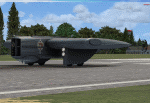
Sky Pirates Medium Vanship by Mellin - Version 1.0.0
If you are interested with updates check: https://onedrive.live.com/redir?resid=D237841111C490A2!2055&authkey=!ALJGm8kyIEpPWOc&ithint=folder%2ctxt
Vanships come from "Last Exile" and "Last Exile: Silver Wing Fam" animes. Sky Pirate Medium Vanships are a type of vanship which appear in Last Exile - Fam, The Silver Wing. In addition to Vespas, the Sky Pirates use a special type of vanship with an unusually broad and flat body. They resemble a rectangular wing with the cockpit in the center and two engines, one on each side. These ships are sometimes armed with harpoons to be used in capturing larger vessels. Because of their broad wings, they are capable of carrying up to six harpoons while Vespas can carry only two. It should be noted that each of these six however are about the size of a vespa. Their true amount of payload can be seen during the attack on Boraeas fortress, where Fam and Giselle's Vespa only mounts two rockets, each of these ships is seen carrying entire racks of them, with one being seen with 12 rocket pods slung under each wing, in formation with Fam's group shortly before they come under heavy fire. Those Vanships have 2 fuel tanks inside their wings and a big cargo bay in a middle of there body.They also have a observer's spot under main body in the front. It is equipped with periscope/binoculars.
More information about Vanships can be found on Last Exile wiki: http://lastexile.wikia.com/wiki/Vanship
| Filename: | Sky_Pirates_Medium_Vanship.zip |
| License: | Freeware |
| Added: | 17th February 2016, 22:01:56 |
| Downloads: | 143 |
| Author: | Piotr Mellin Malicki |
| Size: | 55.41 MB |
| Category: Flight Simulator 2004 - Aircraft Repaints, Textures and Modifications | |
| jetBlue Airways Airbus A320-232 Pack |
|
Images related to this file:
File Description:

jetBlue "Tartan Tailfin" (N565JB) - jetBlue "Vets in Blue" (N775JB) - jetBlue "Blue Bravest" (N615JB)
JetBlue Airways Corporation, often stylized as "jetBlue", is an American low-cost airline. The company is headquartered in the Long Island City neighborhood of the New York City borough of Queens. Its main base is John F. Kennedy International Airport, also in Queens.
The airline mainly serves destinations in the United States, along with flights to the Caribbean, The Bahamas, Bermuda, Barbados, Colombia, Costa Rica, Dominican Republic, Jamaica, Mexico and Puerto Rico. As of May 23, 2013 JetBlue serves 78 destinations in 22 states, and twelve countries in the Caribbean, South America and Latin America. jetBlue maintains a corporate office in Cottonwood Heights, Utah. JetBlue is a non-union airline.
Jetblue liveries are painted on Project Airbus A320-232 model (not included). The textures are saved in 32bit format for quality graphics. Textures are also characterized by HD (High Definition). Its features are idle-reverser animation, animated pack vents and pressurisation outflow valve, detailed textures, accurate paint, dynamic shine & effects, dynamic flexing wings that respond to turbulence, fully independent suspension, trim animation, gear steering, accurate flight dynamics, spoiler animation, reflective cockpit windows, improved wingflex code with input from several new parameters including ground spoilers, fuel load, and angle of attack, transparent navigation light lenses and many more.
Visit our Facebook page "Sky Level Textures" for news, updates and previews on our future repaint projects. Thanks for downloading & Happy flying. HD GAMING EXPERIENCE inside. https://www.facebook.com/SkyLevelTextures
| Filename: | jetBlue_Airways_Airbus_A320232_Pack.zip |
| License: | Freeware |
| Added: | 26th November 2014, 22:44:49 |
| Downloads: | 2,222 |
| Author: | Giacomo Tomasini | Sky Level Textures | Project Airbus |
| Size: | 36.66 MB |
| Category: Flight Simulator X - Aircraft Repaints, Textures and Modifications | |
| Nord Noratlas Israeli Air Force (4X-FAP) |
|
Images related to this file:
File Description:

This folder contains a repaint for the Nord 2501 Noratlas by Projet Noratlas in the colors of N2501IS 4X-FAP, the first of the Noratlas aircraft used by the Israeli Air Force. In the immediate post-war era France produced a plethora of prototype aircraft, nearly all of which vanished without trace. One of those that made good was the Nord 2500, a cargo transport with the same twin-boom configuration as the American C-119, with the cockpit in the nose of a capacious nacelle. Like the US type, the rear doors were of the left/right clamshell type, so for air-dropping heavy loads they had to be removed before takeoff, causing turbulence and high drag. Despite this, the more powerful 2501 proved an excellent aircraft, produced in large numbers in France and Germany in a programme that led directly to the Transall, produced by the same partners, designed in 1959 and flown in 1962.
Israel bought eight N.2501 IS direct from Nord in 1955-59, a further 12 from Germany in 1962, and four more later. The first, 4X-FAP, was delivered before the end of 1955, and immediately proved extremely popular and capable.
Eight Nords had been purchased and these were used extensively to re-supply IDF columns in Sinai. To assist with these re-supply efforts other Nords were made available from the French Air Force and were requisitioned from Israeli Airline EL-AL which used them as freight transports. Repaint by Jan Kees Blom, based on the paintkit by Projet Noratlas.
| Filename: | Nord_Noratlas_Israeli_Air_Force_4XFAP.zip |
| License: | Freeware |
| Added: | 23rd July 2020, 17:39:27 |
| Downloads: | 145 |
| Author: | Jan Kees Blom |
| Size: | 11.6 MB |
| Category: X-Plane - Utilities | |
| X-Camera 2.2.1 |
|
Images related to this file:
File Description:
The X-Camera 2.1.1 plugin for X-Plane 9 and 10 is a replacement camera system that lets you define multiple view categories and multiple views within those categories that are associated with specific aircraft. X-Camera is similar to EzDok for FSX only for X-Plane. Watch this short X-Camera demo on YouTube: https://www.youtube.com/watch?v=PgOxG8ejq9A
Each view can have options:
- TrackIR:
Each view can enable or disable the TrackIR input. If the view is out the cockpit window having TrackIR enabled is desirable. However, if the view is a close-up of an instrument panel then having TrackIR disabled is probably the better choice since the view will be stable making it easy to click on cockpit controls with the mouse. We also support LinuxTrack on Linux and Mac systems.
- HeadShake:
If the HeadShake plugin from SimCoders is installed then the view can accept input from HeadShake. Similar to the TrackIR feature you will likely want this enabled for certain views but disabled for views on instrument panel close-ups where a stable camera makes it easier to use a mouse to control cockpit knobs and switches. The HeadShake plugin must be at version 1.3 or higher for the integration to work.
- Scenic Flyer:
If the Scenic Flyer plugin from Digital Avionics is installed then the view can choose to display either the Scenic Flyer Glass panel or GA panel.
- Smooth Transition:
When this option is enabled the camera with smoothly transition from one view to another over approximately half a second. When the option is off the view will transition immediately.
- Views can be controlled in a number of ways:
> Each view can be positioned by using keyboard keys or a control panel
> The camera'™s X, Y, Z, Heading, and Pitch can all be adjusted for each view
> Views can be assigned to a HotKey or JoyStick button for easy selection
> HotKey or JoyStick button can be used to navigate to next or previous views
> The views for a specific aircraft can be saved to a CSV file for easy editing
- Walk Mode:
Any view'™s camera can be placed in Walk Mode. While in this mode the camera can be walked or floated around using keyboard input. If you ever played the video game asteroid that is what walk mode is like. The mode is particularly useful for pre-flight inspections of your aircraft. You can create a external view and after selecting that view you can "Walk" the camera around checking out your landing gear, props, etc.
- Linear Transitions and Auto Advance:
Linear transitions allows you to define a transition between two adjacent cameras in category. This capability, in conjunction with the auto advance feature, allows you define fairly sophisticated animations that can be used for automated Pre-flight inspections, scenery viewing, and cool transitions affects that can be used when creating flight videos. All the transitions in our YouTube video were done with X-Camera.
- Bezier Curve Transitions:
Bezier curve transitions allows you to define a transition between three or more adjacent cameras in a category. This capability, in conjunction with the auto advance feature, allows you define fairly sophisticated animations that have an ultra smooth movement between the curve control points.
- Many Unique Camera Attributes:
Tracking Cameras - Camera Leveling - Smooth Camera Joining - Auto Advance to the Next Camera - Individual Zoom and Field of View Setting - External Cameras - Free Cameras - Target Following Cameras - Cineflex Cameras - Automatically Generate Unique Orbit and Fly-By Animations
X-Camera can create unique orbit and fly-by camera sequences by providing a few key parameters
- Airport Cameras:
You can define a set of free cameras associated with an airport. You can create up to 2,000 cameras per airport. X-Camera can also automatically populate airport cameras by reading the airport scenery files and creating cameras at runways, starting locations, taxiway signs, and airport viewpoints. You can map a joystick button to quickly switch between your aircraft camera set and the nearest camera at the nearest airport.
- Target Following Cameras:
Targets are locations defined by a latitude, longitude, and elevation in meters. Target following cameras are a special type of external camera that is attached to your plane and it has the ability to track a selected target. You can also view the target reciprocal which as a view from the target back to you plane.
X-Camera Tutorial Videos: There is also a four part series of tutorial videos that will help you get started with X-Camera. You can access them from the X-Camera Tutorial Page: https://www.stickandrudderstudios.com/x-camera-tutorial-videos/
The full manual is included in the zip file you can also view it here: https://www.stickandrudderstudios.com/downloads/User_Guide.pdf
| Filename: | XCamera_221.zip |
| License: | Shareware, limited functionality |
| Added: | 27th January 2017, 15:14:21 |
| Downloads: | 478 |
| Author: | Mark Ellis |
| Size: | 4.61 MB |


© 2001-2026 AVSIM Online
All Rights Reserved
Privacy Policy |