
Where Flight Simulation Enthusiasts Gather from Around the World!
AVSIM Library - Search Results

| Category: Prepar3D V1-4 - Utilities | |
| Flightplan Visualizer 1.16 |

|
Images related to this file:
File Description:
Flightplan Visualizer (FV) version 1.16.0. Copyright 2018-2020 by Pelle F. S. Liljendal ([email protected]), all rights reserved.
FV comes with 765 pre-imported Commercial AI flightplans (+380 BizJet flightplans are available as a separate download). However you are able to import additional (AI) flightplans yourself. Once imported these (AI) flightplans can be visualized on a map-view, and the user will be able to search accross all these. Hence you can use the program as inspiration as to which routes to fly. E.g. you can search across all imported flightplans to find all flights in an A321 flying into/out from LDDU, or simply to look for all flights in a Boeing 747-8F.
Simply run the included installer to install the software. The program will be installed into "C:\Program Files (x86)\Flightplan Visualizer" and all datafiles will be installed into: "C:\Users\[UserName]\AppData\Roaming\FlightplanVisualizer". The program comes with a full manual explaining everything, and a 3 page quick manual to get you started. The first 3 times you run the program the quick manual will automatically open. The forum is hosted here: https://forum.aerosoft.com/index.php?/forum/919-flightplan-visualizer/
Version 1.16 Contains the following changes:
- First of all a big THANK YOU to AIG (Alpha India Group) for allowing me to add features to both download their flight-plans (actually a feature suggested by Kai Kamjunke who is one of the developers of AIG AIM and other AIG tools) and access their list of defunct/renamed flightplans. While giving thanks, I also want to thank all (AI) aircraft-model creators, repainters and those who create all the flightplans ... our virtual sky would not be the same without your hard and dedicated work.
- Added new form to download or install AIG flightplans (downloaded directly from the AIG-servers). The form will identify all flightplans that are newer than those already installed or flightplans that are not currently installed. You can simply double-click a flightplan and it will be directly installed without the need to first download the file, and then choose to import this file.
- Both the new flightplan download- and the enable/disable flightplan- form contains a button which download- and show a list of defunct/renamed flightplans (obtained directly from the AIG forum).
- If you create a user-Airline while importing a flight-plan, when you return to the import-form you will be asked if you want to use that newly created flightplan (saves you from having to open the airline-browser and search-for/select that user-airline).
- Added Flightplan-, Airline- and Aircraft-filter to the top of the leg-search form to filter the items shown in the listviews.
- The "Select All" and "Select None" buttons now only (de)select visible items (if a filter is active there might be more items not displayed). However holding SHIFT while pressing these buttons, ALL items will be (de)selected no matter if they are shown or not.
- Replaced the two airport entry fields (in the leg-search form) with filter combo-boxes (MRU) so you can now enter a filter-text to filter which airports to include (the default filter is usign ICAO-codes so the old functionallity is preserved).
- Added filters to search for legs with specific flight-numbers and/or served by aircraft with specific registrations.
- When setting up a filter, sub-elements of the same type can now be separated by "/" so you only have to enter the type-name once (e.g. "country=dnk/nor/swe"). The pipe-char ("|") can be uses in stead if you prefer (e.g. "country=dnk|nor|swe").
- Now both "?" and "%" can be used as a single char wildcard in the filters ("?" is a DOS wildcard, whereas "%" is a SQL-wildcard).
- Added "#" as a wildcard for a single numeric value (0-9) in filters.
- Added "@" as a wildcard for a single alpha value (A-Z) in filters.
- Improved detection of invalid filter-text, which changes the text-color into red, to indicatet that the filter is invalid.
- The ISO3 country-code is now visible in the country combo-boxes in the leg-search form (these codes can be used in the airline- and airport- filters).
- Likewise 3-char Region- and Sub-region -codes have been added to their respective combo-boxes (these codes can also be used in the airline- and airport- filters).
- Saving the leg-search criteria will no longer require the input to be validated. E.g. you can now save the criteria where no aircraft have been selected. If you want to make sure that the criteria is valid for a search, please perform a search before you save the criteria.
- Flightplan-filter added to the "Re-process flightplans" form.
- Aircraft-filter added to the "Choose favorite aircraft-types" form. Also a few extra columns were added to the aicraft list-view.
- The Decode-METAR/TAF form now allows the user to manually enter METAR/TAF messages, and the form can now be opened directly from the main-menu (in case you optain METAR/TAF from other sources and need to decode it).
- Added a new button to the Randomizer form which lets you pick a random route (there is already a button to pick a random flight). The difference is the statistical chance of the chosen route.
- Added 2 columns to the runways listview in the Airport-info form showing head/cross-wind based on selected wind-direction/speed (automatically updated from the obtained METAR report).
- When accepting the result of a leg-search the previous used criteria (if different) are now archived. So you are able to load the 5 last used search criteria.
- The Result-viewer form now have a "Top-most" check-box. When checked that form will be shown on top of all other windows. This allows you to have this form shown on top of other forms (e.g. if you need to enter data from a metar-message into the FMC in the simulator).
- Many of the result-viewer forms now opens non-modal, meaning it can be displayed next to the window form where it was opened and you can switch between the two (you might need to use the new "Top-most" check-box for the best result). When closing the form from where the result-viewer was opened, the result-viewer will be closed as well.
- Likewise the Unit Conversion form also got the "Top-most" check-box in case you want to display this window on top of another program (e.g. if you have paper-work with weight based on kg and you need to enter the weights into a FMC/MCDU that only accepts lbs (or vice versa).
- The "Copy to clipboard" buttons on the METAR/TAF-decode form, and the Leg-Info form have been replaced by a "Show Report" button in stead. This new button will in stead show the text in the Result-viewer form (if you need to, it can be clipped to the clipboard from there).
- Below the (left/right) list-views in the "Enable/disable flightplans" form you now find a label showing two numbers. The 1st number shows the number of items (flightplans) shown in the list-view, and the 2nd number (in the parentheses) shows the number of selected items.
- When importing a flightplan where the aircraft-type can not be detected, the "lines" assigned to the "DUMMY AIRCRAFT" are now all automatically selected. So it is easy to just hit the "Change Aircraft type" button in case there is just a single, or multiple that should have the same type assigned.
- Hoovering the mouse over the gate-markers in the Airport-info form, the tool-tip now contains the GPS-position of the gate. Likewise editing the gate the caption of the edit window contains the GPS-position.
- Added airport size to "FS Comment" column in the "Nearby Airports" form.
- Added line-breaks to the METAR/TAF tool-tips displayed in the Leg-info form (line-breaks also included in the report).
- Fixed: There was a nasty bug in the "Legs" tab-page of the Airport-Info form where the same time-zone was used for both departure- and destination-airport when showing the departure-/destination-times as local times, even if departure- and destination-airports were in different time-zones.
- Fixed: The value of the "Calculated flighttime" check-box in the leg-search form was not set to the loaded value.
- Fixed: If one of your user-airlines had a blank callsign, it would list all airlines with a blank callsign as alternatives. Now it will only try to match non-blank callsigns.
- Fixed: The METAR/TAF decoder was not able to correctly detect a fraction visibility if following variable wind (e.g. "210V290 3/8SM").
- Fixed: Some of the combo-boxes in the leg-search form were enabled for text-entry, where the user should only be able to pick a value.
- Fixed: If "[None]" was selected and you executed a leg-search the "Edit" button remained disabled when you returned to the main form.
- Data: While testing some of the new filters I saw a few erros in the aircraft data (e.g. a few freight aircraft had a non-zero passenger count and other minor issues like that), which were fixed.
- Data: Thanks to Bruce Nicholson for bringing it to my attention that DC-9-15F was not being detected in version 1.15. Now all the DC-9 sub-variants should be detected correctly (e.g. 9-11/12/13/14...51 both pax and freight). The same better sub-variant detection was added to the DC-8's and DC-10's as well.
- Data: Thanks to Aucery for bringing it to my attension that some of the (BizJet) aircraft were not being detected, or not being detected correctly. The King Air 250/300 should now be detected correctly as are Hawker-700/1000, Mitsubishi MU-300, IAI Astra Jet 1125, Cessna T210/T303, and Dornier 328JET/PROP.
- Flightplans: All new/updated flightplans have been added to the installer, and all obsolete have been removed. A total of 765 active flightplans are bundled with the installer.
Pelle
| Filename: | Flightplan_Visualizer_116.zip |
| License: | Freeware, limited distribution |
| Added: | 2nd May 2020, 23:15:38 |
| Downloads: | 318 |
| Author: | Pelle Liljendal |
| Size: | 29.27 MB |
| Category: Flight Simulator 2004 - Miscellaneous Files | |
| Puzzle - cover of Aircraft Illustrated, February 1974, and a Britten Norman Islander of the Ghana Air Force. |
|
File Description:
A virtual jigsaw puzzle, featuring the cover of Aircraft Illustrated, February 1974, and a Britten Norman Islander of the Ghana Air Force. Read-me is included and there is a very simple and straight-forward setup; runs straight from the file, no installation or additional software is necessary.
| Filename: | Puzzle__cover_of_Aircraft_Illustrated_February_197.zip |
| License: | Freeware |
| Added: | 4th March 2007, 06:46:20 |
| Downloads: | 378 |
| Author: | Bruce Kennewell |
| Size: | 1.66 MB |
| Category: Flight Simulator X - Aircraft Repaints, Textures and Modifications | |
| F/A-18C Hornet No.401 of VFA-204 'River Rattlers', Navy Reserve Aircraft, early 1950's |
|
Images related to this file:
File Description:
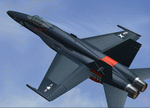
F/A-18C No.401, BuNo 162866, VFA-204 "River Rattlers", NAS New Orleans.
Painted as Navy Reserve Aircraft (Gloss Sea Blue), early 1950's.
| Filename: | FA18C_Hornet_No401_of_VFA204_River_Rattlers_Navy_R.zip |
| License: | Freeware |
| Added: | 22nd February 2011, 12:46:40 |
| Downloads: | 260 |
| Author: | Serge Luzin |
| Size: | 1.32 MB |
| Category: Flight Simulator X - Aircraft Repaints, Textures and Modifications | |
| Boeing 737-800 Air Algerie livery (Default FSX aircraft, not for any addon version of the 737) |
|
File Description:
Boeing 737-800 livery designed for the default 737-800 available in Flight Sim X.
by Zergoun Aissa
| Filename: | Boeing_737800_Air_Algerie_livery_Default_FSX_aircr.zip |
| License: | Freeware, limited distribution |
| Added: | 15th August 2023, 14:45:25 |
| Downloads: | 40 |
| Author: | Zergoun Aissa |
| Size: | 2.96 MB |
| Category: Flight Simulator X - Scenery | |
| EDCB - Ballenstedt Airport - Sachsen-Anhalt, Germany *Version 1* |
|
Images related to this file:
File Description:
The airfield Ballenstedt is located in the eastern foothills of the €œHarz (North German low mountain range) and with twenty thousand aircraft movements per year a relatively highly frequented airport.
The scenery is designed very much in detail. All important objects have been created by me using photos of the original field. Also some clearly visible landmarks are integrated like the large photovoltaic arrangement north of the asphalt runway and the quite large pig farm “Asmusstedt†situated east of the field. An additional important point of reference for glider pilots is the so-called "Gegenstein", a narrow rock on top of the small hill south of the Gliderfield. A retouched photo background, covering all four seasons, completes the scenery.
However, many smaller Objects, like people, cars or static airplanes in this scenery were
taken from three popular freeware libraries for whose use I got the friendly permission of the
authors. If these libraries are not installed , many objects are not visible!
The following libraries are used:
--------------------------------
1. FS-Piloten_Objektlibrary: http://www.fs-piloten.de/thread.php?threadid=1063
2. FSX_FlightPortLib: http://www.flightport.de/libraries/flightport-library/
3. 3d People Library: http://library.avsim.net/download.php?DLID=192454
| Filename: | EDCB__Ballenstedt_Airport__SachsenAnhalt_Germany_V.zip |
| License: | Freeware |
| Added: | 1st May 2016, 21:00:27 |
| Downloads: | 1,366 |
| Author: | Wolfgang Allers |
| Size: | 272.19 MB |
| Category: Flight Simulator X - Scenery Design | |
| Airport Design Editor 1.50 |
|
File Description:
This is the first significant upgrade of ADE since version 1.47 almost two years ago and contains a number of new and improved features and fixes for old problems.
New and updated features include
- ProKey features include Custom Hiding objects, ADE responds to key presses in FS, Load last saved project and improvements to the Move Airport Feature
- List third party libraries used. This is currently a basic feature to list the libraries for objects used in your project
- Beacons and Effects can now be placed
- New List for helper shapes and many lists now support multiple selection and delete
- Improved multiple selection in the main display including 'rubber band'
- Most objects can now be copied and pasted
- Undo/Redo extended to support actions with vertices
- Select and drag a taxi link rather than dragging its end nodes
Fixes include
- Improvements to the handling of background images that should help the performance issues found in the past
- Stopping the display drift that can be exhibited when ADE is connected to FSX and the display Locked to the user aircraft
- Problem of dialog buttons being lost where users used dpi settings greated than 96.
| Filename: | Airport_Design_Editor_150.zip |
| License: | Freeware, limited distribution |
| Added: | 17th August 2011, 16:15:08 |
| Downloads: | 4,585 |
| Author: | Jon Masterson, ScruffyDuck Software |
| Size: | 26.33 MB |
| Category: Flight Simulator 2004 - Scenery | |
| Salluit CYZG in Hudson Strait, Quebec, Canada |
|
Images related to this file:
File Description:
Salluit is a village of 1,250 or so inhabitants at N 62 W 75 40 on the shore of Sugluk Inlet, which is off Hudson Strait. It's name means "Skinny Ones" in Inuit, and refers to a time when there was not enough to eat, which is a rather scary reminder of just how fragile Inuit survival used to be. The village does not feature in FS9 but is included in this scenery with approximately the right shape and with the roads that lead to the airfield and what I presume are quarries for building materials and roads. The airfield runway is 3,510 feet of gravel 100 feet wide and is some 740 feet higher than the village on the shoreline. I added the roads, the quarries, a new airfield background, plus of course there is the scenery file and the AFCAD and AI.
| Filename: | Salluit_CYZG_in_Hudson_Strait_Quebec_Canada.zip |
| License: | Freeware, limited distribution |
| Added: | 2nd November 2010, 01:18:55 |
| Downloads: | 371 |
| Author: | Roger Wensley |
| Size: | 1.96 MB |
| Category: Prepar3D V1-4 - Scenery | |
| Cuneo Levaldigi Airport 2018 |
|
Images related to this file:
File Description:
As for all additional Prepar3D airports, install it by creating the Addon Scenery folder where Levaldigi 2018 should be copied. It is then necessary to activate it from the appropriate library. In addition, the files in the Effects folder must be copied (if not already present) in the simulator one. I would like to thank VicDabor and FG91X of the FSX Blog for their precious collaboration in realizing the transparency of the windows and the trees that surround the hangar area. For those who use it with the default background in the Photoreal folder is the file Area_Lp0_SnapLOD13.bgl that eliminates the annoying autogen of houses and trees that sprout on the squares and in the surrounding meadows. In the Static folder there are a 737 Ryanair and an AB139 of the 118 that weight the frame rate and are recommended only for performing PCs.
| Filename: | Cuneo_Levaldigi_Airport_2018.zip |
| License: | Freeware |
| Added: | 5th May 2018, 04:57:36 |
| Downloads: | 300 |
| Author: | Guido Porro |
| Size: | 59.31 MB |
| Category: Flight Simulator X - Scenery | |
| Ghat HLGT Libya |
|
Images related to this file:
File Description:
Ghat is a medium-sized airport located in the south-west of Libya, near Algerian border, and 10 miles north of the city of Ghat. In early 2010s Ghat was undergoing major renovatios, but civil war in Libya has put these plans on hold. While all runways and taxiways were recently repaved, new passenger terminal is still unfinished, and air traffic is almost non-existent. Except from military and cargo planes, the only regular passenger flight to Ghat nowadays is Air Libyan from Tripoli: their A320 is visiting this place twice a week. This scenery has super-accurate layout, precise marking, and correct navaids according to the latest satellite images and charts. Photo background blends perfectly with ORBX Global. Unfinished new terminal with the construction site. Taxi signs were added for convenience. Enhanced city of Ghat and surrounding landclass. Made for P3Dv3, tested on P3Dv4 and FSX:SE. Made by Dmitriy Kozyrev.
| Filename: | Ghat_HLGT_Libya.zip |
| License: | Freeware |
| Added: | 27th September 2017, 06:18:00 |
| Downloads: | 1,223 |
| Author: | Dmitriy Kozyrev |
| Size: | 31.43 MB |
| Category: Flight Simulator 2004 - Scenery | |
| Quaqtaq CYHA in Hudson Strait, Quebec, Canada |
|
Images related to this file:
File Description:
Quaqtaq is a small village of 310 or so inhabitants at N 61 W 69 37 on the Hudson Strait at the northwest corner of Ungava Bay. It's name has some connection with "tapeworm" in Inuit; there is a story but I won't recount it here. The village does not feature in FS9 but is included in this scenery with approximately the right shape. No village buildings were specifically modeled; they are hand-made non-specific village houses typical of the north. The airfield runway is 3,520 feet of gravel 100 feet wide and is at 103 feet above the shoreline. I added the roads, a new airfield background, plus of course there is the scenery file and the AFCAD and AI, which is an Air Inuit Dash 8-300. This is the last of a series in northern Quebec that all have similar terminal buildings; I know of others which have the same type of building but I have no photos to discover the differences.
| Filename: | Quaqtaq_CYHA_in_Hudson_Strait_Quebec_Canada.zip |
| License: | Freeware, limited distribution |
| Added: | 8th November 2010, 04:29:39 |
| Downloads: | 413 |
| Author: | Roger Wensley |
| Size: | 2 MB |


© 2001-2026 AVSIM Online
All Rights Reserved
Privacy Policy |