
Where Flight Simulation Enthusiasts Gather from Around the World!
AVSIM Library - Search Results

| Category: Flight Simulator 2004 - AFCAD Files | |
| LFBO Sim-Wing's Toulouse 2005 Sparse Static Aircraft V.1.1 |

|
File Description:
Use this AFCAD2 version, if you had installed LFBO by Sim-Wings with static aircraft, but you just want to see only some of them (A380, A340...) and you are more intrested in AI-Traffic. Which new features brings this file? After an installation you and your AI-Traffic will find 82 parkingplaces with specificatons! These options aren't good for you? So check my other 3 versions of that AFCAD! (AF2_LFBO_sw_Airbus_flugfrosch.zip ; AF2_LFBO_sw_fullstatic_flugfrosch.zip or AF2_LFBO_sw_flugfrosch.zip) More informations on my HP: http://hometown.aol.de/flugfrosch87
| Filename: | LFBO_SimWings_Toulouse_2005_Sparse_Static_Aircraft.zip |
| License: | Freeware, limited distribution |
| Added: | 20th June 2006, 04:10:49 |
| Downloads: | 366 |
| Author: | Andreas Wobbermin |
| Size: | 14.23 KB |
| Category: Miscellaneous Files - Miscellaneous Files | |
| Lockheed L1011 - 500 Aircraft Operations Manual , Volume 2 Systems Description |
|
Images related to this file:
File Description:

Lockheed L1011 - 500 Aircraft Operations Manual Volume 2 (Systems Description). This is a complete set of 13 chapters of a Lockheed L1011 - 500 AOM. See also 'l10115aom.zip' for the first part. Adobe Acrobat Reader is required to read this manuals.
| Filename: | Lockheed_L1011__500_Aircraft_Operations_Manual__Vo.zip |
| License: | Freeware |
| Added: | 7th November 2009, 20:40:03 |
| Downloads: | 418 |
| Author: | Holger Ludwig |
| Size: | 32.4 MB |
| Category: Flight Simulator 2004 - AI Aircraft | |
| Israel Aircraft Industries 1124 Westwind 2 PR-STJ PP-SDW |
|
Images related to this file:
File Description:
Texture for Israel Aircraft Industries 1124 Westwind 2 PR-STJ PP-SDW.
| Filename: | Israel_Aircraft_Industries_1124_Westwind_2_PRSTJ_P.zip |
| License: | Freeware |
| Added: | 23rd April 2011, 01:12:07 |
| Downloads: | 205 |
| Author: | Luis Fernando Villani/ Grupo de Trafego |
| Size: | 238.79 KB |
| Category: Flight Simulator X - Aircraft Repaints, Textures and Modifications | |
| TAP Air Portugal "100th aircraft" Airbus A330-941 (CS-TUI) |
|
Images related to this file:
File Description:

This is a repaint of the excellent FSPainter Airbus A330-900NEO, in TAP Air Portugal "100th aircraft" livery, CS-TUI. Texture only. The textures are saved in DDS-32bit format for quality graphics, and shine effect. DDS5 format for AI-Traffic. FSPainter flyable instuctions find under: https://www.facebook.com/groups/FSPA350support/. Model find under: https://secure.simmarket.com/fspxai-airbus-a330neo-for-fsxp3d-ai-traffic-(de_12336).phtml Works in FSX and P3D.
| Filename: | TAP_Air_Portugal_100th_aircraft_Airbus_A330941_CST.zip |
| License: | Freeware |
| Added: | 8th October 2019, 20:09:17 |
| Downloads: | 1,055 |
| Author: | Stefan Bree, FSPainter |
| Size: | 6.73 MB |
| Category: Flight Simulator 2004 - Aircraft Repaints, Textures and Modifications | |
| Ultimate Wing Views for the Dreamwings Dash 8-100 Aircraft |
|
File Description:
' Ultimate Wing Views ' for the Dreamwings Dash 8 100 Series Aircraft! There are actually SIX (6) Wing Views, ranging from Behind the wing, center wing, and in front of the wing on both sides of the aircraft. All of these wing views have been extensively fine-tuned to provide the most realistic experience! I also have many other wing - views available in the AVSIM Library, just search for ' Ultimate Wing Views ' for the aircraft you need them for. Thanks and Enjoy!
| Filename: | Ultimate_Wing_Views__for_the_Dreamwings_Dash_8100_.zip |
| License: | Freeware |
| Added: | 22nd August 2006, 15:32:59 |
| Downloads: | 689 |
| Author: | Brian Kolbuch |
| Size: | 178.42 KB |
| Category: Flight Simulator X - Utilities | |
| v2 FSX A2A Shockwave 3D Lights Redux Aircraft CFG installer |
|
File Description:
Version 2 - Improved light replacement!
This is a macro to be used with Freeware Notepad++ to streamline the installation of your previously installed Payware A2A Shockwave 3D Lights Redux into any of your compatible aircraft. You simply open the Aircraft.cfg of your chosen aircraft, and do a single mouse click to install! This will save you HOURS and HOURS of repetitive typing. I have tested this on my ENTIRE Aircraft folder and also all aircraft of Just Flight Traffic 360 and Ultimate Traffic Live! I also have included information for a DELUXE macro that will cleanup and sort all Aircraft.cfg's of your ENTIRE Aircraft hanger.
| Filename: | v2_FSX_A2A_Shockwave_3D_Lights_Redux_Aircraft_CFG_installer.zip |
| License: | Freeware |
| Added: | 18th September 2018, 04:24:28 |
| Downloads: | 1,631 |
| Author: | Jack Pickett |
| Size: | 397.89 KB |
| Category: Microsoft Flight Simulator (2020) - Miscellaneous Files | |
| FS2024 Integrated Flight Operations Guide – SimBrief • PMDG/Native Aircraft • FSHud |
|
File Description:
FS2024 Integrated Flight Operations Guide – SimBrief • PMDG/Native • FSHudA concise, airline‑style workflow for Microsoft Flight Simulator 2024 integrating SimBrief flight planning, PMDG or Native aircraft FMC setup, and FSHud ATC/traffic management. This guide provides a clear, repeatable, version‑safe process designed to eliminate common setup errors and maintain proper synchronization between planning, aircraft systems, and ATC. Fully original text with no redistributed or copyrighted material.Features:
• Gate‑to‑gate workflow
• SimBrief‑first planning logic
• FMC setup for PMDG/Native aircraft
• FSHud integration
• Text‑only, version‑safe formatFormat: PDF (locked to prevent modification)
Author: George (Gelomare)
License: Freeware – Limited Distribution-- No Commercial Usage Allowed
| Filename: | FS2024_Integrated_Flight_Operations_Guide__SimBrie.zip |
| License: | Freeware, limited distribution |
| Added: | 16th May 2026, 20:51:33 |
| Downloads: | 102 |
| Author: | George L. Williams |
| Size: | 91.42 KB |
| Category: Flight Simulator X - Scenery | |
| USCG Air Station Sitka PASI Scenery Package with AI Aircraft |
|
Images related to this file:
File Description:
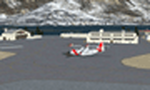
Thanks to Airport Design Editor(ADE), Military AI Works (MAIW) scenery and aircraft, along with AI Flight Planner3 (AIFP3), I did my best to re-create USCG Air Station Sitka for FSX. Creating this airport scenery (along with Kodiak PADQ) was my first attempt at a BIG (for me) scenery project in ADE, but thanks to MAIW and their Global Scenery Library Objects, I think I've succeeded in re-creating the airbase. You'll need to go to MAIW's website and download that "Global Scenery" file for any of this to work, so I've copied that website link below (in STEP 1). I also added Sitka markings to all the AI helicopters for added realism.
And just for fun, I placed a USCG Cutter and a "fishing boat in distress" (complete with green smoke) out in the harbor as a "Practice Rescue Scenario". The Cutter has a "hard deck" to land on and I've also illuminated both it and the Fishing boat for DUSK and NIGHT practice.
*SPECIAL NOTE* THE AI C-130 in the pictures is from my Kodiak scenery package, there are only Helicopters based at Sitka...but I have it "fly in" from my Kodiak scenery package. So if you're interested in that, you can find the "USGC Air Station Kodiak AK PADQ Scenery Package with AI Aircraft" on AVSIM as well.
| Filename: | USCG_Air_Station_Sitka_PASI_Scenery_Package_with_A.zip |
| License: | Freeware |
| Added: | 31st January 2021, 06:43:13 |
| Downloads: | 1,090 |
| Author: | Daniel W Gregory |
| Size: | 16.58 MB |
| Category: Prepar3D V5 - AFCAD Files | |
| KMEM (Memphis Intl.) bgl/afcad for Prepar3D v5 |
|
File Description:
This is a modification of the stock Memphis afcad/bgl in Prepar3d v5 and models the airport in its state prior to the new construction occurring presently at the main terminal area. For ease of use and simplicity, gates are numbered "Gate A1, Gate A2", etc...
I tried to match as closely as possible the FedEx Terminal as close to what was shown on current Navigraph charts but it is NOT exact.
Airport Breakdown:
Passenger Terminal w/ airline codes have been added to gates.
- Concourse A: Gates 1-8
- Concourse B: Gates 1-24
- Concourse C: Gates 1-8
- FedEx Terminal - Dock numbering is based loosely on the dock numbers found on the Navigraph charts for KMEM. Not all docks are represented but there 120 spaces for parking there.
- FedEx Maintenance - Is on the East side of the airport below runway 27. It has 16 static parking areas.
- Northwest FBO - Located West of runway 18C. It has 18 parking spots.
- Northeast FBO - Located East of Runway 18C to the left of the FedEx Maint. area. It has 14 parking spots.
- South Cargo - Located next to Runway 36R. It has 5 parking spots (I am assuming UPS and other carriers).
- Military Ramp - Located next to South Cargo next to Runway 36R. It has 5 parking spots.
I hope you enjoy this enhancement of KMEM
| Filename: | KMEM_Memphis_Intl_bglafcad_for_Prepar3D_v5.zip |
| License: | Freeware |
| Added: | 28th November 2023, 01:47:55 |
| Downloads: | 64 |
| Author: | Michael Johnson |
| Size: | 47.2 KB |
| Category: Flight Simulator X - AFCAD Files | |
| Alexandria Airport (N85), NJ |
|
File Description:
Located 02 miles W of Pittstown, New Jersey on 75 acres of land, Alexandria Airport handles small and medium GA craft as well as helicopters. The main parking area is at the southwest of the airport between the yellow lines - static aircraft are there to show you the parking arrangment. Collision with the three static aircraft in the parking area is disabled to make it easier to park next to them should you wish. AI will spawn in this area only. Craft with wingspans greater than 40 feet should not park here. There is additional space to park on the grass north of the airport and two open hangars are also available at the north tarmac. You can get fuel by stopping anywhere around the fuel tank on the east tarmac. Trees are summer ONLY.
Scenery constructed with use of satellite images/streetview, the author has not been there in person.
This scenery is meant to be used in conjunction with MegaScenery Earth New Jersey/Delaware 001. It is not required, but apron use is minimized to allow satellite scenery to show through as much as possible, and objects are placed based on the MSE textures - lack of it may make scenery look out of place.
| Filename: | Alexandria_Airport_N85_NJ.zip |
| License: | Freeware |
| Added: | 21st October 2010, 04:11:13 |
| Downloads: | 281 |
| Author: | Drew Sikora |
| Size: | 395.96 KB |


© 2001-2026 AVSIM Online
All Rights Reserved
Privacy Policy |