
Where Flight Simulation Enthusiasts Gather from Around the World!
AVSIM Library - Search Results

| Category: Flight Simulator X - AFCAD Files | |
| Project Jacksonville X |

|
File Description:
The experts at Smith Graphics are proud to give you the all new Project Jacksonville X. The amount of parking, as well as AI-Traffic movement time is now double what it was before at this airport. Day & Night visual effects and performance have also been considerably enhanced. This was built for use with the New Flight 1 Traffic X. This has not been tested in Flight Simulator 2004; however you are free to test it if you wish.
| Filename: | Project_Jacksonville_X.zip |
| License: | Freeware, limited distribution |
| Added: | 19th October 2008, 06:03:57 |
| Downloads: | 799 |
| Author: | Dakota Smith / Smith Graphics |
| Size: | 127.26 KB |
| Category: Flight Simulator X - AFCAD Files | |
| Ein Yahav X |
|
File Description:
Ein Yahav airfiled AFCAD file.
| Filename: | Ein_Yahav_X.zip |
| License: | Freeware |
| Added: | 5th January 2009, 18:46:44 |
| Downloads: | 542 |
| Author: | Shahar Shireto |
| Size: | 268.78 KB |
| Category: Flight Simulator 2004 - Aircraft Repaints, Textures and Modifications | |
| GVA Citation X |
|
File Description:
Greenbrier Virtual Aviation livery for the Eaglesoft Citation X. . Learn more about Greenbrier Virtual Aviation at http://greenbriervirtualaviation.blogspot.com/. Enjoy your flight!
| Filename: | GVA_Citation_X.zip |
| License: | Freeware |
| Added: | 18th March 2009, 13:31:53 |
| Downloads: | 157 |
| Author: | Johnny Rosario |
| Size: | 4.82 MB |
| Category: Flight Simulator X - Aircraft Repaints, Textures and Modifications | |
| Citation X XOJET |
|
Images related to this file:
File Description:
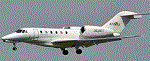
Real world XOJET livery for Eaglesoft Citation X 2.0 payware.
| Filename: | Citation_X__XOJET.zip |
| License: | Freeware |
| Added: | 11th September 2012, 00:36:40 |
| Downloads: | 428 |
| Author: | Johnny Rosario |
| Size: | 1.31 MB |
| Category: Flight Simulator X - Scenery | |
| ENJB - Jarlsberg X |
|
Images related to this file:
File Description:
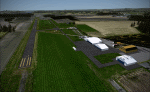
A freeware scenery of the Norwegian airfield Jarlsberg. The scenery includes photoreal ground, custom ground poly, and custom 3D buildings. Seasons included.
| Filename: | ENJB__Jarlsberg_X.zip |
| License: | Freeware |
| Added: | 24th December 2014, 12:00:18 |
| Downloads: | 1,168 |
| Author: | Marius Risan |
| Size: | 124.3 MB |
| Category: X-Plane - Utilities | |
| X-Camera 2.2.1 |
|
Images related to this file:
File Description:
The X-Camera 2.1.1 plugin for X-Plane 9 and 10 is a replacement camera system that lets you define multiple view categories and multiple views within those categories that are associated with specific aircraft. X-Camera is similar to EzDok for FSX only for X-Plane. Watch this short X-Camera demo on YouTube: https://www.youtube.com/watch?v=PgOxG8ejq9A
Each view can have options:
- TrackIR:
Each view can enable or disable the TrackIR input. If the view is out the cockpit window having TrackIR enabled is desirable. However, if the view is a close-up of an instrument panel then having TrackIR disabled is probably the better choice since the view will be stable making it easy to click on cockpit controls with the mouse. We also support LinuxTrack on Linux and Mac systems.
- HeadShake:
If the HeadShake plugin from SimCoders is installed then the view can accept input from HeadShake. Similar to the TrackIR feature you will likely want this enabled for certain views but disabled for views on instrument panel close-ups where a stable camera makes it easier to use a mouse to control cockpit knobs and switches. The HeadShake plugin must be at version 1.3 or higher for the integration to work.
- Scenic Flyer:
If the Scenic Flyer plugin from Digital Avionics is installed then the view can choose to display either the Scenic Flyer Glass panel or GA panel.
- Smooth Transition:
When this option is enabled the camera with smoothly transition from one view to another over approximately half a second. When the option is off the view will transition immediately.
- Views can be controlled in a number of ways:
> Each view can be positioned by using keyboard keys or a control panel
> The camera'™s X, Y, Z, Heading, and Pitch can all be adjusted for each view
> Views can be assigned to a HotKey or JoyStick button for easy selection
> HotKey or JoyStick button can be used to navigate to next or previous views
> The views for a specific aircraft can be saved to a CSV file for easy editing
- Walk Mode:
Any view'™s camera can be placed in Walk Mode. While in this mode the camera can be walked or floated around using keyboard input. If you ever played the video game asteroid that is what walk mode is like. The mode is particularly useful for pre-flight inspections of your aircraft. You can create a external view and after selecting that view you can "Walk" the camera around checking out your landing gear, props, etc.
- Linear Transitions and Auto Advance:
Linear transitions allows you to define a transition between two adjacent cameras in category. This capability, in conjunction with the auto advance feature, allows you define fairly sophisticated animations that can be used for automated Pre-flight inspections, scenery viewing, and cool transitions affects that can be used when creating flight videos. All the transitions in our YouTube video were done with X-Camera.
- Bezier Curve Transitions:
Bezier curve transitions allows you to define a transition between three or more adjacent cameras in a category. This capability, in conjunction with the auto advance feature, allows you define fairly sophisticated animations that have an ultra smooth movement between the curve control points.
- Many Unique Camera Attributes:
Tracking Cameras - Camera Leveling - Smooth Camera Joining - Auto Advance to the Next Camera - Individual Zoom and Field of View Setting - External Cameras - Free Cameras - Target Following Cameras - Cineflex Cameras - Automatically Generate Unique Orbit and Fly-By Animations
X-Camera can create unique orbit and fly-by camera sequences by providing a few key parameters
- Airport Cameras:
You can define a set of free cameras associated with an airport. You can create up to 2,000 cameras per airport. X-Camera can also automatically populate airport cameras by reading the airport scenery files and creating cameras at runways, starting locations, taxiway signs, and airport viewpoints. You can map a joystick button to quickly switch between your aircraft camera set and the nearest camera at the nearest airport.
- Target Following Cameras:
Targets are locations defined by a latitude, longitude, and elevation in meters. Target following cameras are a special type of external camera that is attached to your plane and it has the ability to track a selected target. You can also view the target reciprocal which as a view from the target back to you plane.
X-Camera Tutorial Videos: There is also a four part series of tutorial videos that will help you get started with X-Camera. You can access them from the X-Camera Tutorial Page: https://www.stickandrudderstudios.com/x-camera-tutorial-videos/
The full manual is included in the zip file you can also view it here: https://www.stickandrudderstudios.com/downloads/User_Guide.pdf
| Filename: | XCamera_221.zip |
| License: | Shareware, limited functionality |
| Added: | 27th January 2017, 15:14:21 |
| Downloads: | 478 |
| Author: | Mark Ellis |
| Size: | 4.61 MB |
| Category: Dovetail Games Flight Sim World - Scenery | |
| WASHINGTON X DEMO |
|
Images related to this file:
File Description:

WASHINGTON X DEMO features an extremely detailed scenery of large area of Washington, Dstrict of Columbia, United States, fully compatible with FSX, FSX STEAM, P3D v1/v2/v3/v4 and FSW by Dovetail.
With this product you are free to fly to any of 5 airports (KDCA, KCGS, KADW, KVKX, W32) and many heliports in the area, admire some of the world-renowned landmarks like Capitol or Pentagon, or simply pay a visit to The President of the United States.
This Demo version of the commercial product is a fully functional freeware scenery, featuring same airport layout as in the full version but with limited 3D objects and low resolution textures. This ensures no problems with online (VATSIM, IVAO and multiplayer) flying in case some users have the payware scenery and some don't.
It's equipped with an automatic installer, which means that the scenery will be automatically added to the Flight Simulator Scenery Library.
Please uninstall all previous versions of the above-mentioned airports you may have installed before. Please make also sure that no duplicated AFCAD files are installed.
Enjoy your virtual flying with Drzewiecki Design!
| Filename: | WASHINGTON_X_DEMO.zip |
| License: | Freeware, limited distribution |
| Added: | 16th August 2017, 14:27:47 |
| Downloads: | 210 |
| Author: | Drzewiecki Design |
| Size: | 39.38 MB |
| Category: Dovetail Games Flight Sim World - Scenery | |
| SEATTLE X DEMO |
|
Images related to this file:
File Description:

SEATTLE X DEMO features an extremely detailed scenery of large area of Seattle, USA, fully compatible with FSX, FSX SE, P3D v1/v2/v3/v4 and FSW by Dovetail.
With Seattle X you are free to fly to any of 5 airports: KSEA Tacoma (available soon), KPAE Paine Field, KBFI Boeing Field, KRNT Renton, S50 Auburn, admire some of the world-renowned landmarks, bridges, harbours, heliports, seaplane bases, ships, etc.
This Demo version features both - the City and the Airports packages (commercial poducts) and includes some downtown buildings as well as all airports with terminals but with low resolution textures, non-animated jetways and generally much less details. This ensures no problems with online (VATSIM, IVAO and multiplayer) flying in case some users have the payware scenery and some don't.
It's equipped with an automatic installer, which means that the scenery will be automatically added to the Flight Simulator Scenery Library.
Please uninstall all previous versions of the above-mentioned airports you may have installed before. Please make also sure that no duplicated AFCAD files are installed.
Enjoy your virtual flying with Drzewiecki Design!
| Filename: | SEATTLE_X_DEMO.zip |
| License: | Freeware |
| Added: | 10th December 2017, 18:04:52 |
| Downloads: | 155 |
| Author: | Drzewiecki Design |
| Size: | 93.61 MB |
| Category: Prepar3D V1-4 - Scenery | |
| WASHINGTON X DEMO |
|
Images related to this file:
File Description:

WASHINGTON X DEMO features an extremely detailed scenery of large area of Washington, Dstrict of Columbia, United States, fully compatible with FSX, FSX STEAM, P3D v1/v2/v3/v4 and FSW by Dovetail.
With this product you are free to fly to any of 5 airports (KDCA, KCGS, KADW, KVKX, W32) and many heliports in the area, admire some of the world-renowned landmarks like Capitol or Pentagon, or simply pay a visit to The President of the United States.
This Demo version of the commercial product is a fully functional freeware scenery, featuring same airport layout as in the full version but with limited 3D objects and low resolution textures. This ensures no problems with online (VATSIM, IVAO and multiplayer) flying in case some users have the payware scenery and some don't.
It's equipped with an automatic installer, which means that the scenery will be automatically added to the Flight Simulator Scenery Library.
Please uninstall all previous versions of the above-mentioned airports you may have installed before. Please make also sure that no duplicated AFCAD files are installed.
Enjoy your virtual flying with Drzewiecki Design!
| Filename: | WASHINGTON_X_DEMO.zip |
| License: | Freeware, limited distribution |
| Added: | 10th August 2017, 18:02:12 |
| Downloads: | 846 |
| Author: | Drzewiecki Design |
| Size: | 39.38 MB |
| Category: Flight Simulator X - Scenery | |
| WASHINGTON X DEMO |
|
Images related to this file:
File Description:

WASHINGTON X DEMO features an extremely detailed scenery of large area of Washington, Dstrict of Columbia, United States, fully compatible with FSX, FSX STEAM, P3D v1/v2/v3/v4 and FSW by Dovetail.
With this product you are free to fly to any of 5 airports (KDCA, KCGS, KADW, KVKX, W32) and many heliports in the area, admire some of the world-renowned landmarks like Capitol or Pentagon, or simply pay a visit to The President of the United States.
This Demo version of the commercial product is a fully functional freeware scenery, featuring same airport layout as in the full version but with limited 3D objects and low resolution textures. This ensures no problems with online (VATSIM, IVAO and multiplayer) flying in case some users have the payware scenery and some don't.
It's equipped with an automatic installer, which means that the scenery will be automatically added to the Flight Simulator Scenery Library.
Please uninstall all previous versions of the above-mentioned airports you may have installed before. Please make also sure that no duplicated AFCAD files are installed.
Enjoy your virtual flying with Drzewiecki Design!
| Filename: | WASHINGTON_X_DEMO.zip |
| License: | Freeware, limited distribution |
| Added: | 10th August 2017, 18:01:30 |
| Downloads: | 2,812 |
| Author: | Drzewiecki Design |
| Size: | 39.38 MB |


© 2001-2026 AVSIM Online
All Rights Reserved
Privacy Policy |