
Where Flight Simulation Enthusiasts Gather from Around the World!
AVSIM Library - Search Results

| Category: Flight Simulator 2004 - Original Aircraft | |
| Seagul G-2 (Galeb) |

|
File Description:
FS2002/FS2004 Soko Galeb-2 v1.1 package. The Soko G2-A Galeb (seagull) is a Yugoslav made two-seat advanced trainer powered by the Rolls Royce Viper Mk22-6 engine.

Includes installer for both FS2002 and FS2004. Features full animated moving parts - all control surfaces, canopy, gears, "live" pilots, ejection seats, crash effects, custom sounds, cockpit sound effects, high detail dynamic 3D virtual cockpit with clickable gauges and separate flight dynamics files for FS2002 and FS2004.

Package includes different visual models with nine real life paint schemes for Croatian, Serbian, Libyan and Yugoslav Air Forces, and civilian 'Acro' and 'USAF' markings. Texture templates included. Flight dynamics, panel and XML gauges by Goran Savic, FSDS2 model by Luka Midic.
| Filename: | Seagul_G2_Galeb.zip |
| License: | Freeware |
| Added: | 6th August 2004, 02:47:25 |
| Downloads: | 20,527 |
| Author: | Luka Midic, Goran Savic, Zoran Sivcev, Milan Jeftic |
| Size: | 12.38 MB |
| Category: Flight Simulator 2004 - Original Aircraft | |
| Rockwell Aero Commander 500S |
|
File Description:
Re-upload. Rockwell Aero Commander 500S
The Rockwell Aero Commander began life in 1948 and evolved through numerous models up to turboprop.
This is the 500S as used by NOAA, and has twin Lycoming piston engines and seats four passengers.
While it has been made for AI purposes it is actually a pleasant aircraft to fly so there is a link to a panel to allow you to gain some flying pleasure from it.
This has been modelled with Gmax v1.2 using a mininum number of polygons (1980 for the main model), and is fully animated - landing gear, ailerons, flaps, elevators and rudder. It has 5 LOD models and a single texture set and is extremely frame rate friendly.
It is designed specifically to enhance the AI aircraft population and to use with the marvellous GA-Traffic program by Markus Brunner .
Three textures and a paintkit are included.
| Filename: | Rockwell_Aero_Commander_500S.zip |
| License: | Freeware, limited distribution |
| Added: | 3rd June 2010, 03:22:29 |
| Downloads: | 2,656 |
| Author: | Mike Cronin |
| Size: | 360.76 KB |
| Category: X-Plane - Utilities | |
| X-Camera 2.2.1 |
|
Images related to this file:
File Description:
The X-Camera 2.1.1 plugin for X-Plane 9 and 10 is a replacement camera system that lets you define multiple view categories and multiple views within those categories that are associated with specific aircraft. X-Camera is similar to EzDok for FSX only for X-Plane. Watch this short X-Camera demo on YouTube: https://www.youtube.com/watch?v=PgOxG8ejq9A
Each view can have options:
- TrackIR:
Each view can enable or disable the TrackIR input. If the view is out the cockpit window having TrackIR enabled is desirable. However, if the view is a close-up of an instrument panel then having TrackIR disabled is probably the better choice since the view will be stable making it easy to click on cockpit controls with the mouse. We also support LinuxTrack on Linux and Mac systems.
- HeadShake:
If the HeadShake plugin from SimCoders is installed then the view can accept input from HeadShake. Similar to the TrackIR feature you will likely want this enabled for certain views but disabled for views on instrument panel close-ups where a stable camera makes it easier to use a mouse to control cockpit knobs and switches. The HeadShake plugin must be at version 1.3 or higher for the integration to work.
- Scenic Flyer:
If the Scenic Flyer plugin from Digital Avionics is installed then the view can choose to display either the Scenic Flyer Glass panel or GA panel.
- Smooth Transition:
When this option is enabled the camera with smoothly transition from one view to another over approximately half a second. When the option is off the view will transition immediately.
- Views can be controlled in a number of ways:
> Each view can be positioned by using keyboard keys or a control panel
> The camera'™s X, Y, Z, Heading, and Pitch can all be adjusted for each view
> Views can be assigned to a HotKey or JoyStick button for easy selection
> HotKey or JoyStick button can be used to navigate to next or previous views
> The views for a specific aircraft can be saved to a CSV file for easy editing
- Walk Mode:
Any view'™s camera can be placed in Walk Mode. While in this mode the camera can be walked or floated around using keyboard input. If you ever played the video game asteroid that is what walk mode is like. The mode is particularly useful for pre-flight inspections of your aircraft. You can create a external view and after selecting that view you can "Walk" the camera around checking out your landing gear, props, etc.
- Linear Transitions and Auto Advance:
Linear transitions allows you to define a transition between two adjacent cameras in category. This capability, in conjunction with the auto advance feature, allows you define fairly sophisticated animations that can be used for automated Pre-flight inspections, scenery viewing, and cool transitions affects that can be used when creating flight videos. All the transitions in our YouTube video were done with X-Camera.
- Bezier Curve Transitions:
Bezier curve transitions allows you to define a transition between three or more adjacent cameras in a category. This capability, in conjunction with the auto advance feature, allows you define fairly sophisticated animations that have an ultra smooth movement between the curve control points.
- Many Unique Camera Attributes:
Tracking Cameras - Camera Leveling - Smooth Camera Joining - Auto Advance to the Next Camera - Individual Zoom and Field of View Setting - External Cameras - Free Cameras - Target Following Cameras - Cineflex Cameras - Automatically Generate Unique Orbit and Fly-By Animations
X-Camera can create unique orbit and fly-by camera sequences by providing a few key parameters
- Airport Cameras:
You can define a set of free cameras associated with an airport. You can create up to 2,000 cameras per airport. X-Camera can also automatically populate airport cameras by reading the airport scenery files and creating cameras at runways, starting locations, taxiway signs, and airport viewpoints. You can map a joystick button to quickly switch between your aircraft camera set and the nearest camera at the nearest airport.
- Target Following Cameras:
Targets are locations defined by a latitude, longitude, and elevation in meters. Target following cameras are a special type of external camera that is attached to your plane and it has the ability to track a selected target. You can also view the target reciprocal which as a view from the target back to you plane.
X-Camera Tutorial Videos: There is also a four part series of tutorial videos that will help you get started with X-Camera. You can access them from the X-Camera Tutorial Page: https://www.stickandrudderstudios.com/x-camera-tutorial-videos/
The full manual is included in the zip file you can also view it here: https://www.stickandrudderstudios.com/downloads/User_Guide.pdf
| Filename: | XCamera_221.zip |
| License: | Shareware, limited functionality |
| Added: | 27th January 2017, 15:14:21 |
| Downloads: | 478 |
| Author: | Mark Ellis |
| Size: | 4.61 MB |
| Category: Flight Simulator 2004 - Miscellaneous Files | |
| Shoot 1.6.3' Voice Contro File |
|
File Description:
"Shoot 1.6.3" voice control file for use with FS2004. You will need to download the main "freeware" program from http://clans.gameclubcentral.com/shoot/downloads.php which will allow you to make use of this control file for FS2004. The program is brilliant and allows you to control FS2004 by voice and it's totally free! All I have done is made a config file that works very well with FS2004.
It will allow you to; speak to ATC and instead of fighting with the keyboard or yoke/stick so you can fly more like a real pilot and keep your hands on the yoke more of the time. For example a commercial jet pilot calls out to the co-pilot to get the gear up and simply says "gear up". That's just what you will have to do, just like the real thing; the gear will go up when you make the call. When FS2004 ATC controller tells you to reply you can just say "roger" or "hello" or "ATC" or "air traffic" etc, etc, and the ATC window will pop up. Then all you have to do is call out the command instead of pushing buttons that real pilots don't use. Does a real pilot push a button to look out of the window or use a "mouse" to engage the autopilot?
Similarly you can call out "autopilot engage" or "autopilot master" or "autopilot disengage" and that's just what happens; the autopilot comes on/off. The best part though is when you try looking around the cockpit. If you want to move your head up you just say "move up" and presto you are higher up in your seat. You can move to the left or
Right, back or forward. You can say "zoom in" and that's what happens. You can say "reset zoom" and so on. You can say "next view" and then the view may be outside or another panel. Alternatively, you can say "panel 2" and the radio panel will come up in the 737 so you can tune the radios. If you have FS navigator installed all you have to
do is say "navigator" and the map comes up, and then say navigator again and off it goes. Just for once it is easy and possible to make full use of FS2004. Using this program has afforded me the opportunity of making better use of the views available, (and I have CH products yoke so if was never hard) but now it's even easier.
All the panels can be activated in this way, and control of the autopilot and control of FS2004. It's probably the best kept secret. I've made a file so we can all share in this freebie of a program. I've included a readme and instructions of how to make the best use of the program.
Config file for FS2004 only is provided.
| Filename: | Shoot_163_Voice_Contro_File.zip |
| License: | Freeware |
| Added: | 7th January 2004, 19:52:26 |
| Downloads: | 8,796 |
| Author: | Peter Wilding |
| Size: | 21.83 KB |
| Category: Flight Simulator X - Aircraft Repaints, Textures and Modifications | |
| Southwest Airlines Boeing 737-700 v2.2 Final Package |
|
File Description:
**** THIS FILE SUPERCEEDS MY ORIGINAL FILE b737_700_southwest_v21.zip **** v2.2 - REPORTED BUGS HAVE BEEN CORRECTED. The 737 was born out of Boeing's need to field a competitor in the short-range, small capacity jetliner market which had been opened up by the BAC 1-11 and the Douglas DC-9. Boeing was badly behind however when the 737 program was initiated in 1964, as both of these rivals were already into their flight certification programmes. The 737 was cheaper and quicker to design, featuring six-abreast seating compared to the 1-11 and DC-9's five-abreast layout.By the 1990s, the 737 had lost ground technologically to the newer Airbus A320. In 1993, Boeing initiated the 737-X or Next Generation (NG) program. The Next-Generation 737 encompasses the -600, -700, -800 and -900, and amounted to a complete redesign of the 30-year old airliner. The 737NG is an entirely new aircraft, sharing very little with previous 737s, other than fuselage frames. New wings, new avionics and revised engines were the biggest engineering changes. The 737 was given a glass cockpit with CRT screens (except the -900, which had newer and higher tech LCD screens) and digital systems inspired by the ones that were used on the 777. The parts count is down by about 33%, reducing weight and simplifying maintenance. Additional changes since its introduction include a new interior and performance enhancing winglets which reduce fuel consumption and improve take-off and climb performance. All textures have been modified in DXT-3 format for crisp visuals without comprimising frame rates. Includes the default FS-X Boeing 737 panel. Sounds have been defaulted to the FS-X 737-800, however I recommend the excellent 737 CFM56 "the real deal" version 2 soundpack (file name:737_cfm56__the_real_deal_version_2.zip located at AVSIM.com) for this aircraft series. Additionally, this aircraft series has no Virtual Cockpit (VC), therefore you must fly them using the 2-D default panel view only! This package includes Southwest Airlines liveries (Canyon Blue, Maryland One, Nevada One, Old Color & Shamu).
| Filename: | Southwest_Airlines_Boeing_737700__v22_Final_Packag.zip |
| License: | Freeware |
| Added: | 9th December 2006, 20:24:49 |
| Downloads: | 11,832 |
| Author: | Brian C. Selb |
| Size: | 13.59 MB |
| Category: Miscellaneous Files - Demos from Commercial Vendors | |
| Aeroflot Russian Airlines Airbus A350 |
|
File Description:
Demoversion with banners, new VOR gauge, with new PANEL and GAUGES, new external model, sound and virtual cockpit. The A350 XWB (Xtra Wide-Body) is Airbus’ response to market demand for a medium capacity long range wide-body family. Designed with airlines’ priorities in mind, the A350 XWB confronts the challenges of high fuel prices, rising passenger expectations and increasing environmental concerns. Available from 2013, it has an entirely new, uncompromised, 21st Century design with a wider and taller fuselage for extra space and passenger comfort. A complete family of airliners sized to generate cost reductions and provide unprecedented operating flexibility for airlines; three basic passenger versions are being offered. With a range of up to 8,300nm/15,380km they include the A350-800 for 270 passengers in a spacious three-class configuration; the A350-900 for 314 passengers and the A350-1000 seating 350 passengers. An ultra long-range version, the A350–900R, will fly even further while a freighter version, the A350–900F, will complement the passenger models.
As befits the most advanced aircraft family in its segment, the A350 XWB is able to provide greater economy on long-range markets and is equally attractive as a route opener or as part of a multi-type Airbus fleet offering optimized network solutions. Thanks to the application of the latest innovations, the A350 XWB is able to offer 20 per cent lower cash operating costs per seat than competing aircraft in this size category and fuel efficiency improvements of up to 25 per cent per seat. The fly-by-wire A350 XWB Family is a significant addition to the Airbus product range. A member of the Airbus FBW Family of aircraft, it benefits from the same operational commonality as the other members of the Family. This handling and flight deck commonality allows airlines to benefit from the unique Airbus Family concept of cross crew qualification and mixed fleet flying, and will ensure smooth introduction into service. Panel, GAUGES, model, sound and textures by www.afs-design.de - Author: A.Meyer.
| Filename: | Aeroflot_Russian_Airlines_Airbus_A350.zip |
| License: | Commercial demo |
| Added: | 3rd May 2008, 02:23:35 |
| Downloads: | 3,041 |
| Author: | Andreas Meyer |
| Size: | 2.15 MB |
| Category: Miscellaneous Files - Demos from Commercial Vendors | |
| British Airways Airbus A350 |
|
File Description:
Demoversion with banners, new VOR gauge, with new PANEL and GAUGES, new external model, sound and virtuall cockpit. The A350 XWB (Xtra Wide-Body) is Airbus’ response to market demand for a medium capacity long range wide-body family. Designed with airlines’ priorities in mind, the A350 XWB confronts the challenges of high fuel prices, rising passenger expectations and increasing environmental concerns.
Available from 2013, it has an entirely new, uncompromised, 21st Century design with a wider and taller fuselage for extra space and passenger comfort. A complete family of airliners sized to generate cost reductions and provide unprecedented operating flexibility for airlines; three basic passenger versions are being offered. With a range of up to 8,300nm/15,380km they include the A350-800 for 270 passengers in a spacious three-class configuration; the A350-900 for 314 passengers and the A350-1000 seating 350 passengers. An ultra long-range version, the A350–900R, will fly even further while a freighter version, the A350–900F, will complement the passenger models.
As befits the most advanced aircraft family in its segment, the A350 XWB is able to provide greater economy on long-range markets and is equally attractive as a route opener or as part of a multi-type Airbus fleet offering optimized network solutions. Thanks to the application of the latest innovations, the A350 XWB is able to offer 20 per cent lower cash operating costs per seat than competing aircraft in this size category and fuel efficiency improvements of up to 25 per cent per seat.
The fly-by-wire A350 XWB Family is a significant addition to the Airbus product range. A member of the Airbus FBW Family of aircraft, it benefits from the same operational commonality as the other members of the Family. This handling and flight deck commonality allows airlines to benefit from the unique Airbus Family concept of cross crew qualification and mixed fleet flying, and will ensure smooth introduction into service.
Panel, GAUGES, model, sound and textures by www.afs-design.de - Author: A.Meyer.
| Filename: | British_Airways_Airbus_A350.zip |
| License: | Commercial demo |
| Added: | 3rd September 2008, 22:15:52 |
| Downloads: | 778 |
| Author: | Andreas Meyer |
| Size: | 2.11 MB |
| Category: Flight Simulator X - Aircraft Repaints, Textures and Modifications | |
| Tradewinds Airways Canadair CL-44 1977 |
|
Images related to this file:
File Description:
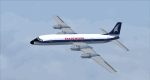
This is a repaint of the Canadair CL-44 in Tradewinds Airways colors. You need the freeware Canadair CL-44 by Mike Stone. Tradewinds was a British air cargo company. In November 1968, Transglobe Airways ceased operations, leaving a fleet of Canadair CL-44s lease-purchased from Seaboard World Airlines in limbo. Later in the month, Bobwood was formed to takeover the aircraft lease. Bobwood's name was changed to Tradewind Airways in January 1969 and all three ex-Transglobe Airways CL-44s were transferred over to the new company. Due to Seaboard World Airlines (a U.S. Cargo airline) having a large interest in Tradewinds, the British Government would not issue a license. Thus, in April, a British group was put together to take over the company. Consequently, a route network was developed primarily to Africa and North America in 1971–1976. Also in 1972, the carrier began flying from London Heathrow, often on all-cargo subcontracts for foreign airlines. In January 1977, Tradewinds became a wholly owned subsidiary of the multinational Lonrho Group. They received the 707-320Cs soon after. In 1978–1979, Tradewinds offered scheduled jet freight services from London to points in Africa, USA, and Canada. Unfortunately, in January 1986, Tradewinds ceased operations, citing overcapacity, undercutting by competing charter services, and stringent new noise abatement rules as cause of the demise. Its assetts were purchased by Tal Air, a British business travel airline, and tried to revive Tradewinds with freight services to Africa and the Middle East, however it was not to be, and they finally shut down for good in 1990.
Textures are 32bit bmp. This aircraft was tested on FSX-SE. It should work on FSX and FS2004.
*This is strictly an FS2004 model. However, I used it on FSX-SE by replacing the FS2004 panel and gauges with an FSX 2D panel, and it worked well. I have included two internet links for users of FSX, who wish to fly the aircraft, with easy instructions on how to go about replacing the FS2004 panels with FSX ones.
| Filename: | Tradewinds_Airways_Canadair_CL44_1977.zip |
| License: | Freeware |
| Added: | 24th January 2019, 05:08:24 |
| Downloads: | 74 |
| Author: | Ted Giana |
| Size: | 711.33 KB |
| Category: Flight Simulator 2002 - Aircraft Repaints, Textures and Modifications | |
| Canadair CL-13 Mk 2 Sabre (F-86E) Royal Hellenic Air Force |
|
File Description:
This is one of the first jet age aircrafts served in Royal Hellenic Air Force, almost 50 years ago (!!!). There are two repaint versions of Royal Hellenic Air Force in the zip package: The first one, represents a Royal Hellenic Air Force Canadair CL-13 Mark 2 Sabre used to fly with 342nd Sqdr. of Royal Hellenic Air Force (RHAF) in Elefsina, Greece with an interception role. The second, represents the aniversary "Alexander the Great" texture, painted in "patriotic" colours, by a gas station owner (!!!) in Thessaloniki - Greece after buying the aircraft (sn. 19294) as scrap and finaly display it as a memorial by his store. This specific aircraft used to fly with 343rd Sqdr. In Nea Anchialos, Greece. The Canadair CL-13 Mark 2 Sabre aircraft (Canadian build F-86E under North American licence) used to be one of the most succesfull aircrafts during the 50'ies and the Korean war. This "CL-13_RHAF_v1.zip" package is full compatible with FS2K2 and FS9 too and contains realistic sound made by Angelos Hatzikatakos, NEW (made by the author) panel, the official checklist and a VERY completed (as always...) flight manual (31 pages) which can be read with Adobe Acrobat. This repaint was based on the original model made by Rey Lopez . The primary panel was made by Ken Mitchell and modified by Nick Karatzides to look more realistic and closer to the Hellenic CL-13 Mk 2 cockpit. A total NEW flight model ("air" file and aircraft.cfg file) have been created by Nick Karatzides and and I test it hard, to ensure that it flies as close as possible like a real fighter! This "CL-13_RHAF_v1.zip" package is for EXPERIENCED FlightSimers and virtual pilots who have a "good feeling" on the stick and do not "kick" the contol stick while flying. The package contains new visual effects, night lighting, fine looking mechanical parts movement, contrails, realistic gears extracting / retracting etc. Repaint and stuff by Nick Karatzides.
| Filename: | Canadair_CL13_Mk_2_Sabre_F86E_Royal_Hellenic_Air_F.zip |
| License: | Freeware |
| Added: | 4th October 2003, 00:15:30 |
| Downloads: | 1,408 |
| Author: | Nick Karatzides |
| Size: | 11.28 MB |
| Category: Flight Simulator 2004 - Aircraft Repaints, Textures and Modifications | |
| Royal Danish Airforce North American F-100F |
|
File Description:
FS2004 North American F-100F Royal Danish Airforce. Requires the f100f948.zip by Kazunori Ito. The F-100F was essentially an F-100D stretched for two crewmembers. Denmark received 48 single-seaters and ten two-seaters from July 1959 onwards. In the early 1980's they were replaced by F-16A Fighting Falcons. A third of the Royal Danish Air Force's fleet of Super Sabres were lost in accidents, mirroring the types poor safety record in USAF service. An F-100D can be seen guarding the gates at Skrydstrup Air Base in Denmark. This file contains Texture off the´GT-976 RDAF. Realistic sound made by Angelos Hatzikatakos, and new panel by Luis da Costa Pereira & Fabio Bonoldi. Thanks for Your great work… It also includes a blank paintkit of the F-100F.
You need to download the f100f948.zip by Kazunori Ito. You can download it here: http://www.flightsim.com/cgi/kdl/main/50/f100f948.zip?QLcHp00A. Thanks to him for his great aircraft.
| Filename: | Royal_Danish_Airforce_North_American_F100F.zip |
| License: | Freeware |
| Added: | 19th May 2006, 01:12:28 |
| Downloads: | 707 |
| Author: | Claus Vendelboe Holmberg |
| Size: | 13.47 MB |


© 2001-2026 AVSIM Online
All Rights Reserved
Privacy Policy |