
Where Flight Simulation Enthusiasts Gather from Around the World!
AVSIM Library - Search Results

| Category: Flight Simulator X - Scenery | |
| TACAN Replacements - US Complete |

|
File Description:
By default, all of the TACAN navigational aids present within FSX have the bearing component turned off, so as to properly represent the real world result of tuning in the DME component of a TACAN with a civilian plane. However, this limits their functionality when you wish to use them in conjunction with a plane (generally military) equipped with a representation of a functioning TACAN system.
This download contains 105 fixed/adjusted/changed navigational aids for the United States to represent all currently active TACAN stations. These navigational aids have all had the bearing component turned on, so that they are completely usable for navigation within the sim.
This package completely replaces any previous partial TACAN release for the United States.
| Filename: | TACAN_Replacements__US_Complete.zip |
| License: | Freeware |
| Added: | 17th June 2014, 16:15:09 |
| Downloads: | 1,227 |
| Author: | Jim Stewart |
| Size: | 111.71 KB |
| Category: Prepar3D V1-4 - Utilities | |
| Flightplan Visualizer 1.7 |
|
File Description:
Flightplan Visualizer (FV) version 1.7.1. Copyright 2018 by Pelle F. S. Liljendal ([email protected]), all rights reserved.
FV comes with 300 Commercial-, and +380 BizJet AI pre-imported flightplans which the creators of those flightplans have gracefully allowed me to include with the installer, however you are able to import additional (AI) flightplans if you want to. Once imported these (AI) flightplans can be visualized on a map-view, and the user will be able to search accross all these. Hence you can use the program as inspiration as to which routes to fly. E.g. you can search across all imported flightplans to find all flights in an A321 flying into/out from LDDU, or simply to look for all flights in a Boeing 747-8F.
Simply run the included installer to install the software. The program will be installed into "C:\Program Files (x86)\Flightplan Visualizer" and all datafiles will be installed into: "C:\Users\[UserName]\AppData\Roaming\FlightplanVisualizer". The program comes with a full manual explaining everything, and a 2 page quick manual to get you started. The first 3 times you run the program the quick manual will automatically open. Lacking a “proper forum†I have - for now - setup a Facebook group for support. This group is called “Flightplan Visualizerâ€, and you can seek membership via this link: https://www.facebook.com/groups/FlightplanVisualizer/
If you are installing this version on top of a version prior to 1.7 the program will start slower than ususal and display a lot of warnings. This is because it fileformat of the pre-imported flightplans was changed between version 1.6 and 1.7, so starting version 1.7 it will update all flightplans (and in the progress it will display all those warnings). The next time you start FV you will no longer see this warnings as all flightplans will have become updated.
Pelle
| Filename: | Flightplan_Visualizer_17.zip |
| License: | Freeware, limited distribution |
| Added: | 27th November 2018, 17:23:12 |
| Downloads: | 463 |
| Author: | Pelle Liljendal |
| Size: | 23.28 MB |
| Category: Prepar3D V1-4 - Utilities | |
| Flightplan Visualizer 1.8 |
|
Images related to this file:
File Description:
Flightplan Visualizer (FV) version 1.8.0. Copyright 2018 by Pelle F. S. Liljendal ([email protected]), all rights reserved.
FV comes with 300 Commercial-, and +380 BizJet AI pre-imported flightplans which the creators of those flightplans have gracefully allowed me to include with the installer, however you are able to import additional (AI) flightplans if you want to. Once imported these (AI) flightplans can be visualized on a map-view, and the user will be able to search accross all these. Hence you can use the program as inspiration as to which routes to fly. E.g. you can search across all imported flightplans to find all flights in an A321 flying into/out from LDDU, or simply to look for all flights in a Boeing 747-8F.
Simply run the included installer to install the software. The program will be installed into "C:\Program Files (x86)\Flightplan Visualizer" and all datafiles will be installed into: "C:\Users\[UserName]\AppData\Roaming\FlightplanVisualizer". The program comes with a full manual explaining everything, and a 2 page quick manual to get you started. The first 3 times you run the program the quick manual will automatically open. Lacking a “proper forum†I have - for now - setup a Facebook group for support. This group is called “Flightplan Visualizerâ€, and you can seek membership via this link: https://www.facebook.com/groups/FlightplanVisualizer/
If you are installing this version on top of a version prior to 1.7 the program will start slower than ususal and display a lot of warnings. This is because it fileformat of the pre-imported flightplans was changed between version 1.6 and 1.7, so starting version 1.8 it will update all flightplans (and in the progress it will display all those warnings). The next time you start FV you will no longer see this warnings as all flightplans will have become updated.
Pelle
| Filename: | Flightplan_Visualizer_18.zip |
| License: | Freeware, limited distribution |
| Added: | 16th December 2018, 01:30:27 |
| Downloads: | 330 |
| Author: | Pelle Liljendal |
| Size: | 24.48 MB |
| Category: Flight Simulator X - Aircraft Repaints, Textures and Modifications | |
| East African Airways 'circa 1974' Douglas DC-9-32 |
|
Images related to this file:
File Description:
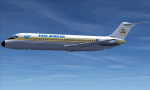
This is a repaint of a DC-9-32 in East African Airways (EAA) colors. The payware DC-9-30 by Sky Simulations is needed for this repaint. East African Airways was formed by the governments of Kenya, Uganda, and Tanzania, and started operations in January 1946 . It had an extensive network and flew to many points in Africa, Europe, and the Middle East. It was quite an iconic airline, however, being an airline jointly run by three governments led to problems. Increasing financial, political, and diplomatic difficulties plagued the carrier’s operations in 1976. The Kenyan government pulled the plug in 1977, when in January they formed Kenya Airways to replace EAA. Thus, without a political and financial base, EAA suddenly ceased operations in February of that year. EAA operated 5 DC-9-30s. Textures are DXT5. This repaint was tested on FSX-SE. It should work on FSX & P3D v1-3.
| Filename: | East_African_Airways_circa_1974_Douglas_DC932.zip |
| License: | Freeware |
| Added: | 29th October 2018, 16:34:02 |
| Downloads: | 72 |
| Author: | Ted Giana |
| Size: | 1.46 MB |
| Category: Flight Simulator 2004 - Aircraft Repaints, Textures and Modifications | |
| Belair (Air Berlin) Boeing 767-300ER |
|
File Description:
Repaint of Belair's Boeing 767-300ER in the new Air Berlin corporate identity and registrated as HB-ISE. No airberlin.com titles on the belly. This repaint was made using the official paintkit and contains 32-Bit and DXT3 textures. Packaged with the repaint manager. Requires LEVEL-D Simulations 767 for proper installation. Instructions for installation are included in the Readme.
| Filename: | Belair_Air_Berlin_Boeing_767300ER.zip |
| License: | Freeware, limited distribution |
| Added: | 13th July 2008, 19:57:46 |
| Downloads: | 1,799 |
| Author: | Christian Mohr |
| Size: | 6.88 MB |
| Category: Flight Simulator X - Scenery | |
| RAF Croft |
|
File Description:
The airfield was opened in 1941 for use by the Royal Air Force (RAF) but by 1942 the aerodrome had been taken over by the Royal Canadian Air Force (RCAF) for training as part of No. 6 Group RCAF.
The station is now more famously known as the site of Croft Circuit, a motor racing circuit which hosts various car championships including the British Touring Car Championship.
Source:Wikipedia
| Filename: | RAF_Croft.zip |
| License: | Freeware |
| Added: | 26th February 2017, 07:31:09 |
| Downloads: | 75 |
| Author: | Terry Boissel |
| Size: | 2.55 MB |
| Category: Flight Simulator X - Aircraft Repaints, Textures and Modifications | |
| Cessna C206H Stationair v2.1 |
|
File Description:
This is a North American Registry (N206RX) re-paint of the FREEWARE Cessna C206H Stationair VERSION 2.1 (Complete Aircraft) by Blue Sky Simulations, Roger Bonne & GUIDEE Francois-Denis. VERSION 2.1 has been reworked after reports of a few errors in the files. ALL ERRORS HAVE BEEN CORRECTED! This model has been throughly flight tested and flys like a dream! All textures are rendered in DXT-3 format for crisp texturing without sacrificing frame rates. Originally modeled for FS2004, this rendition of the sturdy aircraft has been modified to work within the FS-X platform. Includes customized panel and sound package by Peter Spanakos. Both an analog and Garmin G1000 glass panel versions have been included. ***** This file superceeds my earlier C206H Stationair (file name: c206_n206rx_v2.zip) and is recommended as a stand-alone download or a replacement for existing users of my previous version. The only difference is a self-installation program and corrected sound ***** This aircraft has no VC (Virtual Cockpit) and is meant to be flown with the 2-D panel only! This file is for FS-X only!
| Filename: | Cessna_C206H_Stationair_v21.zip |
| License: | Freeware |
| Added: | 24th December 2006, 02:34:24 |
| Downloads: | 3,264 |
| Author: | Blue Sky Simulations, Roger Bonne, GUIDEE Francois-Denis, Peter Spanakos & Brian C. Selb |
| Size: | 13.66 MB |
| Category: Flight Simulator 2004 - Utilities | |
| TexPand2 |
|
File Description:
With the proliferation of Flight Simulator add-ons which modify scenery texture files, it may occasionally be necessary to restore files originally installed by FS2004. “TexPand2” can be useful when you have a texture file problem and you wish a solution less drastic than re-installing the entire Flight Simulator package. Use this utility if you wish to install an add-on which requires the original files to be present, or if you wish to remove any texture, water, cloud, or night lighting add-on such as NuRoads©, Ultimate Terrain©, BirdsEyeView©, Flight Environment©, Silver Wings, or add-ons which have no “UNINSTALL” feature. READ INSTRUCTIONS BEFORE USING! Requires FS2004 original install disks. Freeware By Frank Bergson
| Filename: | TexPand2.zip |
| License: | Freeware |
| Added: | 10th December 2005, 23:14:49 |
| Downloads: | 1,933 |
| Author: | Frank Bergson |
| Size: | 729.4 KB |
| Category: Flight Simulator X - Scenery | |
| Limnos Ifestos Airport LGLM_2 |
|
File Description:
DUE TO AVSIM'S 500MB LIMITATION YOU NEED TO DOWNLOAD LGLM SCENERY IN TWO FILES. THE lglm Limnos airport_Installation folder_1 AND THE PRESENT lglm Limnos airport_Installation folder_2.
AFTER YOU UNZIP THEM INTO A SINGLE INSTALLATION FOLDER
OPEN THE INSTALLATION INSTRUCTIONS
Lemnos (or Limnos) is a Greek island, since ancient times, with a pure Greek population. Due to the old volcanic activity, it was considered as the island of Hephaestus, the god of Fire. According to mythology, Zeus in a dispute with Hera threw his son Hephaestus from Olympus to the land of Lemnos. Hephaestus set up his workshop there and taught the art of metallurgy to the inhabitants of the island. The lglm Limnos airport scenery was made over a period of 5 years and includes multiple moving parts, such as AI vehicles, moving people, night effects, air and sea traffic. Google earth was widely used for the 3D representation and the depiction of reality contains many fantastic additions to the airport and the surrounding area. An atmospheric scenery was created to provide a realistic flying experience in FSX. You can also find a video of scenery capabilities in youtube: https://youtu.be/y8q0dL5wb3Q
| Filename: | Limnos_Ifestos_Airport_LGLM_2.zip |
| License: | Freeware, limited distribution |
| Added: | 16th March 2023, 15:31:32 |
| Downloads: | 468 |
| Author: | Vangelis Vasilias |
| Size: | 405.81 MB |
| Category: Fly! II - TerraScene | |
| Sedona Image Repair Kit #2 |
|
File Description:
The second group of supplemental edited minitiles of the day image for the Sedona TerraScene Project Pack, correcting anomalies and removing errors from portions of the landscape. Requires the Sedona TerraScene Project Pack: sedona.zip and the Sedona Image Repair Kit #1: sez_repair_1.zip.
| Filename: | Sedona_Image_Repair_Kit_2.zip |
| License: | Freeware |
| Added: | 3rd June 2010, 00:58:40 |
| Downloads: | 150 |
| Author: | Randall Rocke |
| Size: | 41.35 MB |


© 2001-2026 AVSIM Online
All Rights Reserved
Privacy Policy |