
Where Flight Simulation Enthusiasts Gather from Around the World!
AVSIM Library - Search Results

| Category: Flight Simulator X - Aircraft Repaints, Textures and Modifications | |
| FSX/P3D ANA - All Nippon Airways 747SR-81 1980 |

|
Images related to this file:
File Description:
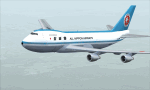
This is a repaint of the 747SR-81 (Short Range) in ANA - All Nippon Airways classic 1980 "Mohican" colors. The freeware 747-200 by Project Open Sky - POSKY is needed for this repaint. All Nippon Airways Company, Ltd.
(ANA) was formed on March 1, 1958 through the merger of two small companies. The Japanese government granted the carrier full certification to operate over domestic trunk routes on April 1, 1959, and by the mid 60s it was Japan's biggest domestic airline with a comprehensive network. During this time through to the 1970s, ANA expanded its fleet size greatly. ANA ordered its first jetliner, the 727-181, in 1964 and by 1978 they had a vast fleet of jetliners at their disposal, including the queen of the skies, the 747. ANA operated its first international flight, a charter flight, on July 15 and 31 1970, with YS-11s to Pusan, South Korea. However, a fully scheduled international flight was still in the distant future. In 1978 ANA held the position as the world’s sixth largest airline. Not bad for a domestic carrier. The carrier’s longest domestic route, the 2,051-km Sendai–Okinawa segment was opened in 1980. Interestingly, First-Class service was introduced on Japanese domestic flights as late as July 1985. In December 1985, the Japanese government opened international operations to all of the country’s airlines by revising its air transport policy and deregulating the industry. This included domestic carriers. ANA's desire for international routes became a reality and joined the fray It flew its first fully international scheduled route with a four times a week service to Guam, on March 3 1986. Today it has a vast network of international flights, and they are easily Japan's biggest carrier with 233 aircraft. They were also the launch customer of the 787. ANA has been going from strength to strength ever since its inception. For them, the sky's the limit. It might work on FS2004 as well. Textures are 32bit bmp.
| Filename: | FSXP3D_ANA__All_Nippon_Airways_747SR81_1980.zip |
| License: | Freeware |
| Added: | 12th May 2019, 18:39:42 |
| Downloads: | 162 |
| Author: | Ted Giana |
| Size: | 9.14 MB |
| Category: Flight Simulator X - Aircraft Repaints, Textures and Modifications | |
| Boeing 747-8i Delta Northwest |
|
File Description:
FSX Boeing 747-8i Delta Northwest with advanced VC by Alejandro Rojas Lucena and VC Texture Upgrade by Enrique Cornejo. This gives the b747 a payware Virtual Cockpit look! It even has a pilot jacket hanged in the rear of the cockpit (besides the right jumpseat).
The panel.cfg and the aircraft.cfg have been assembled and edited by the Flightsim Workshop Team. Now you can pop up "My icons" window in the Virtual Cockpit to easily reach the following windows: GPS, avionics, map, ATC, Climb/Radio Altimeter/Spoiler switch, auto-break switch, throttle quadrant, clock, descentometer, kneeboard and overhead panel.
The aircraft has new engine views (from both wings) and new Virtual Cockpit interior views from the left, right and central jump seats.
The Delta Northwest texture is wonderful and it has a unique paintscheme by Mcphat Studios with a repaint by Enrique Cornejo which also includes details such as some stains caused by humidity and other details just like a real aircraft.
This aircraft uses the Project Opensky FSX Boeing B747-800 Model OSX748V4_GENX(MDL), and includes the gauge window Posky Utility to view the main stairs, ground cargo servicing, etc. The engine sounds are edited like the real ones with cockpit ambient, so you can enjoy a pleasant flight. The Flight Management Computer (FMC) is fixed and looks like a payware instrument. The VC includes FMC, Primary Flight Display (PFD) and Multi-Function Display (MDF) displayed in the correct size.
The virtual cockpit also has an Engine-Indicating and Crew-Alerting System also known as EICAS, Ground Proximity Warning System (GPWS), working wipers, cabin lights, fire suppression, avionics switch, fuel crossfeed, and you can identify those intruments in the overhead panel because they are bordered with color lines. You can also find landing lights switches, taxi light switch, engine generators, APU generator, battery switch, starter switches, de-ice switch, general lights switches which are a great work of Alejandro. So now the whole cockpit and texture upgrade with all these improvements looks better than a payware version. The clock numbers are now in orange which makes them look better and easily recognizable.
Assembled and edited for FSX by Enrique Cornejo.
| Filename: | Boeing_7478i_Delta_Northwest.zip |
| License: | Freeware |
| Added: | 13th January 2013, 01:02:31 |
| Downloads: | 990 |
| Author: | Enrique Cornejo |
| Size: | 78.26 MB |
| Category: Flight Simulator X - Aircraft Repaints, Textures and Modifications | |
| Boeing 747-8i Delta Northwest |
|
File Description:
FSX Boeing 747-8i Delta Northwest with advanced VC by Alejandro Rojas Lucena and VC Texture Upgrade by Enrique Cornejo. This gives the b747 a payware Virtual Cockpit look! It even has a pilot jacket hanged in the rear of the cockpit (besides the right jumpseat).
The panel.cfg and the aircraft.cfg have been assembled and edited by the Flightsim Workshop Team. Now you can pop up "My icons" window in the Virtual Cockpit to easily reach the following windows: GPS, avionics, map, ATC, Climb/Radio Altimeter/Spoiler switch, auto-break switch, throttle quadrant, clock, descentometer, kneeboard and overhead panel.
The aircraft has new engine views (from both wings) and new Virtual Cockpit interior views from the left, right and central jump seats.
The Delta Northwest texture is wonderful and it has a unique paintscheme by Mcphat Studios with a repaint by Enrique Cornejo which also includes details such as some stains caused by humidity and other details just like a real aircraft.
This aircraft uses the Project Opensky FSX Boeing B747-800 Model OSX748V4_GENX(MDL), and includes the gauge window Posky Utility to view the main stairs, ground cargo servicing, etc. The engine sounds are edited like the real ones with cockpit ambient, so you can enjoy a pleasant flight. The Flight Management Computer (FMC) is fixed and looks like a payware instrument. The VC includes FMC, Primary Flight Display (PFD) and Multi-Function Display (MDF) displayed in the correct size.
The virtual cockpit also has an Engine-Indicating and Crew-Alerting System also known as EICAS, Ground Proximity Warning System (GPWS), working wipers, cabin lights, fire suppression, avionics switch, fuel crossfeed, and you can identify those intruments in the overhead panel because they are bordered with color lines. You can also find landing lights switches, taxi light switch, engine generators, APU generator, battery switch, starter switches, de-ice switch, general lights switches which are a great work of Alejandro. So now the whole cockpit and texture upgrade with all these improvements looks better than a payware version. The clock numbers are now in orange which makes them look better and easily recognizable.
Assembled and edited for FSX by Enrique Cornejo.
| Filename: | Boeing_7478i_Delta_Northwest.zip |
| License: | Freeware |
| Added: | 13th January 2013, 01:24:18 |
| Downloads: | 1,962 |
| Author: | Enrique Cornejo |
| Size: | 78.71 MB |
| Category: Flight Simulator X - Aircraft Repaints, Textures and Modifications | |
| Virgin Galactic Boeing 747-8i |
|
Images related to this file:
File Description:
FSX Boeing 747-8i Virgin Galactic with advanced VC by Alejandro Rojas Lucena and VC Textures Upgrade by Enrique Cornejo, founder of the Flightsim Workshop Project. This gives the b747 a payware Virtual Cockpit look and now with green leather tapestry on the sides of the seats. It even has a pilot jacket hanged in the rear of the cockpit (besides the right jumpseat). The panel.cfg and the aircraft.cfg have been assembled and edited by the Flightsim Workshop Team. Now you can pop up "My icons" window in the Virtual Cockpit to easily reach the following windows: GPS, avionics, map, ATC, Climb/Radio Altimeter/Spoiler switch, auto-break switch, throttle quadrant, clock, descent meter, kneeboard and overhead panel. A new feature in My Icons Window I added is a new Pitot Heat switch with ON and Off features, (XML gauge by Enrique Cornejo). cold weather, the Pitot Heat switch works just like in real life, so if its turned off the air speed indicator will stop working, so make sure you turn the Pitot Heat switch on before taking off!
The autopilot ON switches have green lights which make them look more realistic. Center ATC identification in this aircraft is "Boeing 747". We have also fixed the position of the strobe lights so when the aircraft is flying they are in the right place, so turn on the strobe lights switch after take off. The cockpit view from the pilots seat is now more comfortable because the distance between the cockpit and the seat is longer.
The aircraft has new engine views (from both wings) and new Virtual Cockpit interior views from the left, right and central jump seats. The brakes has a differential brake system to make smoother turns in ground. The Virgin Galactic Spaceship texture is wonderful and it has a unique paint scheme by Enrique Cornejo which also includes details such as some stains caused by humidity in the fuselage and the wing flaps and other details just like a real aircraft. Real smoke in the four engines, just select key, more cabin views, realistic cockpit and engines sound & more realistic night VC lights and fuselage night textures, in the VC just select key and reset the overhead Instrument panel light dim switch in the overhead panel. The aileron parameters have also improved, so now the right and left turns are smoother. This aircraft uses the Project Opensky FSX Boeing B747-800 Model OSX748V4_GENX(MDL), and includes the gauge window Posky Utility to view the main stairs, ground cargo servicing, etc. The engine sounds are edited like the real ones with cockpit ambient, so you can enjoy a pleasant flight. The Flight Management Computer (FMC) is fixed and looks like a payware instrument. The VC includes FMC, Primary Flight Display (PFD) and Multi-Function Display (MDF) displayed in the correct size. The virtual cockpit also has an Engine-Indicating and Crew-Alerting System also known as EICAS, Ground Proximity Warning System (GPWS), working wipers, cabin lights, fire suppression, avionics switch, fuel cross feed, and you can identify those instruments in the overhead panel because they are bordered with color lines. You can also find landing lights switches, taxi light switch, engine generators, APU generator, battery switch, starter switches, de-ice switch, general lights switches which are a great work of Alejandro. So now the whole cockpit and texture upgrade with all these improvements looks better than a payware version. The clock numbers are now in orange which makes them look better and easily recognizable. Assembled and edited for FSX by Flightsim Workshop Founder Enrique Cornejo. 78 MB
| Filename: | Virgin_Galactic_Boeing_7478i.zip |
| License: | Freeware |
| Added: | 21st February 2013, 18:56:28 |
| Downloads: | 1,940 |
| Author: | Enrique Cornejo |
| Size: | 77.73 MB |


© 2001-2026 AVSIM Online
All Rights Reserved
Privacy Policy |