
Where Flight Simulation Enthusiasts Gather from Around the World!
AVSIM Library - Search Results

| Category: Flight Simulator X - Scenery Design | |
| Core Library Vol 2 |

|
Images related to this file:
File Description:
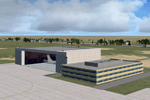
A wide variety of FSX (only) models created
in Google Sketchup and placeable with most
scenery tools (e.g. Instant Scenery).
Includes buildings (ice cream cone factory,
warehouses, hotels, churches, houses, etc),
rail equipment (for enhancing your rail
lines), and other objects.Vol 2 replaces Vol 1
with added buildings and vehicles.
By Dan French.
| Filename: | Core_Library_Vol_2.zip |
| License: | Freeware, limited distribution |
| Added: | 12th August 2012, 05:37:33 |
| Downloads: | 5,003 |
| Author: | Dan French |
| Size: | 14.14 MB |
| Category: Flight Simulator X - Scenery | |
| Dan French Core LibrariesVol5_FSX |
|
Images related to this file:
File Description:
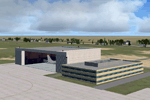
FSX SCENERY DAN FRENCH CORE LIBRARY VOL 5
A wide variety of FSX (only) models created
in Google Sketchup and placeable with most
scenery tools (e.g. Instant Scenery).
Includes warehouses, hotels, churches, houses,
rail equipment (for enhancing your rail
lines), and other objects. Vol 5 replaces Vol 1-4
with added buildings, hangars, airstairs and vehicles. Same GUIDs. Some previous crappy models updated/improved.
By Dan French.
| Filename: | Dan_French_Core_LibrariesVol5_FSX.zip |
| License: | Freeware, limited distribution |
| Added: | 15th June 2021, 18:50:32 |
| Downloads: | 385 |
| Author: | Dan French |
| Size: | 29.37 MB |
| Category: Flight Simulator X - Utilities | |
| ModuleToolX 0.3 |
|
File Description:
With "Module Tool X" you can edit the module config files (exe.xml and dll.xml) for FSX. Requires .NET framework 2.0. This is a Bugfix Release.
| Filename: | ModuleToolX_03.zip |
| License: | Freeware |
| Added: | 4th May 2007, 17:48:30 |
| Downloads: | 976 |
| Author: | Alexander Brand |
| Size: | 217.49 KB |
| Category: Flight Simulator 2002 - Utilities | |
| Weather Center 2.1 Novice Edition |
|
File Description:
Weather Center 2.1 is an advanced weather generation add-on module for Microsoft Flight Simulator 2000/2002. Weather Center 2.1 features a completely re-engineered weather generation core that produces some of the most realistic, generated weather environments ever seen in Flight Simulator! The new, unique "I-Field" algorithm translates automatically downloaded Internet data into a dynamic weather environment based not only on the data from the nearest reporting airport (like Weather Center 1), but on all nearby airports, which all provide some piece of the overall weather scene generated around the aircraft! The Novice edition includes a 15-minute demo period each time it is started, during which all the Expert features are enabled. After the demo period expires, there is no requirement to upgrade to the Expert edition; however, the Novice edition continues to function indefinitely with a simpler weather generation algorithm with most new core features disabled.
| Filename: | Weather_Center_21_Novice_Edition.zip |
| License: | Freeware |
| Added: | 6th June 2003, 19:36:17 |
| Downloads: | 1,777 |
| Author: | Keith Kile |
| Size: | 5.83 MB |
| Category: Flight Simulator 2004 - Utilities | |
| Inflight Refuel Module |
|
File Description:
Inflight refueling module that lets you select the amount of fuel you want, shows the time to fill and fills the aircraft inflight at 400Gal/Min. Allows for realistic Fighter air-air refueling
| Filename: | Inflight_Refuel_Module.zip |
| License: | Freeware |
| Added: | 25th January 2007, 17:01:52 |
| Downloads: | 2,306 |
| Author: | Edward Watson / Bradley Mathie |
| Size: | 548.36 KB |
| Category: Orbiter - Spaceships | |
| GALLEON Gravity module |
|
File Description:
GALLEON Gravity
Modulate for Galleon starShip (Necessary Galleon StarShip and Vinka's Spacecraft), This modulates it provides force it centrifuges similar to the force of the gravity. Besides a revolvable antenna of sensors, Unzip in the orbiter directory
Press F3 and Rotg select, later
-G Sensors rotation
The sensors animation starts with 'G' key and also this key stops it.
-K module gravity rotation
The centrifuge animation starts with 'K' key and also this key stops it.
To control the ship to press F3 to select previous boxcars and to put orbit prograde, normal... according to the case, in the behind boxcars to put kill rotation.
| Filename: | GALLEON_Gravity_module.zip |
| License: | Freeware |
| Added: | 17th June 2003, 17:49:14 |
| Downloads: | 1,198 |
| Author: | Salvadortega |
| Size: | 121.35 KB |
| Category: Fly! II - Development | |
| DynPart Module v3.2 |
|
File Description:
This dll allows to animate any framed 3d aircraft part with customized script files.
Version 3.0 main improved feature, concerns the movement type that can be choosen from a selection of possibilities : single or repeated movements.
This dll works with key strokes, thus, you can take advantage of the DynPartGauges or DynPartSystem features (dll) to animate any 3d aircraft part with panel buttons.
| Filename: | DynPart_Module_v32.zip |
| License: | Freeware |
| Added: | 13th October 2004, 04:31:03 |
| Downloads: | 141 |
| Author: | laurentC (rotw) |
| Size: | 43.38 KB |
| Category: Flight Simulator 2004 - Utilities | |
| F1 View Module |
|
File Description:
The F1_View module is a very basic tool that implements mouse-based zooming, panning, and eyepoint adjustments, including the ability to move your eyepoint beyond the limits imposed by Flight Simulator (this feature is good to stroll about virtual cabins of larger aircraft).
This module requires a wheel-mouse (a center wheel that also acts as a center mouse button).
/QUOTE
This application is provided for free by Flight1 and can even be placed on your own website for download providing you follow the guide lines set down in the agreement.
For those who are interested, you can find it HERE http://atr.flight1.net/ , look under:
Quick Links to our ATR Project Areas...
• Accessory Downloads
which can be found about half way down the page you are initially viewing.
and a bit more info from the readme:
Modes of Operation:
Rolling the mouse wheel forward means rolling the wheel away from the user.
Rolling the mouse wheel backward means rolling the wheel towards the user.
Virtual-cockpit:
Wheel forward moves you forward and wheel backward moves you back.
CTRL+forward moves right and CTRL+backward moves left.
SHIFT+forward moves up and SHIFT+backward moves down.
CTRL+SHIFT+forward zooms out and CTRL+SHIFT+backward zooms in.
While in Pan Mode (when mouse wheel is pressed and held down) inside the Virtual Cockpit:
Moving the mouse to the left rotates the view to the left.
Moving the mouse to the right rotates the view to the right.
Moving the mouse forward, away from the user, rotates the view up.
Moving the mouse backward, towards the user, rotates the view down.
Cockpit view:
CTRL+SHIFT+forward zooms the exterior view out and CTRL+SHIFT+backward zooms it in.
Tower view:
CTRL+SHIFT+forward zooms the view out and CTRL+SHIFT+backward zooms it in.
Spot view:
Wheel forward moves the view distance forward, and wheel backward moves the distance back.
CTRL+forward rotates the eyepoint right, and CTRL+backward rotates the eyepoint left.
SHIFT+forward moves the eyepoint down, and SHIFT+backward moves the eyepoint up.
CTRL+SHIFT+forward zooms out and CTRL+SHIFT+backward zooms in.
Note: View distance is different from view zoom.
While in Pan Mode (when mouse wheel is pressed and held down) in spot view:
Mouse left/right rotates the eyepoint right/left.
Mouse up/down moves the eyepoint up/down.
Top-down view:
CTRL+SHIFT+forward moves the view distance out and CTRL+SHIFT+backward moves it in.
Note: In this mode you can move your view all the way to outer space and back in.
| Filename: | F1_View_Module.zip |
| License: | Freeware |
| Added: | 8th May 2005, 04:27:45 |
| Downloads: | 15,464 |
| Author: | Flight1 |
| Size: | 725.3 KB |
| Category: Prepar3D V1-4 - Miscellaneous Files | |
| CS757III LINDA module |
|
File Description:
A LINDA module mostly for Autopilot related input for CaptainSim 757 III (P3dv4)
| Filename: | CS757III_LINDA_module.zip |
| License: | Freeware |
| Added: | 17th December 2019, 18:53:32 |
| Downloads: | 213 |
| Author: | ZHU Hai |
| Size: | 30 KB |
| Category: Flight Simulator 2004 - Utilities | |
| Recorder Module 1.3 |
|
File Description:
This module can record flights, save them to files and play them back like the FS instant replay and flight video recorder, but with a lot more features. The module does NOT record video files (like .avi), it records data like aircraft position, speed, etc, so the recordings can only be played inside FS. This has the advantage, that you can watch your recordings from different views. It also allows to play recordings as AI traffic, which e.g. allows flying in formation with yourself. Additionally it includes advanced view features for the tower and spot views.
Main features: recording flights of unlimited length - replay - recording of AI traffic - play recordings as (AI) traffic - jumping/searching forward/backward during playback - playback control via keyboard or control window - loop part of a recording - change playback speed - custom keyboard controls - recorded data is customizable (available are throttles, control surfaces, gear, flaps, spoilers, lights, engines on/off, propeller/mixture, nav and com radios, date/time, smoke) - multiple tower/spot/VC views - optional manual panning of tower/spot view direction - automatic zooming - saving/loading sets of tower/spot/VC views
| Filename: | Recorder_Module_13.zip |
| License: | Freeware |
| Added: | 24th September 2006, 23:04:11 |
| Downloads: | 6,097 |
| Author: | Matthias Neusinger |
| Size: | 323.29 KB |


© 2001-2026 AVSIM Online
All Rights Reserved
Privacy Policy |