
Where Flight Simulation Enthusiasts Gather from Around the World!
AVSIM Library - Search Results

| Category: Flight Simulator X - Scenery | |
| FSX Scenery and AI KATW Appleton International, Wisconsin USA |

|
Images related to this file:
File Description:
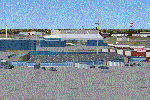
FSX Scenery and AI KATW Appleton International, Wisconsin USA
Custom made terminal, Gulfstream complex hangars, buildings. Translucent windows, open doors, night lighting for interior decorating.
Small AI file included for appropriate airlines and GA traffic.
EZ scenery, Dan French Core LibrariesVol5_FSX or higher, and some others required (see readme).
By Dan French.
| Filename: | FSX_Scenery_and_AI_KATW_Appleton_International_Wis.zip |
| License: | Freeware, limited distribution |
| Added: | 25th January 2023, 04:32:33 |
| Downloads: | 273 |
| Author: | Dan French |
| Size: | 19.37 MB |
| Category: Flight Simulator 2004 - Original Aircraft | |
| North American B-45 and RB-45 Tornado FS2004 |
|
Images related to this file:
File Description:
The North American B-45 Tornado was one of the most important American aircraft of the early Cold War period, and one of the least remembered today. It was the first bomber-sized jet bomber in service anywhere in the world, first jet to drop a live atomic bomb, first jet to cross the North Pacific non-stop (Alaska to Japan,) first jet to fly the North Atlantic (with stops), NATO forces’ first and for some time only nuclear deterrent, first reconnaissance plane to fly deep penetration missions over North Korea, the People’s Republic of China, and the Soviet Union, and first aircraft to routinely use in-flight refueling on combat missions. The package includes twenty models and three dozen authentic skins depicting every major variant and numerous minor and sub-variants as they appeared throughout the type’s service life. A detailed manual explains some of the type’s unique operational procedures. Mostly by David Wooster with some help and skins painted by Mick.
| Filename: | North_American_B45_and_RB45_Tornado_FS2004.zip |
| License: | Freeware, limited distribution |
| Added: | 16th February 2023, 01:15:07 |
| Downloads: | 197 |
| Author: | David Wooster |
| Size: | 340.85 MB |
| Category: Flight Simulator X - Scenery | |
| FSX SCENERY and AI Traffic for KRFD Rockford, Illinois |
|
Images related to this file:
File Description:
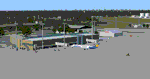
FSX SCENERY and AI Traffic for KRFD Rockford, Illinois
Custom made terminal, hangars, buildings for KRFD Rockford, Illinois. Rockford, close to Chicago,
has large Amazon Prime and UPS cargo facilities and a nice terminal. Many structures have
transparent windows, open doors, and interiors with night lighting. A traffic file with
instructions is included for those who wish to add GA and cargo traffic.
by Dan French
| Filename: | FSX_SCENERY_and_AI_Traffic_for_KRFD_Rockford_Illin.zip |
| License: | Freeware, limited distribution |
| Added: | 10th March 2023, 02:27:16 |
| Downloads: | 256 |
| Author: | Dan French |
| Size: | 18.46 MB |
| Category: Prepar3D V5 - Miscellaneous Files | |
| AI Traffic Timeout and Taxi Speed Patch P3D v5.4 |
|
File Description:
Increases AI timeout period to 15min and taxi speed to 25kt in p3d v5.4
| Filename: | AI_Traffic_Timeout_and_Taxi_Speed_Patch_P3D_v54.zip |
| License: | Freeware |
| Added: | 29th June 2023, 20:20:58 |
| Downloads: | 149 |
| Author: | Himanshu Singh |
| Size: | 200.95 KB |
| Category: Flight Simulator 2004 - Miscellaneous Files | |
| Sorted POI global cities and airports pack for FSDiscover! |
|
File Description:
README:
FSDiscover! Global Point of Interest pack.
Here is a poi pack of roughly 147 000 cities, 40 000 small airports,
1 177 seaplane bases, 4695 medium airports and 475 of the largest
airports.
Airports are split up in categories, small, medium, big, seaplane base.
Cities are split up into files of 10 000 cities each by size.
There are 15 files for cities.
The smallest cities are in xaa, xab, xac, xad, and so on.
The biggest cities are in xam, xan, until xao.
You should open the files in notepad to see for yourself which city
files to activate in FSDiscover! to balance clutter and detail.
This has been my main problem with the default populated places list;
there is no way to sort by population size
Compared to the default FSDiscover! populated places here are some
notes:
I have noticed that in the default FSDiscover! set for europe and many
other places, the coordinates are placed like on a "honeycomb" grid
which obviously is not very precise. In general, in terms of city map
precision, this pack should be better.
In the default pack, in an area I am familiar with, a city was placed on the other side of
a river compared to reality. In many other areas, you can clearly see
that the cities are not well-aligned with Ultimate Terrain europe or
even some places in UT USA. My theory is that either data was not super
precise for europe to begin with or that the dataset has been arranged
in the honeycomb grid fashion perhaps to reduce clutter or something.
Mostly though, the default populated places FSDiscover! file is very
useful for really small villages since these tend to be forgotten in
other datasets. The problems come when you want to filter out smaller
villages or airports. This is where this pack comes in handy.
Since no data is perfect, you can use this pack alone or in
combination with the FSDiscover! defaults. Personally, I put the same
files in both "Documents/FSDiscover Files" and
"Program Files/FSDiscover" so I can pick and choose a useful combo
from relevant sets inside the options.
Personally, I prefer the cities from this pack and the rest
(mountains, rivers etc.) from the default FSDiscover! pack.
INSTALLATION:
Just unzip the archived files into "C:\Users\YOURUSERNAME\Documents\FSDiscover Files"
or "C:\Program Files (x86)\FSDiscover!\geodata" or both!
I do not know if the geodata folder is completely overwritten some
times or not so keep that in mind. (probably safe, though)
AUTHOR:
fs9_2003 thanks to data made available by opendatasoft.com and ourairports.com
The source for cities:
https://public.opendatasoft.com/explore/dataset/geonames-all-cities-with-a-population-1000
The source for airports:
https://ourairports.com/data
| Filename: | Sorted_POI_global_cities_and_airports_pack_for_FSD.zip |
| License: | Freeware |
| Added: | 6th May 2024, 14:13:54 |
| Downloads: | 53 |
| Author: | Kim Husainov |
| Size: | 3.18 MB |
| Category: Flight Simulator 2004 - Miscellaneous Files | |
| Go To Any Airport and Fly to London Gatwick |
|
File Description:
Go To Any Airport.
Always wanted to return to your favourite local Airport from aywhere in the world? simply - with no fuss? Look no Further.
Start at your Designated Airport, [in this case London Gatwick in a 737], then Goto any Airport - via FS9 World menu and return to the Original Designated Airport - By Just turning on the GPS and clicking on the Nav Autopilot Heading switch - thats it by Direct GPS. Set Weather and Altitude as required and Speed in autopilot and away you go. Use the FS9 ATC as You Travel, call into designated Airport when close and receive the curent ATIS and Runway approach in use.
HAVE FUN.
| Filename: | Go_To_Any_Airport_and_Fly_to_London_Gatwick.zip |
| License: | Freeware |
| Added: | 7th March 2004, 01:30:26 |
| Downloads: | 546 |
| Author: | Alan Trussell |
| Size: | 4.16 KB |
| Category: Flight Simulator 2004 - AI Aircraft | |
| Aer Lingus Boeing 747 and Boeing 767 New Colors |
|
File Description:
Long haul AI for Aerlingus. Includes models. 747 model is by FS Painter and 767 model is AI-ARRDVARK. Repainted by me to have as AI models.
| Filename: | Aer_Lingus_Boeing_747_and_Boeing_767_New_Colors.zip |
| License: | Freeware |
| Added: | 9th March 2004, 13:32:35 |
| Downloads: | 1,614 |
| Author: | René Bruun |
| Size: | 737.58 KB |
| Category: Flight Simulator 2004 - Utilities | |
| Fxpax for AirFx [FxPax #1 Smoke and SkyWriter Effects] |
|
File Description: New Effects and Templates for use with
AirFx. FOR REGISTERED OWNERS OF AIRFX ONLY With versions for Fs2002 [FxPax01_2002.exe] and Fs2004
[FxPax01_2004.exe] 1. New smoke, Red [afx_Smoke_Red.fx] 2. New smoke, Blue [afx_Smoke_Blue.fx] 3. New smoke, Green [afx_Smoke_Green.fx] 4. New smoke, Yellow [afx_Smoke_Yellow.fx] 5. New smoke, White [afx_Smoke_White.fx] 6. New longer lasting smoke for SkyWriting, 5, 10, and 30
minute versions. 7. Templates for the above effects