
Where Flight Simulation Enthusiasts Gather from Around the World!
AVSIM Library - Search Results

| Category: Civil Flight Simulators - Looking Glass Flight Unlimited 3 | |
| Outer Terrain Textures TarGA Artwork |

|
Images related to this file:
File Description:

This zip file contains all the artwork for my new outer terrain textures, a total of 1131 TarGA files. Included are the 26 base textures plus many hundreds of variation and transition textures, which determine how the terrain is rendered when one texture adjoins another. Feel free to modify the textures or add new variation or transition tiles as you see fit.
| Filename: | Outer_Terrain_Textures_TarGA_Artwork.zip |
| License: | Freeware |
| Added: | 9th September 2010, 19:15:31 |
| Downloads: | 57 |
| Author: | Jonathan Stonehosue |
| Size: | 11.37 MB |
| Category: Civil Flight Simulators - Looking Glass Flight Unlimited 3 | |
| FU3 Outer Terrain GTL Tile Editor v2.0 |
|
Images related to this file:
File Description:
This spreadsheet allows you to view, edit and save changes to the outer terrain's GTL tiles. Tiles are loaded into a 256x256 grid and the 13 default terrain textures are represented by cell background colours, i.e. the Mesa texture is represented by a reddish-brown background colour. The controls for loading and saving tiles are deliberately located on a separate worksheet. When loading and saving tiles I recommend that you do NOT select the main FU3 GTL Editor worksheet until a message box informs you that the load/save has finished. Otherwise, load/saves times (approx. 30 seconds for an average tile) will increase dramatically if you watch the tile while it is being populated or saved.
This 2.0 version also allows you to load a tile's terrain elevation. This is useful because the rules-based approach to modifying the OT was based on altitude constraints and it helps to be able to view the elevation (on the same scale as the tile itself) when modifying the terrain. However, in order to load the elevation you must first load the corresponding GTL tile. There is no provision to modify or save the elevation, because we already have Andre's excellent tools for that.
A complete map of the outer terrain's 2296 GTL files (plus Andre's 164 tile extension to the north) is provided in a separate worksheet. This includes a search facility you can use to identify tiles based on FU3 world co-ordinates.
| Filename: | FU3_Outer_Terrain_GTL_Tile_Editor_v20.zip |
| License: | Freeware |
| Added: | 26th December 2009, 02:11:13 |
| Downloads: | 49 |
| Author: | Jonathan Stonehouse |
| Size: | 103.36 KB |
| Category: Civil Flight Simulators - Looking Glass Flight Unlimited 3 | |
| Outer Terrain GTL Grid Structure Map v2.0 |
|
Images related to this file:
File Description:
This version of my GTL grid structure map includes Andre's new outer terrain area north of Seattle and adds a search facility, which enables you to search for a tile using FU3 world co-ordinates. To find out the world co-ordinates of any OT area simply open Fled, set the top-down view to the latitude/longitude of the area you're interested in and click the latitude/longitude figures that appear in the bottom left hand corner of the screen. The latitude/longitude figures will disappear and be replaced by FU3 world co-ordinates as easting and northing values. Enter these values into my FU3 GTL Map, click the button and the spreadsheet will map these co-ordinates to the correct tile and return the tile name. If you don't know the latitude/longitude of the area you're interested in then you can always obtain this from within the game itself. Just start a flight in the area you're interested in and press Ctrl-z at any time to enter Zoar mode. This will pause the game and display the current latitude/longitude in the top left hand corner of the screen.
| Filename: | Outer_Terrain_GTL_Grid_Structure_Map_v20.zip |
| License: | Freeware |
| Added: | 29th December 2009, 23:16:52 |
| Downloads: | 35 |
| Author: | Jonathan Stonehouse |
| Size: | 198.97 KB |
| Category: Civil Flight Simulators - Looking Glass Flight Unlimited 3 | |
| FU3 Outer Terrain Tag File Information |
|
File Description:
These Excel spreadsheets contain information about the contents of the outer terrain's 3 tag files:
- outtaga.tag
- outtagb.tag
- outtagc.tag
The file outer_tag_offsets.xls contains a complete list of the file offsets of each file within the three tag files, i.e. the starting position (as byte number) of the level 0, level 2, level 5 .geo files and corresponding gtl files within each tag file. The last three columns of each worksheet contain the relevant information: filename, file position, and file size.
The file outer_tag_x&y.xls lists all the L0 .geo megatiles within each tag file and provides the position of each megatile within the OT region as an X and Y co-ordinate. Columns K, T, U and V provide the relevant information.
These spreadsheets may be of use to anyone wishing to develop the outer terrain region.
| Filename: | FU3_Outer_Terrain_Tag_File_Information.zip |
| License: | Freeware |
| Added: | 21st November 2009, 23:24:58 |
| Downloads: | 29 |
| Author: | Jonathan Stonehouse |
| Size: | 1.08 MB |
| Category: Civil Flight Simulators - Looking Glass Flight Unlimited 3 | |
| Outer Terrain Night Tiles |
|
File Description:
This zipfile contains Looking Glass Studio's original night tile artwork (in TarGA format) for the Outer Terrain, as extracted from NITETILE.TAG.
| Filename: | Outer_Terrain_Night_Tiles.zip |
| License: | Freeware |
| Added: | 13th March 2010, 12:48:43 |
| Downloads: | 45 |
| Author: | Jonathan Stonehouse |
| Size: | 358.6 KB |
| Category: Civil Flight Simulators - Looking Glass Flight Unlimited 3 | |
| New Outer Terrain Textures (Beta version) |
|
File Description:
New outer terrain textures for FU3. Zip contents are as follows:
GENTILES.TAG: 19 new textures, a total of 754 individual .tga files containing the base texture tiles, variation tiles and transition tiles. This is a BETA version and does not contain any water transitions. Copy and paste this file into your Flight3\gentiles folder. This file also includes 7 extra base textures: the intention is to expand the set at some point so that we have a full set of 26, the maximum number permitted by FU3. At the moment, no variation or transition tiles are provided for these 7 additional textures, and as no rules are provided for them they do not yet appear in the OT.
RULES.TXT: a rules file for the 19 new textures. Even if you use the GTL tiles provided you MUST copy and paste this file into your \Flight3\gentiles folder as it also defines the texture types, rotation and mapping.
GTLs.ZIP: 2460 GTL tiles as created by the new RULES.TXT file. Generating your own GTL tiles using the RULES.TXT file is likely to take an hour. You might prefer to copy and paste the GTL tiles provided into your \Flight3\outterr folder instead.
| Filename: | New_Outer_Terrain_Textures_Beta_version.zip |
| License: | Freeware |
| Added: | 7th February 2010, 07:58:26 |
| Downloads: | 54 |
| Author: | Jonathan Stonehouse |
| Size: | 10.85 MB |
| Category: Flight Simulator X - Aircraft Repaints, Textures and Modifications | |
| Eagle Valley Air Cessna C-185 N31YL |
|
Images related to this file:
File Description:
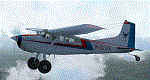
Paint for the Eagle Valley Air C185 Tundra N31YL
| Filename: | Eagle_Valley_Air_Cessna_C185_N31YL.zip |
| License: | Freeware |
| Added: | 6th August 2011, 20:28:30 |
| Downloads: | 310 |
| Author: | Jonathan Reed |
| Size: | 30.59 MB |
| Category: Civil Flight Simulators - Looking Glass Flight Unlimited 3 | |
| Visual GTL Editor |
|
Images related to this file:
File Description:

This is a standalone program that allows you to change the terrain textures of outer terrain megatiles by applying altitude based rule changes. This means that the Editor allows you to do what FU3 does through the RULES.TXT file but in visual form and on a per tile basis. The Editor converts and displays l0xxxx.gtl files and their corresponding l5xxxx.geo elevation files to 512x512 bitmaps. It also displays useful information when moving the mouse across the main display, i.e. Min Alt, Max Alt, Alt Range, Alt Index, Texture and so on. The Index value is an altitude range corresponding to the 64 colours used to create the elevation bitmap and is useful when specifying Min Alt and Max Alt values for rule changes. You can apply up to 8 rule changes at a time (just repeat until you get the desired results), either to the entire tile or to a subsection defined as X and Y co-ordinates. The Editor displays X-origin and Y-origin values within the tile as an aid to this. You can use this with the default 13 textures or with my extended 26 textures.
| Filename: | Visual_GTL_Editor.zip |
| License: | Freeware |
| Added: | 29th June 2011, 21:14:30 |
| Downloads: | 76 |
| Author: | Jonathan Stonehouse |
| Size: | 2.76 MB |
| Category: Flight Simulator 2004 - Aircraft Repaints, Textures and Modifications | |
| Cathay Pacific Airways Airbus A340-600 'B-HQA' |
|
File Description:
Repaint of Cathay Pacific Airbus A340-600 on the excellent Commercial Level Simulations Airbus A340-600 model. Features High Quality textures, photoreal textures and many more details!. This is a texture only package, to use the texture, you need to purchase the Airbus A340-600 model at http://www.commerciallevel.com. Please enjoy the repaint!
| Filename: | Cathay_Pacific_Airways_Airbus_A340600_BHQA.zip |
| License: | Freeware, limited distribution |
| Added: | 25th April 2006, 13:35:42 |
| Downloads: | 2,953 |
| Author: | Jonathan Hartana |
| Size: | 8.37 MB |
| Category: Flight Simulator 2004 - Aircraft Repaints, Textures and Modifications | |
| Air Canada Airbus A340-300 New Colors |
|
File Description: C-FYLU - Left Side C-FYLU - Right Side
This is a repaint of Project OpenSky Airbus A340 300 in Air Canada New Color livery, registered C-FYLU.
Airliners.net pictures:
Features detailed 32 bits format, with some detail example such as:
- Photoreal Textures of parts.
- Wings Textures with accurate color profile, also with Windows Reflection effect
- and many2 more, you've got to download and see for yourself!
This package only include Wing View model.
| Filename: | Air_Canada_Airbus_A340300_New_Colors.zip |
| License: | Freeware, limited distribution |
| Added: | 27th November 2004, 20:37:52 |
| Downloads: | 3,985 |
| Author: | Jonathan Hartana |
| Size: | 12.14 MB |


© 2001-2026 AVSIM Online
All Rights Reserved
Privacy Policy |