Where Flight Simulation Enthusiasts Gather from Around the World!
| Category: Flight Simulator 2004 - Miscellaneous Files | |
| Cessna 172N Aircraft Operations Manual ( Spanish version ) |
|
File Description:
Operations Manual, includes Performance charts,conversion tables...and more, Fly the real!!Versión en Español para pilotos o aficionados avanzados, extraido del manual real de vuelo.
| Filename: | Cessna_172N_Aircraft_Operations_Manual__Spanish_ve.zip |
| License: | Freeware |
| Added: | 11th May 2004, 23:01:30 |
| Downloads: | 611 |
| Author: | Salva Pérez |
| Size: | 5.15 MB |
| Category: Flight Simulator 2004 - AI Aircraft | |
| McDonnell Douglas F-4D Phantom II (AI Phantoms Phorever Part 2) |
|
Images related to this file:
File Description:
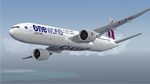
McDonnell Douglas F-4D Phantom II (AI Phantoms Phorever Part 2). This is one of the most iconic military aircraft of all time, ushering in the modern age of air combat; from Asia to the Middle East; and many of the 5,057 manufactured airframes are still in active use today, after over five decades of excellent service. This model set utilized FSDS source files for Nick Black's original F-4E Phantom II 8-LOD AI model, and has been heavily modified for this project. Numerous changes are listed in the extensive documentation with this file. This file contains early, middle, and late F-4D base models; as well as two Iranian Air Force F-4D variants. The five main aircraft variants include a staggering total of 42 loadout models, and 42 paints representing these aircraft in service from Vietnam to current day. I have also included a layered Photoshop paint kit for eager repainters. Of particular note, the celebrated units in this package are the 555th TFS (USAF), 134th TFS (Vermont ANG), 184th TFG (Kansas ANG), and 3rd TFW (Iranian Air Force). All listed units have multiple serial repaints; as well as several other unique paints. This project is the continuation of what will hopefully be a comprehensive and fairly complete (AI traffic) history of this aircraft. I did not do this alone by any means, and all contributors that I can think of are listed in the documentation. This is the complete aircraft, with all main FS textures and effects included. Original FSDS source and paint kit by Nick Black; FDE by Mike MacIntyre, all model/paint kit modifications and repaints by Michael Pearson.
| Filename: | McDonnell_Douglas_F4D_Phantom_II_AI_Phantoms_Phore.zip |
| License: | Freeware |
| Added: | 11th January 2012, 20:28:56 |
| Downloads: | 1,053 |
| Author: | Michael Pearson |
| Size: | 36.84 MB |
| Category: Flight Simulator 2004 - Aircraft Repaints, Textures and Modifications | |
| New Instrument Panel and Flight Dynamics for Default Cessna 172 SP |
|
File Description:
This package includes new instrument panel and Photoreal gauges which replaced the default fsx Cessna 172 panel:
1. Six new basic instruments which move very smoothly (especially the attitude indicator) make real IFR flight possible
1. KLN98B GPS
2. KMA24 AUDIO PANEL
3. new set of Bendix Kind Radio-Nav and adf (credits to Pierre FASSEAUX)
4. kap 140 autopilot (credits to Pierre FASSEAUX)
5. Fully working c172S clock (credits to Pierre FASSEAUX)
6. DME that emulate real UHF receive range
7. New VORs gauge with motion to/from flag
also new real aircraft flight dynamics.
| Filename: | New_Instrument_Panel_and_Flight_Dynamics_for_Defau.zip |
| License: | Freeware |
| Added: | 14th April 2011, 02:05:34 |
| Downloads: | 883 |
| Author: | Tomer Haim |
| Size: | 3.42 MB |
| Category: Flight Simulator 2004 - Scenery | |
| OTBD - Doha International Airport |
|
Images related to this file:
File Description:
This is a very simple rendition of Doha airport as of Januray 2011 with default and library objects.
All taxiways, aprons, parkings are perfectly accurate according to airport charts and personal experience.
Buildings and airport objects are placed according to real life but are not themselves a real depiction. I have used default objects as well as library objects found on the Internet.
If anyone downloading this airport has knowledge on how to create custom buildings and objects to improve the scenery, please let me know, I'll be happy to share photos of the real thing for you.
| Filename: | OTBD__Doha_International_Airport.zip |
| License: | Freeware, limited distribution |
| Added: | 16th January 2011, 02:17:02 |
| Downloads: | 2,469 |
| Author: | Frederic Revol |
| Size: | 5.57 MB |
| Category: Flight Simulator 2004 - Utilities | |
| FlightSim Manager 2.7.2 |
|
File Description:
Compatible with both FS2002 and FS2004
FlightSim Manager is a great tool for managing add-ons to Microsoft Flight Simulator. Using easy to Wizard - FSM can install various addins from distribution ZIP files that you may have downloaded, with easy uninstaller. FSM has lots of feature to offer, from an easy to use Aircraft editor to add/edit aircraft variants, to an comprehensive Hangar management that allows you to manage and configure your add-ons off your live FS installation. You can create Virtual Fleets, and enable/disable the complete fleet with ease. For serious pilots, there is also a complete Logbook.
If you have access to networked PCs, you can use FSM Lan View feature to create virtual cockpits with as many different views as you like. FSM also make it very easy to control Flight Simulator with speech commands, with additional support for auto-saving flight, warning system, and your own custom event sounds.
Using a powerful Editor, you can now edit your AI Flight Plans - plans can be saved as sets, which then in turn can be enabled in Flight Simulator. With FSM, you can create Texture Sets ( your own custom texture installer ) - capture screenshots, complete Benchmark with log, launching Flight Simulator with Random Screens, and fly from anywhere in the world using an map view.
Finally with a comprehensive Diagnostic Tools and Repository feature, FSM keeps your FS installation clean. Apart from the usual Missing and unused gauges, FSM can also locate Aircraft problems, Missing and unused effects, and Scenery Problems with a LandClass File relocate feature - say bye-bye to all the memory leaks.
There are still a lot more features that you will need to discover by yourself.
You can find the latest version from: http://www.ranainside.com/
| Filename: | FlightSim_Manager_272.zip |
| License: | Freeware |
| Added: | 18th December 2004, 21:56:49 |
| Downloads: | 20,538 |
| Author: | Rana Hossain |
| Size: | 5.45 MB |
| Category: Flight Simulator 2004 - Utilities | |
| FlightSim Manager 2.8.5 |
|
File Description:
Compatible with both FS2002 and FS2004. FlightSim Manager is a great tool for managing add-ons to Microsoft Flight
Simulator. Using easy to Wizard - FSM can install various addins from
distribution ZIP files that you may have downloaded, with easy uninstaller. FSM
has lots of feature to offer, from an easy to use Aircraft editor to add/edit
aircraft variants, to an comprehensive Hangar management that allows you to
manage and configure your add-ons off your live FS installation. You can create
Virtual Fleets, and enable/disable the complete fleet with ease. For serious
pilots, there is also a complete Logbook. If you have access to networked PCs, you can use FSM Lan View feature to create
virtual cockpits with as many different views as you like. FSM also make it very
easy to control Flight Simulator with speech commands, with additional support
for auto-saving flight, warning system, and your own custom event sounds. Also
FSM introduces a new ViewMode that replaces the existing boring tower view into
exciting camera view. Using a powerful Editor, you can now edit your AI Flight Plans - plans can be
saved as sets, which then in turn can be enabled in Flight Simulator. With FSM,
you can create Texture Sets ( your own custom texture installer ) - capture
screenshots, complete Benchmark with log, launching Flight Simulator with Random
Screens, and fly from anywhere in the world using an map view.
Finally with a comprehensive Diagnostic Tools and Repository feature, FSM keeps
your FS installation clean. Apart from the usual Missing and unused gauges, FSM
can also locate Aircraft problems, Missing and unused effects, and Scenery
Problems with an unique LandClass File relocate feature - say bye-bye to all
those memory leaks. There are still a lot more features that you will need to discover by yourself. You can find the latest version from: http://www.ranainside.com/
| Filename: | FlightSim_Manager_285.zip |
| License: | Freeware |
| Added: | 20th November 2005, 03:15:59 |
| Downloads: | 48,580 |
| Author: | Rana Hossain |
| Size: | 5.48 MB |
| Category: Prepar3D V1-4 - AI Flight Plans | |
| Bellview Airlines 1998 AI Package |
|
File Description:
Founded in 1989, Bellview was Nigeria's Lagos-based privately-owned carrier flying a pair of DC-9-32s and an A300B4-600R around West Africa but also onwards to Amsterdam and Mumbai. In addition to the scheduled flying, the A300 did public charters to LHR and GIG/GRU(rare treat for Brazil!) which have been included 1x weekly. The A300 keeps busy much of the time so it is actually not often sitting idle in Lagos, but it will spend most of Wednesday in London, Sunday evening/Monday morning in Mumbai, and a few hours in Amsterdam and Sao Paulo as well on Thursday. The airline went on until 2009 when it eventually went out of business. Repaints for the entire fleet included for the TFS A300B4-600R PW model and the AIG DC-9-30 model.
| Filename: | Bellview_Airlines_1998_AI_Package.zip |
| License: | Check within download |
| Added: | 22nd August 2019, 08:33:53 |
| Downloads: | 91 |
| Author: | Chasen Richardson\Bayviation |
| Size: | 747.83 KB |
| Category: Prepar3D V1-4 - Utilities | |
| AITTP 2019 v2.0 AI Taxispeed and Timeout Patcher for P3D v4.5 |
|
Images related to this file:
File Description:

AITTP 2019 v2.0 AI Taxispeed and Timeout Patcher for P3D v4.5 (including backwards compatible to v4.x and all v3.x of P3D) This utility will allow you to select your AI aircraft taxispeed if you desire to increase or decrease this setting (range from 20 kts up to 40 kts in intervals). Also you can select your AI aircraft timeout settings (range 5:00 minutes up to 15:00 minutes in intervals). Check your current speed and time settings, create backup and/or restore functions. Just unzip in folder/drive location of your choice and start -exe to use. Included Readme.txt gives easy to follow steps. Easy to use program for P3D only, FSX support has been eliminated. Latest version v2.0 (2.0.0.0) adds support for P3D v4.5 including all v4.x and all P3D v3.x versions. Created by Jorge Buchelli FSFlorida
| Filename: | AITTP_2019_v20_AI_Taxispeed_and_Timeout_Patcher_fo.zip |
| License: | Freeware |
| Added: | 12th April 2019, 03:08:34 |
| Downloads: | 942 |
| Author: | Jorge Buchelli |
| Size: | 198.5 KB |
| Category: Flight Simulator X - Aircraft Repaints, Textures and Modifications | |
| Tunisair TS-IOP retro livery for PMDG B737-600NGX |
|
Images related to this file:
File Description:
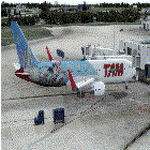
This is a livery For the PMDG B737-600NGX of the Tunisian national airline 'Tunisair'
At this time, Tunisair operate one of its four Boeing 737-600. Its registration is TS-IOP.
This 21-year old aircraft have the special retro livery for the 70 years of Tunisair.
To install this livery, you can use the PMDG Operation Center or you can do it manually by followings the steps located in the Readme file
This livery was tested only on FSX, I hope that it will work on P3D too.
Please don't share this file on other websites or forums
I hope that you will enjoy my work
If you have any remark about this file or one of my other liveries, please tell me below in the comments
Have a good flight
From Tunisia, DM
| Filename: | Tunisair_TSIOP_retro_livery_for_PMDG_B737600NGX.zip |
| License: | Freeware, limited distribution |
| Added: | 13th May 2021, 23:55:04 |
| Downloads: | 132 |
| Author: | Denguir Mehdi |
| Size: | 33.71 MB |
| Category: Prepar3D V1-4 - Scenery | |
| KAVP - Wilkes-Barre/Scranton Intl Airport - Wilkes-Barre/Scranton, PA, USA |
|
Images related to this file:
File Description:

KAVP - Wilkes-Barre/Scranton Intl Airport - Wilkes-Barre/Scranton, PA, USA version 1.0 by Jason Boche
This is an update of the default P3Dv4.5 airport which was fairly out of date in terms of the terminal, runways, and taxiways.
I don't have a lot of time to spend on updating airports. The goal here was to generally update the airport in terms of traffic
flow around the taxiways and terminal to more accurately represent what exists today.
Enhancements include:
-Modified runway dimensions to match charts
-Added blastpads
-Removed retired runway segments
-Modified aprons
-Added more general aviation parking
-Updated many taxiways
-Updated many taxiway signs
-Updated many hold short lines
-Removed old terminal. Added new terminal in accurate location
-Added gates and jetways around new terminal
-Roughed in some parking lots and a few buildings and trees
| Filename: | KAVP__WilkesBarreScranton_Intl_Airport__WilkesBarr.zip |
| License: | Freeware |
| Added: | 3rd June 2020, 21:27:43 |
| Downloads: | 192 |
| Author: | Jason Boche |
| Size: | 93.56 KB |