
Where Flight Simulation Enthusiasts Gather from Around the World!
AVSIM Library - Search Results

| Category: Flight Simulator X - Aircraft Repaints, Textures and Modifications | |
| De Havilland DH89A Dragon Rapide - G-AHAG - Four Repaints |

|
Images related to this file:
File Description:

These four repaints are of G-AHAG from various times in her career. This is from the freeware Dave Garwood model of the DH89, an aircraft that I thoroughly recommend you to download if you have not.
G-AHAG was built in 1945 as one of 335 Dominies built by Loughborough based Brush Coachbuilders. She was owned by Blackburn aircraft of Brough. I have included one of its liveries from this spell in this package. She then did a spell at the original Scillonia airways, being painted in the livery promoting Scenic Flights, another one that I have included in this package. After Scillonia Airways ceased operations in 1969, she was sold and subsequently leased to The Army Parachuting Association. Here, she was painted in the orange livery included. However, there only appears to be one photo online of her in this livery, from 1975, after being unofficially written off, following an incident involving someone ending up in the radio bay after jumping from a Britten-Norman Islander above. I have used this photo as a basis for the livery, so it may be incorrect.
After a very lengthy rebuild of 30 years at Membury Airfield in Berkshire, she was repainted in a scheme based on the original Scillonia Airways livery. This is the fourth repaint included in this pack.
Repaint by Adam Loader
Model by Dave Garwood (Available for free download from Classic British Flight Sim and Avsim)
| Filename: | De_Havilland_DH89A_Dragon_Rapide__GAHAG__Four_Repa.zip |
| License: | Freeware, limited distribution |
| Added: | 15th June 2018, 00:41:49 |
| Downloads: | 184 |
| Author: | Adam Loader |
| Size: | 13.94 MB |
| Category: Flight Simulator X - Scenery | |
| Polish Airports VOL. 3 X DEMO |
|
Images related to this file:
File Description:
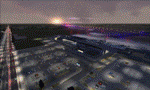
POLISH AIRPORTS VOL. 3 X DEMO is a package of detailed sceneries of EPPO Poznan, EPWR Wroclaw and EPBY Bydgoszcz airports in Poland, fully compatible with FSX, P3Dv1, P3Dv2 (till v2.1).
This product is a fully functional DEMO version of the commercial payware product. It features same airports layout as in the full version but with limited 3D objects and low resolution textures. Using this free demo ensures no problems with online (VATSIM, IVAO, multiplayer etc.) flying in case some users use the payware scenery and some don't.
Poznan-Lawica Henryk Wieniawski Airport (POZ/EPPO), built in 1913, is one of the oldest airports in Poland and the 6th largest airport in Poland. Bydgoszcz Ignacy Jan Paderewski Airport (BZG/EPBY) is a Polish regional airport in the city of Bydgoszcz. EPBY is the 9th largest airport in Poland offering the runway 08/26 which is 2,500 x 60 m. Wroclaw Copernicus Airport (WRO/EPWR) is an international commercial airport in Wroclaw in southwestern Poland. EPWR is the 4th largest airport in Poland having one runway, two passenger terminals and one cargo terminal.
The product is equipped with an automatic installer, which means that the scenery will be automatically added to the Flight Simulator Scenery Library. Please uninstall all previous versions of this airport you may have installed before. Please make also sure that no duplicate AFCAD files are installed.
Enjoy your virtual flying with Drzewiecki Design!
| Filename: | Polish_Airports_VOL_3_X_DEMO.zip |
| License: | Commercial demo |
| Added: | 2nd September 2015, 22:20:44 |
| Downloads: | 1,616 |
| Author: | Drzewiecki Design |
| Size: | 42.23 MB |
| Category: Flight Simulator 2004 - Utilities | |
| F1 View Module |
|
File Description:
The F1_View module is a very basic tool that implements mouse-based zooming, panning, and eyepoint adjustments, including the ability to move your eyepoint beyond the limits imposed by Flight Simulator (this feature is good to stroll about virtual cabins of larger aircraft).
This module requires a wheel-mouse (a center wheel that also acts as a center mouse button).
/QUOTE
This application is provided for free by Flight1 and can even be placed on your own website for download providing you follow the guide lines set down in the agreement.
For those who are interested, you can find it HERE http://atr.flight1.net/ , look under:
Quick Links to our ATR Project Areas...
• Accessory Downloads
which can be found about half way down the page you are initially viewing.
and a bit more info from the readme:
Modes of Operation:
Rolling the mouse wheel forward means rolling the wheel away from the user.
Rolling the mouse wheel backward means rolling the wheel towards the user.
Virtual-cockpit:
Wheel forward moves you forward and wheel backward moves you back.
CTRL+forward moves right and CTRL+backward moves left.
SHIFT+forward moves up and SHIFT+backward moves down.
CTRL+SHIFT+forward zooms out and CTRL+SHIFT+backward zooms in.
While in Pan Mode (when mouse wheel is pressed and held down) inside the Virtual Cockpit:
Moving the mouse to the left rotates the view to the left.
Moving the mouse to the right rotates the view to the right.
Moving the mouse forward, away from the user, rotates the view up.
Moving the mouse backward, towards the user, rotates the view down.
Cockpit view:
CTRL+SHIFT+forward zooms the exterior view out and CTRL+SHIFT+backward zooms it in.
Tower view:
CTRL+SHIFT+forward zooms the view out and CTRL+SHIFT+backward zooms it in.
Spot view:
Wheel forward moves the view distance forward, and wheel backward moves the distance back.
CTRL+forward rotates the eyepoint right, and CTRL+backward rotates the eyepoint left.
SHIFT+forward moves the eyepoint down, and SHIFT+backward moves the eyepoint up.
CTRL+SHIFT+forward zooms out and CTRL+SHIFT+backward zooms in.
Note: View distance is different from view zoom.
While in Pan Mode (when mouse wheel is pressed and held down) in spot view:
Mouse left/right rotates the eyepoint right/left.
Mouse up/down moves the eyepoint up/down.
Top-down view:
CTRL+SHIFT+forward moves the view distance out and CTRL+SHIFT+backward moves it in.
Note: In this mode you can move your view all the way to outer space and back in.
| Filename: | F1_View_Module.zip |
| License: | Freeware |
| Added: | 8th May 2005, 04:27:45 |
| Downloads: | 15,465 |
| Author: | Flight1 |
| Size: | 725.3 KB |
| Category: Flight Simulator 2004 - Utilities | |
| AIRound v1.0 |
|
File Description:
FS2004 AIRound v1.0. This utility displays AI aircraft around user plane in AI map or AI list forms, enables AI aircraft forward, fly by or spot plane views and has its own built-in traffic alert system. In forward view eyepoint is tied to AI aircraft in front of virtual cockpit with ability to change look direction. Fly by view has adjustable parameters and random options. Departure and arrival airports and time, total about 40 ATC, state, control surfaces, radio, etc. AI aircraft parameters are available. AI map has set of scales and can be placed everywhere within 160nm AI aircraft zone around user plane. You can customize AI aircraft appearance on the map by changing mark colors, shapes, sizes and data tag types. Utility has mini panel with small scalable AI map for quick in-flight AI aircraft related analysis. Traffic alert panel helps to avoid collision with AI aircraft. Also it may be used as a navigation gauge in escort missions assisting to find, get closer and follow accompanied AI aircraft. Utility works both in FS windowed and full screen modes and doesn't require any other add-on modules or programs. You have 10 FS sessions for free.
| Filename: | AIRound_v10.zip |
| License: | Shareware, time limited |
| Added: | 12th February 2006, 22:02:49 |
| Downloads: | 5,267 |
| Author: | Valery Stenin |
| Size: | 612.81 KB |
| Category: Flight Simulator X - AFCAD Files | |
| Active ILS Innsbruck, Austria (LOWI) |
|
File Description:
This FSX Airport is more then just a AFX style Airport. As most know the Approach and Final (VMC) for AI Traffic in FSX is a straight in type landing and does not always consider high terrain at airports. This is due to the way that the coding is written in FSX and it puts limits on IFR arriving aircraft. At certain airports the AI Traffic will fly directly through a mountain once it is established on Final for a runway. What you will see with my files is a different type approach used for both the way I control AI and User Airplane Traffic in FSX. No longer do the AI Planes use a straight in approach when landing at LOWI. My AI Aircraft Approach coding for FSX uses a visual offset approach so AI Traffic does not fly through the mountains. The Innsbruck Control Tower will clear all AI Traffic (IFR FP) landing either on RWY 08 or 26 as a straight in landing even though the offset to final is 30 degrees from the runway center line. Read the text file for all the enhancements added to the FSX LOWI Airport along with a full understanding of how the new Approaches work *** Full set of Freeware Approach Charts included ***
| Filename: | Active_ILS_Innsbruck_Austria_LOWI.zip |
| License: | Freeware, limited distribution |
| Added: | 21st July 2007, 13:04:43 |
| Downloads: | 6,074 |
| Author: | Jim Vile |
| Size: | 799.84 KB |
| Category: Flight Simulator X - Flight Plans | |
| SIDSTAR for KJFK John F Kennedy Intl, New York |
|
File Description:
SIDSTAR Procedure File for KJFK for Cycle 1204/1205 (05APR12-31MAY12) based on FAA National Data from National Flight Data Center, issued every 56d (Two Navigraph Cycles). These procedures include the following enhancements: All procedures are included as-published by the FAA and they are expanded to replace VECTORS with realistic route segments for use in a non-ATC environment (ie not using VATSIM or other service). All STARs include routing from the arrival to the final approach fix of the approach and all SIDs are expanded to include routing from the runway to the departure gate, except where noted in the file header. Each procedure file includes a text header that provides information on all the procedures for that location.
The KJFK procedure file includes all published SIDs plus routes to often filed departure gates such as BAYYS, BERGH, COATE, CUTOX DIXIE GAYEL LINND NEION and RBV. All published STARs are included and routes are provided to all ILS as well as GPS13L and Visual 22L. All published approaches are provided including two Charted Visual Approaches BELMONT VIS22L and PARKWAY VIS13L/R.
For PMDG 737NG/737NGX/747-400/747-400X/MD-11FS9/MD-11FSX/BAeJS41
| Filename: | SIDSTAR_for_KJFK_John_F_Kennedy_Intl_New_York.zip |
| License: | Freeware |
| Added: | 21st April 2012, 22:21:49 |
| Downloads: | 351 |
| Author: | Dan Downs |
| Size: | 14.09 KB |
| Category: Flight Simulator X - Scenery | |
| Frankfurt Main Airport (EDDF) v7 - manual install package |
|
Images related to this file:
File Description:
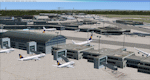
This major update represents EDDF in the December 2012 timeframe.
With the increasing development of the proposed Terminal 3 area now in use as extended apron parking, this update provides operational ramps for G and H gates including ramp parking for both airline and cargo aircraft, helicopter parking at gates H8 and H12, apron night lighting, vehicular traffic etc. In addition this update features a new Gmax custom fuel tank farm along with custom Frankfurt logos, the recently opened A-plus terminal (7 new gates including 4 A380 gates) in October 2012, a new Air Rail Center model and a new set of cargo offices/buildings that have been placed in the South Cargo area as well as the replacement of the standard FSX blast fences with a new Gmax fence model which adds even further realism to this scenery.
Also, a first time feature for this scenery, it now supports GSX (Ground Services for FSX). The G and H aprons have been customized to support GSX functionality with the correct positioning of the ground service vehicles and pushback operations based on scenery topology. The associated airport .ini file is supplied in this package.
Default FSX scenery is required. See readme/help file for more details.
| Filename: | Frankfurt_Main_Airport_EDDF_v7__manual_install_pac.zip |
| License: | Freeware |
| Added: | 23rd December 2012, 22:29:21 |
| Downloads: | 6,001 |
| Author: | Mark Aldridge |
| Size: | 13.82 MB |
| Category: Flight Simulator X - Aircraft Repaints, Textures and Modifications | |
| Centurion Cargo "Petete" McDonnell-Douglas MD-11F (N701GC) |
|
Images related to this file:
File Description:
Centurion Cargo is a privately owned company founded in 2001. Based at
Miami International Airport, it currently operates a fleet of ten MD-11F,
and has an impressive 550,000 square foot warehouse, divided into two
different sections, a 159,000 square foot cooler and 391,000 square foot
Dry Cargo Area. The Centurion Cargo Center is by far the largest privately
owned all cargo airline facility in North America.
Centurion is one of the leading cargo airlines operating to and from
Latin America and is No. 1 in the handling of live animals and perishable
goods. Centurion has recently expanded its network to include 4 weekly flights
from Amsterdam, The Netherlands. We also offer worldwide charter, handling, and
security services among others.
FSX McDonnell-Douglas MD-11F repaint textures for the real world
Centurion Cargo N701GC, named "Petete", but with the freeware version's Pratt
and Whitney engines. For the freeware SMS Overland MD-11 with P&W 4460 engines,
which you must have previously installed in FSX. I installed the freeware
(SMS-MD-11_Dutch_Package.zip) with VC which works well with this repaint.
Also includes engine exhaust smoke coordinates which you can add to
your "aircraft.cfg" if you wish. Screenshots enclosed. Easy installation.
Repaint by Tom Tiedman.
| Filename: | Centurion_Cargo_Petete_McDonnellDouglas_MD11F_N701.zip |
| License: | Freeware |
| Added: | 20th July 2013, 07:14:54 |
| Downloads: | 160 |
| Author: | Tom Tiedman / SMS Overland |
| Size: | 7.86 MB |
| Category: Flight Simulator X - Scenery | |
| SBSN - Santarem, Brazil Photo Real |
|
File Description:
The International Airport of Santarem - Maestro Wilson Fonseca ( IATA : STS , ICAO : SBSN ) is the airport serving the city of Santarem and region . Its name is a tribute to the great poet , musician and composer Santareno , Wilson Dias da Fonseca . Currently , it is the fifth busiest airport in the northern region of Brazil . Has great important role in strengthening the bonds of Brazil with the world , due to its geographical location, between Belem and Manaus and is an alternative for international flights . It is located 15 km away from the city center and has easy access by Highway Fernando Guilhon . In its surroundings , a special landscape ornamentation shows markedly the gateway to the region , known as " The Pearl of the Tapajos ." It opened in March 1977 under the administration of the Air Force Command 31 and transferred to the administration Infraero on March 31, 1980.
The airport is currently undergoing reform and the first step is already completed , which is the construction of a new building to house the airport administration . The reform provides for doubling the airport arrivals hall , doubling the departure lounge , increase parking capacity and the overall revitalization of the electrical system and cooling . For all the changes should be needed about £ 2.700.000,00.2
| Filename: | SBSN__Santarem_Brazil__Photo_Real.zip |
| License: | Freeware |
| Added: | 5th February 2014, 09:45:35 |
| Downloads: | 2,637 |
| Author: | Alexandre Lima |
| Size: | 20.16 MB |
| Category: Flight Simulator X - Aircraft Repaints, Textures and Modifications | |
| Modification of the power table for the Continental IO-520-F Cessna CU206G Stationair 6 II de CARENADO. |
|
Images related to this file:
File Description:

New update of flight dynamics settings.
Corrected the indicated speed error (KIAS) vs the true speed (KTAS) according to the data suggested in the pilot's operating manual (POH).
In some cases the position of the center of gravity unladen weight is corrected for a better weight and balance of the airplane.
Actual direct references from Pilot Operations Manual (POH) for specific details, Power,
Nose or pitch position and weight and balance settings, airplane geometry, piston or turbine engine data,
propeller and everything that refers to references, also the real references of the manufacturers of sea engines whatever the specific case.
This model in particular, I am sure that the gauges have a difference error between what the indicator of
manifold pressure and actual airplane reading, similar case to the PA34 Seneca II, the RPM tachometer needle marked 2500 and the
Maus cursor on the tachometer said there were 2200 rpm.
In this modification of the Cessna CU206G Stationair 6 II there is still an error that could not be adjusted to what it says in manual
pilot operation (POH) because it is a gauge error and not an adjustment error in the .air file.
When the error is corrected it will be published together with a new and improved VC.
| Filename: | Modification_of_the_power_table_for_the_Continenta.zip |
| License: | Freeware |
| Added: | 15th April 2020, 18:48:28 |
| Downloads: | 147 |
| Author: | Rafael Ledezma |
| Size: | 642.83 KB |


© 2001-2026 AVSIM Online
All Rights Reserved
Privacy Policy |