
Where Flight Simulation Enthusiasts Gather from Around the World!
AVSIM Library - Search Results

| Category: Looking Glass Flight Unlimited 3 - Repaints | |
| "Blue & White" Icon A5 |

|
Images related to this file:
File Description:

I present you with the 'Icon Blue & White', a simple (and perhaps crude) livery for the Icon A5. This is my first livery for Microsoft Flight. More information on this livery and support can be found here: http://forum.avsim.net/topic/401563-flight-livery-hanger/?p=2923644
To install this livery, you need to install stonelance's 'Flight Toolkit'. Version 0.7.3 is available here: http://flighttoolkit.com/?page_id=7
Version 0.9.4 (latest) is available here: http://forum.avsim.net/topic/432542-flight-toolkit-094-integrated-addon-database-new-livery-packs-fixes-for-alaska-map/
Please note that you might have to install this livery using Addon Manager v0.7.3; I experienced problems installing this using Addon Manager v0.9.4, but you might be able to install it problem-free. Also, this livery requires the default Icon A5 and no other dependencies. Version 0.7.3 of the Toolkit requires the Alaska DLC (no longer available from Microsoft Marketplace); however, to my knowledge version 0.9.4 no longer requires this DLC.
| Filename: | Blue__White_Icon_A5.zip |
| License: | Freeware |
| Added: | 10th February 2014, 22:57:40 |
| Downloads: | 200 |
| Author: | Mark Carrington |
| Size: | 1.16 MB |
| Category: Flight Simulator 2004 - Gauges | |
| RwyInfo 2 Data Update Version 2 |
|
File Description:
The purpose of this download is to allow you to update the data used by Ernie Alston's Runway Info gauge (RwyInfo version 2.0, available from http://www.fsbuild.com/rwyinfo/). This is an excellent little gauge that allows you to retrieve, through a gauge on your panel, information for all the runways at an airport (selected by ICAO code), and optionally automatically load frequency and course for an ILS into your NAV1 radio and MCP. However the usefulness of the gauge is somewhat restricted by the fact that it comes with a text database of 'info' to be displayed, and does not include any method for updating this info. This is Version 2 of this utility - the first version was uploaded a couple of weeks ago. The first version is not required to use this version. This version fixes some problems with the display of new airports and runs much faster than the original version.
| Filename: | RwyInfo_2_Data_Update_Version_2.zip |
| License: | Freeware |
| Added: | 17th November 2011, 07:55:54 |
| Downloads: | 726 |
| Author: | Ken Leedham |
| Size: | 5.73 KB |
| Category: Navigation and ATC - Navigation | |
| ChartMap 5.0 |
|
File Description:
ChartMap 5.0 is a small stand-alone Windows utility for Flight Simulators allowing a number of airport charts to be stored and available on screen whilst still flying.
The use of the program is very simple and intuitive. You insert only the Airport ICAO Code and the program will show all the data stored.
The ChartMap 5.0 is a program completely rebuilding with a new graphics power and a new database.
Now is possible to use the PDF format for every kind of charts. You can everywhere download it.
The important thing is to use the conventional letter below in this tutorial (vds IMPORTANT NOTE).
Differences with the previous version:
- Corrected some bugs.
IMPORTANT NOTE:
TO USE THIS PROGRAM YOU NEED DOWNLOAD the charts from Flight Simulator website FOR Italian airport download "Italian Airports Charts and Procedures Series 1, 2 and 3" and unzip in ICAO CODE FOLDER.
| Filename: | ChartMap_50.zip |
| License: | Freeware |
| Added: | 24th November 2013, 16:07:51 |
| Downloads: | 331 |
| Author: | Carlo Chiappisi |
| Size: | 1.51 MB |
| Category: Flight Simulator X - Gauges | |
| GPS2020 – V12.0 |
|
Images related to this file:
File Description:
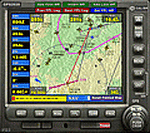
Major upgrade for V10.3, with focus on zooming, Direct-To, inserting waypoints in the flight plan, and User waypoints (waypoints not present in FSX/P3D database).
Key improvements:
- Zooming maps with the mouse wheel now finally like in Google Maps, Google Earth, Bing Maps, Garmin BaseCamp, Little Navmap (FSX utility), etc..
- Direct-To Track Updating: dark red track line continuously follows aircraft movements. For proper operation, the user should install XMLVARS/XMLTools in FSX/P3D (most users will already have done this).
- Visual indication of "Direct-To Active".
- Flight plan: multiple POI's (points clicked on a map) can be inserted in the FPL, they will be named sequentially as TARGET1 to TARGETnnnn.
- Inserting in the flight plan, all sorts of waypoints from all possible sources, can be done with a quicker method with the green buttons alone, without needing to open the Direct-To page.
- Other refinements in code and screen layout since V10.3.
It is recommended to replace V10.3 with this V12.0!
| Filename: | GPS2020__V120.zip |
| License: | Freeware |
| Added: | 29th June 2020, 17:50:18 |
| Downloads: | 561 |
| Author: | Hugo Jansen |
| Size: | 15.7 MB |
| Category: Prepar3D V1-4 - Gauges | |
| GPS2020 – V12.0 |
|
Images related to this file:
File Description:

Major upgrade for V10.3, with focus on zooming, Direct-To, inserting waypoints in the flight plan, and User waypoints (waypoints not present in FSX/P3D database).
Key improvements:
- Zooming maps with the mouse wheel now finally like in Google Maps, Google Earth, Bing Maps, Garmin BaseCamp, Little Navmap (FSX utility), etc..
- Direct-To Track Updating: dark red track line continuously follows aircraft movements. For proper operation, the user should install XMLVARS/XMLTools in FSX/P3D (most users will already have done this).
- Visual indication of "Direct-To Active".
- Flight plan: multiple POI's (points clicked on a map) can be inserted in the FPL, they will be named sequentially as TARGET1 to TARGETnnnn.
- Inserting in the flight plan, all sorts of waypoints from all possible sources, can be done with a quicker method with the green buttons alone, without needing to open the Direct-To page.
- Other refinements in code and screen layout since V10.3.
It is recommended to replace V10.3 with this V12.0!
| Filename: | GPS2020__V120.zip |
| License: | Freeware |
| Added: | 29th June 2020, 17:51:55 |
| Downloads: | 302 |
| Author: | Hugo Jansen |
| Size: | 15.7 MB |
| Category: Flight Simulator 2004 - AI Aircraft | |
| MAS Air Boeing 707 fleet |
|
Images related to this file:
File Description:
MAS Air Boeing 707-321C, Boeing 707-323C, and Boeing 707-347C repaints for the NAAI Boeing 707-320 model. Flightplan information, DXT3 and 32 bit textures are included.
| Filename: | MAS_Air_Boeing_707_fleet.zip |
| License: | Freeware |
| Added: | 29th April 2026, 12:33:16 |
| Downloads: | 30 |
| Author: | Jason King |
| Size: | 5.22 MB |
| Category: Flight Simulator 2004 - AI Flight Plans | |
| British Airways Winter 2007/08 |
|
File Description:
British Airways flightplans for December 2007. These flightplans are 100% correct, and are the most realistic British Airways flightplans available. All aircraft are split by which terminal they operate from at Heathrow (i.e. All Miami flights use the same two 747s), enabling you to have all flights operating from the correct terminals. All 777 flights are operated by their correct aircraft, with regards to engine type and seating configurations. The correct 10 777's (VIIA/B/C/D/E/F/O/P/R/T) are based at Gatwick. All 747's operate the correct routes with regards to seating configurations. The short haul and long haul configured 767s are also split and operate the correct routes. A320 flights are split by engine type and operate the correct routes accordingly. Special Livery file also included. See readme for more information!
| Filename: | British_Airways_Winter_200708.zip |
| License: | Freeware, limited distribution |
| Added: | 26th October 2007, 21:57:25 |
| Downloads: | 1,597 |
| Author: | Stephen Wiseman |
| Size: | 81.44 KB |
| Category: Flight Simulator 2002 - Miscellaneous Files | |
| Customized Tire-Mark Effects |
|
File Description:
Customized tire-mark effects for FS2002. General aviation and smaller military aircraft with single-wheel landing gear can now leave small tire-marks on the runway. Also includes revised tire-mark effects for default 737/747/777 AC that can be customized for other airliners. (All effects include Adnane Bourja's "External-Touchdown-Sound")...easy to install, and default touchdown files are not changed.
| Filename: | Customized_TireMark_Effects.zip |
| License: | Freeware, limited distribution |
| Added: | 25th February 2003, 01:42:32 |
| Downloads: | 2,623 |
| Author: | Jan Rosenberg |
| Size: | 167.71 KB |
| Category: Flight Simulator 2004 - Scenery | |
| 3 for B.C. Canada |
|
File Description:
This scenery is located in B.C Canada. All default enhanced. Traffic starts at 22:00 GMT
Airport name's,
1.Port McNeill(CAT5). AI traffic doing touch and go's.
2.Alert Bay(CYAL) AI traffic doing touch and go's
3.Woss(CAK4) No AI traffic here.
Aircraft involved: Piper cherokee 180 call sign,777 and the Vega 5B call sign, 36 Bravo.
| Filename: | 3_for_BC_Canada.zip |
| License: | Freeware |
| Added: | 29th November 2003, 05:03:44 |
| Downloads: | 3,854 |
| Author: | Frank Betts |
| Size: | 1.67 MB |
| Category: Flight Simulator X - Scenery | |
| TNCB - Flamingo Airport (Bonaire) |
|
File Description:
Welcome to one of the 3 ABC's beautifull dutch island, Bonaire.
Flamingo Intl. is an international airport located at Kralendijk, Bonaire, Netherlands Antilles. Flamingo Airport serves as a connecting
point for flights of KLM to some destinations in South America. It once served as a hub for BonaireExel, BonaireExpress,CuraçaoExel,
CuraçaoExpress and now serves Dutch Antilles Express as it's secondary hub & also "EZAir" serves Bonaire as its main airline, although
the airline itself is based at Curaçao.
It is the 3rd largest airport in the Netherlands Antilles behind St.Maarten's Princess Juliana International Airport & Curaçao's Hato
International Airport and is the 4th largest between the islands of the Dutch Kingdom behind the already mention St. Maarten,
Curaçao & Aruba's Queen Beatrix International Airport. Arkefly, Continental, Delta & KLM are currently the largest airline operators
that operate flights to Bonaire.
The airport is large enough to accommodate most international widebody airliners such as the Boeing 747, the Boeing 777 and the
Airbus A340, although the largest widebody type to operate to Bonaire today is the MD11. It can also accommodate medium sized
aircraft such as the Boeing 737 and Airbus A310 as well as small aircraft such as the de Havilland Dash 8, ATR 42 and other such
turboprop aircraft.
| Filename: | TNCB__Flamingo_Airport__Bonaire.zip |
| License: | Freeware |
| Added: | 13th April 2009, 08:00:18 |
| Downloads: | 2,343 |
| Author: | Daniel Louvet |
| Size: | 1.01 MB |


© 2001-2026 AVSIM Online
All Rights Reserved
Privacy Policy |