
Where Flight Simulation Enthusiasts Gather from Around the World!
AVSIM Library - Search Results

| Category: Flight Simulator X - Miscellaneous Files | |
| DX10 Shader Fixers V3.2.2 |

|
File Description:
DX10 Shader Fixes V3.2.2 (replaces v3.2.1). These are a set of shader fixes for DX10 Preview mode in FSX. The patch should not effect DX9 in any way. It addresses the following bugs in the DX10 preview:
1) Flashing runways/taxiways
2) Yellow/white runway markings transparency
3) Opaque chain fences
4) Progressive Taxi markings missing
5) Missing night scenery/semi-transparent dusk scenery (often misdescribed as missing night textures)
6) Some addon cars with black headlights
7) Softer VC shadow
8) Eliminates false sun on VC roof and side wall
Also included are an optional replacement water shade, aircraft lights package and an optional replacement background texture. This can replace the light blue DX10 uses and is close to what DX9 uses in the same circumstances.
| Filename: | DX10__Shader_Fixers_V322.zip |
| License: | Freeware, limited distribution |
| Added: | 21st December 2012, 22:25:51 |
| Downloads: | 57,561 |
| Author: | Steve Parsons |
| Size: | 430.01 KB |
| Category: Flight Simulator X - Scenery | |
| 52F North West Regional Airport (DFW TX) |
|
Images related to this file:
File Description:
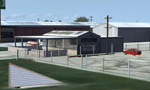
This airport scenery does not require any other software other than Microsoft Flight Sim X SP1 (minimum) - SP2 required for mission and display of some of the scenery items. However, it could help with performance on your PC if you install any accurate photo scenery for DFW. One such scenery is MEGASCENERY DFW photo scenery from http://www.megascenery.com/.
This is a custom developed scenery for airport, 52F - Northwest Regional, Roanoke, TX. 52F is next to Fort Worth Alliance in the Dallas Fort Worth Metroplex. It's a nice little airport.
This scenery package also includes a Mission called "52Foxtrot - Approach to Rwy 35 - Thermals". It is more of a free flight than the traditional FSX missions. The ones who fly for real at 52F-Northwest regional knows the quirks when coming into land at runway 35 on a hot day. The thermals at the cleared land and the sinking feeling when flying over the wooded area nearing the approach to 35. These thermal lifts and sinks have been modeled here. However, the only way to experience these thermals in FSX is via Missions. Once you select the mission "52Foxtrot - Approach to Rwy 35 - Thermals" and by selecting option "Enable changes in selected Mission", you could fly around like you would under "free flight". Except this time, you would have these thermal effects around 52F and get to experience what it's really like to fly and land at 52F.
| Filename: | 52F_North_West_Regional_Airport_DFW_TX.zip |
| License: | Freeware, limited distribution |
| Added: | 24th March 2010, 01:23:59 |
| Downloads: | 3,335 |
| Author: | Manny Mahadevan |
| Size: | 19.06 MB |
| Category: Flight Simulator 2004 - Scenery Design | |
| ResampleTools V.095Beta |
|
File Description:
ResampleTools is a great little utility that helps you automate the import of Mesh or Photo Real scenery into
Flight Simulator 200x. The interface is a simple 4 or 6 step wizard depending
on what you are importing and the information you have about your source files.
FS Resample Tools can help you determine the extents of your bitmap source if
you don't already know them (all four corners in degrees) and will also
determine the CellX and CellY sample or pixel width from those corner extents among others.
This is a beta version and there will be no more updates as work on this tool stoped a while ago but the author has been kind enough to allow distribution to all who might enjoy using it,(note: this may have been replaced by Elronds "imagetool" also available soon in this library).
Works with FS2000/FS2002 and FS2004.
| Filename: | ResampleTools_V095Beta.zip |
| License: | Freeware, limited distribution |
| Added: | 21st September 2003, 18:50:03 |
| Downloads: | 1,621 |
| Author: | Elrond Elvish |
| Size: | 728.39 KB |
| Category: X-Plane - Original Aircraft | |
| 7C7 A-1 |
|
File Description:
The 7C7 ('C' for cargo) Is a large plane based off the 747, except a few magor noticable differences, like takeo for example 6 engines, wings that are farther back from the fuslage, different nose gear, and a new rear wing setup. But the 'real' chage in design is the large capsel on the top of the airplane, this is a multi-function outfitting that acts in a variety of ways, one being a large fuel tank, another being extra storage for a company like Fed-ex. Yet the real use for this is lugage. This means that this airplane can have 3 levels (decks) of seating and have the top area for all of there non-carry on item. And the cock-pit may not be the simplist I ever built but it is certainly one of the most functional. Don't except another version of this aircraft.
| Filename: | 7C7_A1.zip |
| License: | Freeware, limited distribution |
| Added: | 28th April 2004, 03:07:08 |
| Downloads: | 770 |
| Author: | Sam Hoy |
| Size: | 1.64 MB |
| Category: Flight Simulator 2004 - Utilities | |
| Fxpax for AirFx [FxPax #1 Smoke and SkyWriter Effects] |
|
File Description: New Effects and Templates for use with
AirFx. FOR REGISTERED OWNERS OF AIRFX ONLY With versions for Fs2002 [FxPax01_2002.exe] and Fs2004
[FxPax01_2004.exe] 1. New smoke, Red [afx_Smoke_Red.fx] 2. New smoke, Blue [afx_Smoke_Blue.fx] 3. New smoke, Green [afx_Smoke_Green.fx] 4. New smoke, Yellow [afx_Smoke_Yellow.fx] 5. New smoke, White [afx_Smoke_White.fx] 6. New longer lasting smoke for SkyWriting, 5, 10, and 30
minute versions. 7. Templates for the above effects