
Where Flight Simulation Enthusiasts Gather from Around the World!
AVSIM Library - Search Results

| Category: Flight Simulator 2004 - Flight Plans | |
| PMDG SIDSTARS Update for KSTL Lambert-St Louis Intl (with Rwy 11/29) |

|
File Description:
Cycle 0605 PMDG SIDSTAR file by Terry Yingling revised 5/12/2006 by Dan Downs for KSTL Lambert-St. Louis Intl. This update includes runway 11/29, opened April 2006 and the new approaches for it. An AFCAD2 file is included, which may be used to add the runway, taxiways and navaids, or the SIDSTARS may be used with other add-on scenery. The AFCAD2 file is based on earlier work by by FRAME-RATE-FRIENDLY Studio/William Morgan, and the KSTL-2004 scenery file by Gary Widup. I retained Widup's ramp and parking design, but renumbered all taxiways to match the current aiport diagram (revision 06103) and resurfaced everything to match the GoogleEarth view. The default LDA antenna location is moved to the actual location, and a LDA RWY 12L approach added to the SIDSTAR file.
Instructions for modifying the AIRAC data files to add the runway and navaids is included.
| Filename: | PMDG_SIDSTARS_Update_for_KSTL_LambertSt_Louis_Intl.zip |
| License: | Freeware, limited distribution |
| Added: | 13th May 2006, 14:33:36 |
| Downloads: | 473 |
| Author: | Dan Downs |
| Size: | 21.13 KB |
| Category: Flight Simulator 2004 - AFCAD Files | |
| KORD - Chicago O'Hare - Chicago, USA - Runway 10C / 28C |
|
File Description:
This is the second of my two KORD AFCADs, the first for FSX and this one for FS9. Both add the newly opened runway 10C-28C and change the old runway10-28 to runway10L-28R. In this one, as in the FSX version. I use completely default objects, so no additional downloads of scenery are required. All Taxiways have been correctly identified using ADE9X and taxiway signs placed to reflect the ground situation as of the 1311 AIRAC Cycle that ends Nov 14, 2013. I added RNAV and CATIII ILS/DME approaches for both Rwy 10C and Rwy 28C you can select in the default GPS. In the default FS9 file for KORD runway 32L, which still exists, is given as an ILS/DME approach using 108.95, the same frequency as the new runway 10C-28C. I could not delete the ILS/DME for 32L (cannot delete stock navaids in FS9). It interfered with the CAT III ILS/DME for 10C-28C, so I simply changed the ILS frequency for 32L to the same frequency as for 14R. Please note further that in the 1311 AIRNAV supplement for KORD there are no approaches listed for 32L, so I deleted all approaches for 32L, but the waypoints for those approches remain in place (since they are stock navaids and, hence, cannot be deleted).
| Filename: | KORD__Chicago_OHare__Chicago_USA__Runway_10C__28C.zip |
| License: | Freeware |
| Added: | 13th November 2013, 22:03:13 |
| Downloads: | 766 |
| Author: | Randy Tyndall |
| Size: | 60.25 KB |
| Category: Flight Simulator X - Scenery | |
| ZGGG Guangzhou Baiyun Int'l Airport 2017 |
|
File Description:
Guangzhou Baiyun International Airport (ZGGG) is the major airport of Guangzhou, China. Located in Guangzhou's Baiyun District, it opened on August 5, 2004, but has gone through major changes since FSX was created. The default version only has one terminal and two runways and is slightly out of place from the actual location. I placed the airport in its real location based upon the charted latitude and longitude of the airport reference point. Guangzhou Baiyun Int'l Airport now has three runways. The third runway opened in February 2015. The centerpiece is the new Terminal 2, faithfully rendered here as much as possible. The terminal footprint and gates are accurate. The 3D terminal itself is a simple Sketchup project with generic textures (including night textures). The scenery converted and placed using MCX's amazing Convert and Place Wizard. I added the FBO ramp and the FEDEX Cargo Ramp Aprons and added some hangars to both locations, all default FSX buildings, so no additional library downloads are required. The new runway (now called 02R/20L) was added with Airport Design Editor. The old runway 02R/20L was renamed to the current runway 02L/20R and the old runway 02L/20R was renamed to the current runway 01/19. All taxiways are accurately drawn and designated with taxisigns using the latest AIRAC 1712 Jeppesen chart for ZGGG. All six ILS approaches are rendered as well as ADE would let me.
| Filename: | ZGGG_Guangzhou_Baiyun_Intl_Airport_2017.zip |
| License: | Freeware |
| Added: | 26th November 2017, 22:43:37 |
| Downloads: | 1,082 |
| Author: | Randy Tyndall |
| Size: | 490.4 KB |
| Category: Microsoft Flight Simulator (2020) - Utilities | |
| FSTramp v8.84 for MSFS, FSX(-SE), Prepart3D, X-Plane (Win) |
|
Images related to this file:
File Description:

This add-on is an EXE application for Microsoft Flight Simulator and a DLL module for all other simulators. The DLL variant is activated via hotkeys or the simulator menu add-ons or plugins. Window size and layout are configurable for one or more screens. To avoid dazzling, the brightness of the entire application is customizable. Primarily it is a flight management system (FMS) with automatic control from start to landing. This also includes the observance of SID, STAR and Approaches in unmatched quality. The flight plan required for the FMS can be created manually or automatically, interactive changes and additions during the flight are possible. The basis of the flight planner is the 3D world map and the search function for airfields and navigation aids. The FMS by FSTramp relies on the autopilot of the aircraft. In case of incompatibility, the autopilot integrated in FSTramp will be used. This allows FSTramp to control almost all aircraft from airport to airport. The altitude profile of the flight plan, SID, STAR and approach is taken into account. This means that FSTramp extends the often incomplete airport procedures to and from the runway so that they can be flown completely automatically. During the fully automatic flight, the autopilot values ​​for HDG, ALT, VSPEED, SPD and MACH can be manually overridden. This is e.g. useful for being able to react to the instructions of the tower in the final approach without completely stopping the automatic flight. The rotating or north pointing 3D world map with numeric display of the terrain elevation under the mouse arrow is another special feature. It does not need an internet but is synthesized from included height profiles of the globe. The Data of continents, mountains and rivers are included in the setup. Airspaces, Airways, Waypoints and SID, STAR and Approaches are also included in the setup, but can be updated by installing additional AIRAC cycles. Airfields and navigation stations are taken from the simulator. NVIDIA: If the frame rate of the simulator drops sharply about 20 seconds after FSTramp's visibility, the power management of the GPU slows down prematurely. In the NVIDIA Control Panel, change the 'Manage 3D settings - Power management mode' option to 'Adaptive'.
| Filename: | FSTramp_v884_for_MSFS_FSXSE_Prepart3D_XPlane_Win.zip |
| License: | Shareware, time limited |
| Added: | 7th July 2023, 04:35:12 |
| Downloads: | 110 |
| Author: | Helge Schroeder |
| Size: | 358.21 MB |
| Category: Flight Simulator X - Utilities | |
| FSTramp v8.84 for MSFS, FSX(-SE), Prepart3D, X-Plane (Win) |
|
Images related to this file:
File Description:
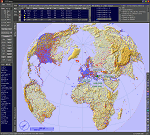
This add-on is an EXE application for Microsoft Flight Simulator and a DLL module for all other simulators. The DLL variant is activated via hotkeys or the simulator menu add-ons or plugins. Window size and layout are configurable for one or more screens. To avoid dazzling, the brightness of the entire application is customizable. Primarily it is a flight management system (FMS) with automatic control from start to landing. This also includes the observance of SID, STAR and Approaches in unmatched quality. The flight plan required for the FMS can be created manually or automatically, interactive changes and additions during the flight are possible. The basis of the flight planner is the 3D world map and the search function for airfields and navigation aids. The FMS by FSTramp relies on the autopilot of the aircraft. In case of incompatibility, the autopilot integrated in FSTramp will be used. This allows FSTramp to control almost all aircraft from airport to airport. The altitude profile of the flight plan, SID, STAR and approach is taken into account. This means that FSTramp extends the often incomplete airport procedures to and from the runway so that they can be flown completely automatically. During the fully automatic flight, the autopilot values ​​for HDG, ALT, VSPEED, SPD and MACH can be manually overridden. This is e.g. useful for being able to react to the instructions of the tower in the final approach without completely stopping the automatic flight. The rotating or north pointing 3D world map with numeric display of the terrain elevation under the mouse arrow is another special feature. It does not need an internet but is synthesized from included height profiles of the globe. The Data of continents, mountains and rivers are included in the setup. Airspaces, Airways, Waypoints and SID, STAR and Approaches are also included in the setup, but can be updated by installing additional AIRAC cycles. Airfields and navigation stations are taken from the simulator. NVIDIA: If the frame rate of the simulator drops sharply about 20 seconds after FSTramp's visibility, the power management of the GPU slows down prematurely. In the NVIDIA Control Panel, change the 'Manage 3D settings - Power management mode' option to 'Adaptive'.
| Filename: | FSTramp_v884_for_MSFS_FSXSE_Prepart3D_XPlane_Win.zip |
| License: | Shareware, time limited |
| Added: | 7th July 2023, 04:35:43 |
| Downloads: | 130 |
| Author: | Helge Schroeder |
| Size: | 358.21 MB |
| Category: Prepar3D V5 - Utilities | |
| FSTramp v8.84 for Prepart3D 2-6, MSFS, FSX(-SE), X-Plane (Win) |
|
Images related to this file:
File Description:
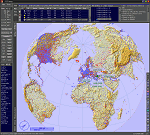
This add-on is an EXE application for Microsoft Flight Simulator and a DLL module for all other simulators. The DLL variant is activated via hotkeys or the simulator menu add-ons or plugins. Window size and layout are configurable for one or more screens. To avoid dazzling, the brightness of the entire application is customizable. Primarily it is a flight management system (FMS) with automatic control from start to landing. This also includes the observance of SID, STAR and Approaches in unmatched quality. The flight plan required for the FMS can be created manually or automatically, interactive changes and additions during the flight are possible. The basis of the flight planner is the 3D world map and the search function for airfields and navigation aids. The FMS by FSTramp relies on the autopilot of the aircraft. In case of incompatibility, the autopilot integrated in FSTramp will be used. This allows FSTramp to control almost all aircraft from airport to airport. The altitude profile of the flight plan, SID, STAR and approach is taken into account. This means that FSTramp extends the often incomplete airport procedures to and from the runway so that they can be flown completely automatically. During the fully automatic flight, the autopilot values ​​for HDG, ALT, VSPEED, SPD and MACH can be manually overridden. This is e.g. useful for being able to react to the instructions of the tower in the final approach without completely stopping the automatic flight. The rotating or north pointing 3D world map with numeric display of the terrain elevation under the mouse arrow is another special feature. It does not need an internet but is synthesized from included height profiles of the globe. The Data of continents, mountains and rivers are included in the setup. Airspaces, Airways, Waypoints and SID, STAR and Approaches are also included in the setup, but can be updated by installing additional AIRAC cycles. Airfields and navigation stations are taken from the simulator. NVIDIA: If the frame rate of the simulator drops sharply about 20 seconds after FSTramp's visibility, the power management of the GPU slows down prematurely. In the NVIDIA Control Panel, change the 'Manage 3D settings - Power management mode' option to 'Adaptive'.
| Filename: | FSTramp_v884_for_Prepart3D_26_MSFS_FSXSE_XPlane_Wi.zip |
| License: | Shareware, time limited |
| Added: | 7th July 2023, 04:35:26 |
| Downloads: | 42 |
| Author: | Helge Schroeder |
| Size: | 358.21 MB |


© 2001-2026 AVSIM Online
All Rights Reserved
Privacy Policy |