
Where Flight Simulation Enthusiasts Gather from Around the World!
AVSIM Library - Search Results

| Category: Flight Simulator X - Utilities | |
| V7.3.3 Addit! Pro Add-on Manager |

|
Images related to this file:
File Description:
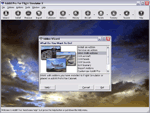
Addit! Pro is a comprehensive addon manager for Flight Simulator X. Easily install, manage and remove aircraft, adventures, flights, flight plans, gauges, missions, panels, A.I. airport and facilities data, scenery, sounds, textures, videos, weather and more! Archive add-ons to Addit! Pro's File Cabinet or recreate them in zip files. Modify your aircraft, panels and sounds. Automatically update FS's Scenery Library. Includes FS Configuration Manager, complete scenery library editor, ZIP/RAR support and much more! See Readme.htm for details. Requires Flight Simulator X: Standard or Deluxe Edition. By Joseph Stearns. [email protected]. Shareware--please register to install an unlimited number of add-ons. See Register.htm.
| Filename: | V733_Addit_Pro_Addon_Manager.zip |
| License: | Shareware, limited functionality |
| Added: | 2nd December 2011, 01:22:41 |
| Downloads: | 757 |
| Author: | Joseph Stearns |
| Size: | 10.8 MB |
| Category: Flight Simulator X - Utilities | |
| NSW Heli spots for HeliTraffic |
|
Images related to this file:
File Description:

NSW Heli spots for HeliTraffic 2009 by Flight 1, Covers OZx scenery, FTX scenery & Standard FSX scenery. Requires HeliTraffic 2009 by Flight 1
| Filename: | NSW_Heli_spots_for_HeliTraffic.zip |
| License: | Freeware |
| Added: | 5th December 2011, 08:44:32 |
| Downloads: | 171 |
| Author: | Matt Levi |
| Size: | 6.37 KB |
| Category: Flight Simulator X - Utilities | |
| Final Approach Visualizer V1 |
|
Images related to this file:
File Description:

A small utility to see real-world Final Approach Course of ANY runway of ANY airport with Google Earth.
Just input the airport ICAO code, ".kml" files will be generated for each runway,
then run Google Earth and open ".kml" file to see Final Approach Course animated.
You can select approach speed, angle, distance and so on. (Default : 720kt, 3 degrees, 10NM)
| Filename: | Final_Approach_Visualizer_V1.zip |
| License: | Freeware |
| Added: | 5th January 2012, 18:17:36 |
| Downloads: | 1,668 |
| Author: | Dongjin Shin |
| Size: | 3.08 MB |
| Category: Flight Simulator X - Utilities | |
| Boeing 737-700 Checklist |
|
Images related to this file:
File Description:
Update for the checklist from iFly. Only for the iFly 737-700. It won't work normally in other planes. You can replace it into other planes, but on other planes than the iFly 737 it will be useless. Requires the iFly 737 X.
| Filename: | Boeing_737700_Checklist.zip |
| License: | Freeware |
| Added: | 5th February 2012, 14:12:26 |
| Downloads: | 482 |
| Author: | Peter |
| Size: | 80.17 KB |
| Category: Flight Simulator X - Utilities | |
| Texture Max Load Editor v1.2.197 |
|
Images related to this file:
File Description:

TMLE was designed to make the use of High Definition and Super High Definition textures easier. By default, FSX's maximum texture resolution is set to the 1024x1024 scale. TMLE can modify this to 2048x2048, and even 4096x4096, allowing you to take full advantage of HD textures. TMLE is not available in very many places these days, as the original Frosty Software website is no loner active. One day, a friend asked me if I had the original installer exe. Fortunately, after some searching on my hard drive, I was able to locate it. The idea came to us that it would be cool to make TMLE available to the public again, but not before contacting the original author. I contacted Steve Frost and he was kind enough to grant me permission to upload it. A huge thanks goes out to him for the permission and for developing such a simple, yet useful tool!
| Filename: | Texture_Max_Load_Editor_v12197.zip |
| License: | Freeware |
| Added: | 30th December 2011, 18:18:03 |
| Downloads: | 1,423 |
| Author: | Steve Frost, Brandon Filer |
| Size: | 2.59 MB |
| Category: Flight Simulator X - Utilities | |
| FSXAIS - Update 1.1.62 |
|
Images related to this file:
File Description:

FSX AI Spotter is a program that is able to schedule AI Aircraft flights (departure and arrivals) for a certain airport using both manual and "live" traffic information.
In the manual mode, the user is able to populate the airport using a simple formatted text file while in the live mode, using geniXsoft "connector", is possible to connect to flightaware.com to get real-time information. FSXAIS then will automatically visualize aircrafts and assigns them flightplan accordings to the scheduled received from the Web.
This update is able to assigns - for the same aircraft type and airline - different aircraft variation if they are available from FSX (i.e. if more than one kind of B738 of Ryanair are available in FSX, each of them will be used for the schedule). A video for such situation is available at http://youtu.be/7FhvtbTaL_A
Necessary a 1.0 full setup of FSXAIS
| Filename: | FSXAIS__Update_1162.zip |
| License: | Shareware, limited functionality |
| Added: | 21st November 2011, 17:18:43 |
| Downloads: | 924 |
| Author: | Vincenzo Mercolino |
| Size: | 1.48 MB |
| Category: Flight Simulator X - Utilities | |
| Flight Plan Converter 213 |
|
Images related to this file:
File Description:
This is a tool which changes the Flightplan file of FSX into Flightplan file of PMDG use and Level-D use. This tool can be used also by Flightplan of FS2004.
| Filename: | Flight_Plan_Converter_213.zip |
| License: | Freeware |
| Added: | 26th November 2011, 09:10:10 |
| Downloads: | 1,524 |
| Author: | Shigeaki Moriya |
| Size: | 1.29 MB |
| Category: Flight Simulator X - Utilities | |
| 'MyConfig' Configuration Editor |
|
File Description:
After changing the display settings in FSX, the values for e.g. TEXTURE_MAX_LOAD, CLOUD_COVERAGE_DENSITY and LOD_RADIUS are reset to their default values, which is mostly not preferred. FSX MyConfig automatically restores your preferred parameter values as kept in the configuration file fsx.cfg.
I wrote the progam because the alternative: copy/paste a backed up fsx.cfg, has the risk of replacing the present fsx.cfg with an outdated one resulting in valid (recent) changes made by FSX or an add-on are lost, Moreover, managing a few parameter values, which you want never to be changed, is much easier accomplished by means of the relatively short FSXMyConfig.cfg file.
| Filename: | MyConfig_Configuration_Editor.zip |
| License: | Freeware |
| Added: | 19th January 2012, 14:35:50 |
| Downloads: | 1,574 |
| Author: | Edward Sluijter |
| Size: | 11.89 KB |
| Category: Flight Simulator X - Utilities | |
| FS Streaming COMM 1.2.8 Upgrade |
|
Images related to this file:
File Description:

FSSC is a program that permits to associate (streaming) url ( like radios, atc chatter, etc. ) to a certain particular frequencies of Microsoft FS COMM.
The streaming, if available, is played according to the frequency set based on a simple visual editable list.
Is possible to elige a backup identifier that will be played if the chosen one gives error or a .wav files on your own.
However, a special mode AIT (Automatic Ident Tuning) let FSSC to tune in the appropriate COM frequency to play the IDENT that is in the range of the aircraft (and is in the GPS flightplan)
All information are displayed in a window directly in MS FS.
The program can be runned also without connection with FS9/FSX, just selecting and clicking the chosen stream.
Requires a full FSSC V1.2.5 Installation!
| Filename: | FS_Streaming_COMM_128_Upgrade.zip |
| License: | Shareware, limited functionality |
| Added: | 20th January 2012, 15:08:44 |
| Downloads: | 375 |
| Author: | Vincenzo Mercolino |
| Size: | 1.55 MB |
| Category: Flight Simulator X - Utilities | |
| 'MyConfig' Configuration Editor v1.1.0 (Final) |
|
File Description:
After changing the display settings in FSX, the values for e.g. TEXTURE_MAX_LOAD, CLOUD_COVERAGE_DENSITY and LOD_RADIUS are reset to their default values, which is mostly not preferred. FSX MyConfig automatically restores your preferred parameter values as kept in the configuration file fsx.cfg. I wrote the progam because the alternative: copy/paste a backed up fsx.cfg, has the risk of replacing the present fsx.cfg with an outdated one resulting in valid (recent) changes made by FSX or an add-on are lost, Moreover, managing a few parameter values, which you want never to be changed, is much easier accomplished by means of the relatively short FSXMyConfig.cfg file.
| Filename: | MyConfig_Configuration_Editor_v110_Final.zip |
| License: | Freeware |
| Added: | 25th January 2012, 15:48:46 |
| Downloads: | 1,871 |
| Author: | Edward Sluijter |
| Size: | 12.28 KB |


© 2001-2026 AVSIM Online
All Rights Reserved
Privacy Policy |