
Where Flight Simulation Enthusiasts Gather from Around the World!
AVSIM Library - Search Results

| Category: Flight Simulator X - Utilities | |
| FsxVDGS (Visual Docking Guidance System) V1.1 |

|
Images related to this file:
File Description:
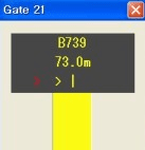
VDGS(Visual Docking Guidance System) for FSX V1.1.
A SimConnect application to simulate VDGS system which helps aircraft to dock at the exact position in front of the airport gate.
It provides azimuth guidance, digital countdown, closing rate bar, "STOP" / "OK" / "TOO FAR" sign.
You can use VDGS service at ANY gate of ANY airport in the world.
| Filename: | FsxVDGS_Visual_Docking_Guidance_System_V11.zip |
| License: | Freeware |
| Added: | 1st February 2012, 18:03:45 |
| Downloads: | 2,456 |
| Author: | Dongjin Shin |
| Size: | 2.79 MB |
| Category: Flight Simulator X - Utilities | |
| Weather radar for ASNext |
|
File Description:
This is the weather radar that I wrote for ASNext in 2014. Included is the source code. I'm grateful to all the other source code, forum help, and tutorials I found around the place to make it work. *Requires ActiveSky Next*
| Filename: | Weather_radar_for_ASNext.zip |
| License: | Freeware |
| Added: | 24th October 2015, 22:02:00 |
| Downloads: | 395 |
| Author: | Bryn Battersby |
| Size: | 140.33 KB |
| Category: Flight Simulator X - Utilities | |
| First Officer Voice Pack for MultiCrew Experience |
|
File Description:
English voice Pack for MCE (MultiCrew Experience).
| Filename: | First_Officer_Voice_Pack_for_MultiCrew_Experience.zip |
| License: | Freeware |
| Added: | 9th September 2012, 21:30:12 |
| Downloads: | 1,071 |
| Author: | Clive Joy |
| Size: | 164.13 MB |
| Category: Flight Simulator X - Utilities | |
| Quantum Leap V1.1 |
|
File Description:
Quantum Leap is a simple utility (tested and working with FSX, P3D v3-v5 and MSFS) which can be run on the same PC as the sim or on a remote computer (using WideFS) to allow an aircraft at cruise to be repositioned in place and time, to in-effect "leap" forward to a future waypoint and time to avoid long periods of cruise and/or the instability issues associated with accelerated flight. It was written and tested with the PMDG B777/737NGX add-ons, but should work with most other add-ons as well. Requires the registered version of FSUIPC appropriate for the sim in use.
V1.1 - fixes a bug that reset the date to Jan 1st when leaping to a time in the next day, plus other small changes. Includes VASMon, a small utility to remotely monitor VAS usage on the FSX machine across a WideFS connection.
| Filename: | Quantum_Leap_V11.zip |
| License: | Freeware, limited distribution |
| Added: | 23rd September 2013, 15:46:17 |
| Downloads: | 1,310 |
| Author: | Bob Scott |
| Size: | 29.35 KB |
| Category: Flight Simulator X - Utilities | |
| XPause 1.0 |
|
File Description:
XPause is a small utility to set pause in FS on conditions like latitude,longitude,altitude,speed,distance to a waypoint or at Top Of Descent.Can calculate your Top of Descent.
You can log main data on a csv text file. You can import a Flight Simulator plan and merge it with the log file to print a flight plan report.Can be used on another computer with widefs.
You will need dotnet framework 3.5 and FSUIPC (4.x for FSX or 3.x for FS9).
| Filename: | XPause_10.zip |
| License: | Freeware |
| Added: | 15th September 2008, 15:32:40 |
| Downloads: | 1,633 |
| Author: | Patrick FABRE |
| Size: | 2.96 MB |
| Category: Flight Simulator X - Utilities | |
| MH's AI Traffic Pack V2.0 |
|
File Description:
This is a toolbox consisting of six programs which all deal with sim object configuration files (aircraft.cfg, sim.cfg) and AI traffic files (traffic*.bgl) of FS.
The first one is “AI Traffic Check“ which checks for missing sim objects and reports possible errors in sim object configuration files.
“SimObject Config Repair” is a novel program designed to find and repair errors in the sim object files. The most common are probably fltsim sequence errors.
“SimObject Config Backup Manager” is a new backup manager which will restore, create and delete sim object file backups.
“SimObject Config Modifier” can be used to modify aircraft configuration files of FS to update them to the FSX standards.
“AI Traffic Merger” is an installer for new AI aircraft and traffic BGL files.
All the programs of the current version have been restructured internally to speed up the reading process of the sim object configuration files, resulting in a reduction of scanning time by about 50%.
| Filename: | MHs_AI_Traffic_Pack_V20.zip |
| License: | Freeware, limited distribution |
| Added: | 4th March 2009, 22:39:27 |
| Downloads: | 3,074 |
| Author: | Michael Heise |
| Size: | 1.48 MB |
| Category: Flight Simulator X - Utilities | |
| MH's AI Traffic Pack V2.1 Update |
|
File Description:
This package updates the main programs of previous V2.0 (required, from AVSIM - MH's AI Traffic Pack V2.0; DLID=135778) to correct some bugs. The first program is “AI Traffic Check“ which checks for missing sim objects and reports possible errors in sim object configuration files. “SimObject Config Repair” is a novel program designed to find and repair errors in the sim object files. “SimObject Config Modifier” can be used to modify aircraft configuration files of FS to update them to the FSX standards.
| Filename: | MHs_AI_Traffic_Pack_V21_Update.zip |
| License: | Freeware, limited distribution |
| Added: | 18th April 2009, 15:43:02 |
| Downloads: | 1,863 |
| Author: | Michael Heise |
| Size: | 835.14 KB |
| Category: Flight Simulator X - Utilities | |
| Bulgaria (Complete) Thermals Scenery |
|
File Description:
FS2002/FS2004/FSX Whole Bulgaria Thermals Scenery
This file adds some thermals to Microsoft default scenery to gliders flights over whole Bulgaria Region,Europe.
It is freeware.
Volta Redonda,Brazil - 01/15/2008
| Filename: | Bulgaria_Complete_Thermals__Scenery.zip |
| License: | Freeware |
| Added: | 22nd January 2008, 00:49:37 |
| Downloads: | 360 |
| Author: | Francisco Augusto Vargas Carneiro |
| Size: | 297.25 KB |
| Category: Flight Simulator X - Utilities | |
| AITP-X for FSX |
|
File Description:
One year on, and AITP is back! This time, AITP-X is specifically aimed at FSX users. The program alters the time limitations imposed by FSX on AI aircraft. If an AI aircraft is holding short, or stopped, for whatever reason, then FS will automatically "kill" that aircraft after exactly 5 minutes. This can be quite visually irritating if you are holding behind these aircraft and they keep popping into thin air, or for example if you enjoy spotting your collection of AI traffic. Once again, JBAI and the entire team involved with AITP-X wish the community a very Merry Christmas. Visit http://jbai-aircraft.com for support and info.
| Filename: | AITPX_for_FSX.zip |
| License: | Freeware, limited distribution |
| Added: | 18th December 2006, 22:44:31 |
| Downloads: | 15,165 |
| Author: | Andrew Jarvis |
| Size: | 3.23 MB |
| Category: Flight Simulator X - Utilities | |
| AIDupe v1.1 |
|
File Description:
AIDupe is a small program that removes duplicated AI aircraft that FSX creates randomly whenever using the stock traffic or third party add-ons at high density settings. Changes in v1.1: bug fix
| Filename: | AIDupe_v11.zip |
| License: | Freeware |
| Added: | 13th April 2012, 00:12:32 |
| Downloads: | 1,670 |
| Author: | Inaki Mayora |
| Size: | 10.83 KB |


© 2001-2026 AVSIM Online
All Rights Reserved
Privacy Policy |