
Where Flight Simulation Enthusiasts Gather from Around the World!
AVSIM Library - Search Results

| Category: Flight Simulator X - Utilities | |
| SID/STARS For Sao Paulo (Congonhas) Rev. 1.3 |

|
File Description:
This update makes 2 corrections: line error 18 removed and LITRE star removed. Sorry for the incovenience. I´ve tested and all of it works fine. You must have PMDG payware.
| Filename: | SIDSTARS_For_Sao_Paulo_Congonhas_Rev_13.zip |
| License: | Freeware |
| Added: | 20th April 2012, 14:46:58 |
| Downloads: | 84 |
| Author: | Giorgio Schneider |
| Size: | 4.82 KB |
| Category: Flight Simulator X - Utilities | |
| Guarulhos Intl - Sao Paulo - (SBGR) |
|
File Description:
This file are included the latest PMDG SID and STAR procedures for SBGR.
I hope you all can enjouy it. You must have PMDG payware.
| Filename: | Guarulhos_Intl__Sao_Paulo__SBGR.zip |
| License: | Freeware |
| Added: | 29th April 2012, 05:37:29 |
| Downloads: | 137 |
| Author: | Giorgio Schneider, PMDG |
| Size: | 4.92 KB |
| Category: Flight Simulator X - Utilities | |
| V7.3.5 Addit! Pro Add-on Manager (Shareware!) |
|
Images related to this file:
File Description:
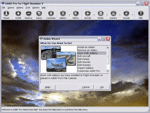
Addit! Pro is a comprehensive addon manager for Flight Simulator X. Easily install, manage and remove aircraft, adventures, flights, flight plans, gauges, missions, panels, A.I. airport and facilities data, scenery, sounds, textures, videos, weather and more! Archive add-ons to Addit! Pro's File Cabinet or recreate them in zip files. Modify your aircraft, panels and sounds. Automatically update FS's Scenery Library. Includes FS Configuration Manager, complete scenery library editor, ZIP/RAR support and much more! See Readme.htm for details. Requires Flight Simulator X: Standard or Deluxe Edition. By Joseph Stearns.
Shareware (limited functionality) -- please register to install an unlimited number of add-ons. See Register.htm. The registration fee is $24.95 US.
| Filename: | V735_Addit_Pro_Addon_Manager_Shareware.zip |
| License: | Shareware, limited functionality |
| Added: | 11th July 2012, 20:24:24 |
| Downloads: | 251 |
| Author: | Joseph Stearns |
| Size: | 10.8 MB |
| Category: Flight Simulator X - Utilities | |
| Project Airbus A380 Cabin glass Opacity fix |
|
File Description:
Guys, this is an easy fix for the FSX pa_a380 cabin glass opacity...All you need to do is first delete the cabin_glass.bmp file and copy this one to your pa_a380 texture folder! Enjoy people!
| Filename: | Project_Airbus_A380_Cabin_glass_Opacity_fix.zip |
| License: | Freeware |
| Added: | 20th April 2015, 20:56:50 |
| Downloads: | 1,028 |
| Author: | Shivang Yadav / Project Airbus |
| Size: | 124.18 KB |
| Category: Flight Simulator X - Utilities | |
| FSLaunchPad |
|
Images related to this file:
File Description:
If your FSX is slow to start because you have a lot of sceneries, FsLaunchpad (FSL) is for you.
FSL allows to select your sceneries, load your addons and launch FSX in same time.
With FSL loading FSX and selected sceneries will be up to 5 times faster than if FSX loads all your sceneries. Moreover you can manage your sceneries easily. Add, edit, delete and even move your scenes in a different directory with some clicks! FSL User Interface is available in English and French.
Visit www.fslauncher.com you will find videos on Youtube and more information about FsLaunchpad.
| Filename: | FSLaunchPad.zip |
| License: | Freeware, limited distribution |
| Added: | 21st May 2015, 09:36:32 |
| Downloads: | 604 |
| Author: | Pierre Legault |
| Size: | 2.67 MB |
| Category: Flight Simulator X - Utilities | |
| FSLaunchPad 1.12 |
|
File Description:
If your Flight Simulator is slow to start because you have a lot of sceneries, FsLaunchpad (FSL) is for you.
FSL allows to Select your Sceneries, Load your Addons and Launch FSX in same time.
The version 1.12 correct blinking "Launching" message at startup cause by differents scenery.cfg configuration and allow at startup to select your FS configuration. Also FSL is now compatible with FS9, FSX and P3D and allow to see your Source Addons by Alphabetical Order or by Order Priority. FSL User Interface is available in English and French.
Visit www.fslauncher.com you will find videos on Youtube and more information about FsLaunchpad.
| Filename: | FSLaunchPad_112.zip |
| License: | Freeware, limited distribution |
| Added: | 29th May 2015, 16:07:49 |
| Downloads: | 577 |
| Author: | Pierre Legault |
| Size: | 2.92 MB |
| Category: Flight Simulator X - Utilities | |
| skyLOGX v2.0 ** UPDATE ** |
|
Images related to this file:
File Description:
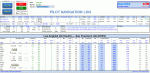
skyLOGX is a virtual navigation log (PLOG) coded in Microsoft Excel VBA to ease your preflight workload before you hop in bush wilderness aboard the selected general aviation aircraft - currently supported are A2A Cessna 172R, A2A Cessna 182T, and SibWings Antonov An-2. Although with slight modification in programming code, the logic can be applied to any GA aircraft.
It can also convert your native FSX/P3D flight plans or those created in Plan-G (in PLN format) to Google Earth KML and/or SkyVector format. The reversed conversion between flight plan formats is also possible.
| Filename: | skyLOGX_v20__UPDATE_.zip |
| License: | Freeware |
| Added: | 6th June 2015, 13:48:42 |
| Downloads: | 803 |
| Author: | Vuqar Quliyev |
| Size: | 13.75 MB |
| Category: Flight Simulator X - Utilities | |
| FSXBox ** Updated Version ** |
|
File Description:
FSXBox is a utility that adds realism to FSX when used with an XBox 360 Controller.
When your plane encounters turbulence, it makes your controller vibrate.
| Filename: | FSXBox__Updated_Version_.zip |
| License: | Shareware, limited functionality |
| Added: | 21st June 2015, 15:30:07 |
| Downloads: | 105 |
| Author: | Jeff Balk |
| Size: | 1.02 MB |
| Category: Flight Simulator X - Utilities | |
| FS2Crew NGX Reboot Captains Flows and Checklists - Update #2 |
|
Images related to this file:
File Description:
Compact Captains Flows & Checklists - NGX Reboot. All SOP's
File also contains tabs in Excel Spreadsheet for PMDG 777, Aerosoft Airbus and Majestic Q400.
Excel and PDF files included.
| Filename: | FS2Crew_NGX_Reboot_Captains_Flows_and_Checklists__.zip |
| License: | Freeware |
| Added: | 3rd August 2015, 23:58:43 |
| Downloads: | 3,008 |
| Author: | Mark Wolpert |
| Size: | 847.54 KB |
| Category: Flight Simulator X - Utilities | |
| Addit! Pro Add-on Manager V7.5.2 |
|
Images related to this file:
File Description:
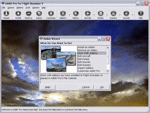
Addit! Pro is a comprehensive addon manager for Flight Simulator X. Easily install, manage and remove aircraft, adventures, flights, flight plans, gauges, missions, panels, A.I. airport and facilities data, scenery, sounds, textures, videos, weather and more! Archive add-ons to Addit! Pro's File Cabinet or recreate them in zip files. Modify your aircraft, panels and sounds. Automatically update FS's Scenery Library. Includes FS Configuration Manager, complete scenery library editor, ZIP/RAR support and much more! See Readme.htm for details. Requires Flight Simulator X: Standard, Deluxe, Gold or Steam Edition. Shareware $24.95--please register to install an unlimited number of add-ons. See Register.htm. By Joseph Stearns.
| Filename: | Addit_Pro_Addon_Manager_V752.zip |
| License: | Shareware, limited functionality |
| Added: | 18th March 2015, 19:53:07 |
| Downloads: | 1,258 |
| Author: | Joseph Stearns |
| Size: | 10.88 MB |


© 2001-2026 AVSIM Online
All Rights Reserved
Privacy Policy |