
Where Flight Simulation Enthusiasts Gather from Around the World!
AVSIM Library - Search Results

| Category: Flight Simulator X - Utilities | |
| FSRemote 2.0 |

|
File Description:
Current version 2.0
Version 2.0 contains a new more graphical interface
Version 1.0 contains various little bug fixes plus Fuel management in the Engines dialog
FS-Remote a utility for remotely controlling FSX
The Zip file contains:
* Readme text file
* .NET 2.0 FS-Remote executable
* Configuration file for FS-Remote
* Document file in MSWord format
What you need to run FS-Remote:
* .NET 2.0 or 3.0 installed on the computer where you want to run FS-Remote
* FSUIPC4 (registered) on the computer where you run FSX
* WideClient (FSUIPC4 FSWide remote) if you want to run FS-Remote on a remote computer
It does what the title says FS-Remote controls FSX remotely through FSUIPC.
Just take a look at the (word) document that is contained in the zip file and look at some screen shots.
It can view and control the following items in FSX through FSUIPC:
* Aircraft - Control aircraft switches like Lights, Doors, Pushback, De-Ice and Jetway plus call fuel truck
* Auto Pilot - Control auto pilot switches plus reset altimeter and heading indicator instruments
* Radio - Control radio stack switches and push buttons plus view navigation status information
* Attitude - View attitude information and warnings plus convert and view various items in feet, meter, knots, mph and km/p
* Engines - Control engines auto start and stop plus fuel management
* Weather - not implemented jet (next version)
* Environment - View the local date, time and position environment information
* Date Time - Control and view the flight simulator date and time
* Message - View and send messages to flight simulator message bar
* FPS - View real-time flight simulator frames per second FPS rate
* About - View version information about FS-Remote, FSUIPC4 and FSX
Hope that you like it.
| Filename: | FSRemote_20.zip |
| License: | Freeware |
| Added: | 9th November 2007, 22:24:52 |
| Downloads: | 1,674 |
| Author: | Hans Elzer |
| Size: | 620.8 KB |
| Category: Flight Simulator X - Utilities | |
| Gauges Recovery 1.2 for FSX |
|
File Description:
New ! Since version 1.2 Gauges Recovery also fix the problem of compatibility from FS9 add-ons which display all gray and without texture !!!
DESCRIPTION:
For years I worked on Flight Simulator I realized that many people have problems with showing the gauges panel (black screen) or special effects such as afterburner, smoke or line of condensation occurring after uninstalling an add-on or accidentally deleted files of the simulator.
In your Flight Simulator X there is a folder named 'Gauges' it contains files 'gauges' representative board instrumentation for each add-on, such as the autopilot, the horizon indicator etc, if you delete one of these files, your panel will not display the gauge that it was programmed. It is the same for the folder 'Effects' that contains all the special effects in FSX, it sometimes happens that some files in these folders disappear leaving your simulator in a situation where you no longer see your instrument panel (black screens) and afetburner invisible. Under these conditions, you reinstall FSX and lose a lot of time (and patience).
So I created Gauges Recovery, a small free utility that will restore all your gauges and effects of origin in less than 10 seconds. With Gauges Recovery, you're sure to get the display of all gauges and effects.
This program does restore the original files from Microsoft FSX FSX SP1, FSX SP2 and not the files from other publishers, no changes will be made to these files.
Some people see the gauges all black (black screens), unless FSX is installed correctly. The solution to this problem is to install the files MSVCP70.DLL and msvcr70.dll in your 'system32', Gauges Recovery does this automatically for you.
Do not look if Gauges Recovery is installed because there is no installation, the program only updates files in FSX and nothing else.
| Filename: | Gauges_Recovery_12_for_FSX.zip |
| License: | Freeware |
| Added: | 19th January 2010, 10:47:17 |
| Downloads: | 4,883 |
| Author: | Erik BENDER |
| Size: | 11.43 MB |
| Category: Flight Simulator X - Utilities | |
| FS Streaming COMM 1.2.8 Upgrade |
|
Images related to this file:
File Description:

FSSC is a program that permits to associate (streaming) url ( like radios, atc chatter, etc. ) to a certain particular frequencies of Microsoft FS COMM.
The streaming, if available, is played according to the frequency set based on a simple visual editable list.
Is possible to elige a backup identifier that will be played if the chosen one gives error or a .wav files on your own.
However, a special mode AIT (Automatic Ident Tuning) let FSSC to tune in the appropriate COM frequency to play the IDENT that is in the range of the aircraft (and is in the GPS flightplan)
All information are displayed in a window directly in MS FS.
The program can be runned also without connection with FS9/FSX, just selecting and clicking the chosen stream.
Requires a full FSSC V1.2.5 Installation!
| Filename: | FS_Streaming_COMM_128_Upgrade.zip |
| License: | Shareware, limited functionality |
| Added: | 20th January 2012, 15:08:44 |
| Downloads: | 375 |
| Author: | Vincenzo Mercolino |
| Size: | 1.55 MB |
| Category: Flight Simulator X - Utilities | |
| FSXAIS - Update 1.1.62 |
|
Images related to this file:
File Description:

FSX AI Spotter is a program that is able to schedule AI Aircraft flights (departure and arrivals) for a certain airport using both manual and "live" traffic information.
In the manual mode, the user is able to populate the airport using a simple formatted text file while in the live mode, using geniXsoft "connector", is possible to connect to flightaware.com to get real-time information. FSXAIS then will automatically visualize aircrafts and assigns them flightplan accordings to the scheduled received from the Web.
This update is able to assigns - for the same aircraft type and airline - different aircraft variation if they are available from FSX (i.e. if more than one kind of B738 of Ryanair are available in FSX, each of them will be used for the schedule). A video for such situation is available at http://youtu.be/7FhvtbTaL_A
Necessary a 1.0 full setup of FSXAIS
| Filename: | FSXAIS__Update_1162.zip |
| License: | Shareware, limited functionality |
| Added: | 21st November 2011, 17:18:43 |
| Downloads: | 923 |
| Author: | Vincenzo Mercolino |
| Size: | 1.48 MB |
| Category: Flight Simulator X - Utilities | |
| Texture Max Load Editor v1.2.197 |
|
Images related to this file:
File Description:

TMLE was designed to make the use of High Definition and Super High Definition textures easier. By default, FSX's maximum texture resolution is set to the 1024x1024 scale. TMLE can modify this to 2048x2048, and even 4096x4096, allowing you to take full advantage of HD textures. TMLE is not available in very many places these days, as the original Frosty Software website is no loner active. One day, a friend asked me if I had the original installer exe. Fortunately, after some searching on my hard drive, I was able to locate it. The idea came to us that it would be cool to make TMLE available to the public again, but not before contacting the original author. I contacted Steve Frost and he was kind enough to grant me permission to upload it. A huge thanks goes out to him for the permission and for developing such a simple, yet useful tool!
| Filename: | Texture_Max_Load_Editor_v12197.zip |
| License: | Freeware |
| Added: | 30th December 2011, 18:18:03 |
| Downloads: | 1,423 |
| Author: | Steve Frost, Brandon Filer |
| Size: | 2.59 MB |
| Category: Flight Simulator X - Utilities | |
| AI Flight Planner Version 2 FS9 Compatible |
|
Images related to this file:
File Description:

AI Flight Planner is a fully-integrated, comprehensive AI flight planning system for both FS9 and FSX. It can use either TTools-format text files or compiled MSFS traffic files as source data. Among its unique features are: departure and arrival times may be specified using local time, airports specified using either ICAO or IATA codes, similar legs in weekly flight plans created automatically, comprehensive error checking and traffic file validation and conversion. Version 2 adds a full range of flight plan and repaint installion capabilities as well as several other new functions. These new capabilities were developed in cooperation with AIG (Alpha-India Group). While intended to meet AIG's specific requirements, AIFP version 2 remains a general purpose tool that may be used to install anyone's flight plans and repaint packages. This re-release of Version 2 is to facilitate future updates from http://stuff4fs.com. Current users of Version 2 will be automatically updated.
| Filename: | AI_Flight_Planner_Version_2_FS9_Compatible.zip |
| License: | Freeware, limited distribution |
| Added: | 19th August 2011, 00:28:50 |
| Downloads: | 16,285 |
| Author: | Don Grovestine |
| Size: | 1.56 MB |
| Category: Flight Simulator X - Utilities | |
| FS2004/FSX Flight Analyzer, Logbook Utility V4.09 |
|
Images related to this file:
File Description:
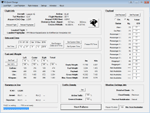
FS2004/FSX Flight Analyzer Utility V4.09
Flight Data Recorder - Logbook.
NOW WITH STATISTICS TOP 5 AIRPORTS, CITIES AND COUNTRIES.
Very easy to use, just make a flight plan in the simulator or in this utility.
What this program do:
- quickly change the settings of FSX/Fs2004, such as time, date, fuel, weight, traffic etc.
- start a failure sytem, such as gear, flaps, engine, etc.
- freeze the time, so you can fly in a for everlasting sunset.
- runway detecting system to see wich runways are in use.
- flight analyzing/data recording from departure to parking at the gate.
- When flight analysis is finished you can print a report, the report is automaticly saved as pdf File.
- graphical landingchart.
- record all your flights
- quickly look to your FSX display settings (only FSX) and change them even before the flight simulator is running.
- After a flight is finished FsQC saves your flight automaticly as 'FsQC last Flight', so you can continue the next day or hour.
Flight analysis start recording at the moment when you begin taxiing.
It gives you huge information such as:
- takeoff- and landing-weight.
- takeoff- and landing-roll in m. and ft.
- separate fuel consumption in taxi, climb, cruise and descent.
- maximum banking in flight.
- which speed you using the flaps and gear.
- when autopilot on or off.
- vertical speed on touchdown.
- reverser set after landing.
- wich speed you cancel reverser.
- bouncing at landing.
- graphical landingchart.
- and lots of more.
You can better look the example of the pdf document located in the 'Flight Reports' folder.
Logbook records:
- fuel consumption.
- payload.
- distance.
- number of different airports.
- flight hours.
- landings.
- flaps.
- speed.
- and lots of more.
- quickly show touchdown wind information in a picture.
- quickly show the graphical landing chart.
- Now with statistics: top 5 Countries, Cities and Airports
Requirements:
Computer with vista or higher and internet access.
Microsoft .net framework 4.6 or higher.(free download on microsft.com)
Flightsimulator FSX or 2004 and FSUIPC installed.
Note: requires paid activation for full use.
Register and you have 1 month free.
Program fully works without registration at airport Athens and Iraklion (Greece)
| Filename: | FS2004FSX_Flight_Analyzer_Logbook_Utility_V409.zip |
| License: | Shareware, time limited |
| Added: | 3rd March 2019, 00:20:37 |
| Downloads: | 249 |
| Author: | Evander Tholen |
| Size: | 3.35 MB |


© 2001-2026 AVSIM Online
All Rights Reserved
Privacy Policy |