
Where Flight Simulation Enthusiasts Gather from Around the World!
AVSIM Library - Search Results

| Category: Flight Simulator X - Utilities | |
| FSINN for FSX Hebrew Manual |

|
File Description:
This guide is for those who wishes to connect VATSIM via FSINN
For more details read the manual.
| Filename: | FSINN_for_FSX__Hebrew_Manual.zip |
| License: | Freeware |
| Added: | 14th February 2008, 00:57:28 |
| Downloads: | 430 |
| Author: | Aviv Kerbel |
| Size: | 533.27 KB |
| Category: Flight Simulator X - Utilities | |
| AFTS Flight Tracking for FSX |
|
File Description:
AFTS (Advanced Flight Tracking System) allows you to track your aircraft movements via live maps, and also keeps logs of your hours flown. It can be used as part of the AFTS VA and Group Management System for full Pilot Management, including Flight Planning and Scheduling. Additional features such as dynamic Forum Signature to display hours are available also. AFTS is a Freeware software and has been uploaded by the authors at SimFly.EU.
Features:
-Live Flight Tracking Maps
-Full Website Integration Kit
-Automated Flight Plan Tracking
-Flight Plan Builder
-Full VA/Group Management
-Scheduling
-Custom Forum Signatures (Dynamic)
-Pilot Hours Tracking and Ranks
-VA Ranks
-Monthly Statistics (generated Daily)
Copyright 2007/08 http://www.simfly.eu
| Filename: | AFTS_Flight_Tracking_for_FSX.zip |
| License: | Freeware |
| Added: | 29th December 2007, 10:51:43 |
| Downloads: | 1,871 |
| Author: | SimFly.EU Developement Team |
| Size: | 390.68 KB |
| Category: Flight Simulator X - Utilities | |
| Project Rhino 58 FSX Update |
|
File Description:
Project Rhino 58 FSX: Airport Fire Rescue Truck Sound and FDE Update.
| Filename: | Project_Rhino_58_FSX__Update.zip |
| License: | Freeware |
| Added: | 19th October 2008, 10:18:06 |
| Downloads: | 956 |
| Author: | Dirk Stuck |
| Size: | 613.02 KB |
| Category: Flight Simulator X - Utilities | |
| AiSort. Vers 2.1.1 for FSX |
|
File Description:
A program to build new flight plans, Convert Fs9 Ttools Flight plans to FsX Compatibility,
Edit, Delete, add to existing Plans And create auto plans useing selected aircraft
and seleted airports.
Requires Microsoft net 3.5 and Fsx Deluxe with the SDK Installed.
By Frank Salter. [email protected]
| Filename: | AiSort____Vers_211_for_FSX.zip |
| License: | Freeware |
| Added: | 21st April 2010, 21:24:36 |
| Downloads: | 3,191 |
| Author: | Frank Salter |
| Size: | 617.54 KB |
| Category: Flight Simulator X - Utilities | |
| Flight Trip Chooser 2.0 FSX |
|
File Description:
Flight Trip Chooser 2.0 FSX is a new version of Flight Trip Chooser 1.0, the old version is obsolete and no longer needed.
Flight Trip Chooser 2.0 FSX is a simple tool to suggest you a departure airport by random and a selection of destination airports (all available FSX airports, more than 24.000) within a given and adjustable distance you can choose from. Detailed information about the airports (runway, map, charts, etc.) and the flight area (weather radar, map, GoogleMap, etc.) is available with just one click for every single airport.
NEW! In addition the user can pick a departure airport and define a range of distance to show available destinations around the departure airport.
You will need MSExcel to use this tool and a internet connection to get detailed information.
| Filename: | Flight_Trip_Chooser_20_FSX.zip |
| License: | Freeware |
| Added: | 14th February 2009, 11:57:41 |
| Downloads: | 2,311 |
| Author: | Gerhard Scheuerecker |
| Size: | 11.04 MB |
| Category: Flight Simulator X - Utilities | |
| Gauges Recovery 1.2 for FSX |
|
File Description:
New ! Since version 1.2 Gauges Recovery also fix the problem of compatibility from FS9 add-ons which display all gray and without texture !!!
DESCRIPTION:
For years I worked on Flight Simulator I realized that many people have problems with showing the gauges panel (black screen) or special effects such as afterburner, smoke or line of condensation occurring after uninstalling an add-on or accidentally deleted files of the simulator.
In your Flight Simulator X there is a folder named 'Gauges' it contains files 'gauges' representative board instrumentation for each add-on, such as the autopilot, the horizon indicator etc, if you delete one of these files, your panel will not display the gauge that it was programmed. It is the same for the folder 'Effects' that contains all the special effects in FSX, it sometimes happens that some files in these folders disappear leaving your simulator in a situation where you no longer see your instrument panel (black screens) and afetburner invisible. Under these conditions, you reinstall FSX and lose a lot of time (and patience).
So I created Gauges Recovery, a small free utility that will restore all your gauges and effects of origin in less than 10 seconds. With Gauges Recovery, you're sure to get the display of all gauges and effects.
This program does restore the original files from Microsoft FSX FSX SP1, FSX SP2 and not the files from other publishers, no changes will be made to these files.
Some people see the gauges all black (black screens), unless FSX is installed correctly. The solution to this problem is to install the files MSVCP70.DLL and msvcr70.dll in your 'system32', Gauges Recovery does this automatically for you.
Do not look if Gauges Recovery is installed because there is no installation, the program only updates files in FSX and nothing else.
| Filename: | Gauges_Recovery_12_for_FSX.zip |
| License: | Freeware |
| Added: | 19th January 2010, 10:47:17 |
| Downloads: | 4,883 |
| Author: | Erik BENDER |
| Size: | 11.43 MB |
| Category: Flight Simulator X - Utilities | |
| FSX Flightplan to FS9 Flightplan |
|
File Description:
In contrast to FS9, it is possible in FSX to implement user-defined waypoints directly into a flightplan by dragging and dropping it into the map (this goal can evidently be achieved in FS9 only with the assistance of AddOn tools like e.g. FlightSimCommander). This program enables the user to convert a flightplan, created with the flightplanner in FSX, directly into the corresponding flightplan in FS9, thereby making it possible to implement user-defined waypoints also in FS9 flightplans without the help of AddOns.
| Filename: | FSX_Flightplan_to_FS9_Flightplan.zip |
| License: | Freeware |
| Added: | 3rd March 2007, 13:31:15 |
| Downloads: | 1,806 |
| Author: | Gerhard Berendt |
| Size: | 70.54 KB |
| Category: Flight Simulator X - Utilities | |
| FSX Log book editor 0.2 |
|
File Description:
This is an editor for FSX log book files. It can modify flight times, destination or landing airports and comments recorded for each flight in the logbook. You can export your logbook to CSV (Microsoft Excel) or HTML. It can also import the contents of your FS9 logbook.
This release adds new import/export features and a new gui to edit more informations contained in the logbook.
Requires Java Runtime Environment.
| Filename: | FSX_Log_book_editor_02.zip |
| License: | Freeware |
| Added: | 6th November 2006, 16:37:29 |
| Downloads: | 6,543 |
| Author: | Lamont Clark (lc0277) |
| Size: | 84.66 KB |
| Category: Flight Simulator X - Utilities | |
| Graphic Realism and FSX Optimization |
|
File Description:
The add-ons configuration step by step
Not configured FSX is a pain in the neck for many people. A small number of fps and frequent CTD (crash to desktop) can be extremely annoying or even depressing to some users. A lot of you probably came to a conclusion that it was going to be a losing battle and you gave up after a few fruitless days or you spent money on the FSPS-XTREME FSX PC V2 program, which can automatically do practically everything for us. But what's the point of spending money on something that we can do by ourselves with the help of this handbook?
I myself was dealing with the FSX platform three times before I gave up FS9. Microsoft gave out the engine to us, but in order to make sense, our passion involves radical tuning of the device. On the ground of one's own experience and thousands of hours devoted by people to diving into the core of the platform, I'll present a way of installation, add-ons selection and their configuration starting from the installation of the system. Having done the procedures described below, FSX will look beautiful and it'll work smoothly even with challenging sceneries. The entirety is based on quite a popular hardware configuration, which will let us use 85% of the graphic potential of Microsoft Flight Simulator X. We want t to achieve the goal of minimum 25 fps in VC B738 PMDG NGX, with challenging sceneries, flying in the window mode. For the mode the full screen efficiency should reach 33 fps.
In this handbook, I'm neither going to describe each and every change made in cfg nor explain what the alterations are to conduce. You will be given a simple and ready recipe which I use myself. I can't guarantee a 100% satisfaction for the poorer equipment computers. I can assure you, however, that FSX will definitely work so much better and playing with FSX sliders or with the size of textures in REX you will be able to obtain the desired effect.
| Filename: | Graphic_Realism_and_FSX_Optimization.zip |
| License: | Freeware, limited distribution |
| Added: | 15th November 2013, 20:33:26 |
| Downloads: | 5,743 |
| Author: | Grzegorz Trzoch |
| Size: | 3.96 MB |
| Category: Flight Simulator X - Utilities | |
| TweakFS Utility Collection for FSX |
|
Images related to this file:
File Description:
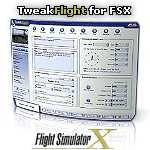
The TweakFS Utility Collection for FSX includes the following: TweakFlight for FSX (Flight File Editor), TweakFPS for FSX (Scenery Mode Editor), TweakLoad for FSX (Aircraft Loading Editor), TweakAircraft for FSX (Aircraft Config File Editor) and the TweakFS Explorer (File Manager for FSX). As a group these five unique applications each have a different scope and purpose, but come with a consistent look and feel. Between them they can handle well over 1000 settings and variables in FSX. They make fine-tuning your fsx.CFG, Aircraft.CFG and FLT (saved flight) files a breeze, providing functionality, speed and ease of use that goes well beyond what can be done by manually editing the files. All the tools are designed with one important principle in mind - a one-click "restore from backup" function. This means an adjustment can be applied with complete impunity and there is always the "bailout" option if there are any "funnies", the one justifiable concern that holds many back from making changes to their FS setup. All come as free 30-Day demos.
| Filename: | TweakFS_Utility_Collection_for_FSX.zip |
| License: | Shareware, time limited |
| Added: | 5th March 2010, 10:51:29 |
| Downloads: | 2,102 |
| Author: | TweakFS (Fermin Fernandez) |
| Size: | 44.1 MB |


© 2001-2026 AVSIM Online
All Rights Reserved
Privacy Policy |