
Where Flight Simulation Enthusiasts Gather from Around the World!
AVSIM Library - Search Results

| Category: Flight Simulator X - Utilities | |
| Static Aircraft .mdl Maker ("SAMM") FS9 Compatible |

|
File Description:
Tired of having to program AI (and suffer the overhead) just to have some "eye candy" sitting around your airport. No more! Static Aircraft .mdl Maker ("SAMM") will convert just about any FS8 or FS9 flyable or AI aircraft into a FS9 scenery model. (FSX will display most of these models satisfactorily.) Just "point" SAMM to the aircraft you wish to convert, decide where to save the scenery file and, presto, "eye candy". Most aircraft will convert using SAMM's default settings. Where, the static model is not quite right using default settings or if you want to make your static models as efficient as possible, SAMM includes a set of tools to help you. This re-release is to facilitate future updates from http://stuff4fs.com. Current users will be automatically updated.
| Filename: | Static_Aircraft_mdl_Maker_SAMM_FS9_Compatible.zip |
| License: | Freeware, limited distribution |
| Added: | 19th August 2011, 00:34:53 |
| Downloads: | 1,706 |
| Author: | Don Grovestine |
| Size: | 555.51 KB |
| Category: Flight Simulator X - Utilities | |
| FSXRC Graphical Remote Control |
|
Images related to this file:
File Description:
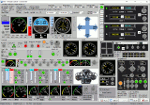
This is a FSX (only) Remote Control program with a GUI. It is intended to help you fly your various
aircraft without making changes to the aircraft files. This is a beta version with support for fixed
wing, combustion engine aircraft with 1 to 4 engines. It requires Pete Dowson's FSUIPC v4 with or
without WideFS, but it works best on a separate computer with the registered version of FSUIPC and
WideFS. The program will work for 30 days without a registration key. If you want a key, email me (see readme.txt file) with the installation code and your feedback.
With this application you can have a flight engineer working with you or an instructor can monitor and
challenge a student. You can simply use the app to help you control aspects of the aircraft that you
may not have easy access to.
| Filename: | FSXRC_Graphical_Remote_Control.zip |
| License: | Check within download |
| Added: | 16th June 2016, 08:15:08 |
| Downloads: | 182 |
| Author: | Scott Carpenter |
| Size: | 3.39 MB |
| Category: Flight Simulator X - Utilities | |
| Slewable Control Tower |
|
Images related to this file:
File Description:

WHAT IS IT?
In a nutshell, the stock FSX control tower turned into an airplane with the aerodynamics of a cement brick with highly adjustable landing gear for tower height. No longer does one have to create a multiplayer session to use the stock control tower to do some AI "plane watching". The control tower is fitted with floats so one can slew to a good vantage point at certain airports like Boston Logan, La Guardia or KSFO for instance, floating on water. (Yes, it still "bobs" with waves) This was also done for better stability on uneven ground and the inability to roll around. There are some new features added such as tower flood lighting, a reference switch, and an external program to adjust the tower height (30-1000 ft.) for convenience. ( Not tested at all in P3D )
| Filename: | Slewable_Control_Tower.zip |
| License: | Freeware, limited distribution |
| Added: | 6th September 2013, 15:30:05 |
| Downloads: | 662 |
| Author: | Roman Stoviak |
| Size: | 770.98 KB |
| Category: Flight Simulator X - Utilities | |
| FS Streaming COMM 1.2.8 Upgrade |
|
Images related to this file:
File Description:

FSSC is a program that permits to associate (streaming) url ( like radios, atc chatter, etc. ) to a certain particular frequencies of Microsoft FS COMM.
The streaming, if available, is played according to the frequency set based on a simple visual editable list.
Is possible to elige a backup identifier that will be played if the chosen one gives error or a .wav files on your own.
However, a special mode AIT (Automatic Ident Tuning) let FSSC to tune in the appropriate COM frequency to play the IDENT that is in the range of the aircraft (and is in the GPS flightplan)
All information are displayed in a window directly in MS FS.
The program can be runned also without connection with FS9/FSX, just selecting and clicking the chosen stream.
Requires a full FSSC V1.2.5 Installation!
| Filename: | FS_Streaming_COMM_128_Upgrade.zip |
| License: | Shareware, limited functionality |
| Added: | 20th January 2012, 15:08:44 |
| Downloads: | 375 |
| Author: | Vincenzo Mercolino |
| Size: | 1.55 MB |
| Category: Flight Simulator X - Utilities | |
| SplashSpinner v1.0 - Splashscreen Randomizer |
|
File Description:
SplashSpinner v1.0 – A Flight Simulator splash screen randomizer
This program will allow you to see a different splashscreen in Flight Simulator each time you load it. The program should work with ANY release of Microsoft® Flight Simulator that uses the splashscreen called “dlgsplash.bmp” located in the “uires” folder of the main Flight Simulator directory. Versions beyond FSX won’t automatically run the Flight Simulator program but if everything else is the same it should randomize the splash anyway. On first run, you'll pick what folder Flight Simulator is in. After that it will run, randomize and load Flight Simulator automatically. You can use this program as a shortcut for whichever version of Flight Simulator you have. You should also be able to use this same program on multiple versions. After install just copy the SplashSpinner folder to a new name and delete the SplashSpinner.config file.
The program may require Microsoft .net v1.11 or greater to be installed on your computer.
| Filename: | SplashSpinner_v10__Splashscreen_Randomizer.zip |
| License: | Freeware, limited distribution |
| Added: | 8th December 2006, 10:43:46 |
| Downloads: | 3,086 |
| Author: | Randy Alexander |
| Size: | 1.69 MB |
| Category: Flight Simulator X - Utilities | |
| AirTrack Plug-in v1.4 |
|
Images related to this file:
File Description:

This is an update of the Microsoft Flight Simulator X plug-in for the AirTrack iPhone, iPad and iPod Touch app. In order to install it run the executable that will deploy a gauge in the proper folder and automatically activate it.
AirTrack is an App that allows tracking of FS9 flights on your iPhone or iPad in real time using a local wireless network with built-in parameter reporting, an EFIS MFD, an FMC and Airport information. You can also command the plane from the application.
The current update fixes some bugs, improves the communication between the plug-in and the applicaiton and allows the flight plan created at the Flight Simulators to be displaid in the AirTrack. It also adds support for speeds limits, flight director bars in the PDF and VAS selector.
To learn more about the app and its availability please visit the product' site: air.ipobjects.com. If you have any question regarding the FSX plug-in you can contact us at [email protected]
| Filename: | AirTrack_Plugin_v14.zip |
| License: | Freeware |
| Added: | 10th May 2011, 13:54:57 |
| Downloads: | 399 |
| Author: | Jofre Palau |
| Size: | 312.46 KB |
| Category: Flight Simulator X - Utilities | |
| MH's AI Traffic Pack V2.0 |
|
File Description:
This is a toolbox consisting of six programs which all deal with sim object configuration files (aircraft.cfg, sim.cfg) and AI traffic files (traffic*.bgl) of FS.
The first one is “AI Traffic Check“ which checks for missing sim objects and reports possible errors in sim object configuration files.
“SimObject Config Repair” is a novel program designed to find and repair errors in the sim object files. The most common are probably fltsim sequence errors.
“SimObject Config Backup Manager” is a new backup manager which will restore, create and delete sim object file backups.
“SimObject Config Modifier” can be used to modify aircraft configuration files of FS to update them to the FSX standards.
“AI Traffic Merger” is an installer for new AI aircraft and traffic BGL files.
All the programs of the current version have been restructured internally to speed up the reading process of the sim object configuration files, resulting in a reduction of scanning time by about 50%.
| Filename: | MHs_AI_Traffic_Pack_V20.zip |
| License: | Freeware, limited distribution |
| Added: | 4th March 2009, 22:39:27 |
| Downloads: | 3,067 |
| Author: | Michael Heise |
| Size: | 1.48 MB |
| Category: Flight Simulator X - Utilities | |
| AI Flight Planner Version 2 FS9 Compatible |
|
Images related to this file:
File Description:

AI Flight Planner is a fully-integrated, comprehensive AI flight planning system for both FS9 and FSX. It can use either TTools-format text files or compiled MSFS traffic files as source data. Among its unique features are: departure and arrival times may be specified using local time, airports specified using either ICAO or IATA codes, similar legs in weekly flight plans created automatically, comprehensive error checking and traffic file validation and conversion. Version 2 adds a full range of flight plan and repaint installion capabilities as well as several other new functions. These new capabilities were developed in cooperation with AIG (Alpha-India Group). While intended to meet AIG's specific requirements, AIFP version 2 remains a general purpose tool that may be used to install anyone's flight plans and repaint packages. This re-release of Version 2 is to facilitate future updates from http://stuff4fs.com. Current users of Version 2 will be automatically updated.
| Filename: | AI_Flight_Planner_Version_2_FS9_Compatible.zip |
| License: | Freeware, limited distribution |
| Added: | 19th August 2011, 00:28:50 |
| Downloads: | 16,285 |
| Author: | Don Grovestine |
| Size: | 1.56 MB |
| Category: Flight Simulator X - Utilities | |
| JANTT - *Just a Night Texture Tool* - Ver. 1.0 |
|
Images related to this file:
File Description:
JANTT is free graphic tool whose purpose is to create night textures from satellite photo textures. I created it first for my own use, now I'm offering it to all those who are making satellite sceneries for FSX (or an other flight simulator). JANTT is probably far from perfect — sometimes the achieved result will not be ideal - but in most cases it will achieve a better result than simple darkening of original (day) image. The basic idea of JANTT is to perform several complex algorithms on the original image, in attempt to single out important parts (colors) which will be then changed to "night colored parts" (streets, yards, structures) and the other areas of the image will be darkened. To improve final result JANTT offers more settings to adjust the transformation procedure, such as determining intensity and color of the illuminated parts, the amount of darkened areas, random and intentionally created "street lights" etc. JANTT does not make any changes to your computer or registry; no special installation procedure is needed, just place the unzipped three files to the folder of your choice.
| Filename: | JANTT__Just_a_Night_Texture_Tool__Ver_10.zip |
| License: | Freeware |
| Added: | 26th June 2018, 04:10:03 |
| Downloads: | 227 |
| Author: | Darko Tralic |
| Size: | 1.07 MB |
| Category: Flight Simulator X - Utilities | |
| PJEZFSX |
|
File Description:
PETER JAMES' EZCAM .CAM FILES AS OF 3-25-10. I have made some great cams to share based on the new
Flight1 EZDOK software. Installation is a snap. Just copy these into your EZDOK root directory and you're
ready to go! As a real commercial pilot with over 7500 hours flying time, I can assure you these cams
give you the most realistic virtual cockpit views possible. I base this on proper seat position, as
well as a zoom level I have been fiddling with since the beginning of FSX.
I have here cams for the A319 by Project Airbus, the Default A321, default Beaver, the 739 by Ariane, the LDS 767-300ER,
and the great free biplane (Tigermoth) by ORBIX ...Whether you own the two payware products or not
does not matter. These cams will work well on any similar aircraft. Just use the EZDOK interface to import these cams,
and then you can edit them for any plane you want. The real thing I did was take the default cams that came with EZDOK and dampen
out the touchdown head wobble...but that's about it. I am still learning all the tweaks available
with vibrational effects, but have gotten good at setting up 9 viewpoints for each virtual cockpit
included... when you run the EZDOK interface you'll see the titles and number key for each position.
Enjoy!
Peter James / [email protected]
| Filename: | PJEZFSX.zip |
| License: | Freeware |
| Added: | 25th March 2010, 06:23:33 |
| Downloads: | 2,533 |
| Author: | Peter James |
| Size: | 16.85 KB |


© 2001-2026 AVSIM Online
All Rights Reserved
Privacy Policy |